
Import Inventory Into Odoo
Importing inventory from BigCommerce into Odoo creates an Inventory Adjustment for each enabled location, with one line per matched product.
Note
The Validate Inventory Adjustment? setting on the instance controls whether each created adjustment is validated automatically.
Prerequisites
At least one BigCommerce location must have Enable Import/Export Stock? enabled — see Configure BigCommerce Locations.
Each enabled location must have a Location (Odoo internal stock location) configured. The connector skips locations that are not yet mapped.
Products must have Tracking = No Tracking in Odoo. Lot- and serial-tracked products are skipped because BigCommerce does not provide the necessary lot/serial detail.
There are two ways to import inventory.
Method - 1: Manual Inventory Import
Go to the menu in Odoo.
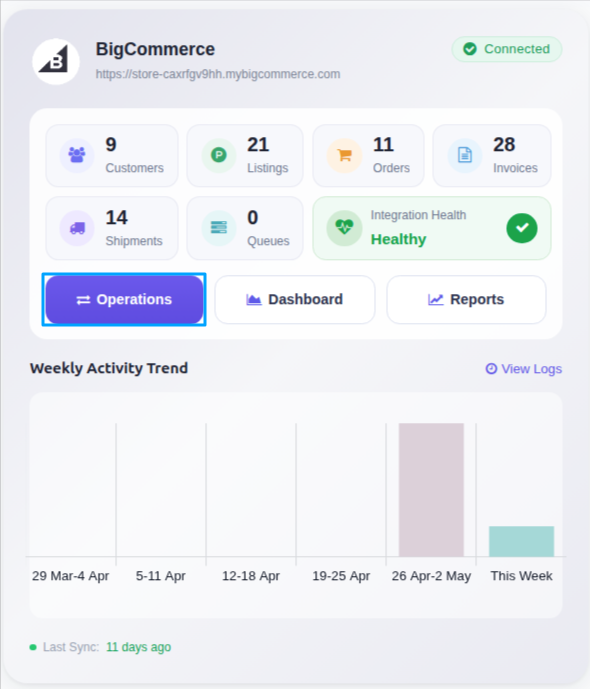
Click on the Operations button from the instance record.
Choose Import as the operation type, then from Import Operation, select Import Inventory.
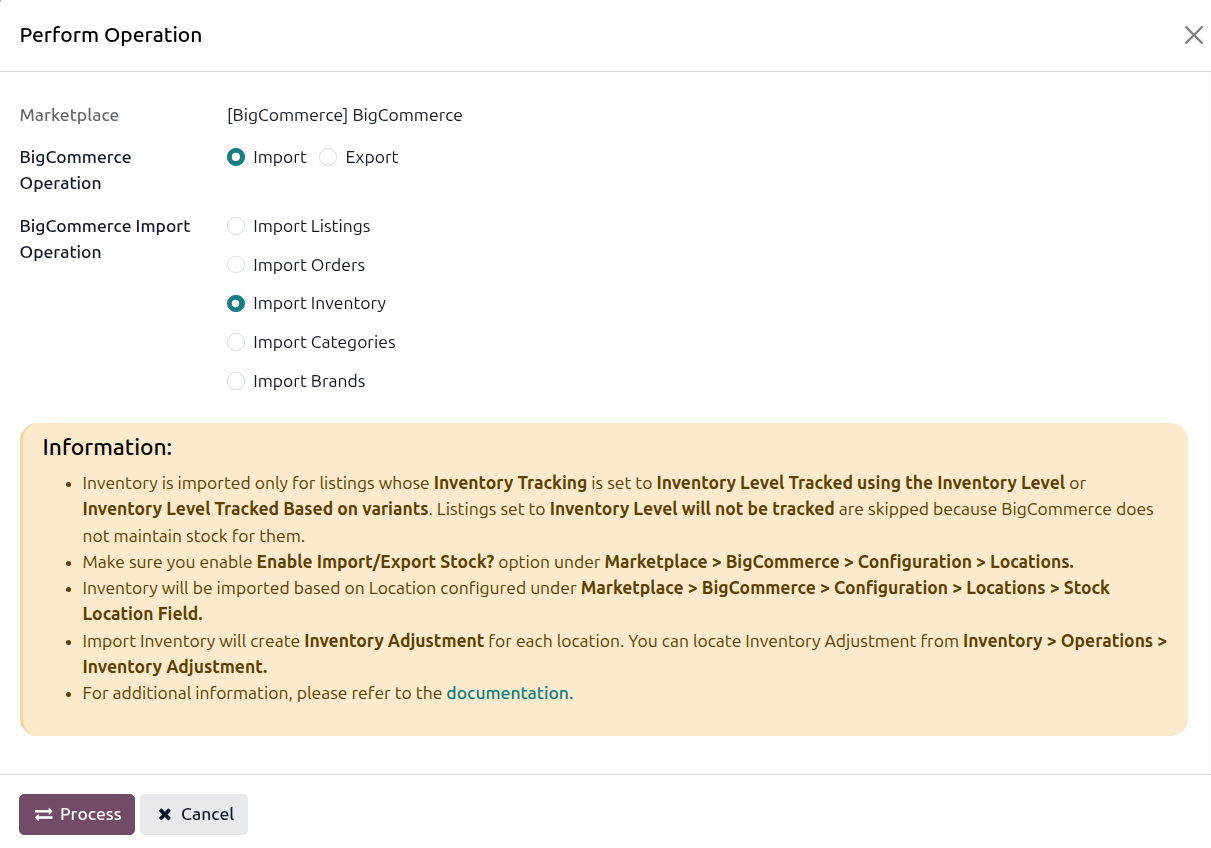
Click PROCESS. The connector fetches the current quantity per location from BigCommerce and creates an Inventory Adjustment per location.
You can locate the resulting adjustments at .
Method - 2: Automatic Inventory Import
BigCommerce inventory import in Odoo can be automated using the Automatic Schedule action, which allows you to set up a predefined time interval for the execution of the import process. This automation ensures that the inventory data from your BigCommerce store is regularly and systematically updated in Odoo without the need for manual intervention. Here’s how the process works:
Go to your BigCommerce instance setting by navigating to .
Open the Automatic Jobs tab. In that tab you can configure the Import Product’s Inventory automatic action by setting Interval Number, Interval Unit, and then enable Active.
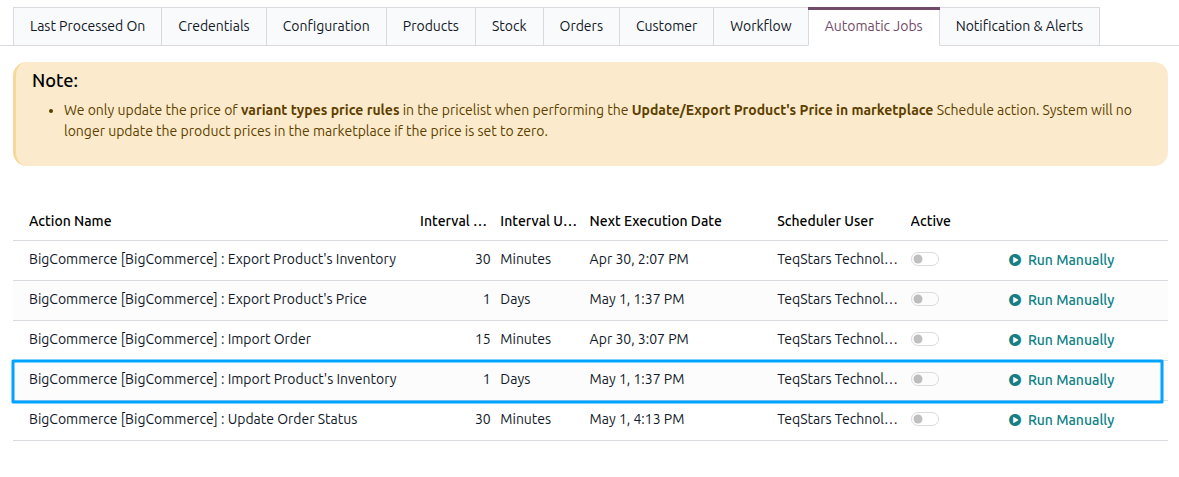
Once the schedule action is active, Odoo automatically triggers the BigCommerce inventory import at the specified time intervals, fetching the latest inventory data from your store and updating the corresponding inventory in Odoo based on the Validate Inventory Adjustment? configuration.