
Delivery Options On A Listing
Octopia prices delivery per offer. Each listing therefore carries its own delivery modes, chosen from the fixed set Octopia publishes.
Octopia’s Delivery Modes
Octopia publishes a fixed set of delivery modes and a seller cannot invent one. The connector creates the modes the Cdiscount seller portal offers when you confirm the instance, and lists them at .
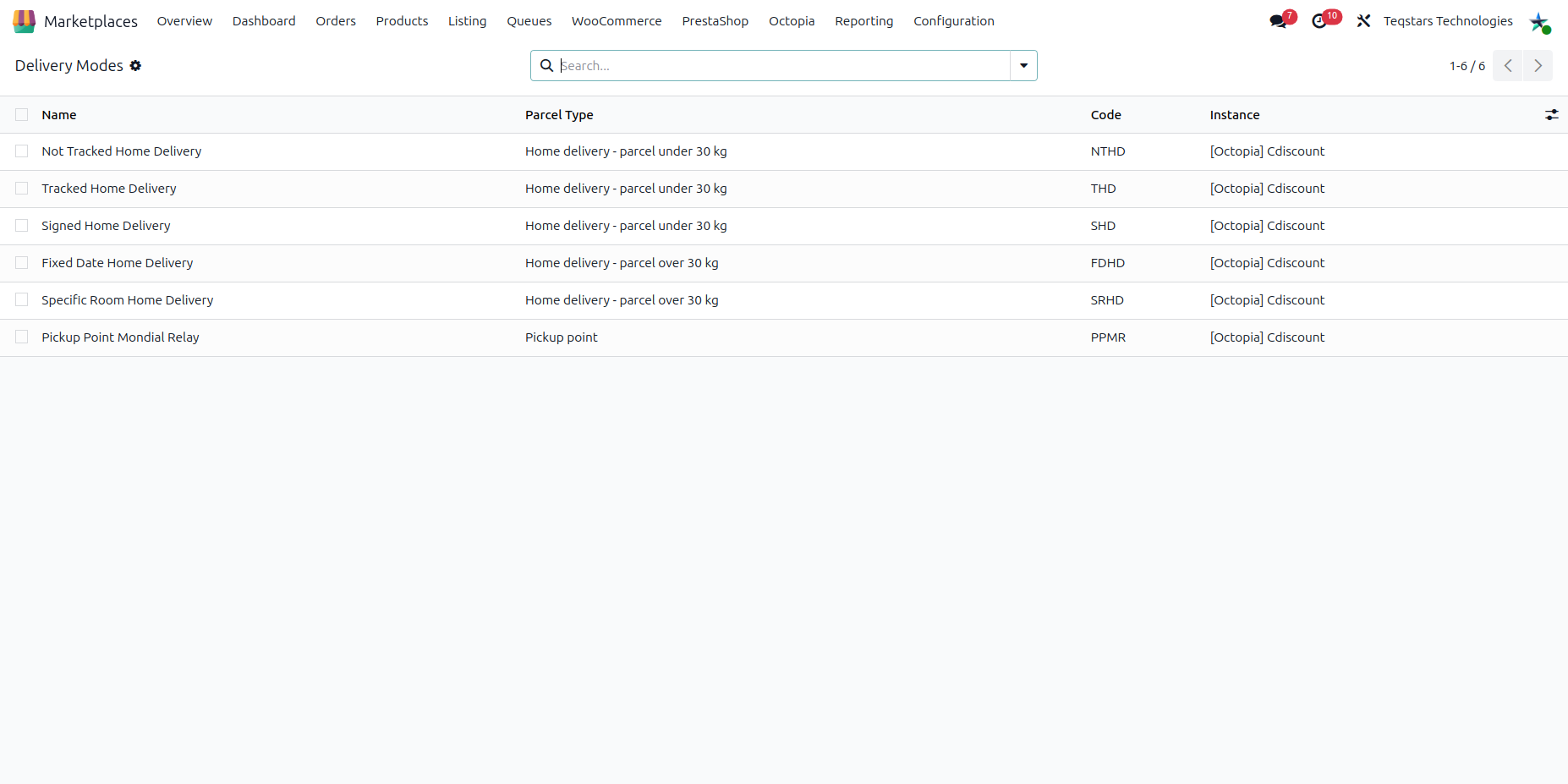
Name |
Code |
Parcel Type |
|---|---|---|
Not Tracked Home Delivery |
NTHD |
Home delivery, parcel under 30 kg |
Tracked Home Delivery |
THD |
Home delivery, parcel under 30 kg |
Signed Home Delivery |
SHD |
Home delivery, parcel under 30 kg |
Fixed Date Home Delivery |
FDHD |
Home delivery, parcel over 30 kg |
Specific Room Home Delivery |
SRHD |
Home delivery, parcel over 30 kg |
Pickup Point Mondial Relay |
PPMR |
Pickup point |
The list is fixed. Modes cannot be created or deleted, archive a mode you do not sell with.
Which modes you may actually use depends on your Octopia activity and subscriptions, and the prices are your own contract. The modes are therefore created without a price. Set the costs on each listing, and set the Shipping Cost and Additional Unit Cost of Tracked Home Delivery in the Delivery Modes list too, since they are copied onto the line the connector adds automatically.
Confirming the instance again never overwrites modes you already have.
The Delivery Tab
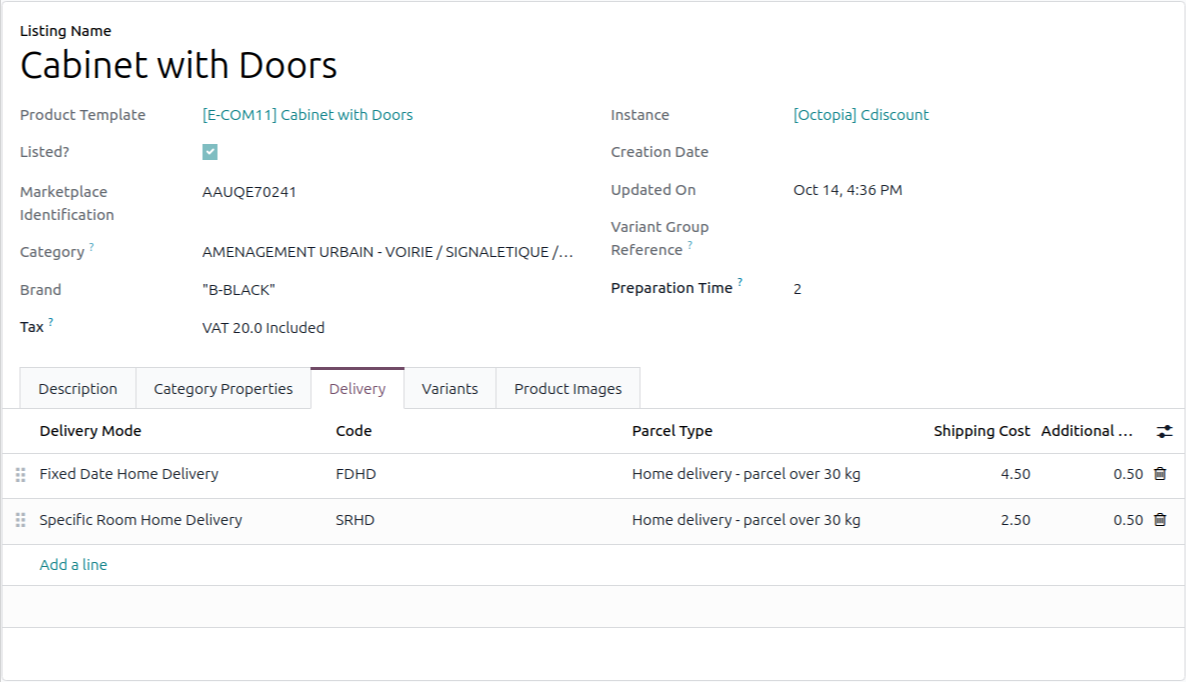
Open a listing and go to its Delivery tab. Each line has:
Delivery Mode: One of the delivery modes of the instance.
Code and Parcel Type: Filled in from the mode.
Shipping Cost: What the customer is charged to have the first unit delivered.
Additional Unit Cost: Added for each extra unit of the same offer in one order.
Also set the Preparation Time of the listing, in working days. It cannot exceed 5 days, and the instance value is used when the listing has none.
Imported Lines
Delivery modes are mirrored from the offer when a listing is imported. Octopia reports its own legacy names, such as
TrackedorMondialRelay, and the connector maps each one to its code.A name that is not in Octopia’s published list is stored without a code and logged.
A line read from Octopia that Octopia stops reporting is removed on the next import. A line you added yourself is never removed by an import.
Rules
A mode can appear only once on a listing.
All modes on one listing must have the same parcel type. Octopia refuses an offer that mixes classic and large parcel modes.
Costs cannot be negative.
Octopia refuses a small parcel offer without a tracked mode. When you save a listing that has a small parcel mode (under 30 kg) and no Tracked Home Delivery, the connector adds that line itself, with the costs set on the Tracked Home Delivery mode of the instance. It stays visible on the Delivery tab, so you can change its costs. It cannot be removed while the listing keeps a small parcel mode, because it is added again on the next save.