
Walmart Ship Nodes
A ship node is Walmart’s term for a location that ships orders, such as a warehouse, store, or third-party logistics provider. Walmart uses ship nodes to identify where stock is located and where orders should be fulfilled from.
In Odoo, ship nodes matter for two things:
Orders: an order that names a ship node is assigned to the Odoo warehouse you mapped to it.
Inventory: stock can be imported and exported per ship node, so Walmart sees the right quantity at the right location.
If you ship from a single location, you can ignore ship nodes; the instance Warehouse is used for everything.
Important
Ship nodes are available for the United States, Canada and Mexico marketplaces only. Walmart does not offer a ship-node settings API for Chile, so Import Ship Nodes is not offered on a Chilean instance, and it is not imported when a Chilean instance is confirmed. See Walmart Supported Marketplaces.
Importing Ship Nodes
Ship nodes are imported for you when the instance is confirmed. To refresh them later:
Go to the menu in Odoo.
Click on the
Operationsbutton from the instance record.Select Import Operation and then select Import Ship Nodes option.
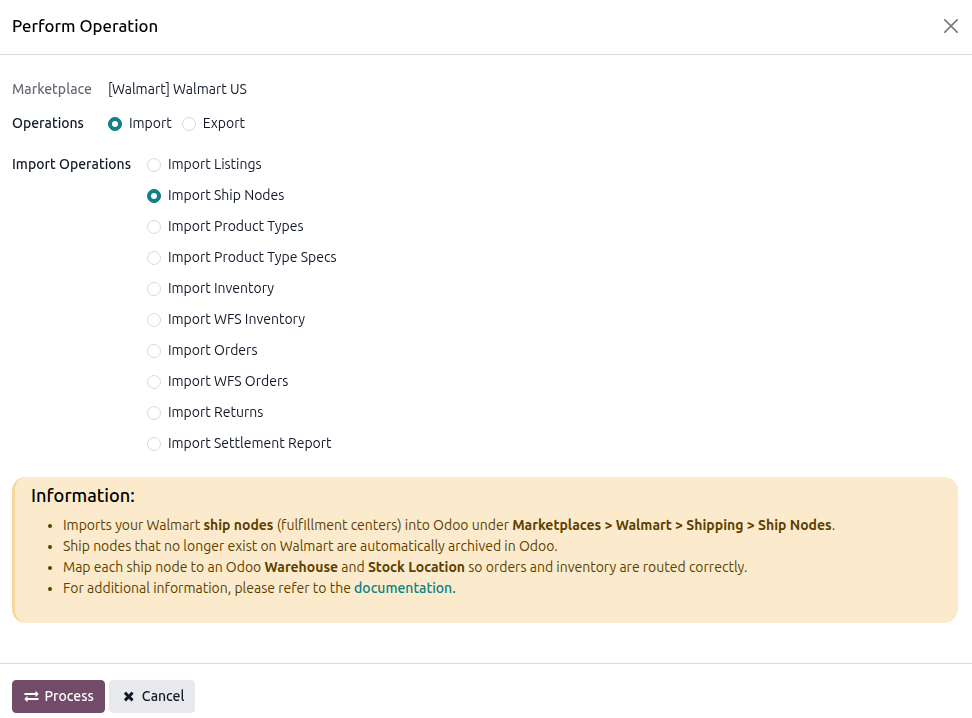
Press
PROCESSbutton.
Find them under .

Note
Ship nodes do not have a scheduled action. Re-run the operation when your Walmart setup changes.
Mapping A Ship Node
The details Walmart sends are read-only. What you configure is how the node relates to your Odoo warehouses.
Open the ship node.
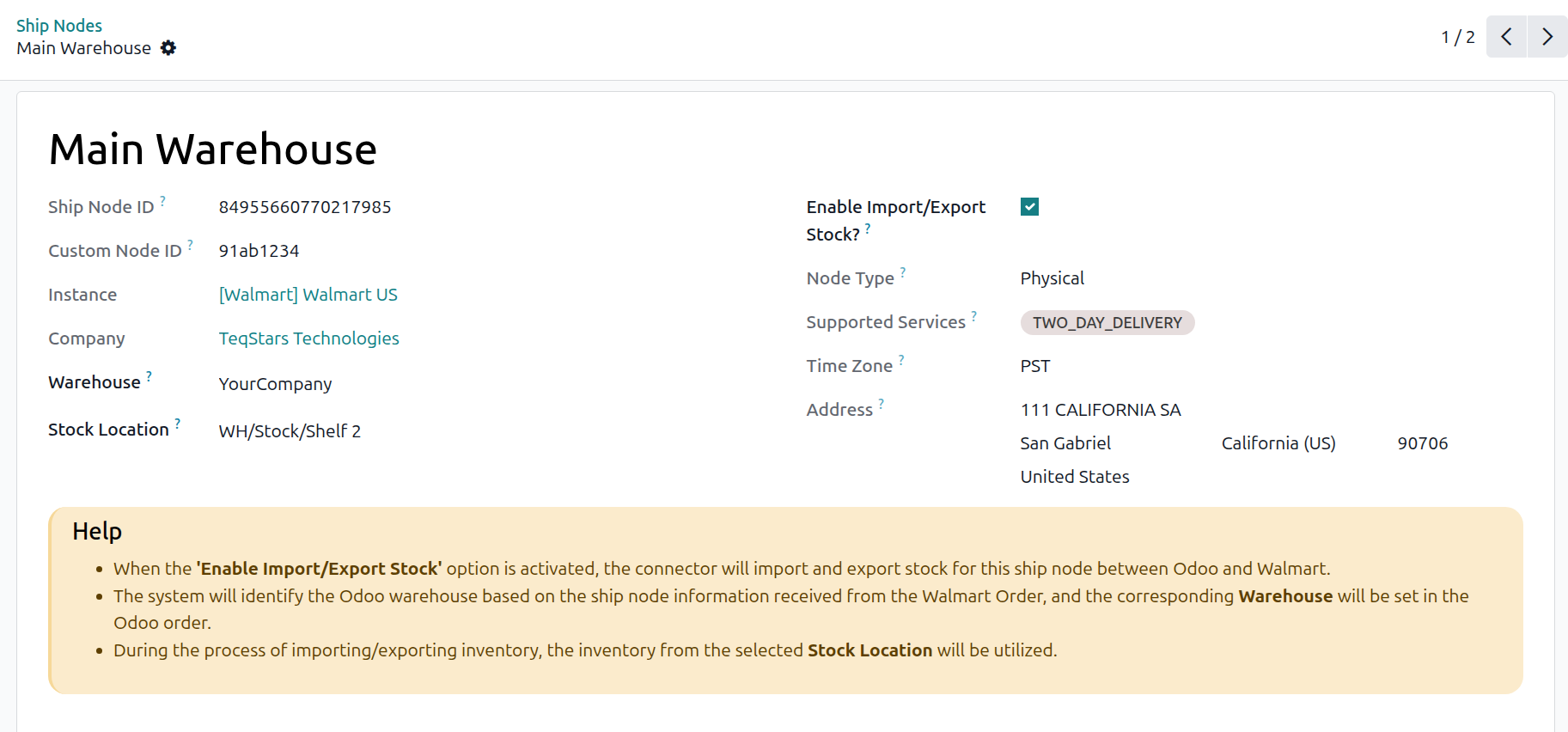
Set the fields you control:
Warehouse: the Odoo warehouse used on orders that name this ship node. If no ship node matches an order, the instance Warehouse is used instead.
Stock Location: the location whose stock is used when importing and exporting inventory for this node.
Enable Import/Export Stock?: whether this node takes part in inventory synchronization. Enabled by default.
Important
If Enable Import/Export Stock? is on, both Warehouse and Stock Location are required. A node enabled for stock but missing its location stops the inventory export with “EXPORT INVENTORY: Please set the Stock Location on Walmart Ship Node ‘…’ (Marketplace > Walmart > Shipping > Ship Nodes).” A similar error, with an IMPORT STOCK prefix, stops the inventory import the same way.
What The Walmart Fields Mean
Name: the name of the node on Walmart. Nodes that arrive without one are stored as Unnamed Ship Node.
Ship Node ID: Walmart’s own identifier for the node.
Custom Node ID: the identifier you assigned in Seller Center, if any.
Node Type:
Physical,Virtual, orThird-Party (3PL).Supported Services: the delivery services the node can offer.
Time Zone: the time zone the node ships from. Only the four North American zones are recognized; anything else arrives empty.
Address: the node’s postal address.
A node that is inactive on Walmart is archived in Odoo, so it stays on record without cluttering the list. To see archived nodes, use the Archived filter on the ship node list.
How Ship Nodes Affect Inventory
With ship nodes enabled for stock, inventory is exported per node from each node’s own stock location, and imported back into the same locations. Walmart then knows what is available where.
Without them, a single quantity is exported from the instance Warehouse, and imported stock is recorded there.
See Export Inventory To Walmart and Import Inventory From Walmart.
Note
Ship nodes are not used for WFS. WFS stock sits in Walmart’s own fulfillment network and is recorded in the WFS Warehouse. See Import WFS Inventory From Walmart.