
Export Inventory From Odoo
Exporting inventory pushes Odoo on-hand quantities back to BigCommerce locations, keeping the storefront in sync with reality. The connector batches updates (250 items per request) and combines quantities across all enabled stock locations mapped to a given BigCommerce location before sending the total.
Note
The Stock Based On setting on the instance controls which quantity formula is exported (Free To Use, Quantity On Hand, or Forecasted Quantity).
Prerequisites
At least one BigCommerce location must have Enable Import/Export Stock? enabled and a mapped Location (Odoo stock location). Locations without these are excluded.
Each Listing Item must reference a tracked Odoo product variant. Listings without a linked product are skipped.
There are two ways to export inventory.
Method - 1: Manual Export
Go to the menu in Odoo.
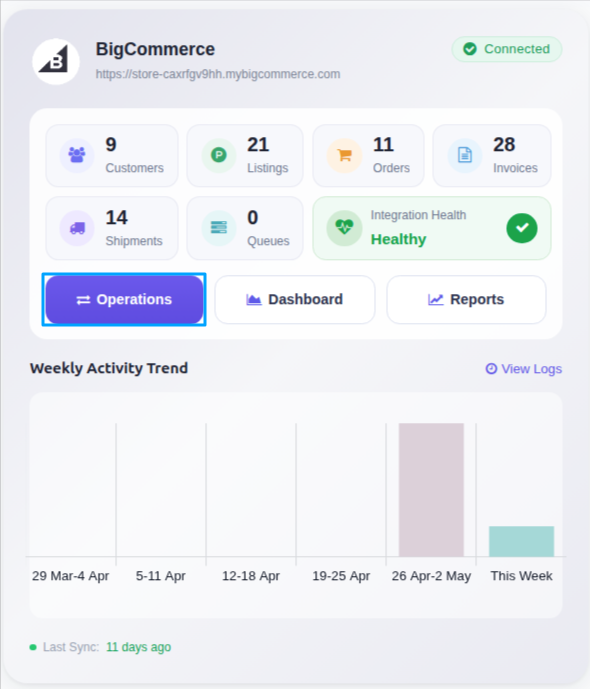
Click on the Operations button from the instance record.
Choose Export as the operation type, then from Export Operation, select Export Inventory.
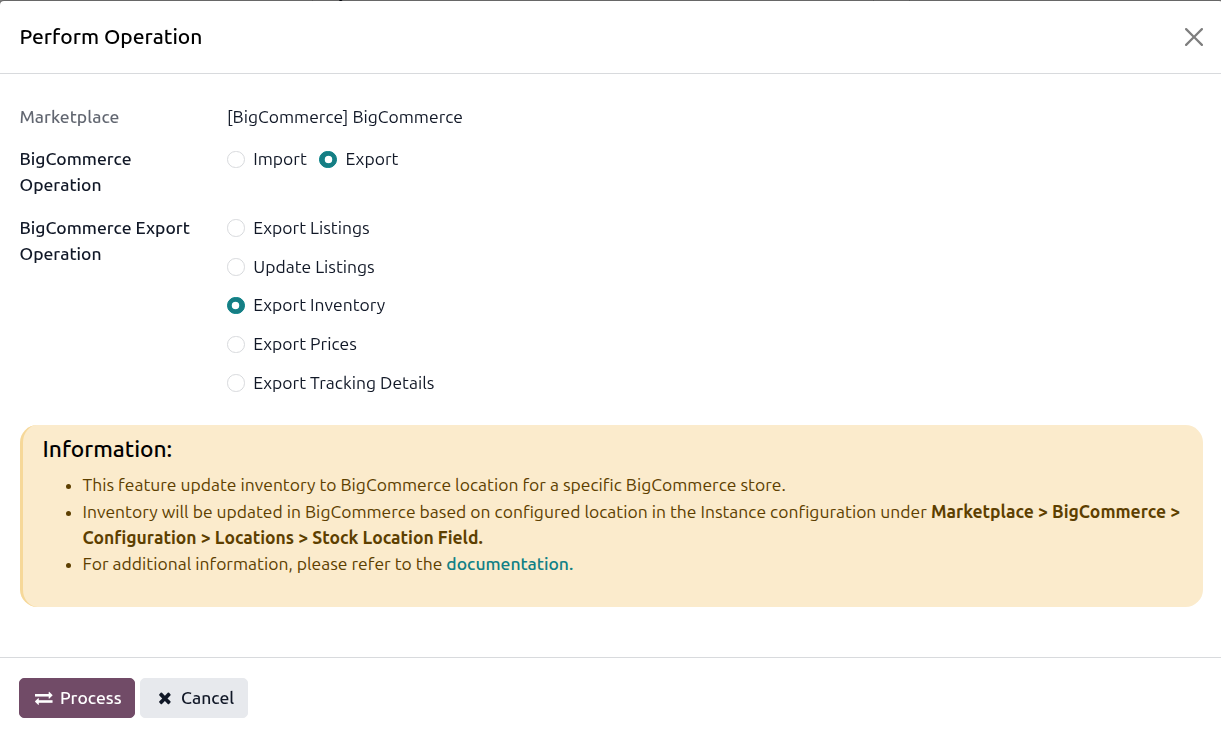
Click Process. The connector compiles the latest quantities per listing item and pushes them to BigCommerce in batches.
Tip
Use the per-listing Export Qty Type and Export Qty Value fields on the Listing form to override the global behavior, for example to send a fixed safety stock or a percentage of the actual quantity.
Method - 2: Automatic Inventory Export
Inventory export from Odoo to BigCommerce can be automated using the Automatic Schedule action, which allows you to set up a predefined time interval for the execution of the export inventory process. This automation ensures that the inventory data from your Odoo ERP is regularly and systematically updated in BigCommerce without the need for manual intervention. Here’s how the process works:
Go to your BigCommerce instance setting by navigating to .
Open the Automatic Jobs tab. In that tab you can configure the Export Product’s Inventory automatic action by setting Interval Number, Interval Unit, and then enable Active.
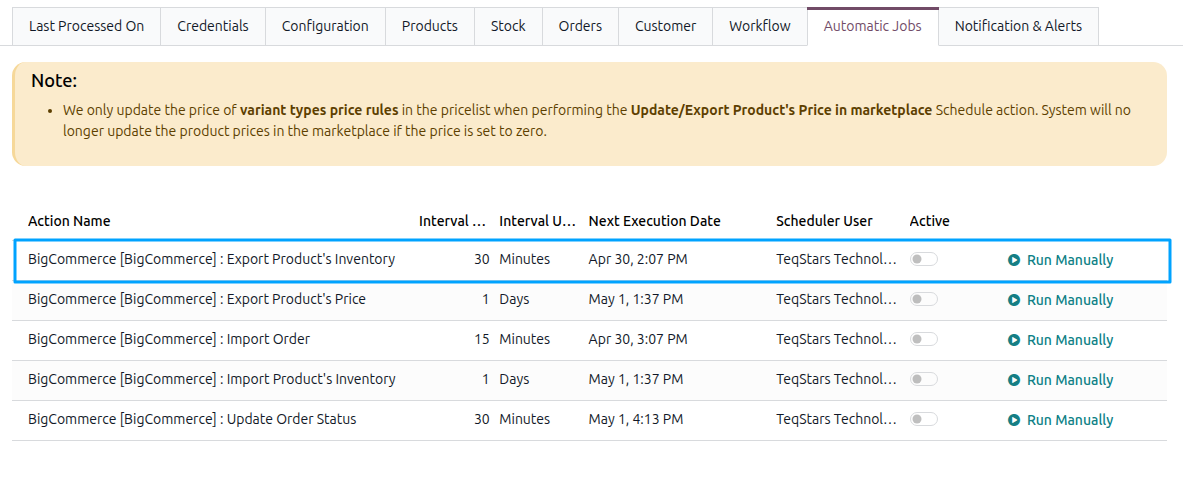
Once the schedule action is active, Odoo automatically triggers the inventory export from Odoo to BigCommerce at the specified time intervals, exporting the latest inventory data from your Odoo ERP and updating the corresponding inventory in BigCommerce based on the Stock Based On configuration.