
Export Price To Walmart
Exporting price from Odoo to Walmart ensures that your Walmart listings always reflect the correct prices from your Odoo catalog. It works for every Walmart marketplace.
Method - 1: Manual Price Export
For Multiple Listings
Go to the menu in Odoo.
Click on the
Operationsbutton from the instance record.Select Export Operation and then select Export Prices option.
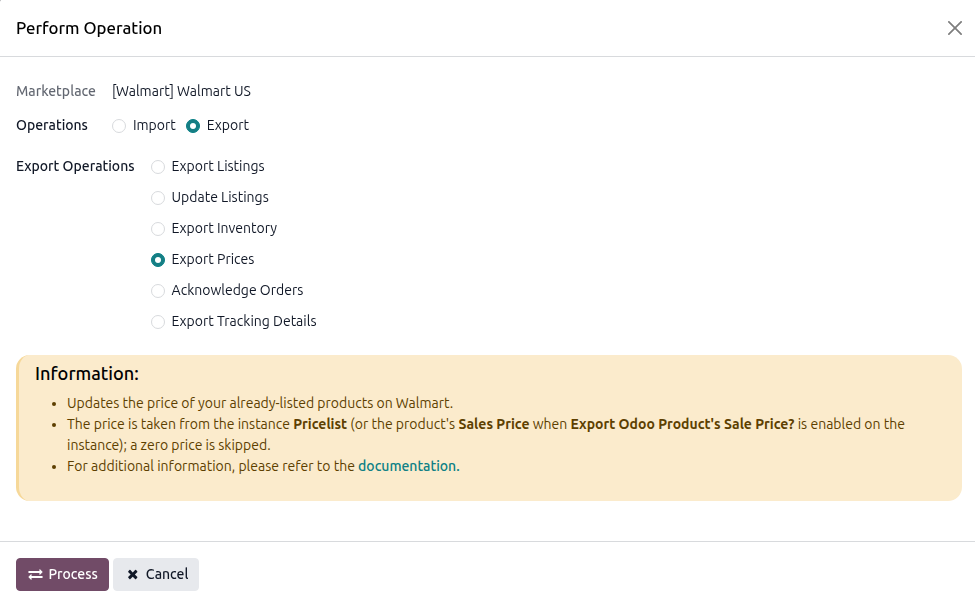
Press
PROCESSbutton.
For Single Listings
Go to and select the listing from the list, without opening it.
Click Export/Update to Marketplace, enable Update Price, and click Update Listing. See Update Walmart Listings From Odoo.
Method - 2: Automatic Price Export
Go to your Walmart instance setting by navigating to .
On the Automatic Jobs tab, configure the Export Product’s Price job by setting Interval Number, Interval Unit, and then Active.
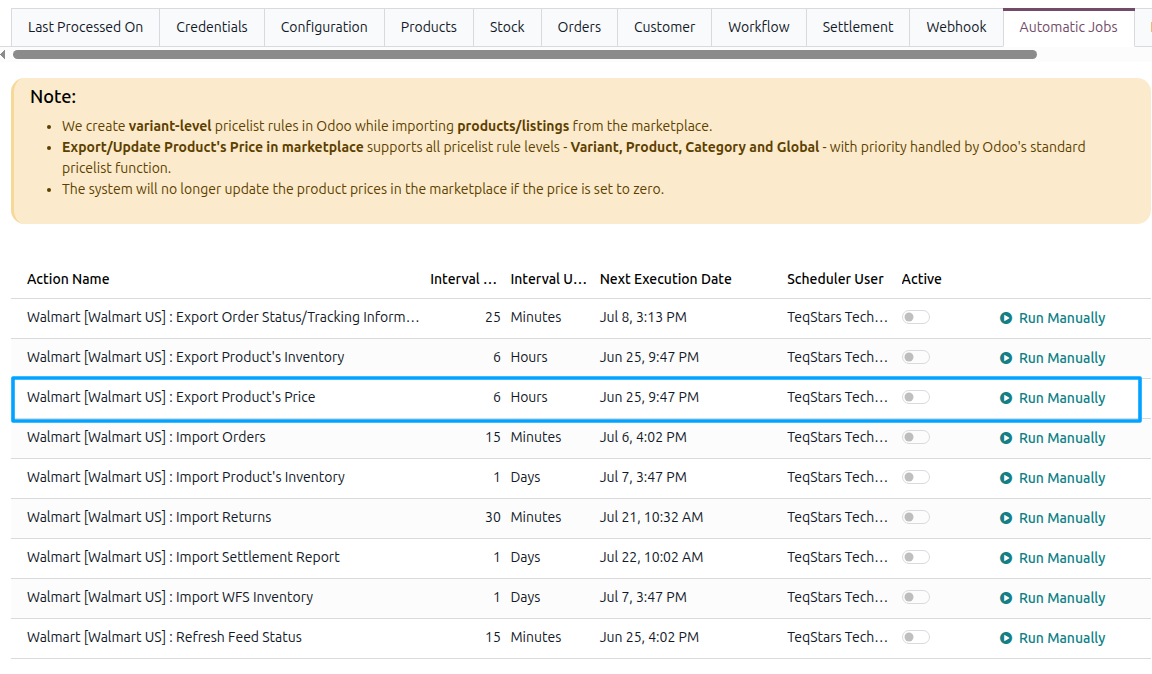
The job runs daily by default. See Automatic Jobs.