
Attribute Value Mapping
An attribute mapping says that TikTok Shop’s
Coloris yourColor. An attribute value mapping goes one level down and says that TikTok Shop’sRedis yourRed.The value mappings are created once their attribute mapping has an Odoo attribute, and matched to your Odoo values by name where a name matches.
They decide which Odoo value an imported variant gets. A value with no mapping is matched to the Odoo value of the same name, or created.
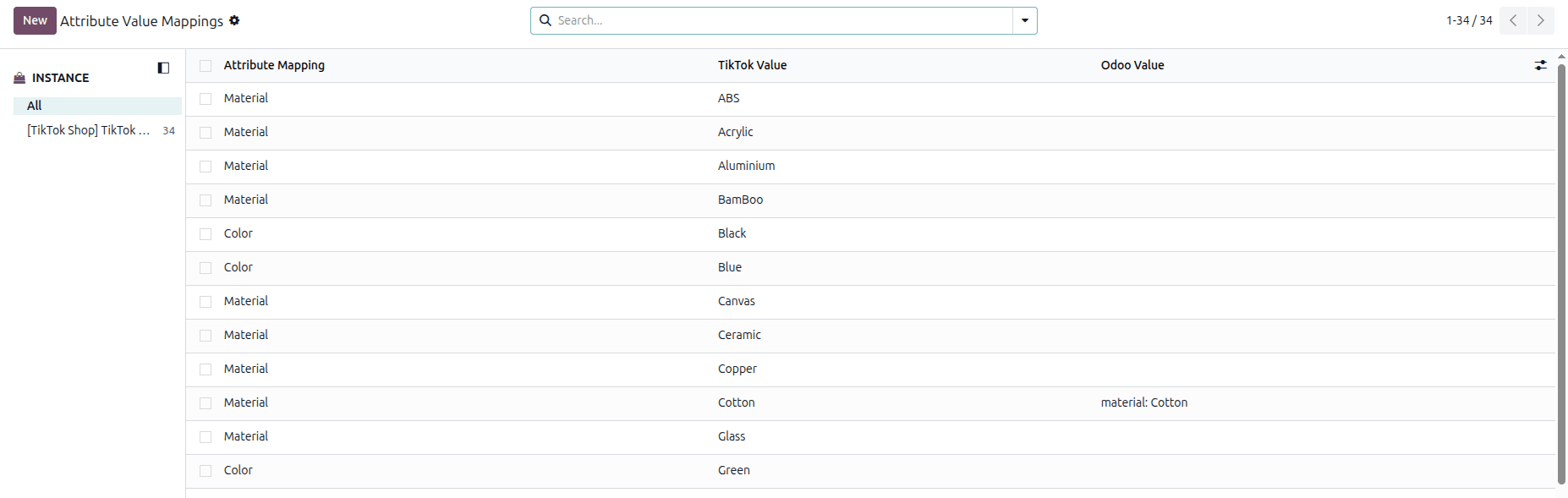
Attribute Value Mappings
Go to , or open the Values tab of an attribute mapping.
Map A Value
Go to .
Click the Odoo Value cell of a row and pick the Odoo value it stands for.

Save.
Each row carries:
TikTok Value: the TikTok Shop value name for the attribute, such as
Red.Attribute Mapping: the attribute this value belongs to.
Odoo Value: the Odoo attribute value it stands for. Only the values of the mapped Odoo attribute can be chosen, so set the attribute mapping first.
Note
Changing the Odoo Attribute on the attribute mapping refreshes these rows, because the values that may be chosen change with it.