
Import Attributes From ManoMano
ManoMano describes its products with attributes, such as a colour or a material. The ManoMano Connector imports these attributes into Odoo, so you can match them with your Odoo attributes and fill them on your listings.
You can fetch the attributes from ManoMano yourself, or let a scheduled job import them.
Once the attributes are in Odoo, match them with your Odoo attributes. See Map Odoo Attributes To ManoMano Attributes.
Fetch Attributes From ManoMano
Go to .
In the Instance panel, select your ManoMano instance.
Click Fetch Attributes on the list of ManoMano attributes.
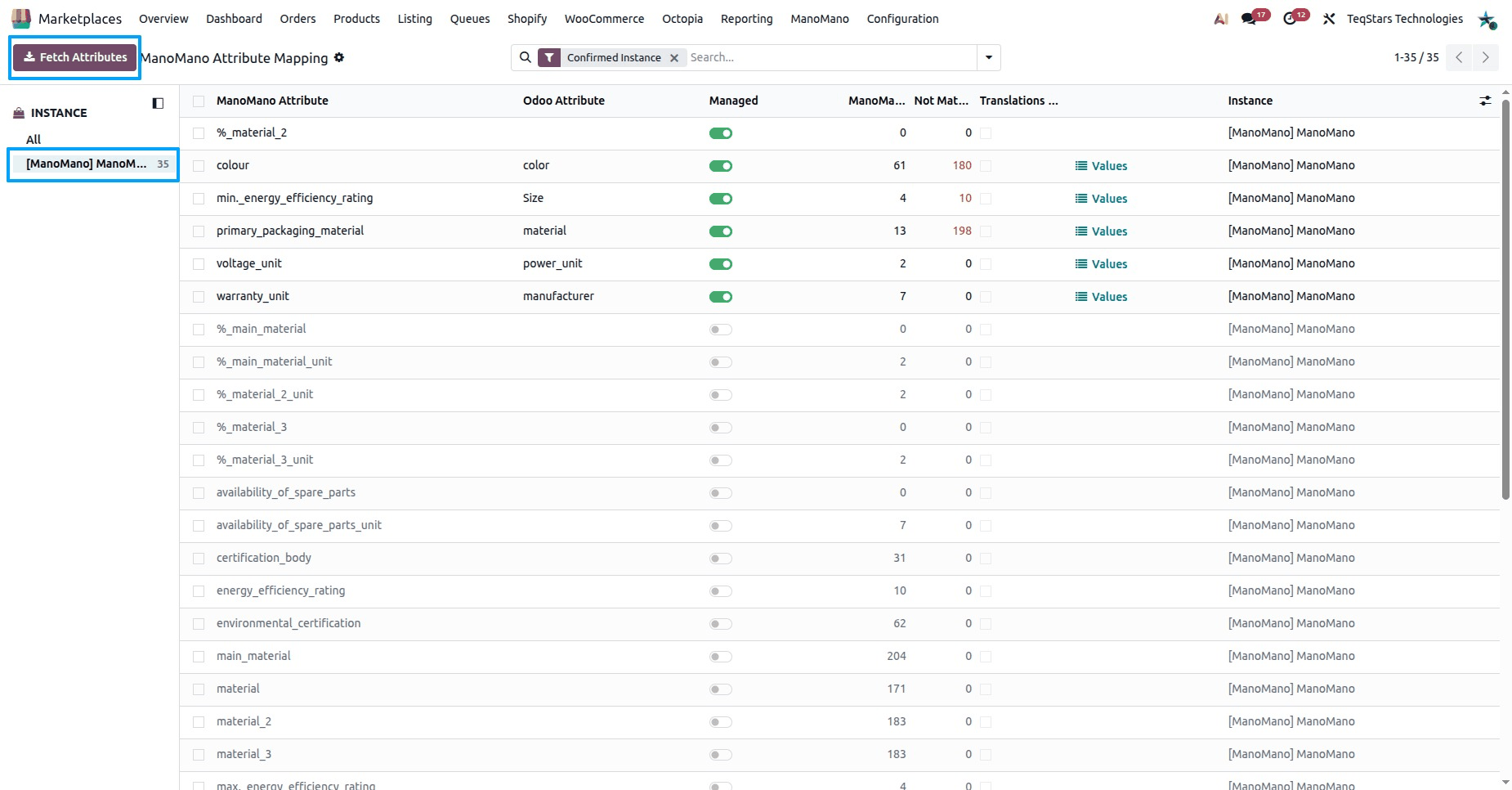
Odoo reads the attributes of the selected instance from ManoMano and adds them to the list.
When the fetch does not work, check the message Odoo shows:
Only a Marketplace Manager can fetch data from ManoMano.: ask a user with this access to fetch the attributes.
Please select a ManoMano instance in the Instance panel first.: select an instance, then click Fetch Attributes again.
The instance is not confirmed.: confirm the instance first. See Create a ManoMano instance in Odoo.
ManoMano API Key is missing on instance.: fill in the API Key on the Credentials tab of the instance.
ManoMano is temporarily unavailable.: try again in a few minutes.
IMPORT ATTRIBUTES: The attributes could not be read from ManoMano.: the technical detail at the end of the message tells you why. Check the connection with Test Connection on the instance, then try again.
Automatic Attribute Import
The Import Attributes scheduled job imports the ManoMano attributes into Odoo, the same way Fetch Attributes does. This keeps your list of attributes in line with ManoMano without any manual step.
Attribute Details
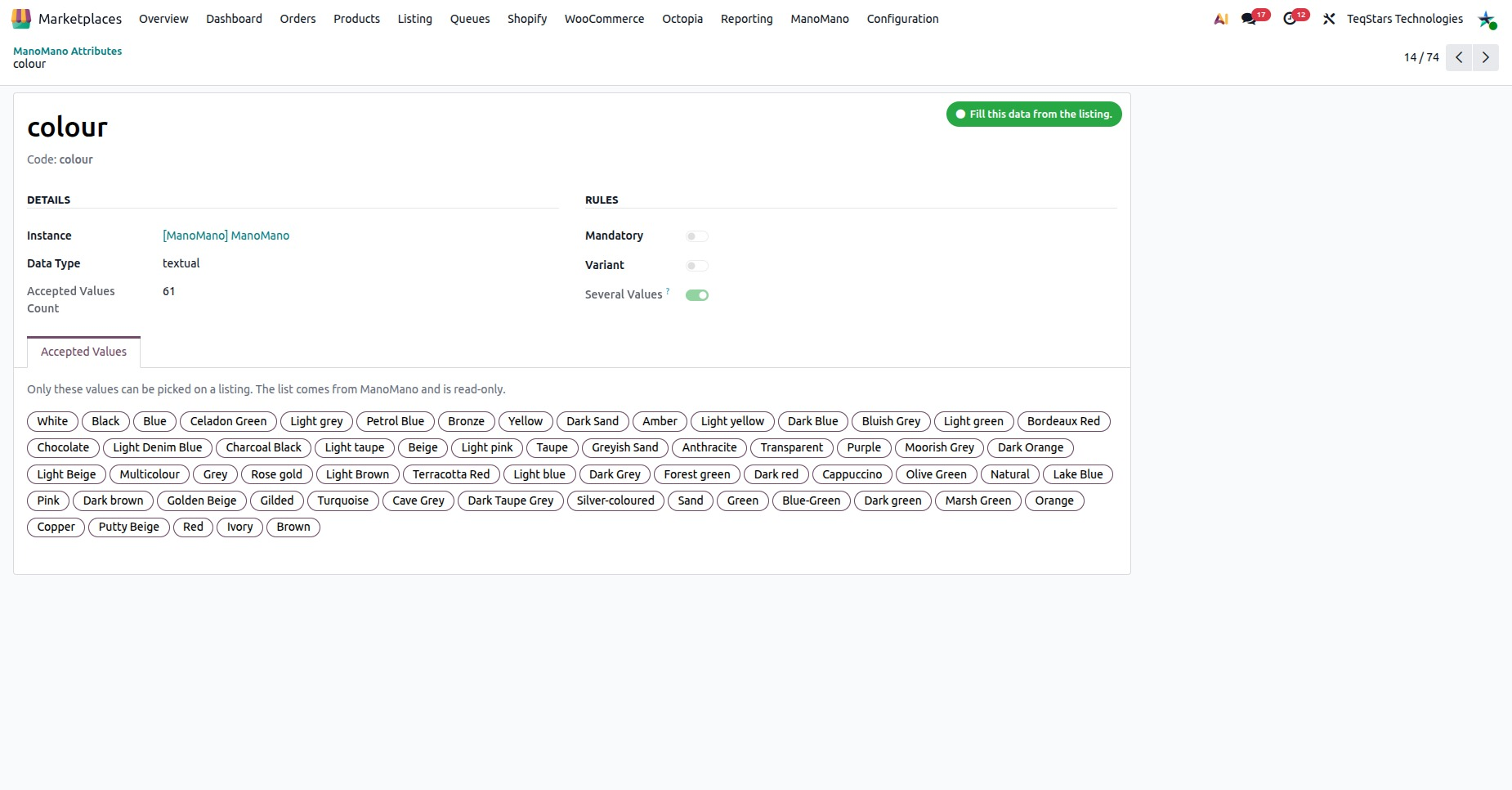
Click an attribute in to open it. Its details come from ManoMano:
Name and Code: the name and the code of the attribute on ManoMano.
Data Type: the kind of data ManoMano expects for this attribute.
Mandatory: shows that ManoMano requires this attribute. When the Odoo value of a mandatory attribute is not mapped to a ManoMano value, the product is not written to the feed.
Variant: shows whether the attribute applies to the variants.
Instance: the ManoMano instance the attribute belongs to.
Several Values: ManoMano accepts more than one value for this attribute, joined by ‘#’. On a listing, you type the values like this:
Blue#Orange. When this option is off, the attribute accepts only one value.Accepted Values Count: how many values ManoMano accepts for this attribute.
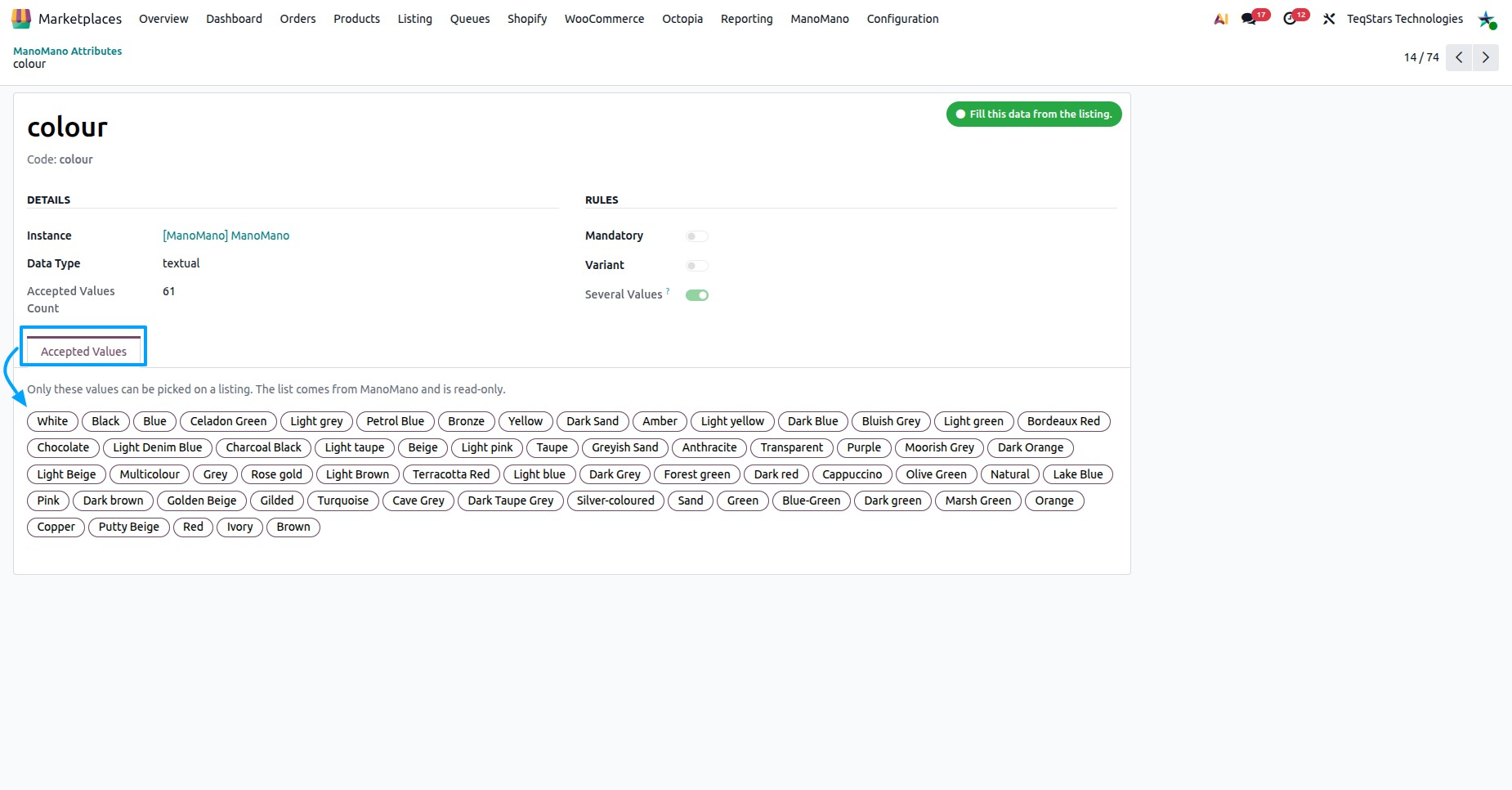
Accepted Values
The Accepted Values tab shows the Accepted Values List: the values ManoMano accepts for this attribute, one per line.
Only these values can be picked on a listing.
The list comes from ManoMano and is read-only. To refresh it, fetch the attributes again.
An empty list means ManoMano accepts any free text for this attribute. In this case, the Odoo value is sent as it is.
When a value on a listing is not in the list, Odoo stops you and asks you to pick one of the values ManoMano allows. Odoo also stops you when you type several values for an attribute that accepts only one.