
Configure BigCommerce Locations
When you confirm a BigCommerce instance in Odoo, all BigCommerce inventory locations are imported automatically and mirrored as Location records in Odoo.
To view and configure your BigCommerce locations, navigate to .
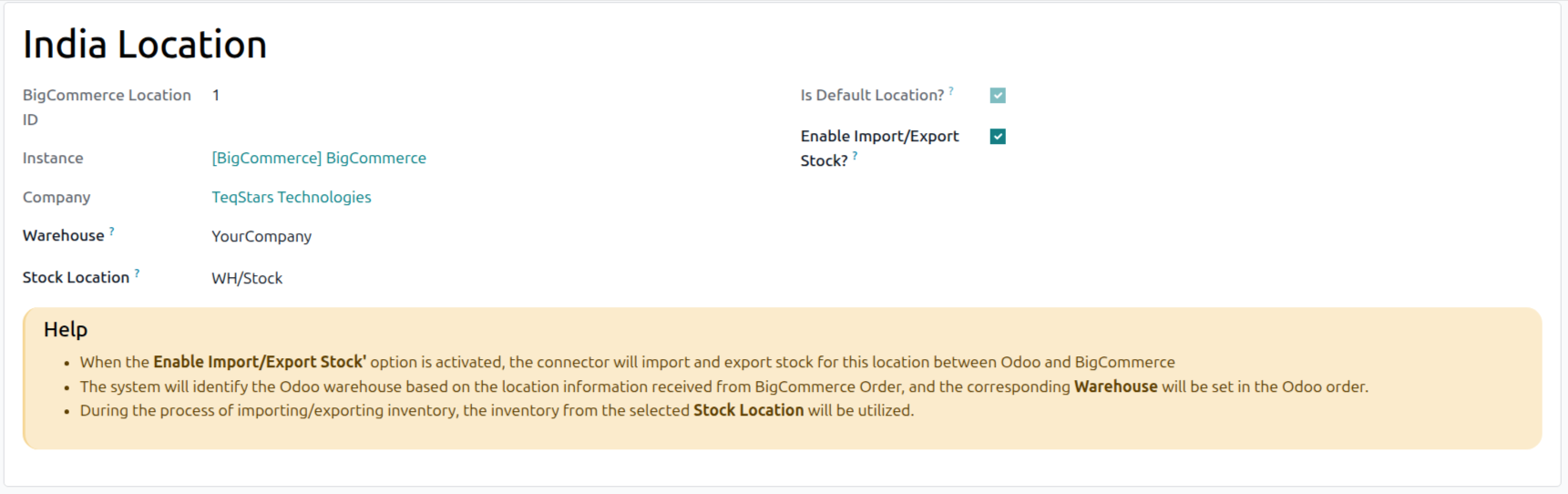
Name
The location label as defined in your BigCommerce store. Imported automatically when the instance is confirmed.
Is Default Location?
Marks the location that BigCommerce and connected apps use when an order does not specify a location of its own. The connector reads this from your BigCommerce store, so the flag is read-only on the Odoo side. Only locations that fulfill online orders can serve as the default.
Warehouse
The Odoo warehouse linked to this BigCommerce location.
When an order is imported and the customer’s order is fulfilled from this BigCommerce location, the warehouse is used as the source warehouse for the Sale Order.
If left empty, the connector falls back to the warehouse configured on the instance.
Stock Location
The internal Odoo stock location used for import and export of inventory tied to this BigCommerce location.
On import, an Inventory Adjustment is created for this stock location.
On export, the on-hand quantity in this stock location (combined with other enabled locations linked to the same BigCommerce location) is pushed back to BigCommerce.
Enable Import/Export Stock?
When enabled, this location participates in inventory sync (both directions).
When disabled, the location is skipped entirely on import and export. Use this to exclude third-party fulfillment locations or staging warehouses.
Note
If you add a new location in BigCommerce after the instance is confirmed, Reset the instance to Draft and click Confirm again to re-fetch locations. The connector deactivates locations that no longer exist in BigCommerce on the same step.
The default location is auto-populated with the instance warehouse and its stock location the first time it is imported, but only when those fields are still empty — your manual mappings are never overwritten.
Warning
BigCommerce Limitation: Stock cannot be exported from Odoo to BigCommerce for locations that BigCommerce flags as managed by an external service.