
Export Products From Odoo
With Export Listings, you can export your listings to Shopify, including all information such as pricing, inventory, and images. To export products from Odoo to Shopify, please follow these steps:
To begin exporting your products to Shopify, navigate to the menu. In the product list view, select the products you want to export to Shopify. Then, from the action dropdown, choose Add to Listings.
A popup will appear. In this window, select the Shopify instances where you wish to add your products. After making your selections, click the
Add to Listingsbutton.The selected products will now be listed in the designated Shopify instances within your Odoo Marketplace. From there, you can proceed to update the product descriptions, tags, and any other relevant details for your Shopify listings.
Large exports and updates can run as Shopify bulk queries. You can follow them in . Each query shows its Operation Type (for example Export Listing or Update Listing) and status, such as Queued, Running, Completed or Failed. A scheduled job checks the status every 15 minutes, and you can use Fetch Bulk Queue Status to check it right away.
Once you have updated the details in the product listings, you can proceed to export products from Odoo to Shopify in two different ways:
Method - 1: From The Operation Popup
Go to the menu in Odoo.
Click on the
Operationsbutton from the instance record.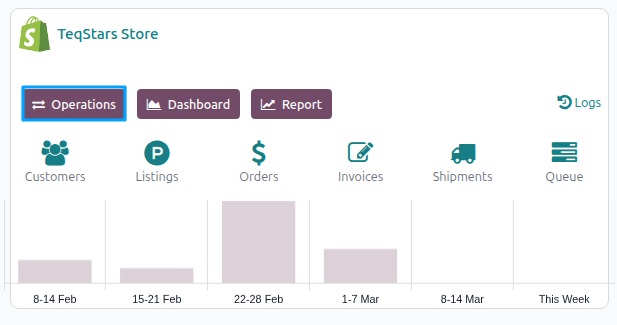
Select Export Operation and then select Export Listings option.
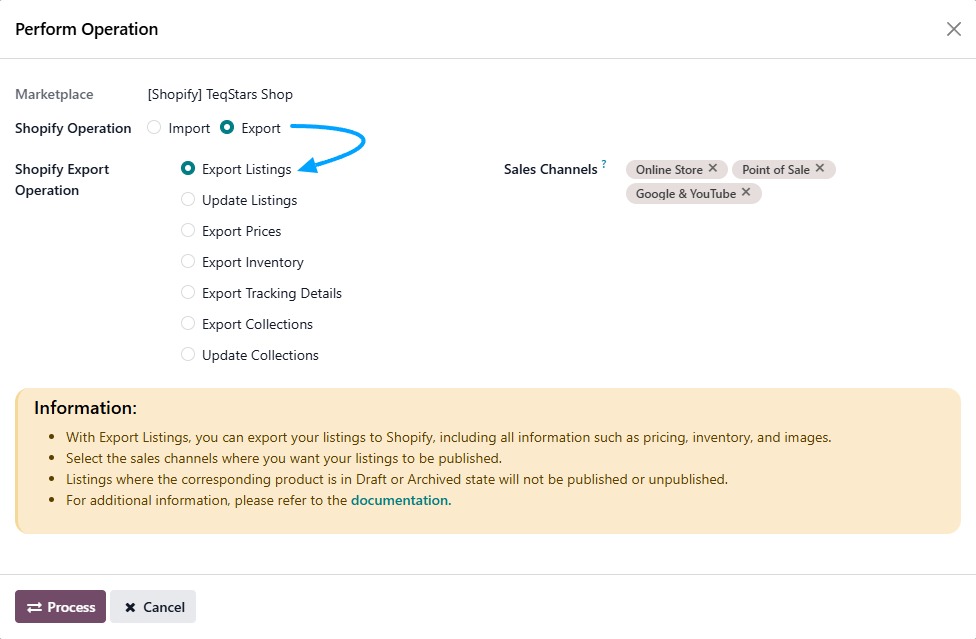
Sales Channels (optional): Select the Shopify sales channels (e.g., Online Store, Point of Sale) where you want the listings to be published. If left empty, the listing will still be exported to Shopify but will not be published to any channel.
Press
PROCESSbutton to export products to Shopify.
Method - 2: From The Listing View
Go to the menu in Odoo.
Click on the
Listingbutton from the instance record to navigate where all your product listings are managed.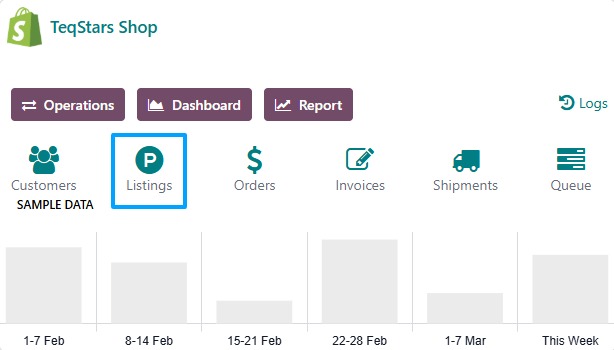
In the Listing menu, Select Listings and click on the
Export New Listingbutton.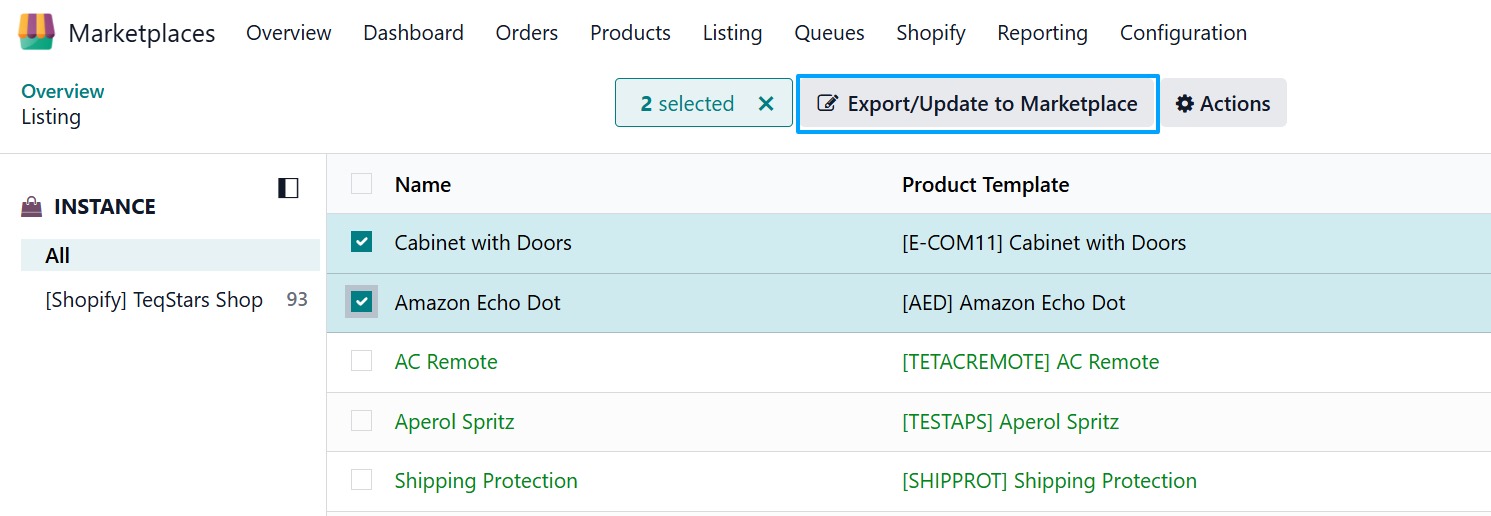
A pop-up window will appear, presenting you with various listing export options. Select the data you want to export to Shopify and press
Export Listingbutton.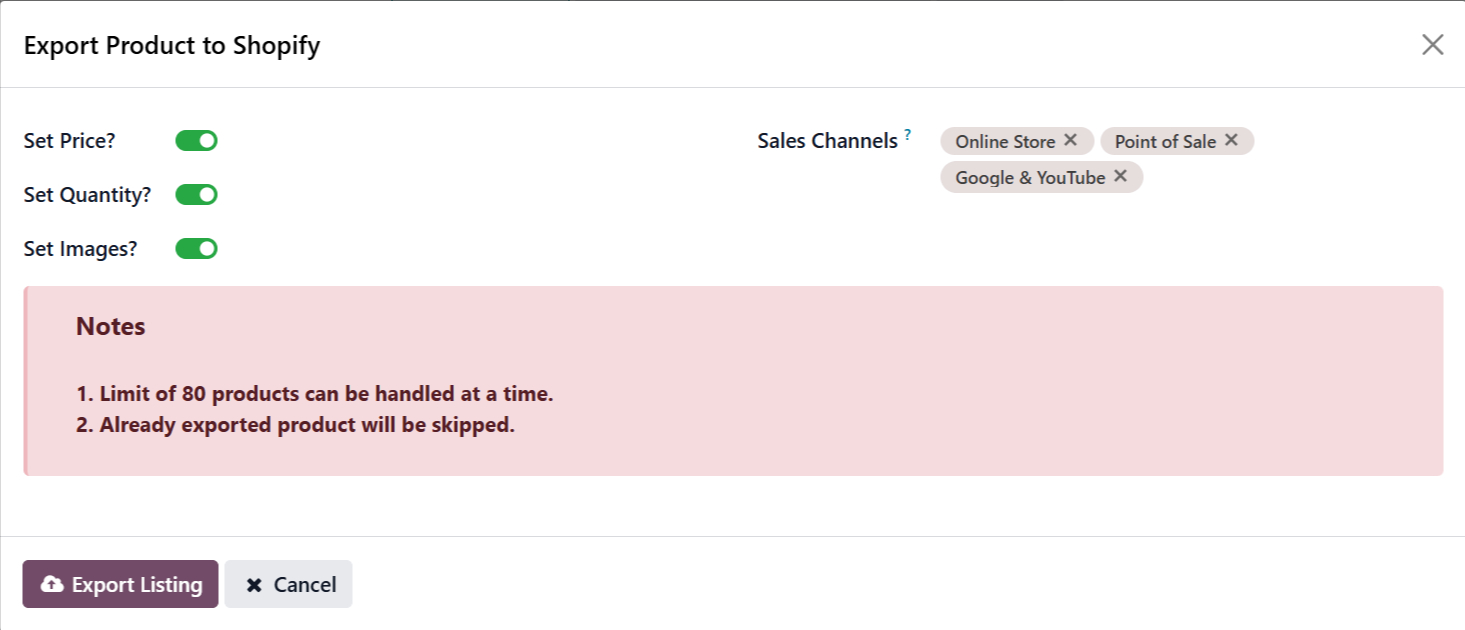
HS Code & Country of Origin
While Export Listings, the connector also updates the HS Code and Country of Origin from the Odoo product to Shopify.
In Shopify, these values are stored separately for each product variant, while in Odoo the same values are shared across all variants of the product. Because of this difference, the connector follows the rule below before updating the Shopify product:
The Country of Origin set on the Odoo product is updated on every variant of the product in Shopify.
The HS Code set on the Odoo product is updated on every variant of the product in Shopify.
If either value is empty on the Odoo product, the corresponding value in Shopify is cleared.
Any existing value in Shopify is replaced with the latest value from Odoo.
By following these steps, you should be able to export listings from Odoo to Shopify and keep your online store’s inventory and product information up-to-date.