
Import Products In Odoo
The TikTok Shop Odoo Connector allows you to import TikTok Shop products (listings) into Odoo. This keeps your product catalog in Odoo up to date with what you sell on TikTok Shop.
Before importing products, it’s necessary to configure certain product configuration in the Instance.
Importing listings is normally the first thing you do after setting up an instance, because orders, price exports and stock exports all work through listings.
Note
Listing import is run manually from the Operations popup. There is no scheduled action for it.
Import TikTok Shop Listings
Go to the menu in Odoo.
Click on the
Operationsbutton from the instance record.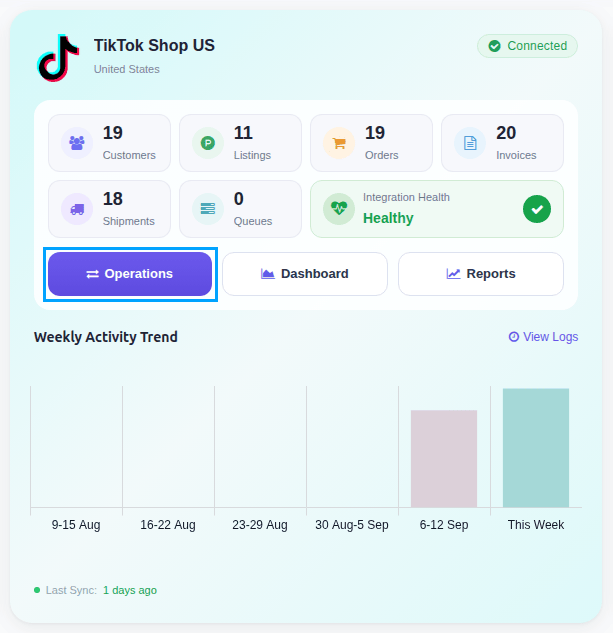
Select Import Operation and then select Import Listings option.
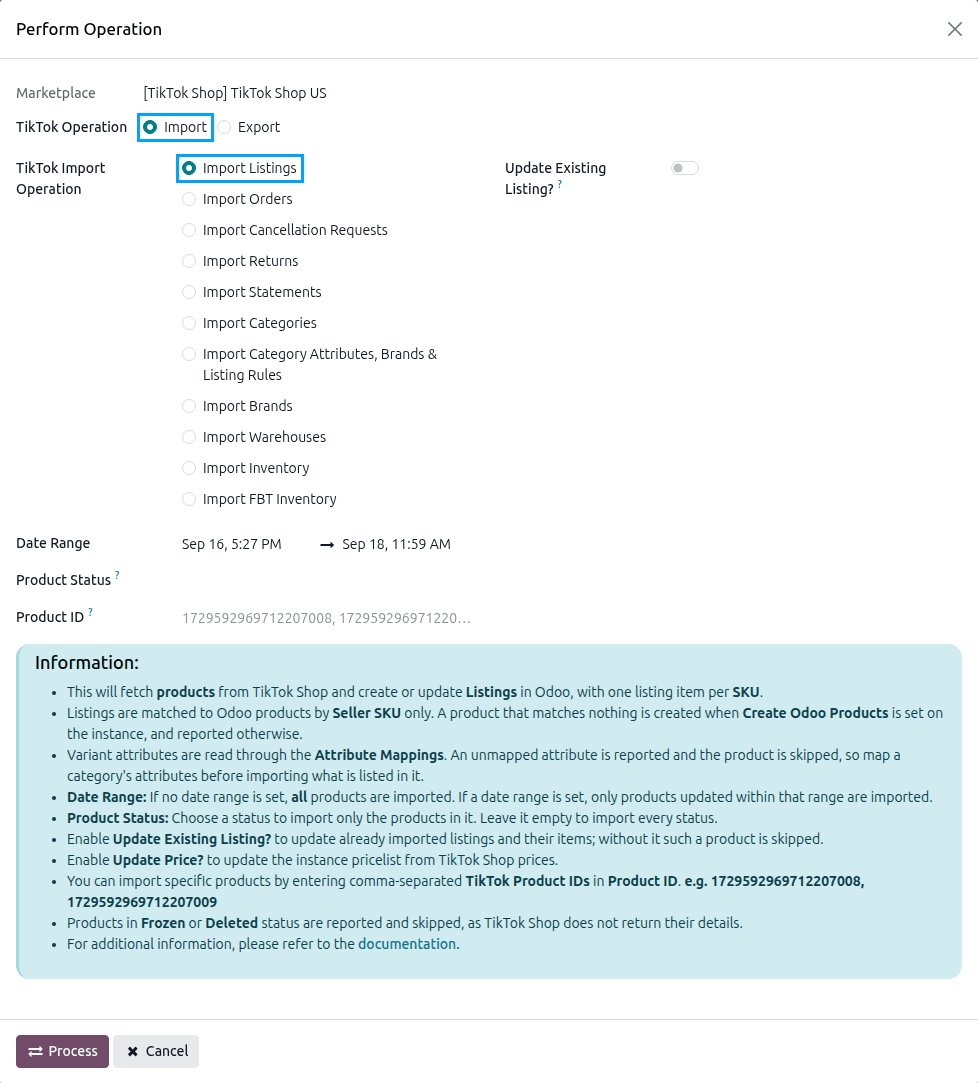
The listing import operation has the following options:
Date Range: only the products updated between the two dates are read. Left empty, all products are imported.
Product Status: import only the products in one state:
Draft,Pending,Failed,Live,Deactivated by SellerorDeactivated by TikTok Shop. Leave it empty for every status.Product ID: you can import specific TikTok Shop products by entering their product IDs, separated with a comma (‘,’) like this: 1729592969712207008, 1729592969712207009.
Update Existing Listing?: update listings that already exist in Odoo, along with their items, instead of skipping them.
Update Price?: shown once Update Existing Listing? is on. It also updates the instance pricelist from the TikTok Shop prices.
Press
PROCESSbutton.
Note
Products in Frozen or Deleted status are reported and skipped, because TikTok Shop does not return their details.
What Happens Next
Products named in Product ID are imported straight away. Otherwise the import adds the products to a Product Queue Job, processed in batches. Follow it under , and see what each line reported under .

A line that fails keeps its error, so the queue can be processed again once the cause is fixed (a missing attribute mapping, for instance).
For each TikTok Shop product the connector creates or updates:
one listing, carrying its TikTok Category, TikTok Brand, the package weight and dimensions, and its TikTok Status and Review Status, and
one listing item per variant, carrying its seller SKU.
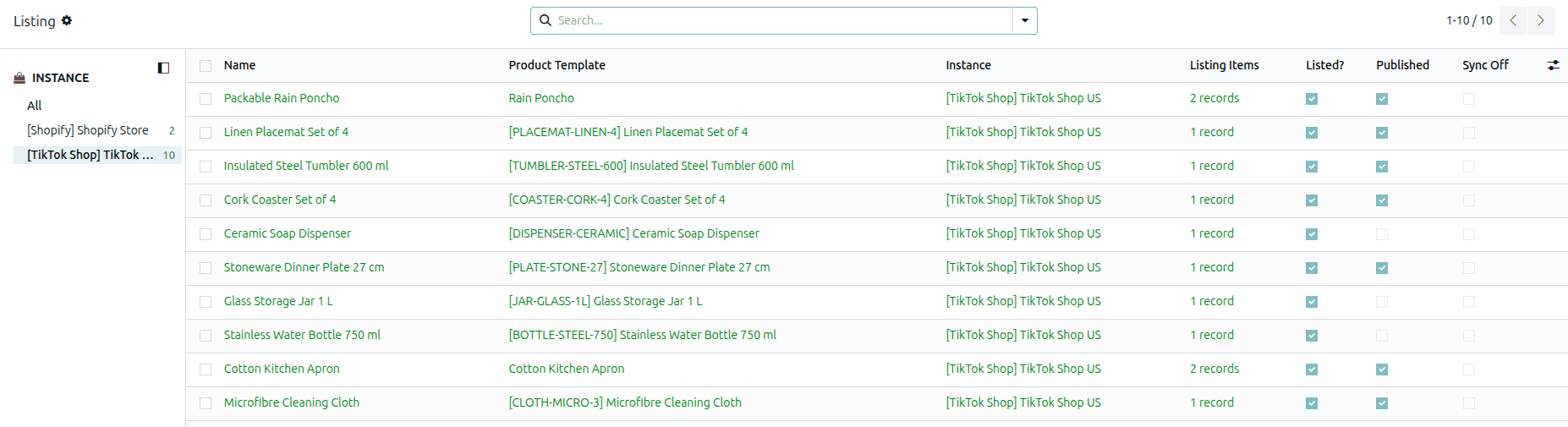
The imported listings are shown under .
Important
The connector searches for existing products in Odoo based on the SKU.
A product whose variant attributes are not mapped to Odoo attributes is reported and skipped. Map the attributes before importing a catalogue that varies by color or size. A value with no mapping is matched to the Odoo value of the same name, or created. See Attribute Mapping.