
The Tool Catalog
The Tool Catalog is the menu of actions every connected AI client can call against your Odoo. It lives under and is seeded with 45+ ready-to-use tools at module install time.
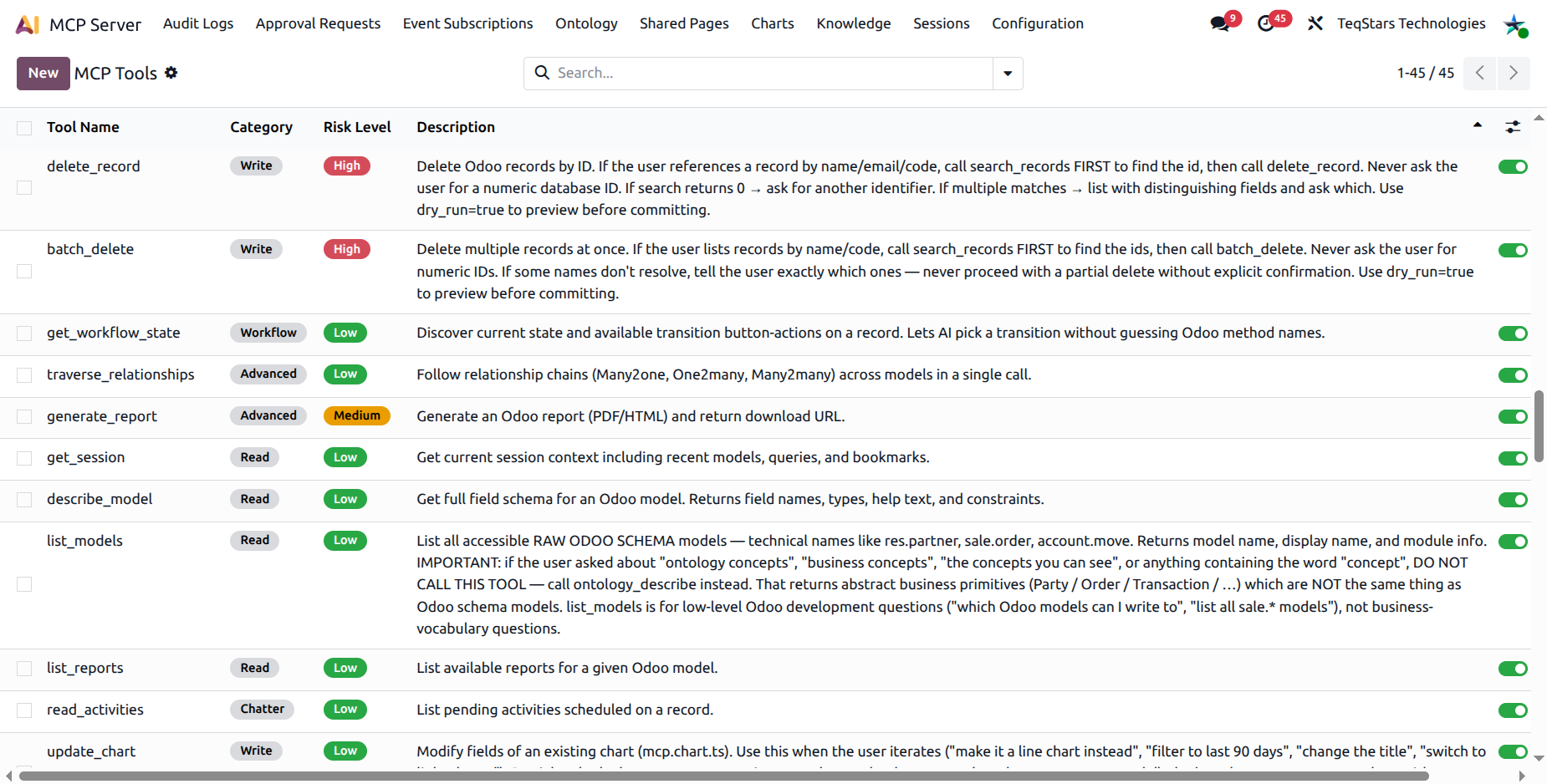
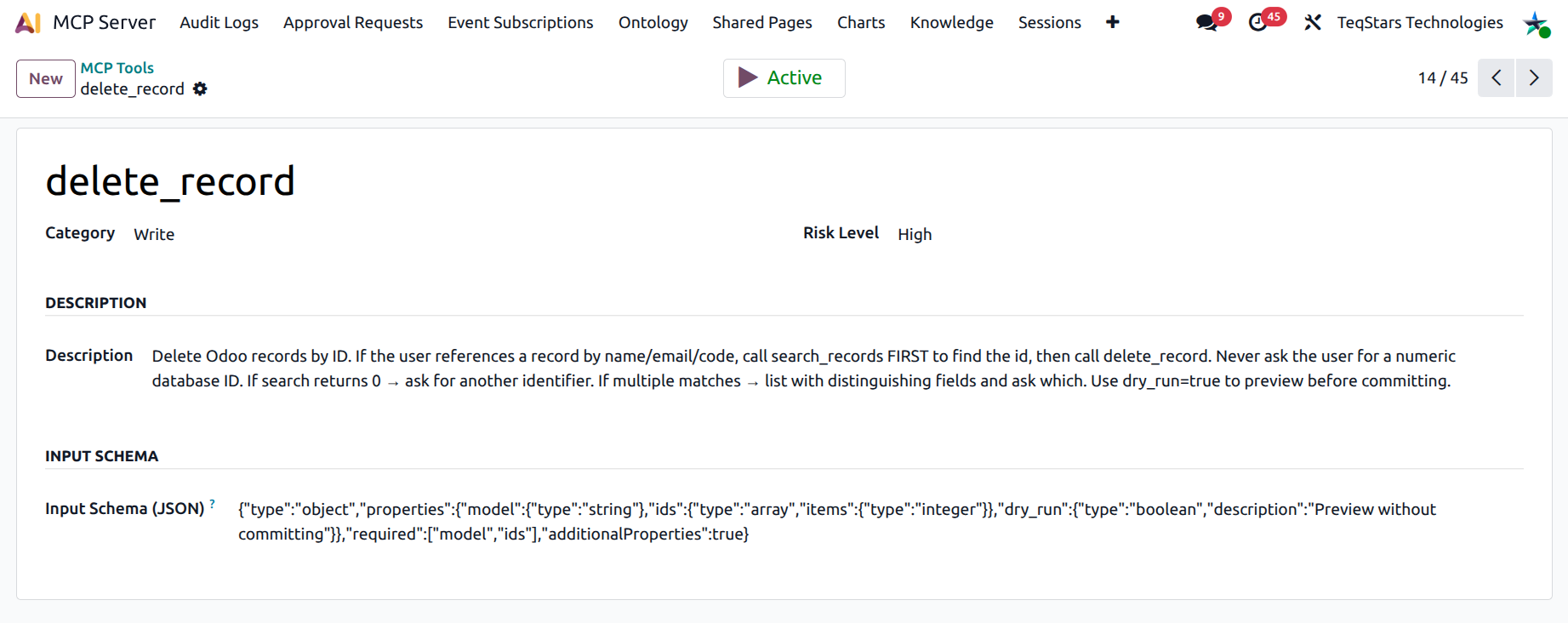
Every entry is a row of type mcp.tool.ts with:
Tool Name — the technical identifier the AI client uses (
search_records,create_email_template…).Category — one of read, write, execute, workflow, chatter, event, advanced.
Risk Level — Low, Medium, or High. Drives the default approval policy and is displayed as a colour badge.
Description — natural-language description of what the tool does and when the AI should use it. This is the same text the AI sees in
tools/list.Input Schema — JSON Schema describing the tool’s arguments.
Active — toggle to globally enable or disable the tool.
Categories at a glance
Read — pull data out of Odoo (read records, search, describe model, list reports, knowledge search).
Write — create or update records, save dashboards and charts as Shared Pages, draft email templates.
Execute — fire Odoo methods (
execute_method) or send real test emails (send_test_email_template).Workflow — discover state transitions (
get_workflow_state) and trigger them (transition_state).Chatter — post messages on chatter (
post_message), schedule activities (schedule_activity), read activities (read_activities).Event — subscribe / unsubscribe to record-change events.
Advanced — compose dashboards, traverse relationships, build domains, etc.
Activating or deactivating a tool
Open .
Find the tool you want to change.
Use the Active toggle in the list, or open the form and click the Active / Inactive smart button.
Confirm the dialog (“Deactivate this tool? It will be removed from the AI’s tools/list catalog on the next refresh and any in-flight call will be rejected.”).
Tip
Disabling a tool at the catalog level is the strongest possible block — even an MCP Administrator’s connection cannot call it. For per-connection restrictions, use the Allowed Tools field on the Connection form instead.
Filtering and grouping
The Tools list view supports the standard search bar with filters:
Active / Inactive
Group by Category
Group by Risk Level
Defaults to “Active” so you see what’s live first.
Built-in tools at a glance
The module ships with the following tool families. The next pages dive into each one.
Data Tools (Read & Write) — read, search, create, update, delete, batch operations, build / validate domain.
Workflow Tools — discover and trigger Odoo workflows.
Chatter & Activity Tools — post messages and schedule activities on records.
Email Template Tools — draft, preview, test, and stage email templates and mass mailings.
Reporting & Analytics Tools — generate Odoo PDF / HTML reports, run the Pulse Report diagnostic, build dashboards and charts.