
Export Price From Odoo
Exporting price from Odoo to eBay ensures that your eBay products always reflect the correct prices from your Odoo catalog.
Note
The Export Odoo Product’s Sale Price? setting in Product Configurations is used when exporting prices.
The standard behavior is to export the prices based on the pricelist configured in the Instance. However, if you want to export the product’s sale price directly, bypassing the pricelist, you can customize the export functionality by enabling this option.
There are two ways to export price from Odoo to eBay:
Method - 1: Manual Export Price
Go to the menu in Odoo.
Click on the
Operationsbutton from the instance record.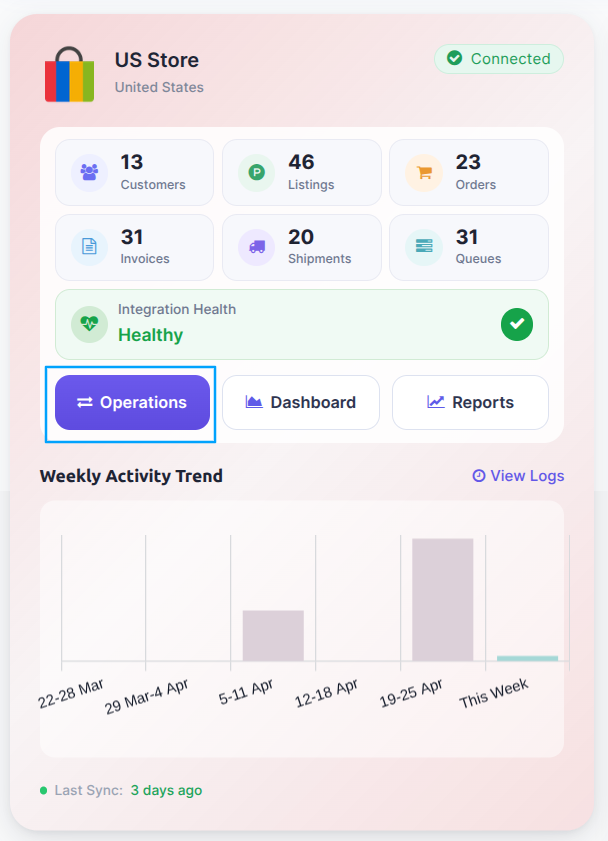
Select Export Operation and then select Export Prices option.
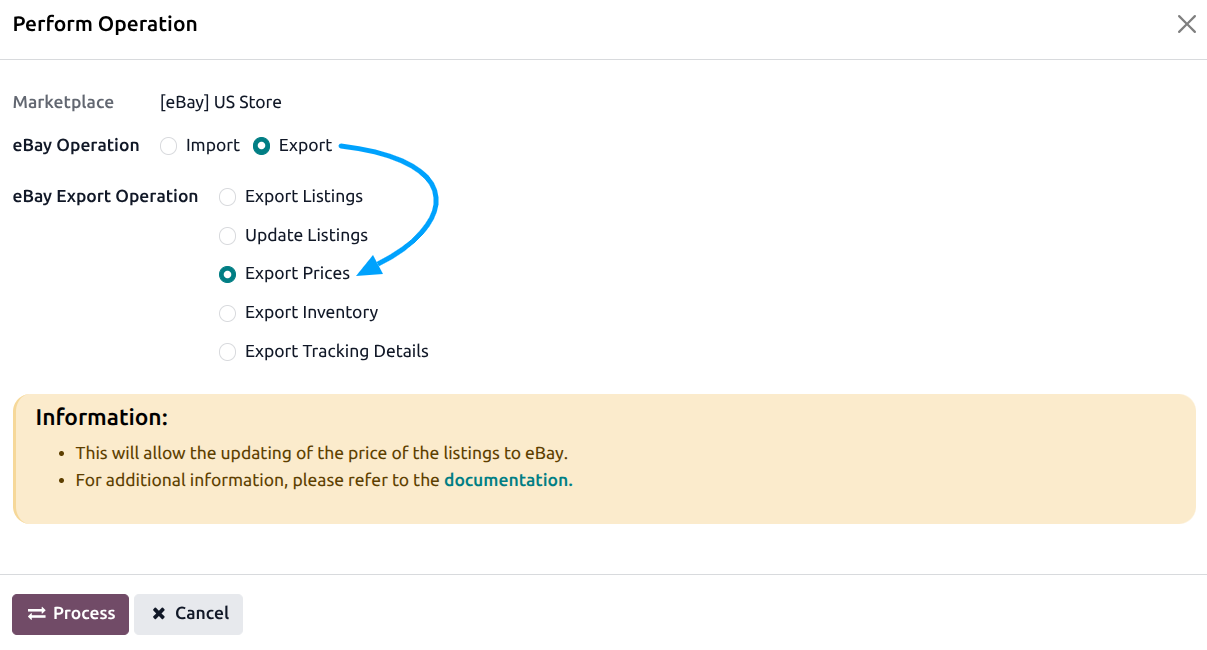
Press
PROCESSbutton to export product prices from Odoo to eBay.
The price export feature sends the latest prices from Odoo to eBay, helping keep your store prices accurate and reducing manual work.
Note
Prices are exported based on the date set in the Last Listing’s Price Updated On field in the instance.
Method - 2: Automatic Export Price
You can automatically export prices to eBay at regular intervals using the automatic job feature. This removes the need to export prices manually.
Go to .
Go to the Automatic Jobs tab.
Configure Export Product’s Price by setting the Interval Number (how often it should run), Interval Unit (such as minutes, hours, or days), and enable Active to turn on automatic price updates.
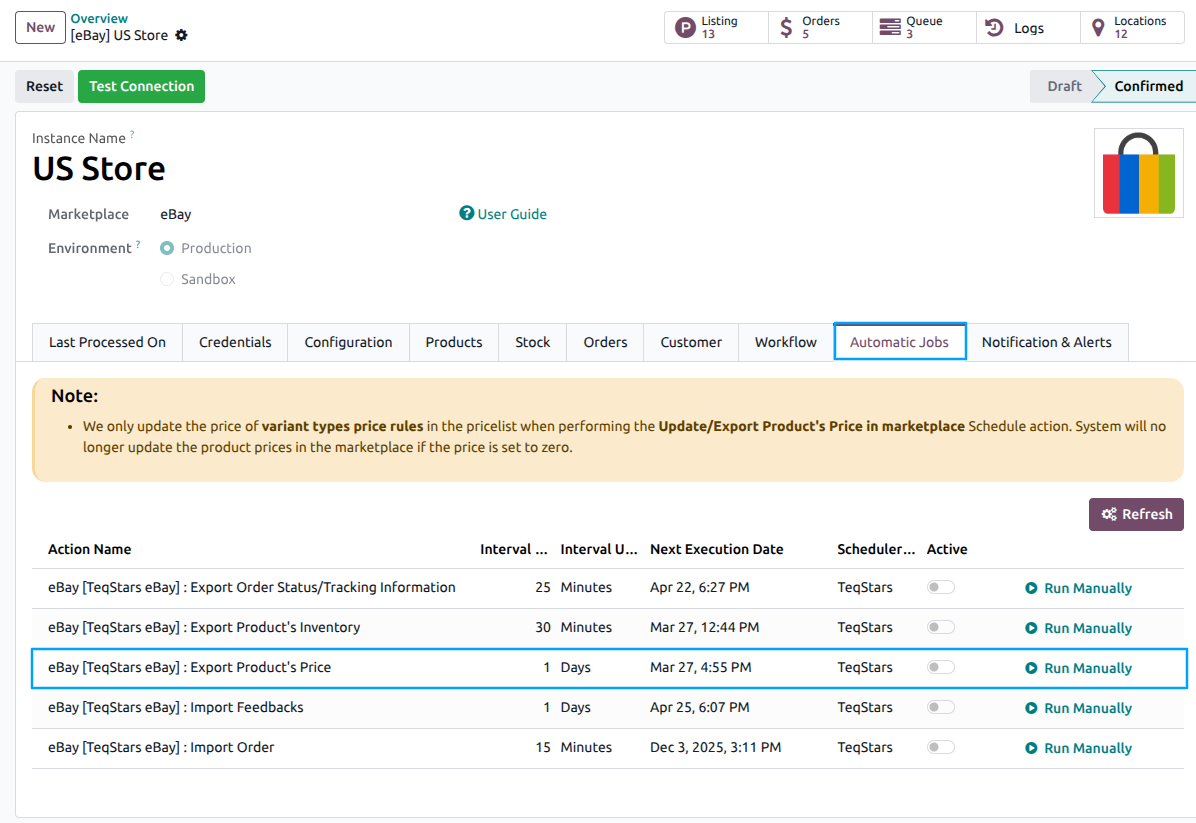
Once enabled, Odoo will automatically update prices on eBay at the selected time intervals. After each update, the Last Listing Price Updated On field will be updated.
See also