
Export Inventory From Odoo
Exporting inventory from Odoo to eBay ensures that your eBay products always reflect the correct stock levels from your Odoo warehouse.
Note
Stock Based On instance configuration will be used while exporting inventory.
Out of Stock Handling
The connector provides two modes for handling out-of-stock items, controlled by the Out of Stock? setting on the instance:
Out of Stock? enabled: When a product has zero quantity, the listing remains active on eBay with quantity set to 0 (requires eBay’s Out of Stock feature in your seller account).
Out of Stock? disabled: When a product has zero quantity, the listing will be ended on eBay automatically.
There are two ways to export inventory from Odoo to eBay:
Method - 1: Manual Export
Go to the menu in Odoo.
Click on the
Operationsbutton from the instance record.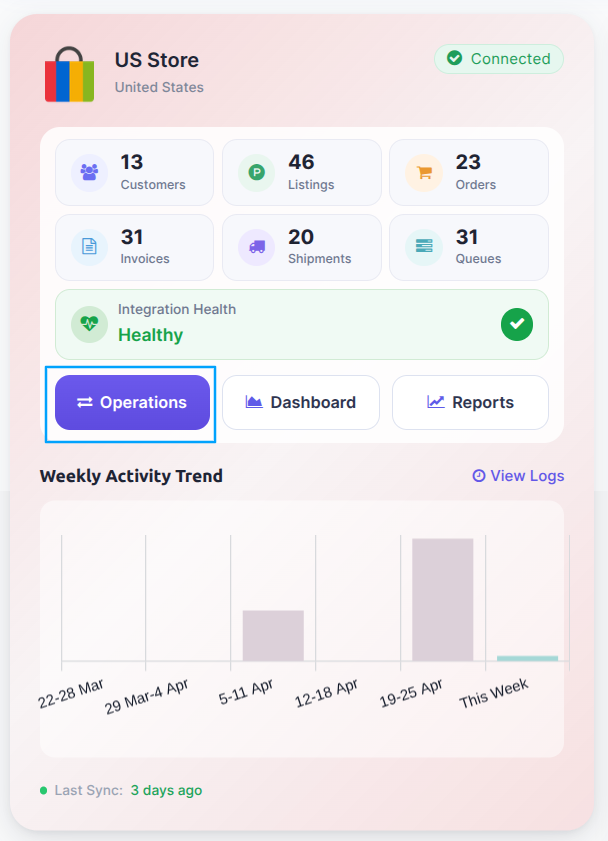
Select Export Operation and then select Export Inventory option.
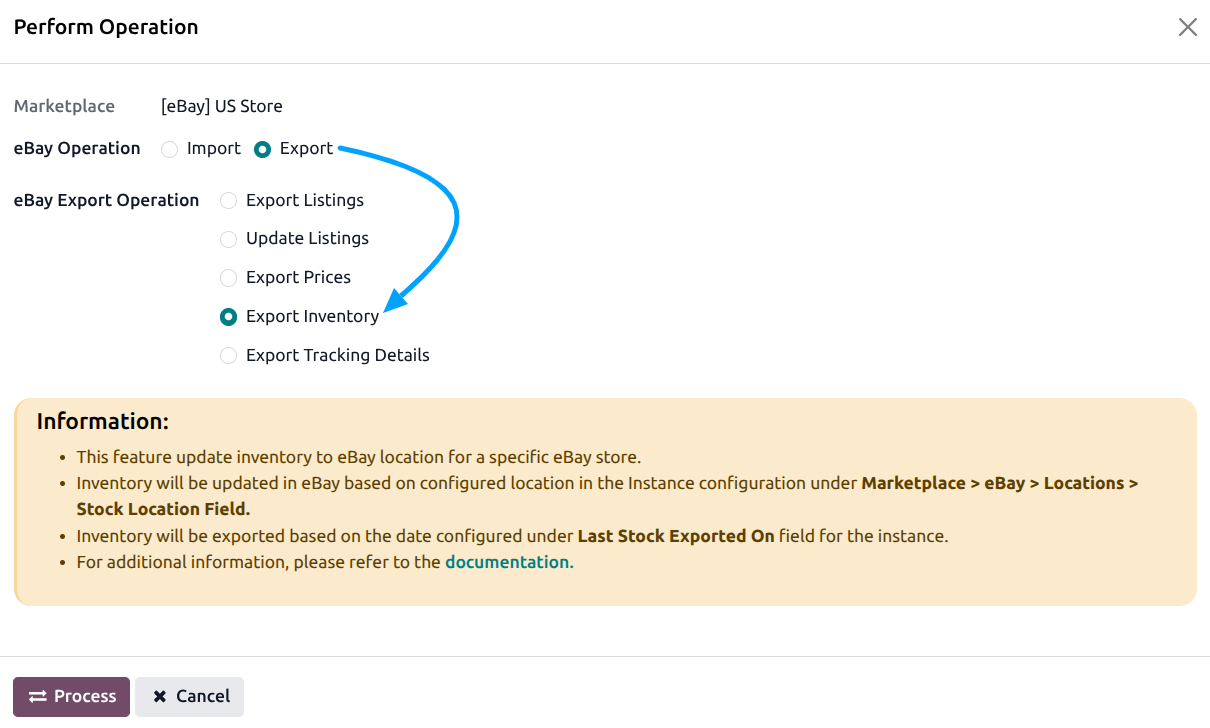
Press
PROCESSbutton to export product inventory from Odoo to eBay.
Method - 2: Automatic Inventory Export
Inventory export from Odoo to eBay can be automated using the Automatic Schedule action, which allows you to set up a predefined time interval for the execution of the export inventory process. This automation ensures that the inventory data from your Odoo ERP is regularly and systematically updated on eBay without the need for manual intervention.
Go to your eBay instance setting by navigating to .
Here you will see the Automatic Jobs tab. In that tab you can configure the Export Product’s Inventory automatic action by setting Interval Number, Interval Unit, and Active.
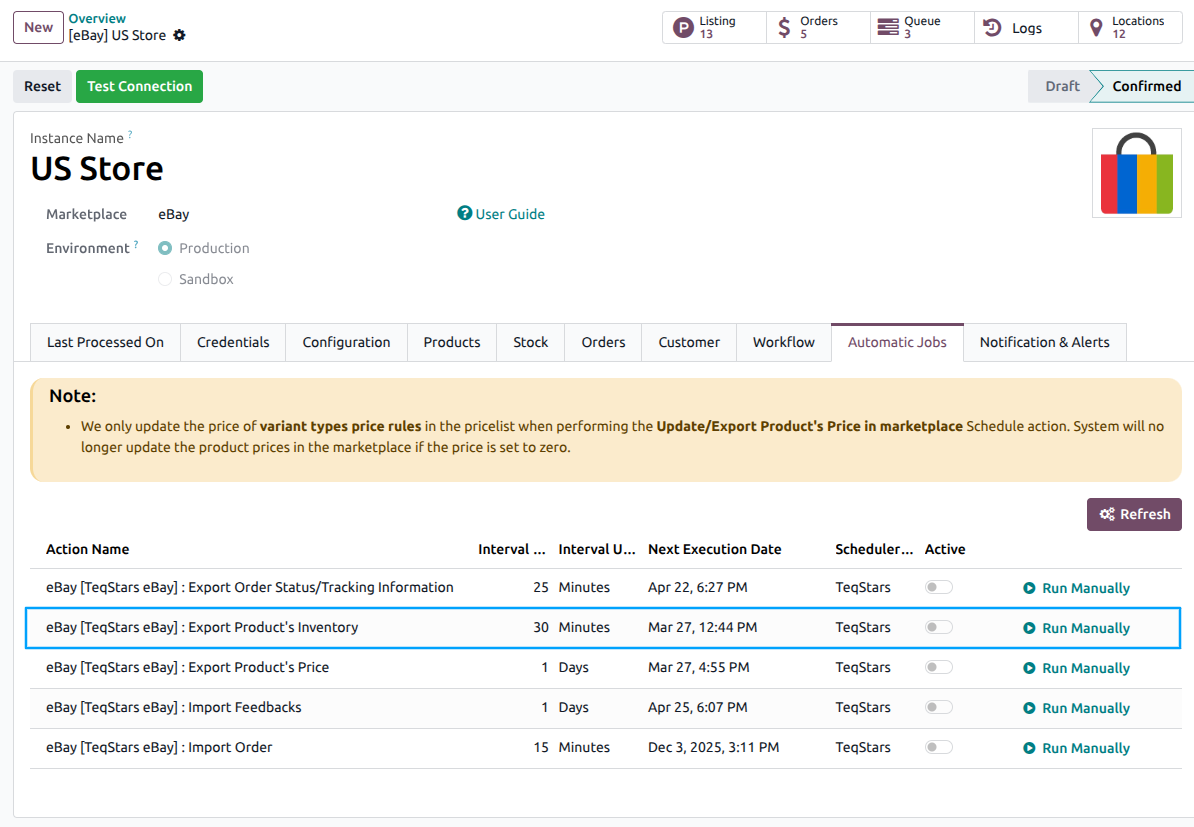
Once the schedule action is active, Odoo will automatically trigger the inventory export at the specified time intervals. At the defined intervals, Odoo will export the latest inventory data from your Odoo ERP and update the corresponding inventory on eBay based on the Stock Based on configuration.
Important
Only active products with product items that have stock tracked in Odoo will be included in the export.
See also