
Export Prices From Odoo
The Update Prices operation pushes listing prices from the Odoo instance pricelist to WooCommerce, keeping the storefront price aligned with your Odoo pricing rules. Both the regular and sale price of each variant are updated.
Note
The connector reads each listing’s price from the instance pricelist configured under Product Configurations.
Products whose pricelist price is zero are skipped during the price export.
There are two ways to export prices.
Method - 1: Manual Export Price
Go to the menu in Odoo.
Click the Operations button from the instance record.
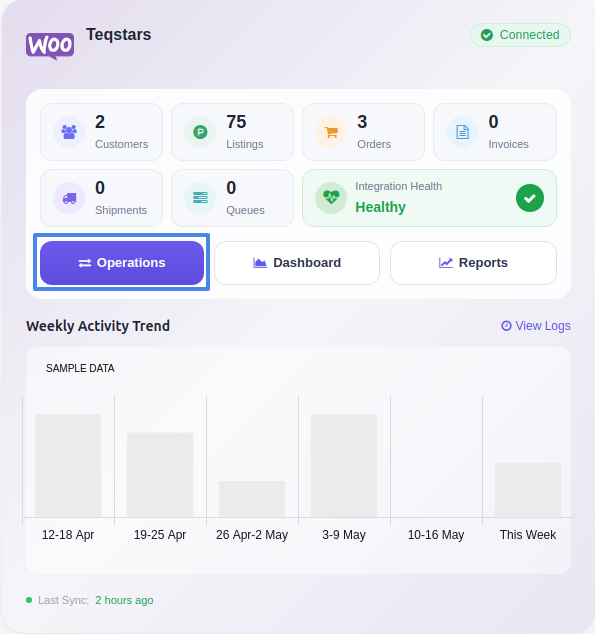
Choose Export as the operation type, then from Export Operation, select Update Prices to WooCommerce.
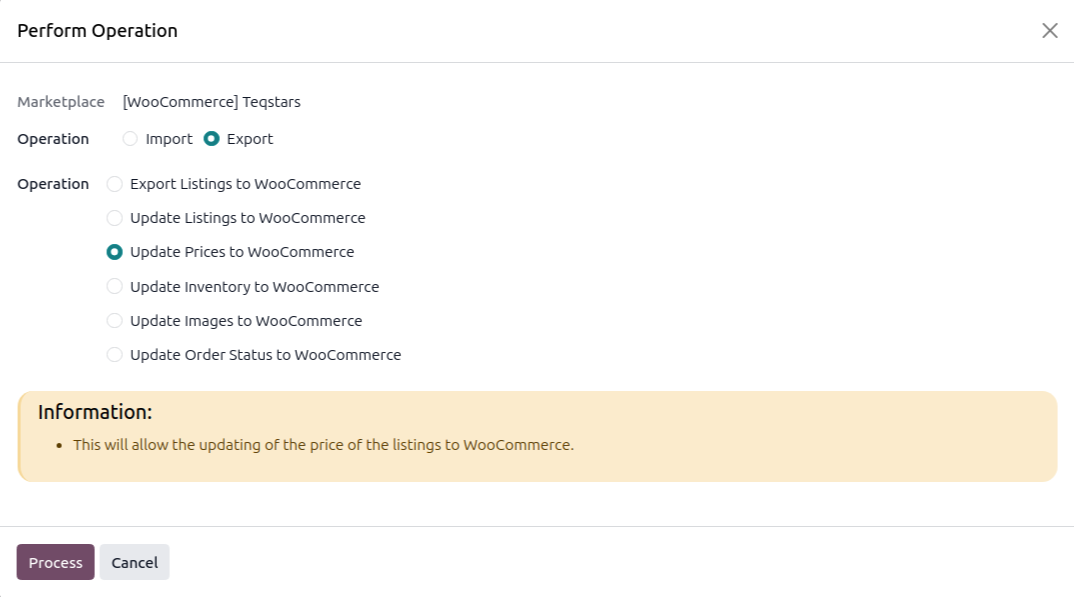
Click Process. The connector iterates over all Listings linked to the instance and updates each listing’s price (and per-variant prices) in WooCommerce.
Method - 2: Automatic Export Price
You can automatically export prices to WooCommerce at regular intervals using the Automatic Schedule action. This removes the need to export prices manually and keeps your store prices aligned with Odoo. Here’s how the process works:
Go to your WooCommerce instance setting by navigating to .
Open the Automatic Jobs tab. In that tab you can configure the Export Product’s Price automatic action by setting Interval Number, Interval Unit, and then enable Active.
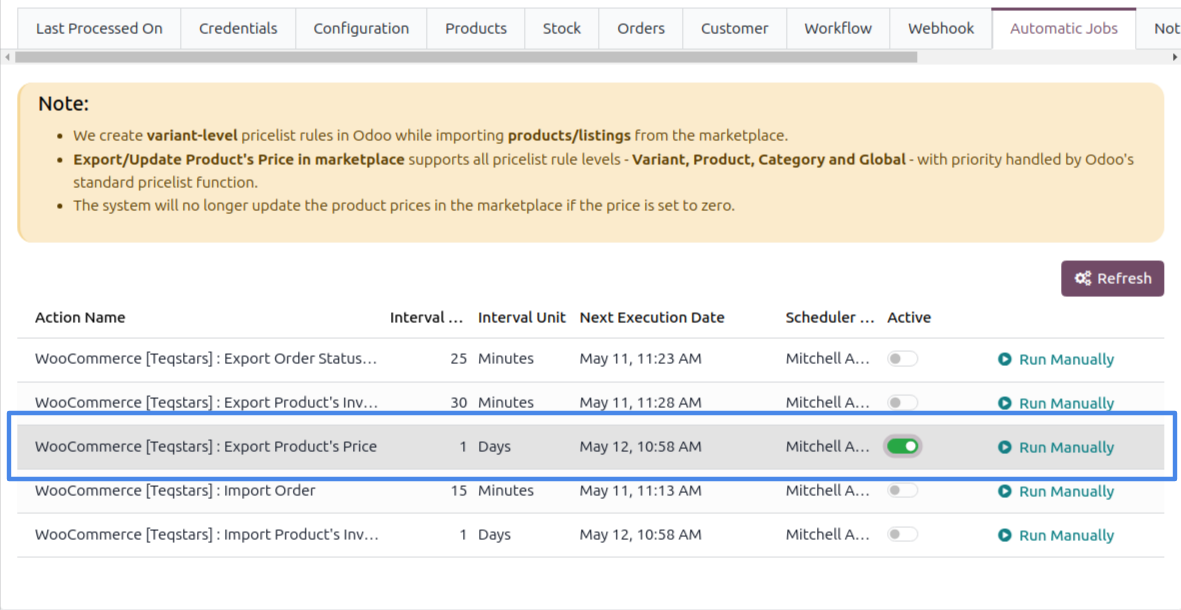
Once enabled, Odoo automatically updates prices in WooCommerce at the selected time intervals. After each successful update, the Last Listing’s Price Updated On field on the instance is refreshed.