
Step 1: Configure Helcim Cards Provider
The Helcim provider lets your customers pay by card in Odoo. Before you go live, you turn it on, enter your Helcim API Token and choose test or live mode.
Provider Setup
Go to (or ).
Find and open Helcim.
In Api Token, enter the API Token from your Helcim account. Odoo uses this token to connect to Helcim, so payments cannot go through without it.
Set State:
Test Mode while you try out payments.
Enabled when you are ready to accept real payments.
Save the provider.
Test Credentials
The Helcim provider form shows a Test Credentials note. Read it before you run your first test payments.
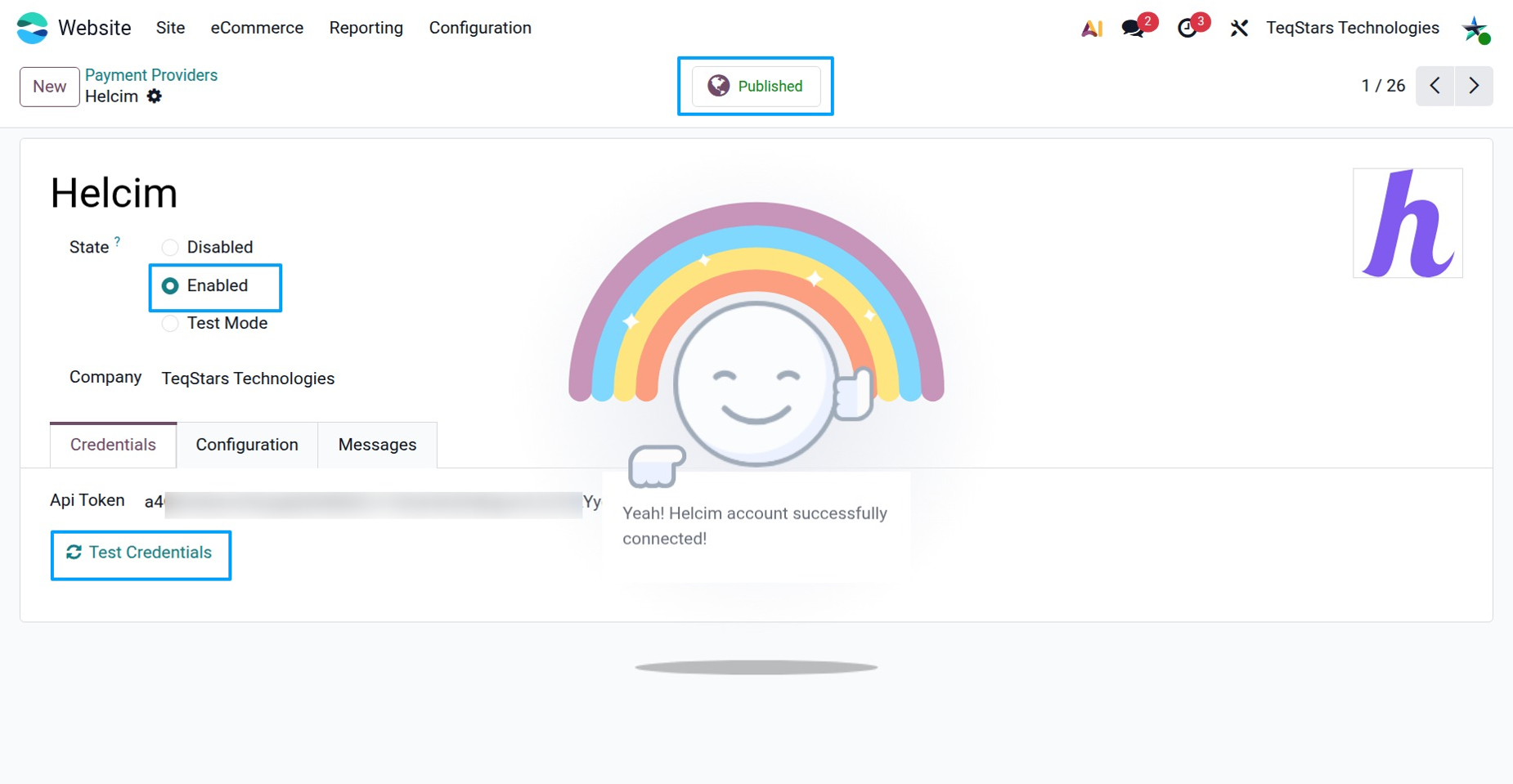
When your tests work, change State to Enabled to start taking real payments.
If a payment fails, Odoo shows a Helcim API Error message: see Credit Card Payments for what to check.