
Push Data Back to Odoo
The Google Sheets Connector supports full two-way synchronization. You can edit existing records or add new rows in Google Sheets and push them directly to Odoo.
Row Action Logic
The connector determines whether to create or update an Odoo record based on the id column value:
Updating Existing Records: Rows containing a valid integer in the
idcolumn update the matching record in Odoo.Creating New Records: Rows where the
idcolumn is left blank create new records in Odoo upon push.
Step-by-Step Push Process
Open the worksheet containing edits or new records.
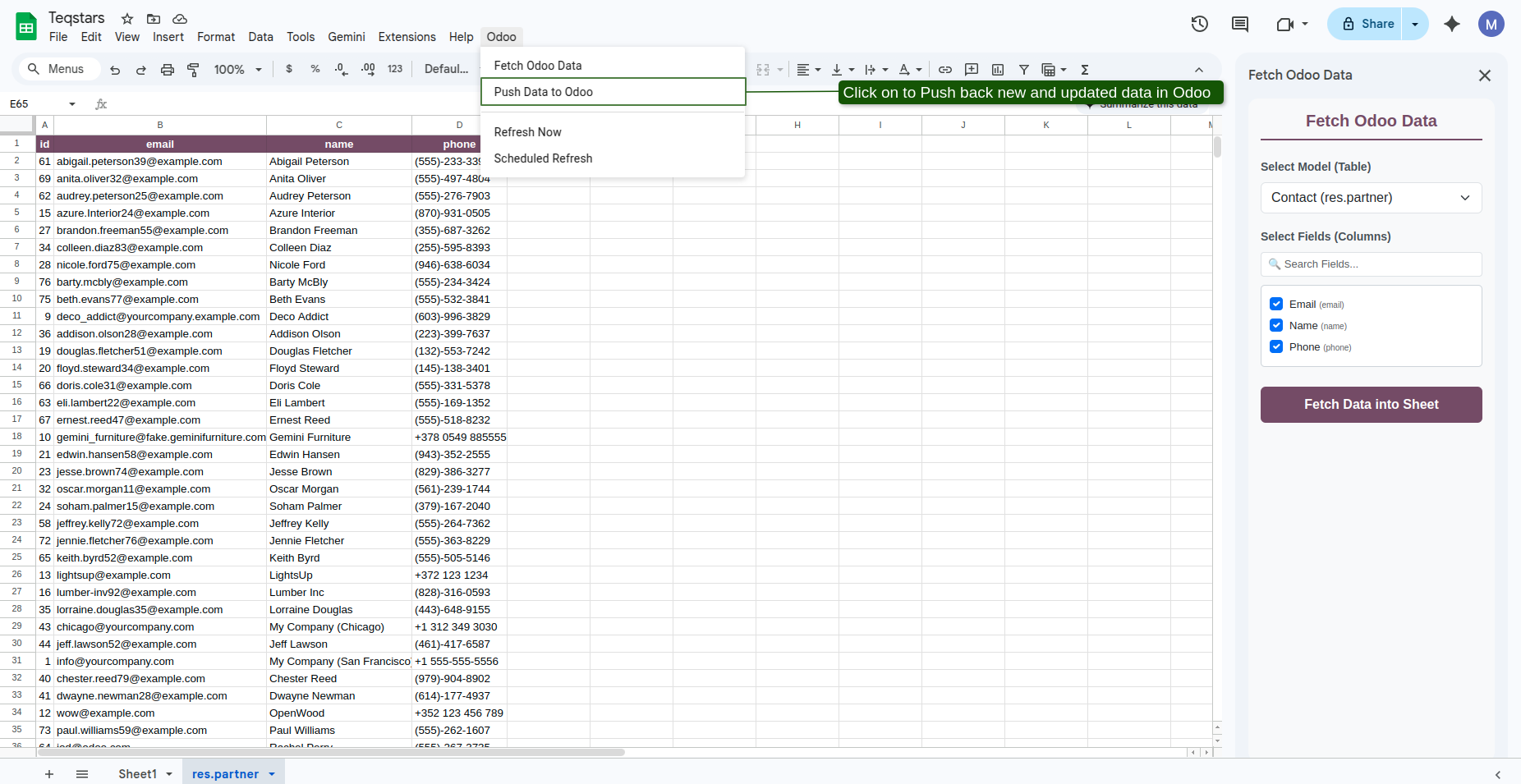
Click .
The connector executes a Dry Run / Validation check against Odoo to verify data types, required fields, and record existence.
A confirmation modal window pops up detailing the planned operations:
Total new records to create.
Total existing records to update, listing the verified record IDs.
Review the summary and click Confirm Push.
After processing, a success alert confirms the sync. Newly assigned Odoo record IDs are automatically written back to the blank
idcells in your sheet.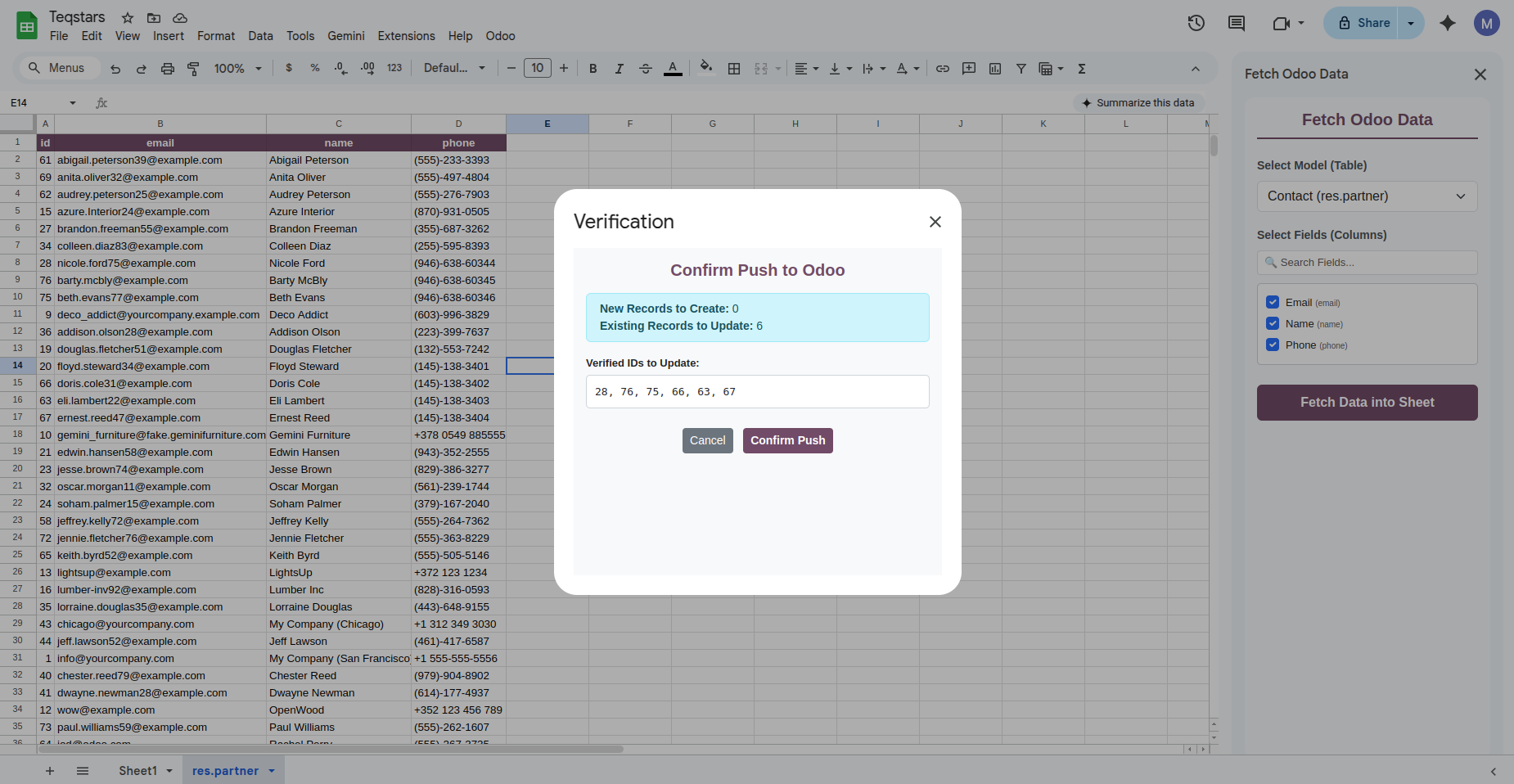
Relational (Many2one) Field Resolution
Fetch: Many2one fields display the display name of the related record.
Push: When pushing, Odoo resolves the text name back to its corresponding relational database ID using Odoo’s name-search engine. If no matching record name exists, an error message identifies the exact row and field.
Important
Modifying the id column value of an existing row manually may cause data mismatch or update errors. Do not edit existing ID numbers.