
Import Catalogs In Odoo
A Shopify Catalog lets you offer a different set of prices to a specific Market, Company Location, or App. The connector imports those catalogs into Odoo along with their included products, prices, quantity rules, and volume pricing.
Important
Make sure you import all Listings before importing catalogs.
You can import catalogs from Shopify into Odoo in two different ways:
Method - 1: From The Operation Popup
Go to the menu in Odoo.
Click on the
Operationsbutton from the instance record.Select Import Operation and then select Import Catalogs option.
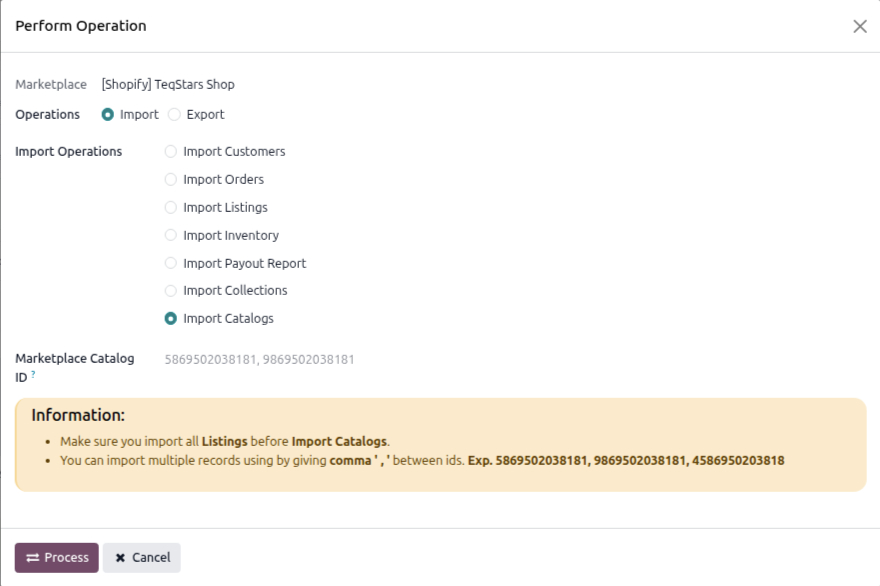
Marketplace Catalog ID: To import specific catalogs, enter their IDs in this field. Separate the IDs with a comma (’,’) like this: 5869502038181, 9869502038181, 4586950203818. Leave it empty to import all catalogs.
Press
PROCESSbutton.
Method - 2: From The Catalog Form (Sync a Single Catalog)
Use this method to update one specific catalog in Odoo.
Go to the menu and open the catalog you want to sync.
Click the
Sync to Odoobutton on the catalog form view.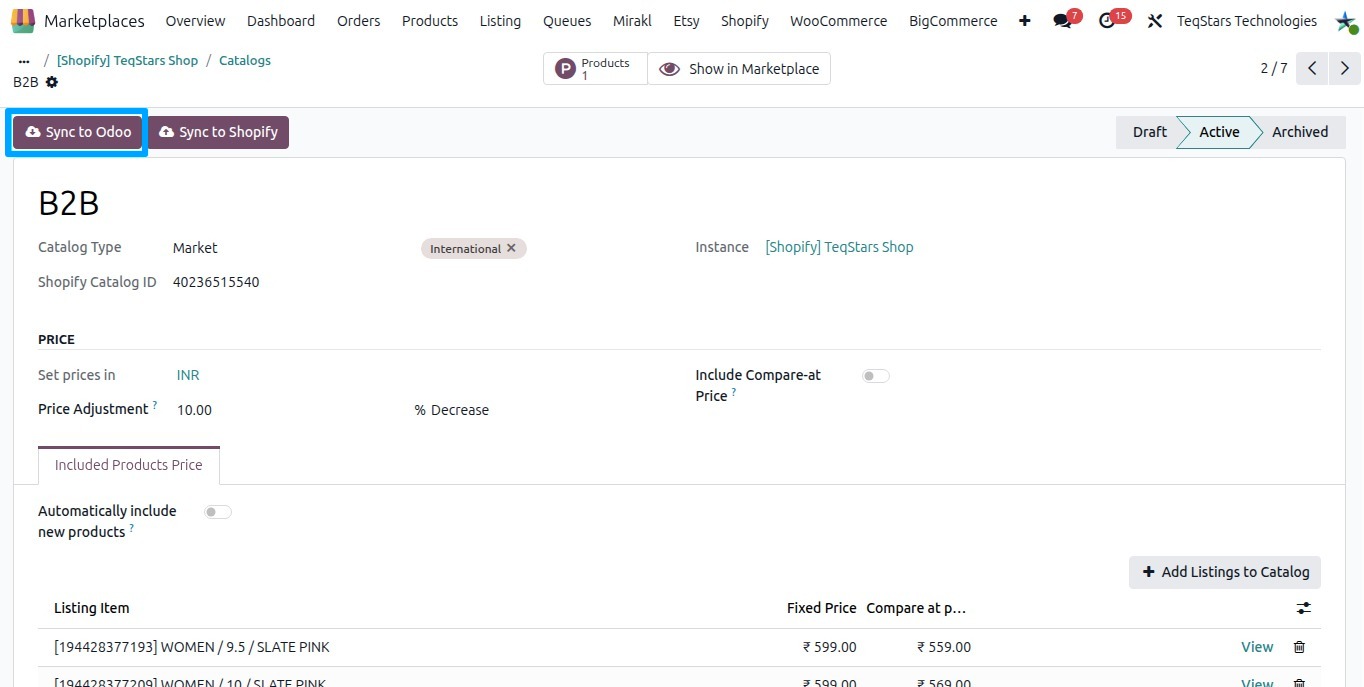
The connector fetches the latest catalog data and market from Shopify and updates the Odoo catalog record.
What gets created in Odoo
For each imported catalog, the connector creates a Shopify Catalog record with the below details:
Title: Name of the catalog.
Catalog Type: The type of the catalog, one of Market, Company Location, or App.
Status: The current state of the catalog, one of Draft, Active, or Archived.
Instance: The Shopify instance the catalog belongs to.
Currency: The currency the catalog prices are set in.
Included Products Price: The product variant prices, including Price and Compare at price, Quantity Rules (Minimum, Maximum, Increment), and Volume Pricing tiers.
See also