
Cancel Walmart Orders
Orders can be cancelled in either direction: Walmart can tell Odoo that an order was cancelled, or you can cancel an order on Walmart from Odoo.
Note
Cancelling on Walmart from Odoo applies to seller-fulfilled orders only. WFS orders are managed by Walmart.
Orders Cancelled On Walmart
If all items in an order are cancelled on Walmart, the connector detects this during the next import and automatically cancels the corresponding order in Odoo. A message is also posted in the chatter of the order and any related delivery order: “The order was cancelled on Walmart.” This keeps the cancellation reason on the record.
An order that was already cancelled on Walmart before you imported it is still imported, then cancelled, so your records remain complete.
Cancelling An Order On Walmart From Odoo
Open the Walmart order under .
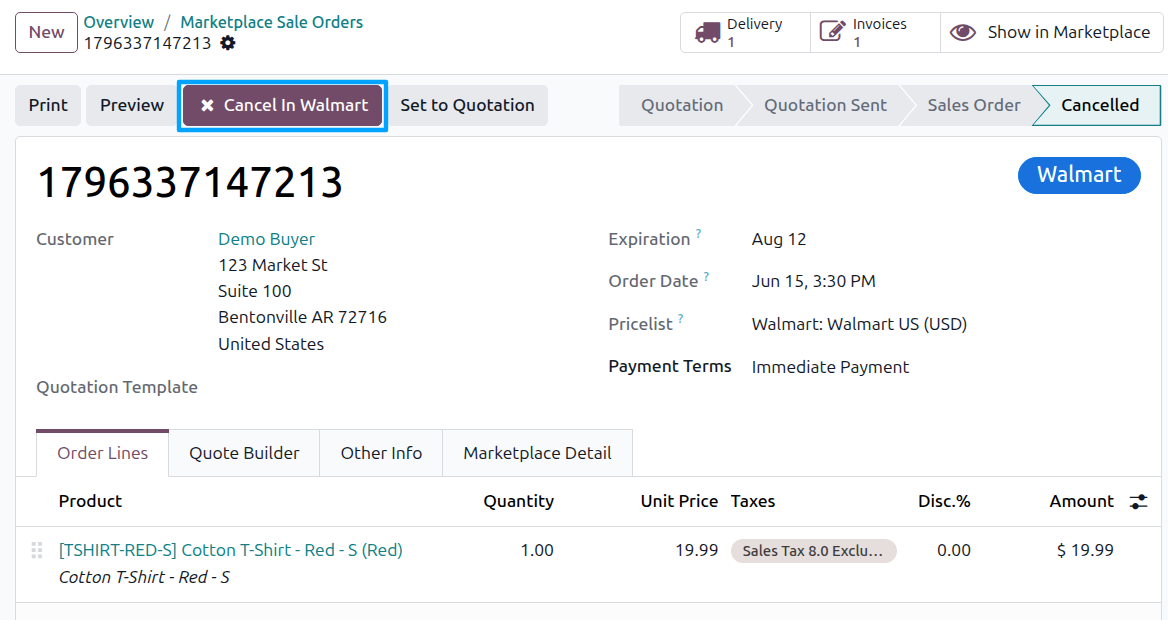
Cancel the order in Odoo first, using the standard Cancel button.
The Cancel In Walmart button now appears in the header. Click it.
Note
The button does not appear if the order’s Walmart status is already Shipped or Delivered, since Walmart no longer accepts a cancellation at that point.
The Cancel Order In Walmart wizard opens, listing the order’s Walmart items.
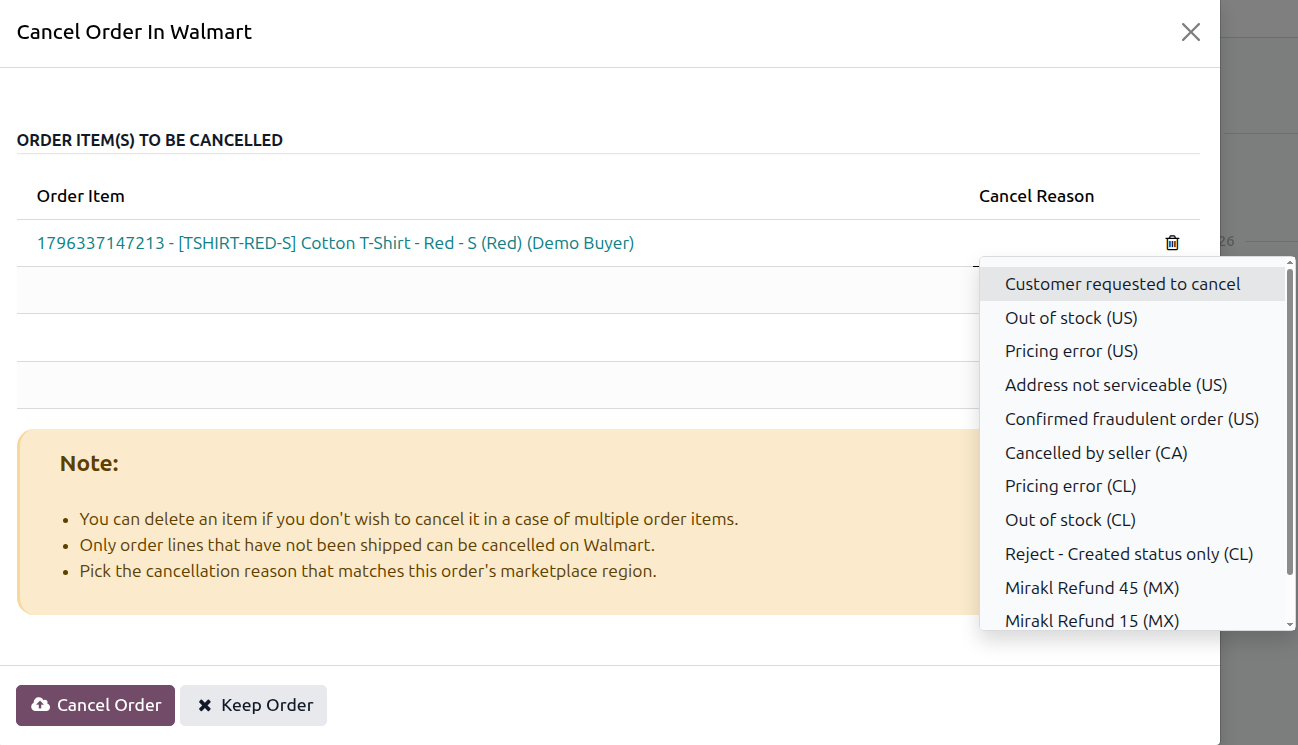
Choose a Cancel Reason for each line, then click Cancel Order and confirm.
Note
The wizard shows the following reminders:
If the order has several items, delete the lines you do not want to cancel.
Only order lines that have not been shipped can be cancelled on Walmart.
Pick the cancellation reason that matches this order’s marketplace region.
Warning
A confirmation dialog appears: “Are you sure you want to cancel items? You can verify items and cancel reason because this action can’t be undone.” Cancellation on Walmart cannot be reversed.