
How to validate a contact address with TaxJar
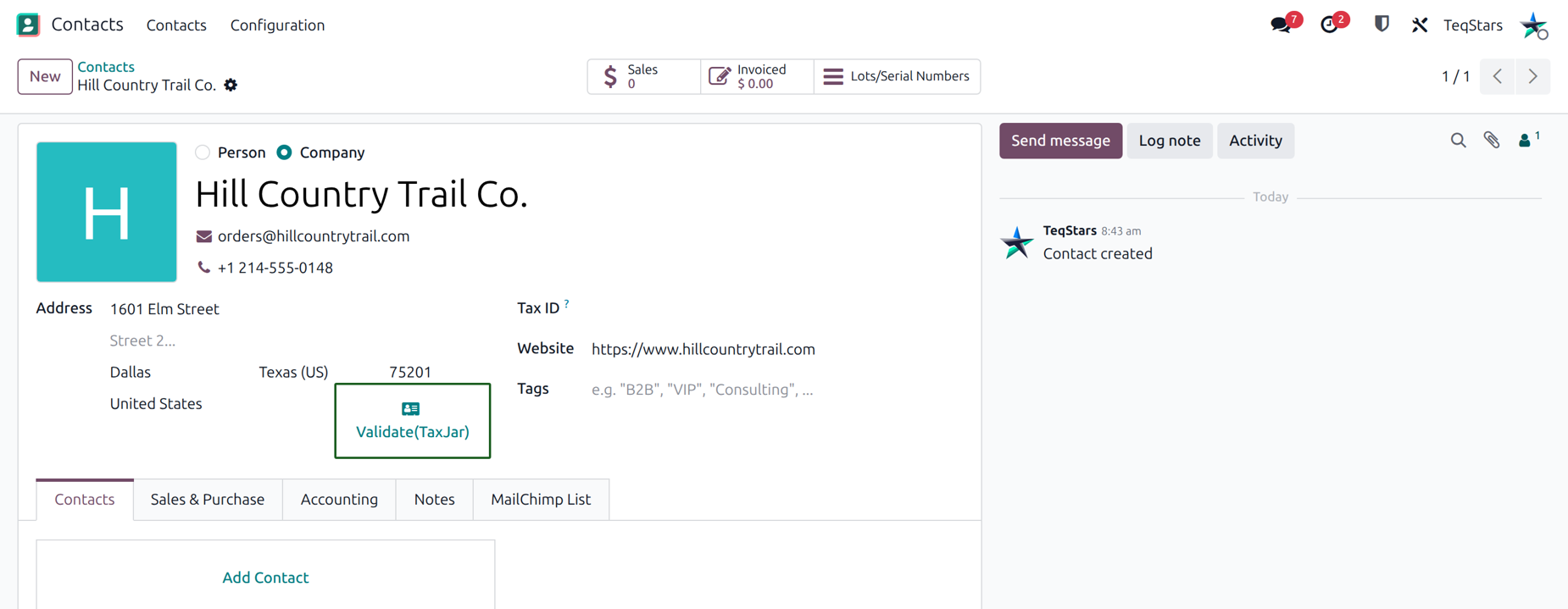
TaxJar calculates sales tax from your customer’s address. A typo in the street, city or ZIP code can lead to the wrong tax. The Validate(TaxJar) button on a contact checks the address against TaxJar. You then compare it with the addresses TaxJar verifies, pick the right one and save it on the contact. Clean addresses mean accurate tax, first time.
Note
Address validation uses your TaxJar account. Make sure you have entered your API token and confirmed the account first. See Where to enter a TaxJar API token?.
Validate a contact address
Open the contact whose address you want to check.
Make sure the address is filled in: street, city, ZIP, state and country.
Click Validate(TaxJar).
Odoo sends the contact address to TaxJar. A window opens with the addresses TaxJar verifies.
Compare original and verified addresses
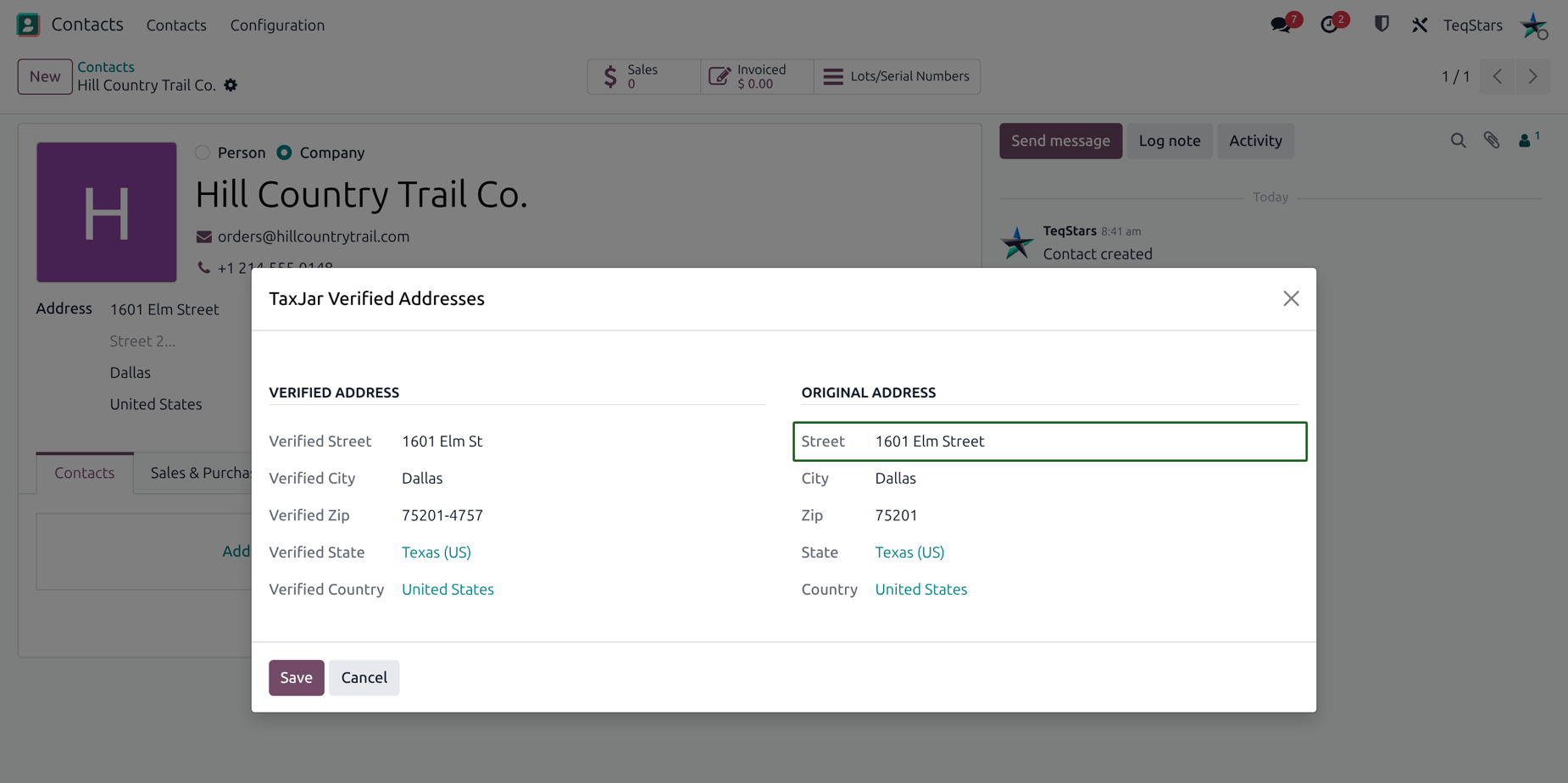
The window shows two parts side by side.
Original Address: the address saved on the contact today, with its Street, City, Zip, State and Country.
Taxjar Verified Addresses: the addresses TaxJar returns for it.
Each verified address shows:
Verified Street: the street as TaxJar knows it.
Verified City: the city as TaxJar knows it.
Verified Zip: the ZIP code as TaxJar knows it.
Verified State: the state as TaxJar knows it.
Verified Country: the country as TaxJar knows it.
Compare each verified address with the original. Look for small differences, such as a corrected spelling or a full ZIP code. These are the typos that can change the tax.
Save the verified address
In Taxjar Verified Addresses, choose the verified address that matches your customer.
Click Save.
Odoo writes the chosen verified address on the contact. From now on, tax for this contact is calculated with the corrected address.
If none of the verified addresses is right, click Cancel. The window closes and the contact address stays as it was.