
Generate TikTok Shop API Credentials
The TikTok Shop Odoo Connector authenticates every request with the credentials of an app registered in the TikTok Shop Partner Center: an App Key, an App Secret and a Service ID. You create the app in Partner Center, paste those three values into the Odoo instance, and the seller then authorizes the app for their shop. The access token itself is never typed in. The connector obtains it from TikTok Shop during that authorization and keeps it up to date on its own.
Prerequisites
An active TikTok Shop seller account for the market you want to connect.
Access to the TikTok Shop Partner Center with permission to manage apps.
Step 1: Register The App In Partner Center
Sign in to the TikTok Shop Partner Center.
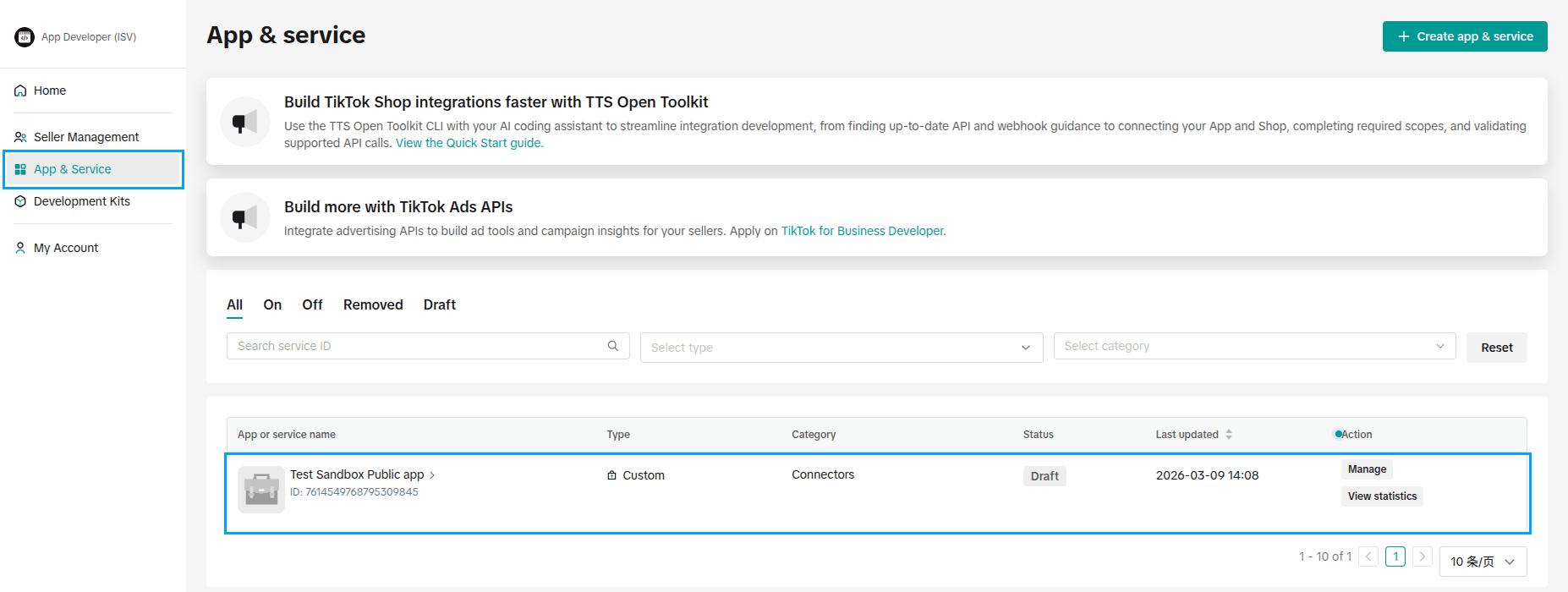
Open , and click Manage on your app, or Create app & service to create one.
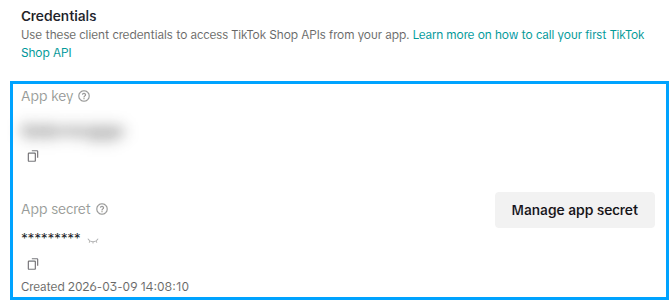
In the app’s Credentials, copy the App key and the App secret with the copy icon under each.
Copy the Service ID, which is the ID shown next to the app’s name. It names the authorization your seller approves.

Important
Treat the App Secret like a password. Every request to the TikTok Shop API is signed with it, and it is sent when the access token is requested. Anyone holding it can act as your app.
Step 2: Enter The Credentials In Odoo
On the Credentials tab, fill in TikTok App Key, TikTok App Secret and TikTok Service ID.
Choose the Authorization Portal: shops in the United States authorize on the United States portal, shops of every other market on the Rest of World portal.
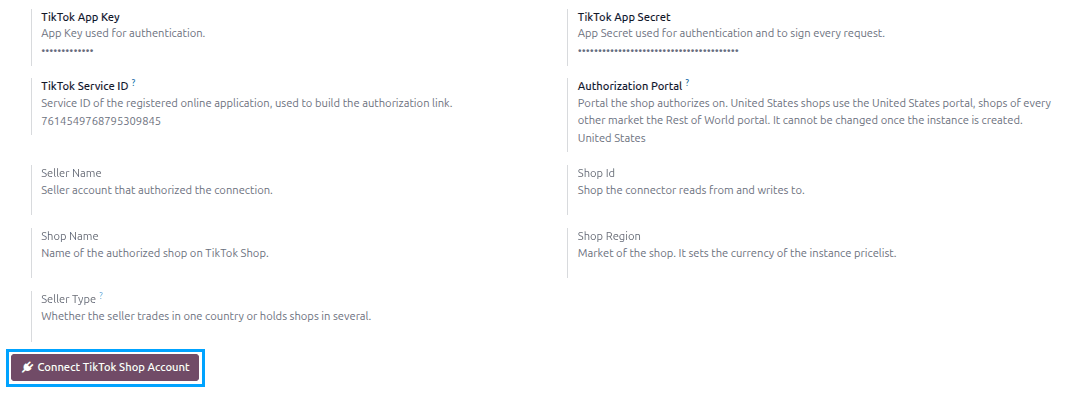
Save the instance. It saves once the required fields on its other tabs are filled in, see Create TikTok Shop Instance In Odoo. The OAuth Callback URL appears on the Credentials tab once the instance is saved.
Note
The Authorization Portal decides which TikTok Shop portal the authorization is asked on, which has to be known before the first token exists. It cannot be changed once the instance record is saved.
Step 3: Point The App Back At Odoo
After the seller approves the app, TikTok Shop sends them back to Odoo, but only to an address registered on the app beforehand.
In Odoo, open your TikTok Shop instance under .
Go to the Credentials tab and copy the OAuth Callback URL with the copy button beside it.
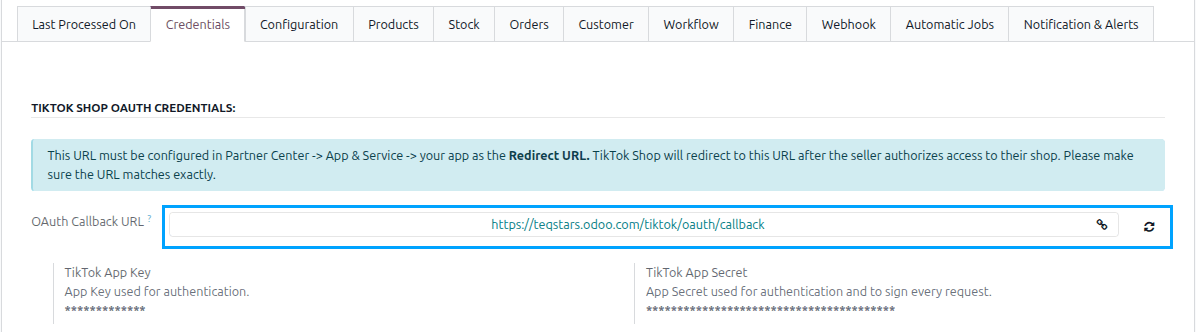
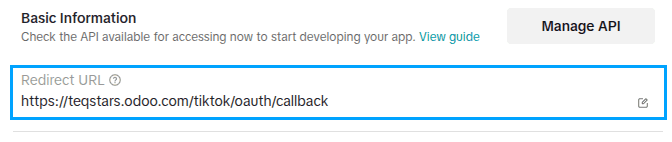
Back in Partner Center, open the app from . Under Basic Information, click the edit icon of Redirect URL and paste that address.
Important
The Redirect URL in Partner Center must match the OAuth Callback URL in Odoo exactly. If the two differ, TikTok Shop refuses the authorization and the seller never returns to Odoo.
Note
The Callback URL is built from your Odoo database’s web address. A published app needs a public
https address; while the app is still a draft tested with a sandbox shop, TikTok Shop also accepts
a http://localhost address. If the address changes later, press the refresh icon next to the field
to rebuild the Callback URL, and update the Redirect URL in Partner Center to match.
Step 4: Authorize The Shop And Get The Token
The seller approves the app once, and the connector takes it from there.
Click Connect TikTok Shop Account on the Credentials tab.
The Connect TikTok Shop Account button sits at the bottom of the tab, as shown above.
TikTok Shop opens in a second browser tab. The seller signs in with their TikTok Shop seller account and approves what the app is asking for.
TikTok Shop sends the seller back to the Callback URL. Odoo exchanges what it receives for an access token and a refresh token, and reads the shop behind them.
The shop’s details appear on the tab, filled in by TikTok Shop and read-only: Seller Name, Shop Id, Shop Name, Shop Region and Seller Type.
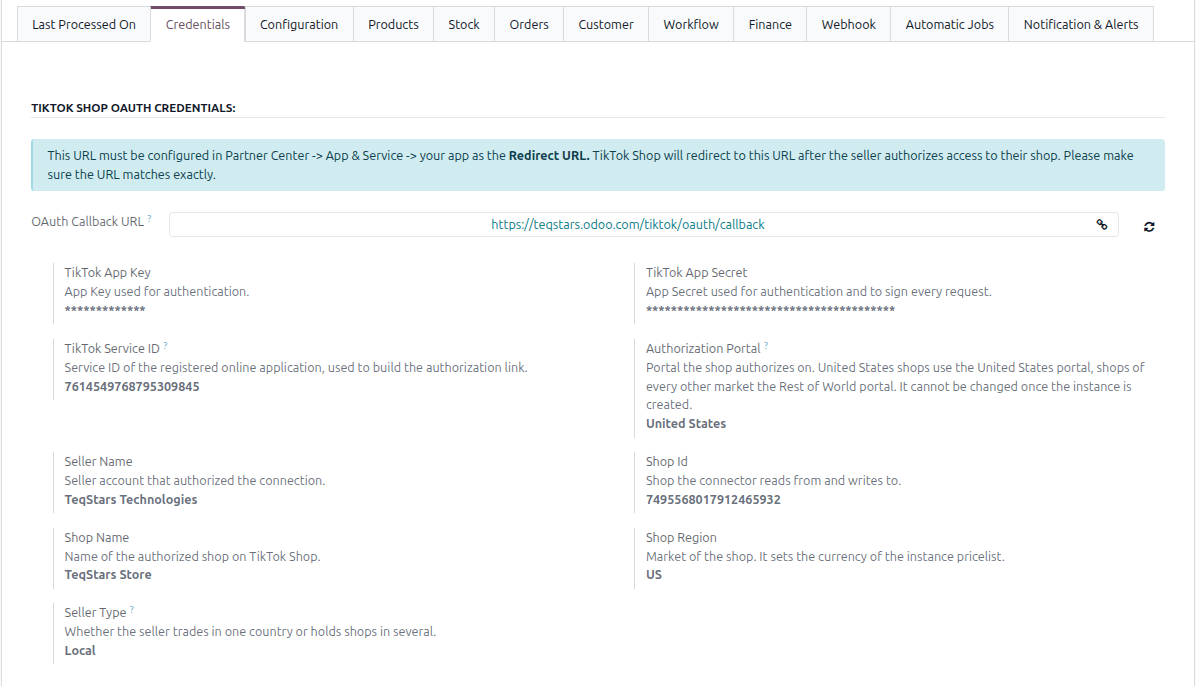
Click Test Connection in the header. On success, Odoo confirms with Successfully Connected.
Note
The tokens are stored out of sight and never shown on the instance. The connector refreshes the access token by itself before each request that needs it, so no one has to renew it by hand.
Important
One instance covers one shop. If the TikTok Shop account authorizes several shops and none of them is already bound to this instance, Odoo reports them and asks you to create an instance per shop and authorize each of them separately.