
Conditional Rules
Most access questions depend on the state of the record, not on the record type: a draft invoice can be edited, a posted one cannot. Conditional Rules apply a restriction only when the record matches a condition you define.
Configure them on the role under .
Configuration
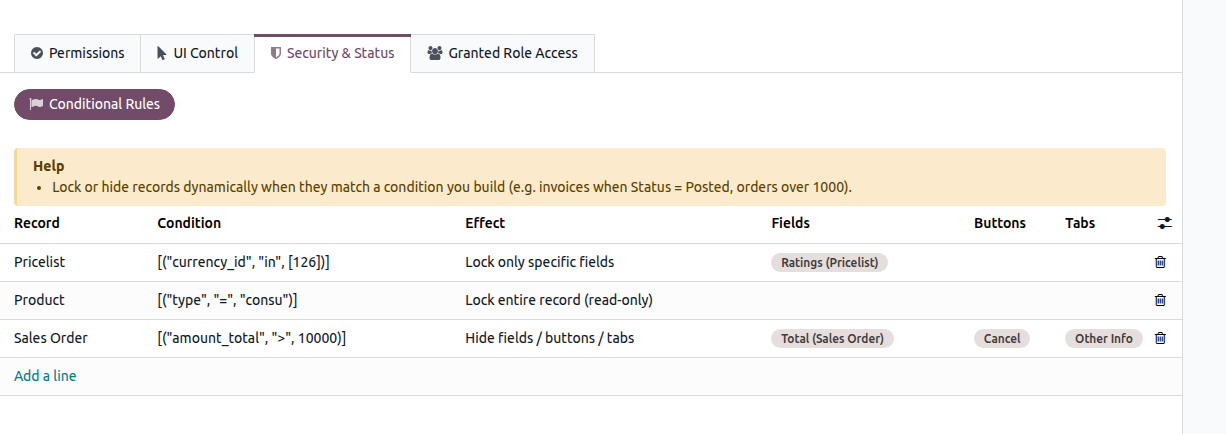
Record — Select the record type to which the rule applies.
Condition — Define the condition that a record must meet for the restriction to apply. Use the domain editor to create the condition, such as Status = Posted or Total > 10,000.
Effect — Select what should happen when the condition is met.
Fields / Buttons / Tabs — Select the specific elements affected by the Lock only specific fields or Hide effects.
Note
A condition is required. The rule is validated when it is saved, so an invalid condition cannot be stored.
Effects
Lock entire record (read-only)
Prevents any change to the record while the condition is met.
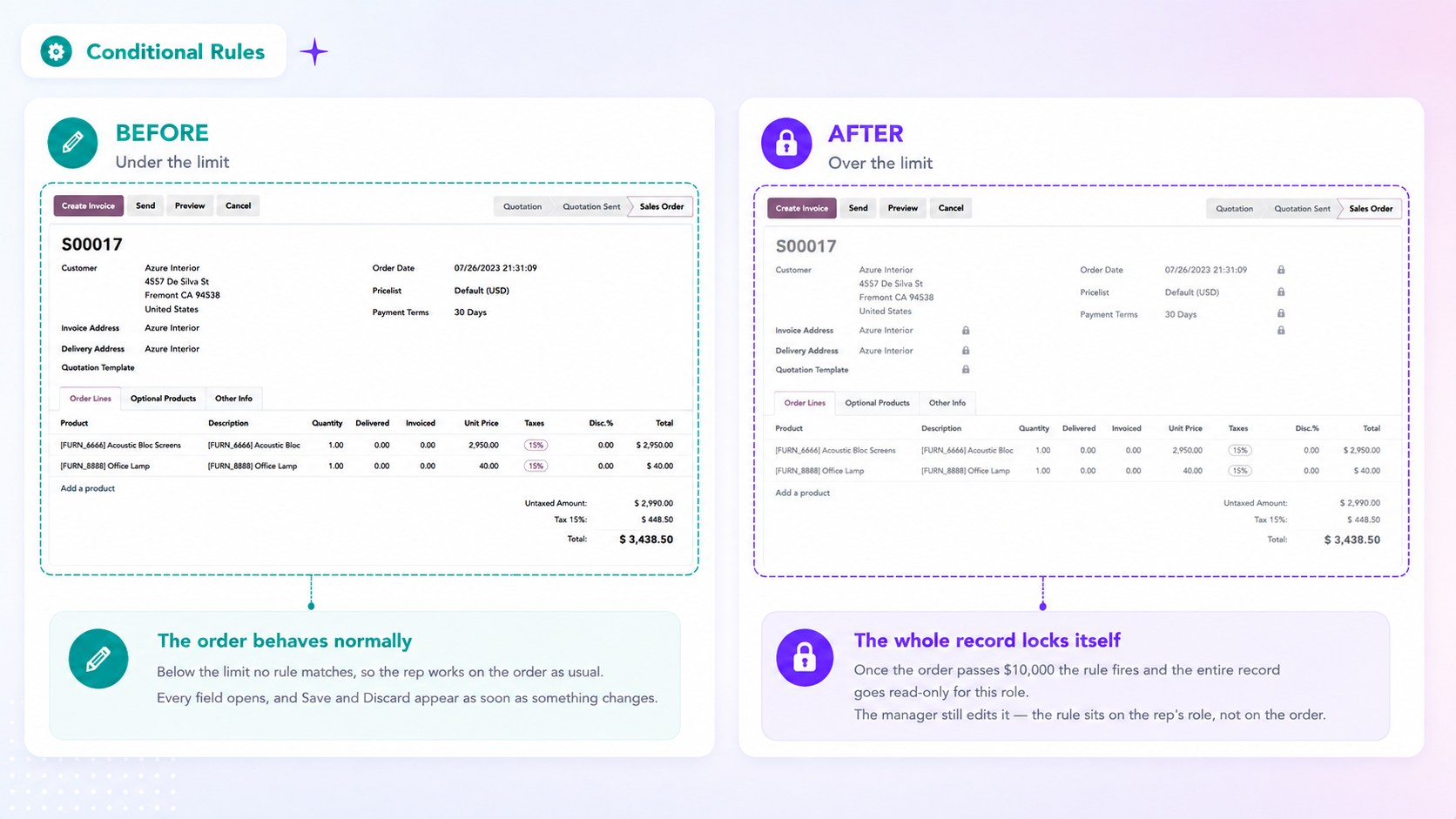
Example. Lock an invoice once its status is Posted, so corrections go through a credit note instead of a silent edit.
Lock only specific fields
Prevents changes to the selected fields while the condition is met, leaving the rest of the record editable.
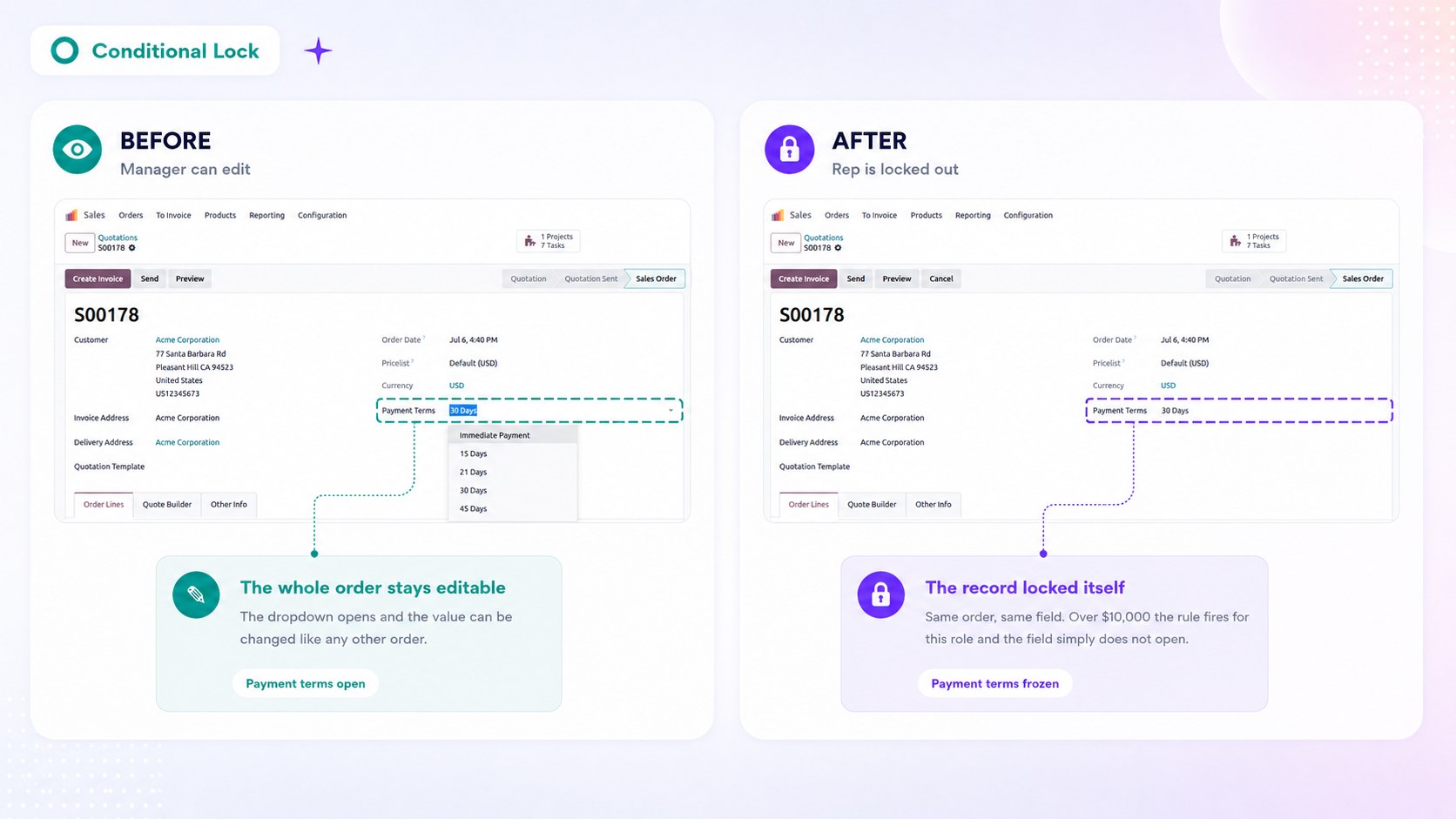
Example. On a confirmed sales order, lock the customer and the pricelist while the delivery date stays editable.
Block deletion only
Prevents the record from being deleted while the condition is met, without restricting edits.
Example. Stop confirmed orders from being deleted, while drafts can still be cleaned up.
Hide fields / buttons / tabs
Hides the selected elements while the condition is met.
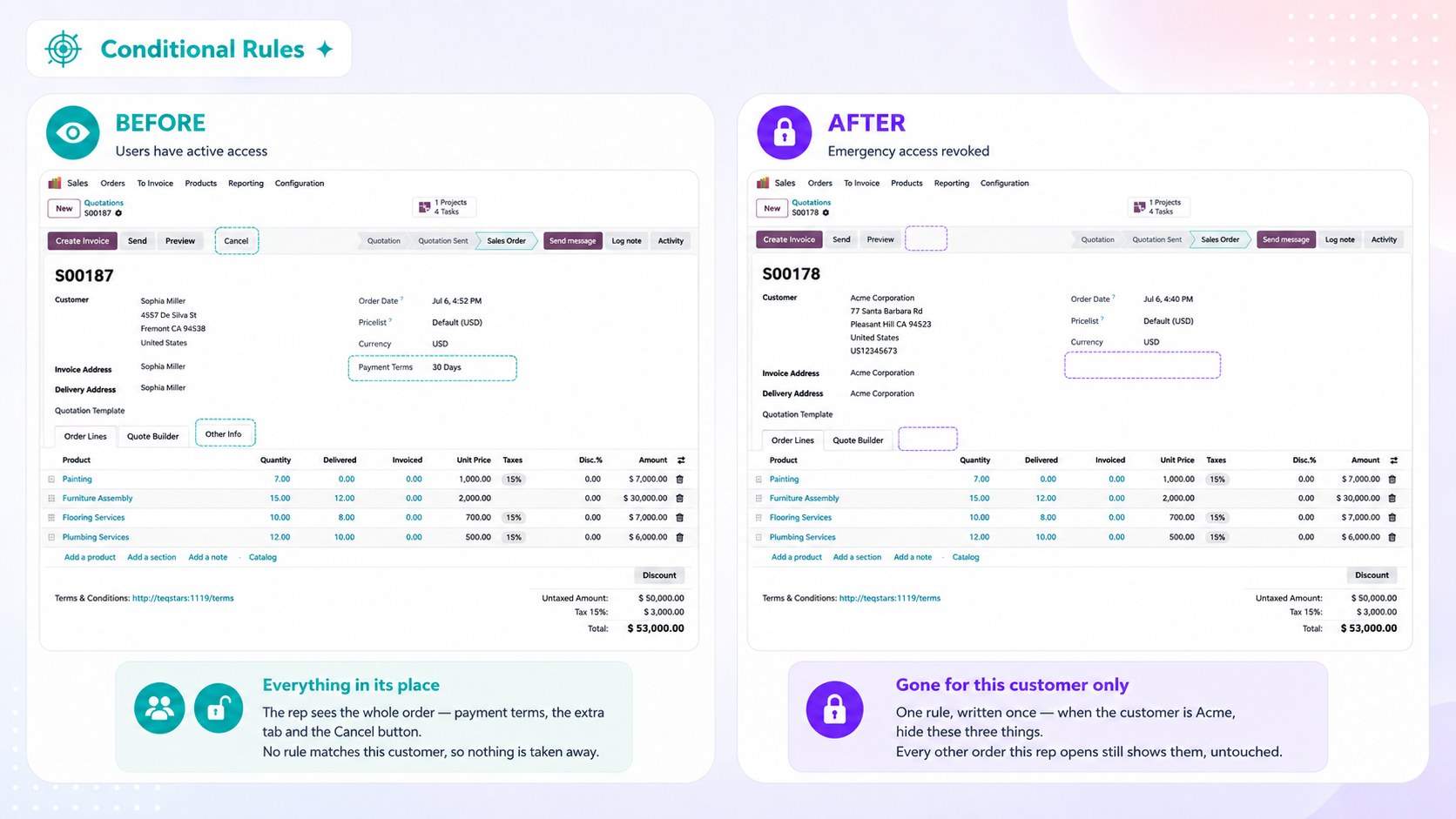
Example. Show an approval button only while the order is waiting for approval, and hide the cost tab once the order has been invoiced.
How the Condition Is Evaluated
The condition is checked separately for each record. This means that in the same list, one record can be locked while another remains editable.
Important
The restriction is enforced when the record is saved or deleted, not just in the user interface. If a change is not allowed, the system will block it even when the record is updated through an import or external integration.
You can create conditions using multiple criteria, such as status, amount, responsible user, or date. Conditions are configured using the standard Odoo filter editor, so no technical or coding knowledge is required.
See also