
Update Products From Odoo
With Update Listings, you refresh the products that are already listed on ManoMano. Odoo rebuilds the B2B and B2C product feeds with their current price, stock, images and status. ManoMano re-reads the same feed URL on its next pull, so you never re-paste the link. You can update products in three different ways:
Method - 1: From The Operations Wizard
Go to the menu in Odoo and open the operations of your ManoMano instance.
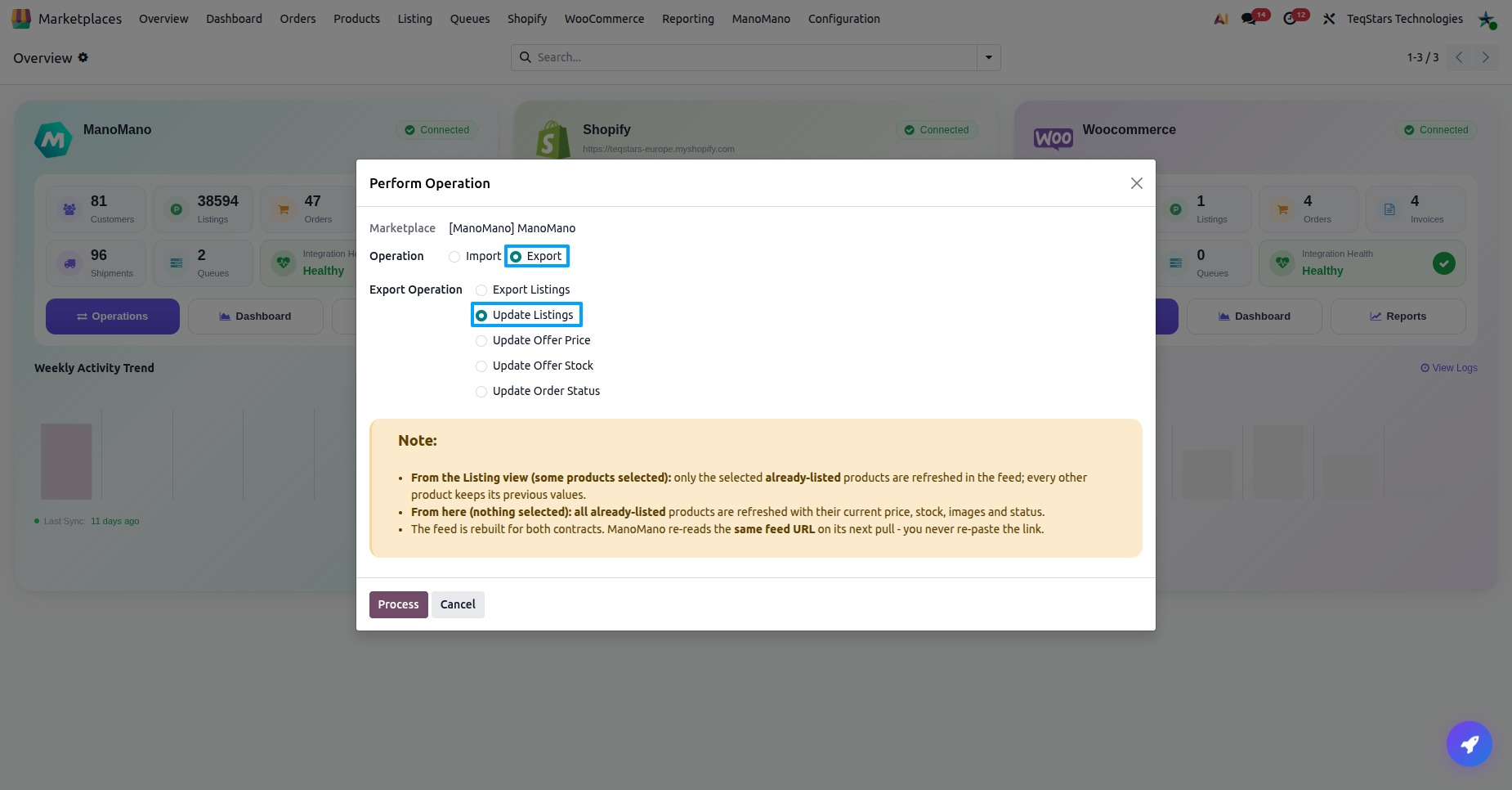
In Operation, select Export. In Export Operation, select Update Listings.
Press Process. All already-listed products of the instance are refreshed with their current price, stock, images.
Note
You do not select a seller contract. The feed is rebuilt for both contracts (B2B and B2C) at once.
Method - 2: From The Listing View
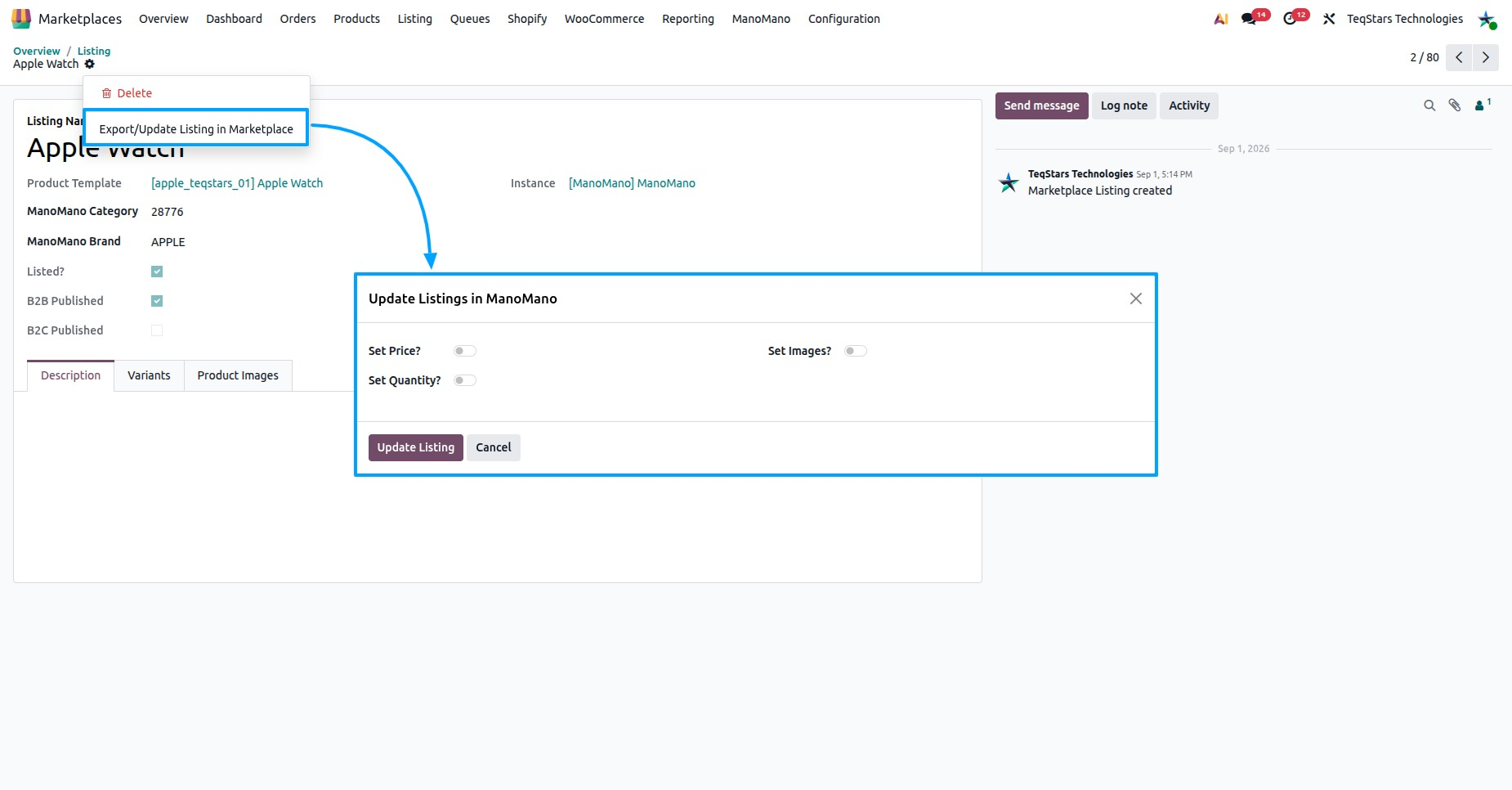
Go to and select the listings you want to update.
Click Export/Update to Marketplace.
The Update Listings in ManoMano pop-up opens. Press Update Listing.
Only the selected already-listed products are refreshed in the feed. Every other product keeps its previous values.
Method - 3: Automatic Feed Regeneration
The Regenerate B2B Product Feed and Regenerate B2C Product Feed scheduled jobs refresh the feeds without you. Each job rebuilds the feed of its own contract.
Open your ManoMano instance from .
Go to the Automatic Jobs tab to find the two feed regeneration jobs.
What Is Updated
Price: the price of each product comes from the pricelist of its seller contract, so the B2B and B2C feeds each get their own price.
Stock: the current quantity of the product.
Images: the current pictures of the product.
A product needs at least one image and at least one shipping grid (carrier) to be written to the feed. When one of them is missing, the update stops with a message that names what is missing. The scheduled jobs skip such products and list their SKUs in the log. Add the missing image or carrier grid on the listing, see Offer Details On A Listing, then update again.
After Update
The log shows how many listed products were written to the feed across both contracts. Check it at .
The Last Feed Export (B2B) and Last Feed Export (B2C) dates on the Last Processed On tab of the instance show when each feed was last exported.
ManoMano picks up the changes when it next pulls the feed URL. On the Listing Offer tab of a listing item, Offer Status (B2B) and Offer Status (B2C) show IN PROGRESS, ERROR or COMPLETED. When an offer is in error, read Offer Errors (B2B) or Offer Errors (B2C).
To read the current price, stock and offer status back from ManoMano, see Import Offers From ManoMano.