
Import Inventory Into Odoo
Bring WooCommerce stock levels into Odoo as an inventory adjustment in the instance warehouse.
Prerequisites
A confirmed instance with a Warehouse set.
Listing items linked to Odoo products with Manage Stock? enabled (service and tracked products are skipped).
Method - 1: Manual Inventory Import
Go to the menu in Odoo.
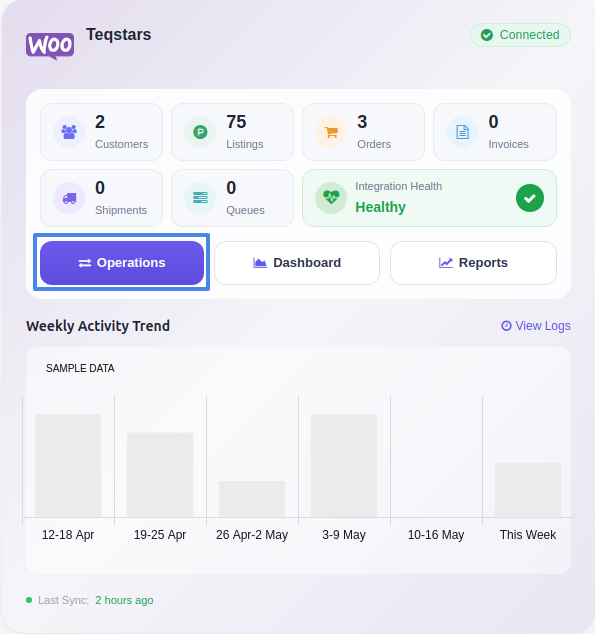
Click the Operations button from the instance record.
Choose Import as the operation type, then from Import Operation, select Import Inventory.
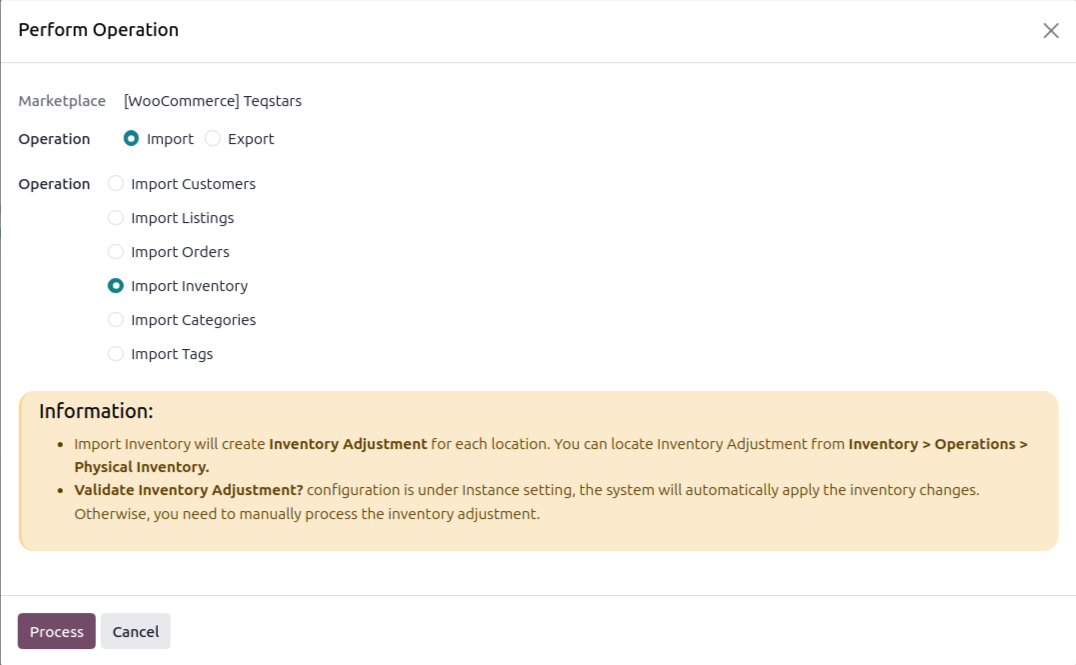
Click Process.
Stock is matched by SKU and written to the warehouse stock location. With Validate Inventory Adjustment? enabled the adjustment is validated automatically, otherwise process it from .
Method - 2: Automatic Inventory Import
You can automatically import stock from WooCommerce at regular intervals using the Automatic Schedule action:
Go to your WooCommerce instance setting by navigating to .
Open the Automatic Jobs tab. In that tab you can configure the Import Product’s Inventory automatic action by setting Interval Number, Interval Unit, and then enable Active.
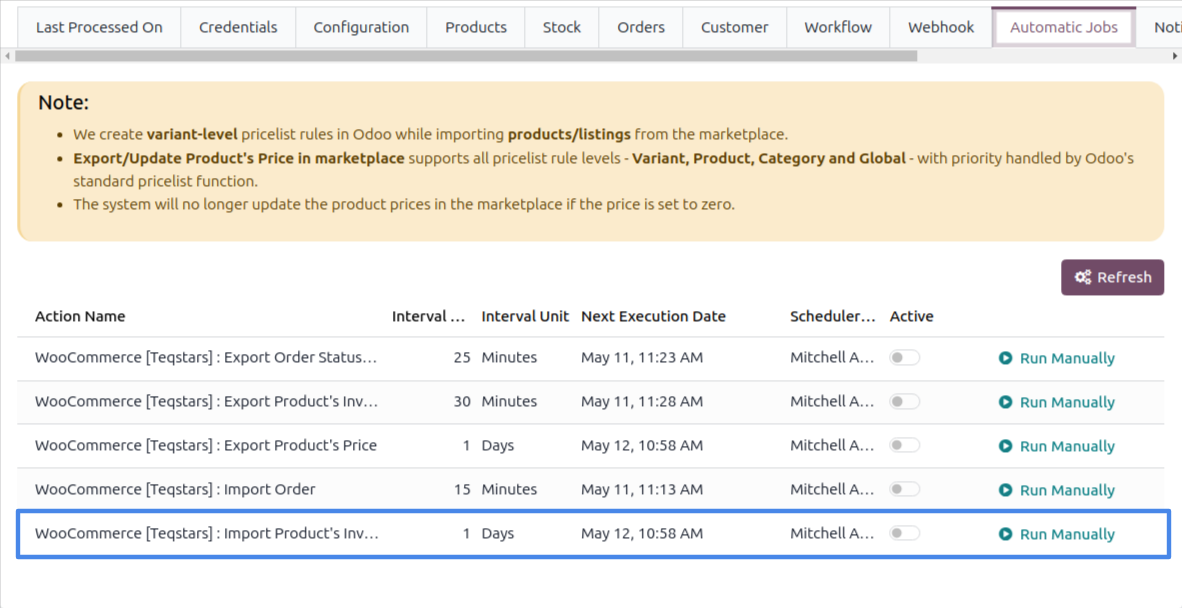
Once enabled, Odoo automatically imports stock from WooCommerce at the selected time intervals.
See also