
Domain Access
Record Permissions control what a user can do with a record type. Domain Access provides more detailed control by deciding which records of that type the user can access.
For example, you can allow a user to access only their own customers, their team’s Sales Orders, or all records except those belonging to a confidential category.
To configure it, go to the role and open .
Configuration
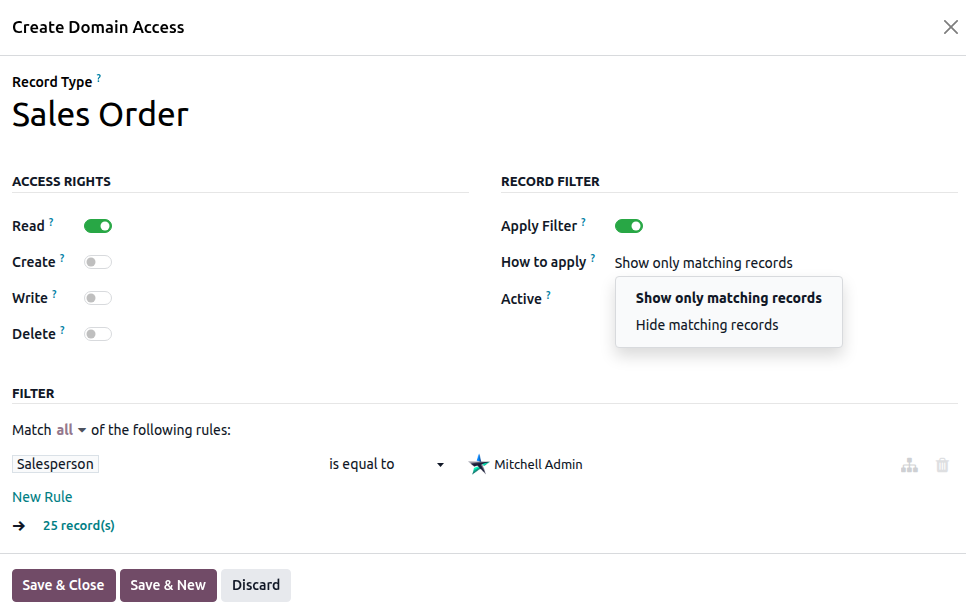
Record — Select the record type to which the access rule applies.
- How to apply — Choose how the filter should work:
Show only matching records — Users can access only records that match the filter.
Hide matching records — Records that match the filter are hidden from the user.
- Access Rights (Read / Create / Write / Delete) — Select the operations the user is allowed to perform on the
selected record type.
- Apply Filter — Enable this option to apply the filter to the selected operations. If
disabled, only the Access Rights are applied.
- Restrict View / Restrict Edit / Restrict Create / Restrict Delete — Select which operations the filter
should restrict.
Filter — Define the condition that determines which records are affected using the visual filter editor.
Options
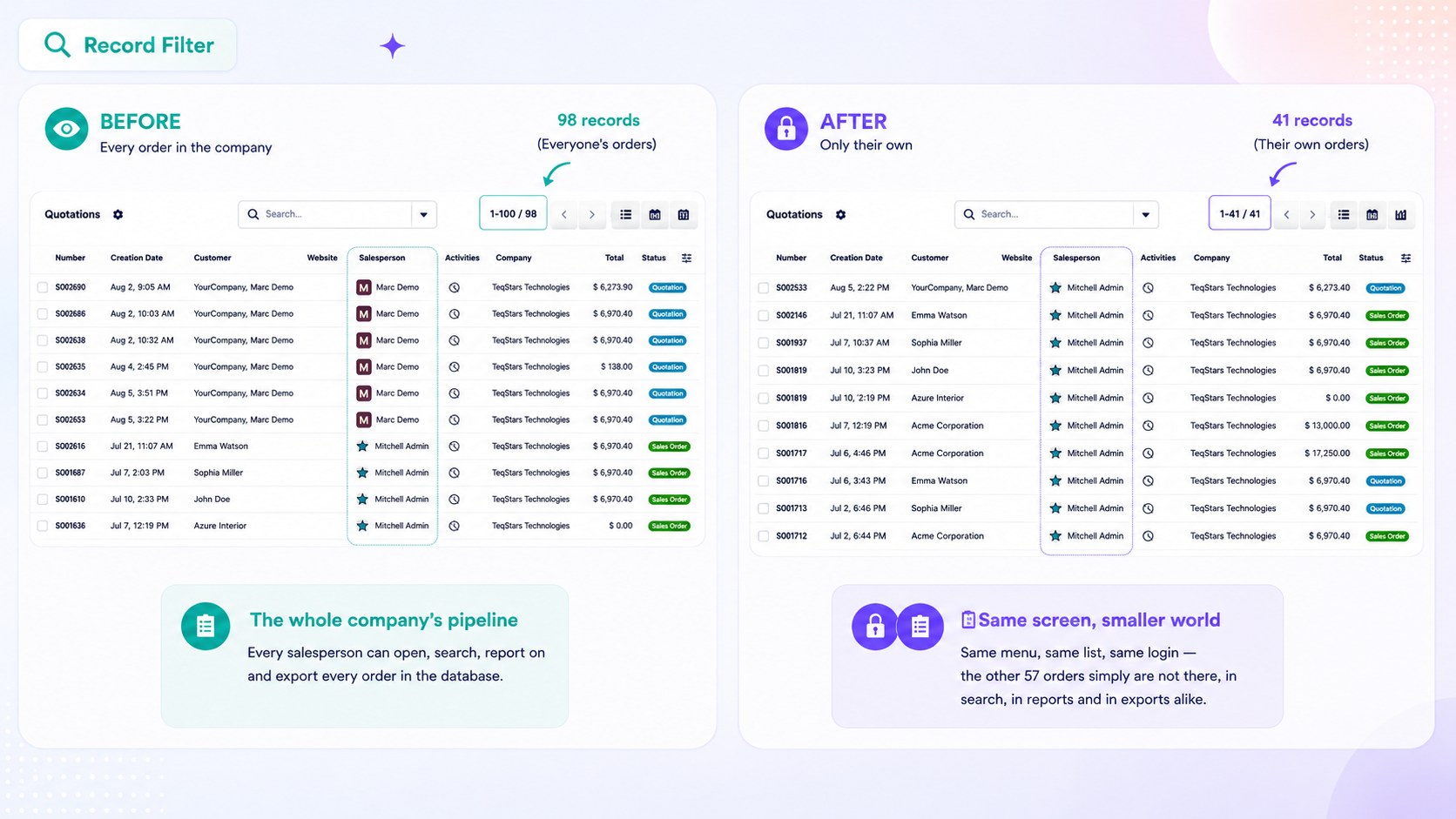
Show only matching records
Users can access only the records that match the filter. Any records that do not match the filter will not be available to them.
Hide Matching Records
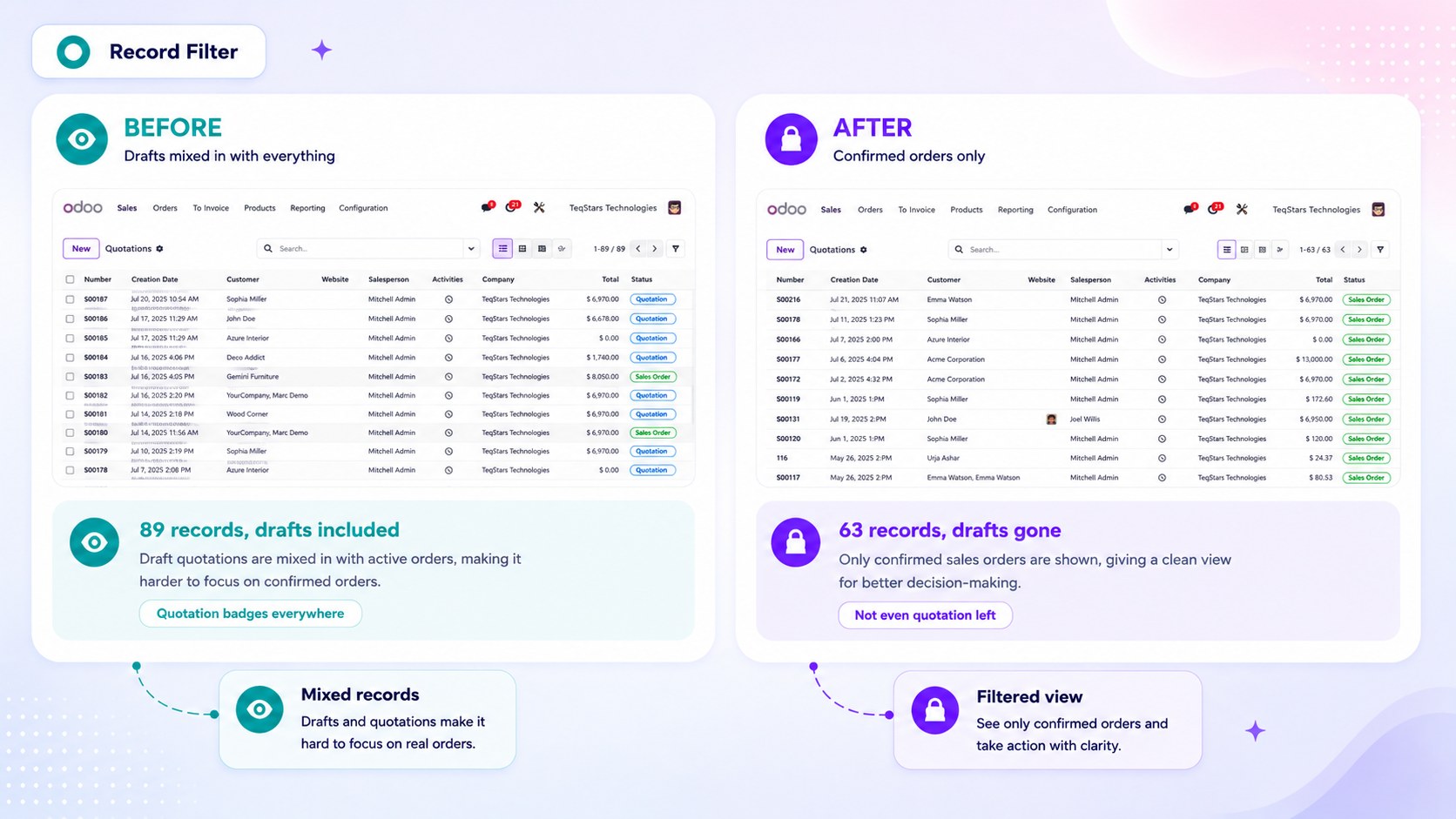
Records that match the filter are hidden from the user. Records that do not match the filter remain available. Use this option when you want to hide a specific set of records and allow access to everything else.
Apply Filter
Enables the filter for the selected access rule. When disabled, the filter is ignored, and only the Access Rights on the line are applied.
Restrict View / Edit / Create / Delete
Select which operations the filter should control. By default, all four operations are enabled, so the filter applies to View, Edit, Create, and Delete.
Example. If you disable Restrict View but keep Restrict Edit enabled: the user can view all Sales Orders but can edit only the Sales Orders that match the filter.
Important behaviour
Note
When multiple roles apply filters to the same record type, the filters are combined. For example, if a user has two Show only matching records rules, the user can access only records that satisfy both filters.
Important
Domain Access only restricts access. It cannot give users access to records that are already restricted by their standard Odoo access rights.