
TikTok Warehouses
A TikTok warehouse is a place TikTok Shop knows your goods sit in. Every order names the warehouse it ships from, and every quantity you send or read is counted per warehouse, so the connector mirrors them in Odoo.
They are imported when the instance is confirmed, and can be imported again at any time with the Import Warehouses operation.
Each imported warehouse has to be pointed at an Odoo warehouse and a stock location before stock is exchanged. Nothing else in the setup asks you for this.
Import Warehouses
Go to the menu in Odoo.
Click on the
Operationsbutton from the instance record.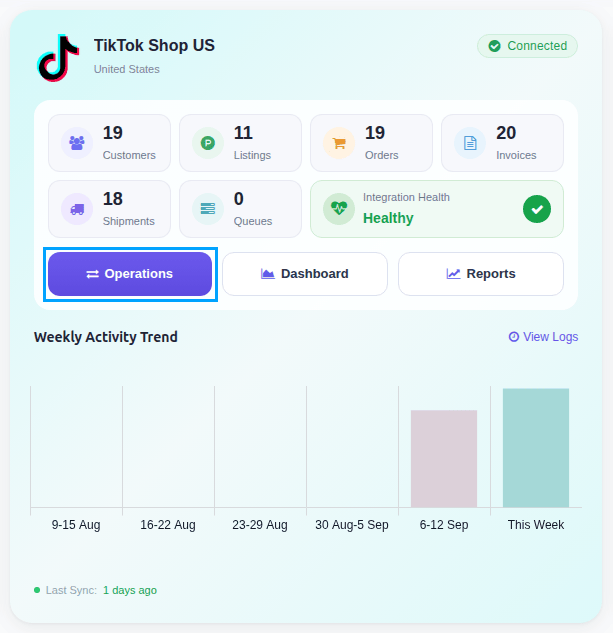
Select Import Operation and then select Import Warehouses option.
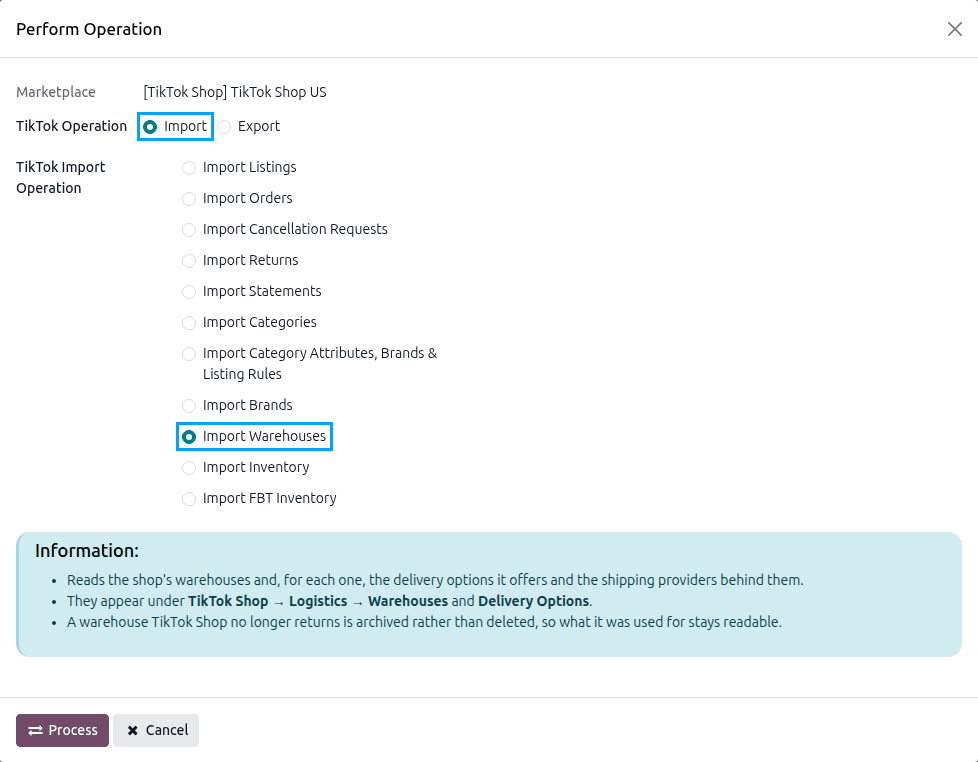
Press
PROCESSbutton.
The import reads the shop’s warehouses with their delivery options and the shipping providers of each option. A warehouse TikTok Shop no longer reports is archived rather than deleted, so the orders and listings that point at it keep their history. It also reads the shop’s Fulfilled by TikTok registration again, and imports TikTok’s platform warehouses when the instance uses FBT.
Note
There is no scheduled action for this operation. Warehouses change rarely, so run it when you add one on TikTok Shop.
The imported warehouses are listed under .

Warehouse Configuration
Go to and open a sales warehouse.
Set the Warehouse and the Stock Location, keep Enable Import/Export Stock? enabled, and save.
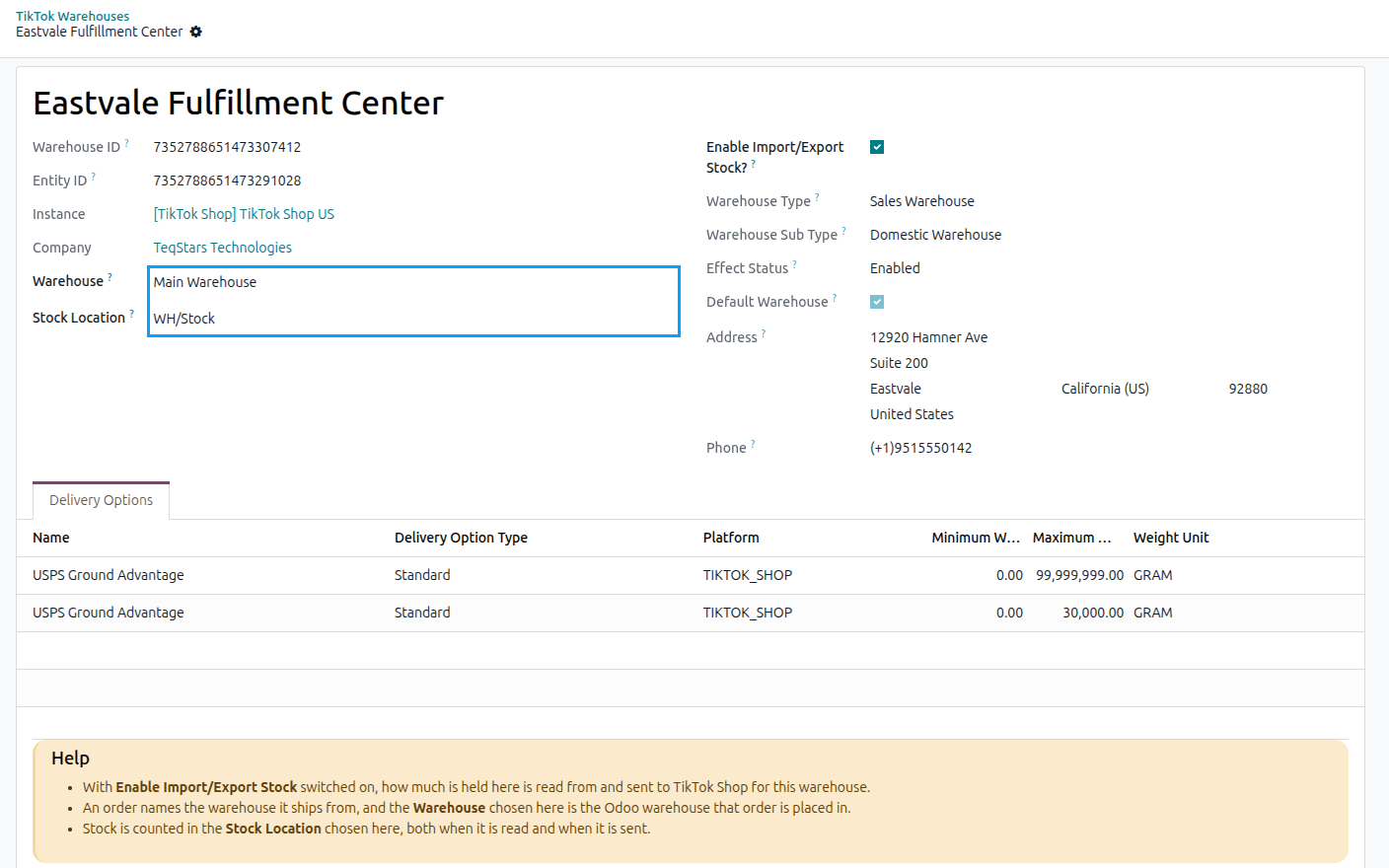
Warehouse: the Odoo warehouse an order shipping from this TikTok warehouse is placed in. An order naming a warehouse that is not linked falls back to the warehouse of the instance.
Stock Location: the location stock is counted in, both when how much you hold is sent to TikTok Shop and when TikTok Shop’s own figures are read back.
Enable Import/Export Stock?: with this switched on, how much is held here is read from and sent to TikTok Shop for this warehouse. Both fields above are required while it is on.
Important
A warehouse is imported with Enable Import/Export Stock? already on and nothing linked. While another warehouse is linked, the stock export skips one without a Stock Location without reporting an error, so its listings keep whatever quantity TikTok Shop last held. When none is linked, the export stops and the log names each warehouse missing its Stock Location. Fill both fields in on every warehouse you sell out of.
The rest of the form is what TikTok Shop reports, and is read-only:
Field |
What it tells you |
|---|---|
Warehouse ID |
The identifier used on every warehouse operation. |
Entity ID |
The physical location the warehouse is bound to. |
Warehouse Type |
Sales Warehouse ships goods, Return Warehouse receives returns, Platform Warehouse is held by TikTok Shop itself (FBT). |
Warehouse Sub Type |
Where the warehouse sits relative to the market it serves: domestic, cross-border oversea, or cross-border direct shipping. |
Effect Status |
Whether the goods stored here are available for sale: Enabled, Disabled or Restricted. |
Default Warehouse |
The warehouse used for a product listed without a designated one. |
Subscribed |
Whether the seller has taken up this platform warehouse. Only one taken up holds stock for them. |
Shop Warehouse IDs |
The identifiers this warehouse is known by on orders and on product inventory. |
Address and Phone |
Where the warehouse is and how it is reached. |
Note
Subscribed and Shop Warehouse IDs are shown for platform warehouses only, because they are the ones TikTok Shop holds on your behalf.
Tip
The Sales Warehouses and Sellable filters, and the Warehouse Type group-by, narrow a long list to the warehouses you actually ship from. Use the Archived filter to see the ones TikTok Shop has stopped reporting.
Delivery Options
A delivery option is a shipping service TikTok Shop offers out of a warehouse, with the weight and size it accepts and the carriers that run it. They are imported with their warehouse, and are listed on the warehouse’s Delivery Options tab as well as under .
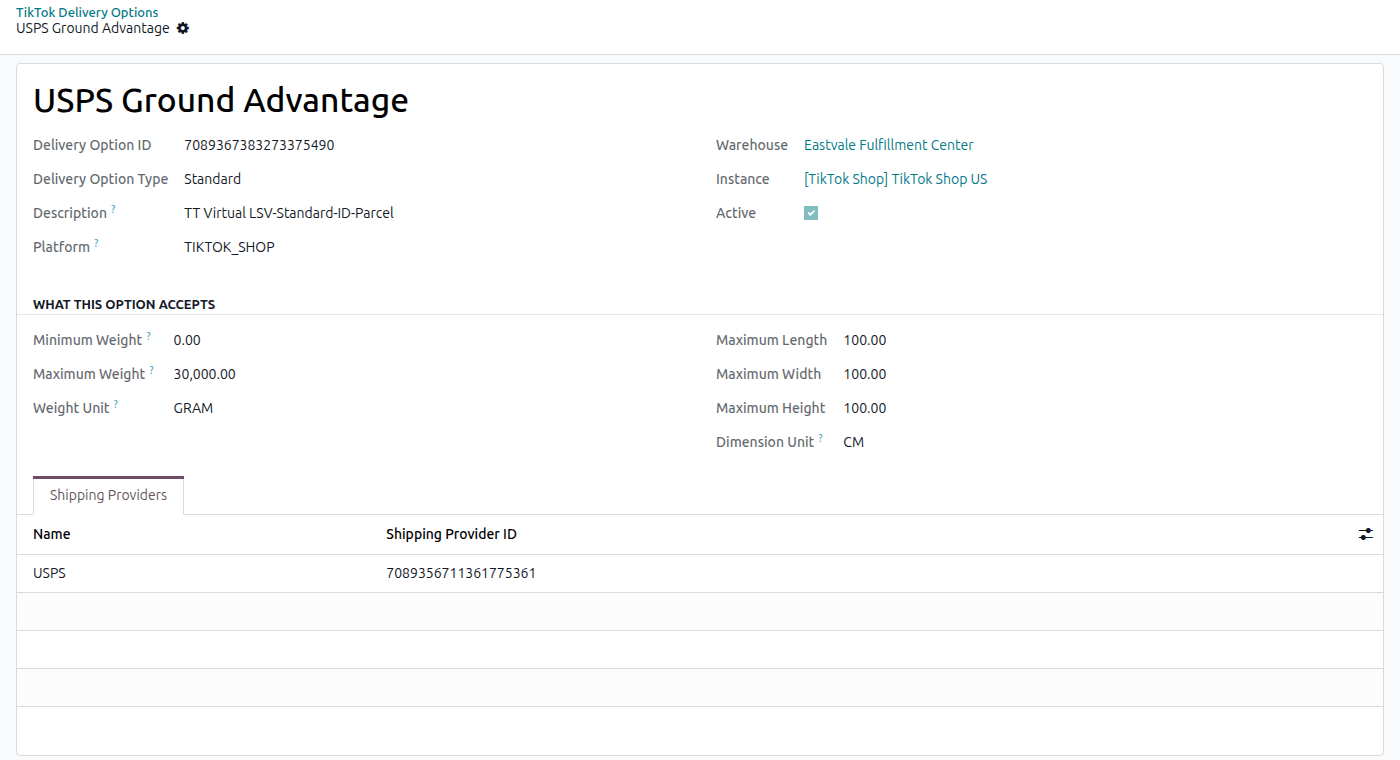
Delivery Option Type and Platform: what kind of service it is and where it is offered.
Minimum Weight / Maximum Weight, and Maximum Length, Width and Height: what a parcel sent on this option may weigh and measure, in the units TikTok Shop reports.
Shipping Providers: the carriers that run the option. When you ship with your own carrier, the tracking is reported under the provider of this list that matches the delivery’s carrier.
Note
Delivery options and their providers are read from TikTok Shop and cannot be created in Odoo.