
Shopify Fraud Orders Analysis
Shopify checks each order for fraud. The connector can fetch this fraud analysis data when it imports your Shopify orders into Odoo. You then review risky orders in Odoo before you ship them.
Overview
Fraud analysis helps you stop risky orders before you ship goods or refund money.
You turn on fraud analysis import per Shopify instance.
The connector fetches the fraud analysis data for each order it imports.
The Fraud Orders menu gives you one place to review fraud orders.
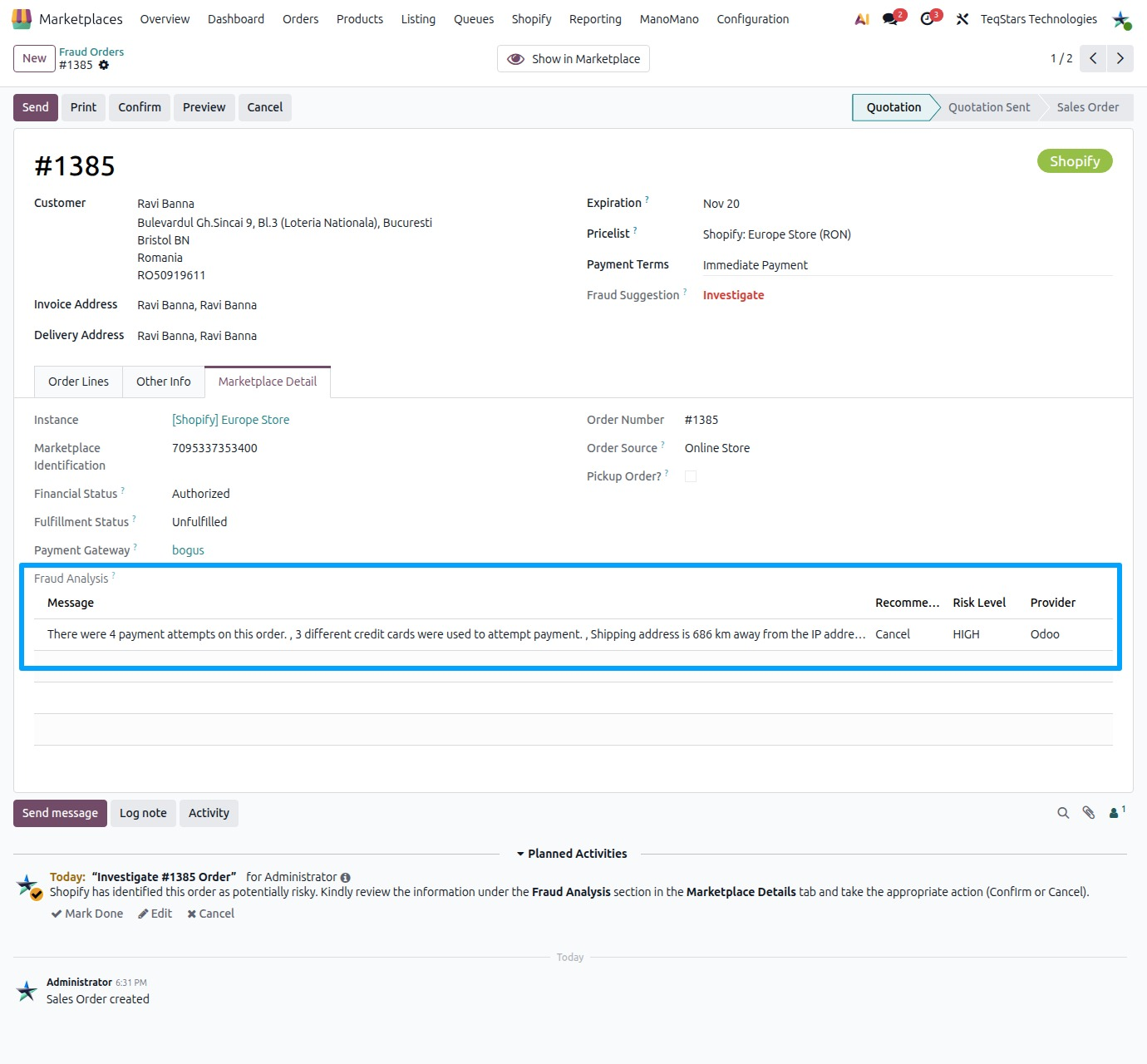
Each sale order shows the Fraud Order?, Fraud Suggestion and Fraud Analysis fields.
Enable Fraud Analysis Import
Fraud analysis import is off until you turn it on. Turn it on for each Shopify store you want to check.
In the app, open the Shopify instance that connects your store.
Tick Fetch Fraud Analysis Data?.
Save the instance.
From now on, the connector fetches the fraud analysis data with each order it imports from this store.
Note
Fraud analysis data comes with the order import. Orders imported before you ticked the option have no fraud analysis data from the connector.
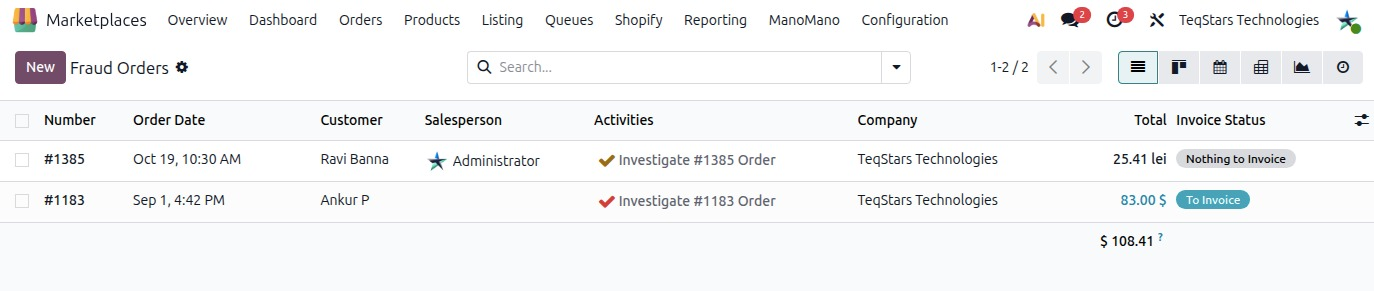
Fraud Orders Menu
Use this menu to review fraud orders in one place, without searching through all your sale orders.
Go to .
Click an order to open it.
Review its fraud analysis before you confirm, ship or cancel it.
Fraud Analysis on the Sale Order
Each Shopify sale order shows its fraud information. You use these fields to decide what to do with the order.
Fraud Order?: Marks the order as a fraud order.
Fraud Suggestion: Shows the fraud suggestion for the order.
Fraud Analysis: Shows the fraud analysis data the connector fetched for the order.
See also