
Import Brands From Octopia
Import the Octopia brand referential into Odoo so brands can be assigned to listings.
How To Import Brands Manually
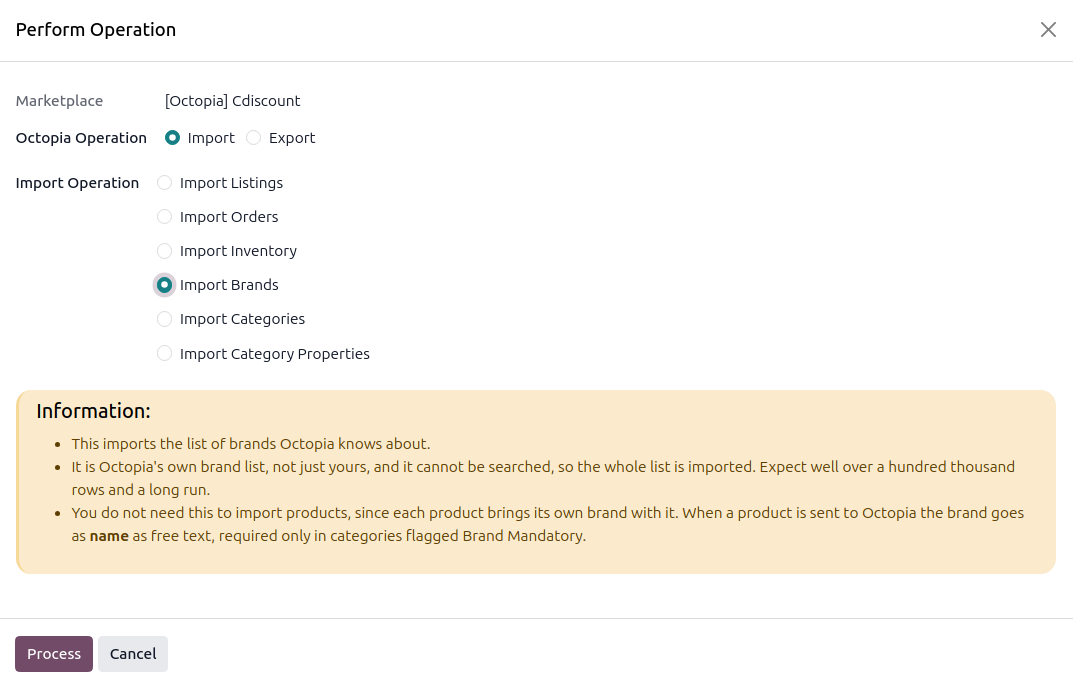
Click the Operations button on the instance card in .
Choose Import, select Import Brands, and click Process.
Important
It is Octopia’s own brand list, not just yours, and it cannot be searched, so the whole list is imported. Expect well over a hundred thousand rows and a long run.
When You Need It
You do not need this to import products, since each product brings its own brand with it and the brand is created the first time a product names it. When a product is sent to Octopia the brand goes as free text by name, and it is required only in categories flagged Brand Mandatory.
Where Brands Are Used
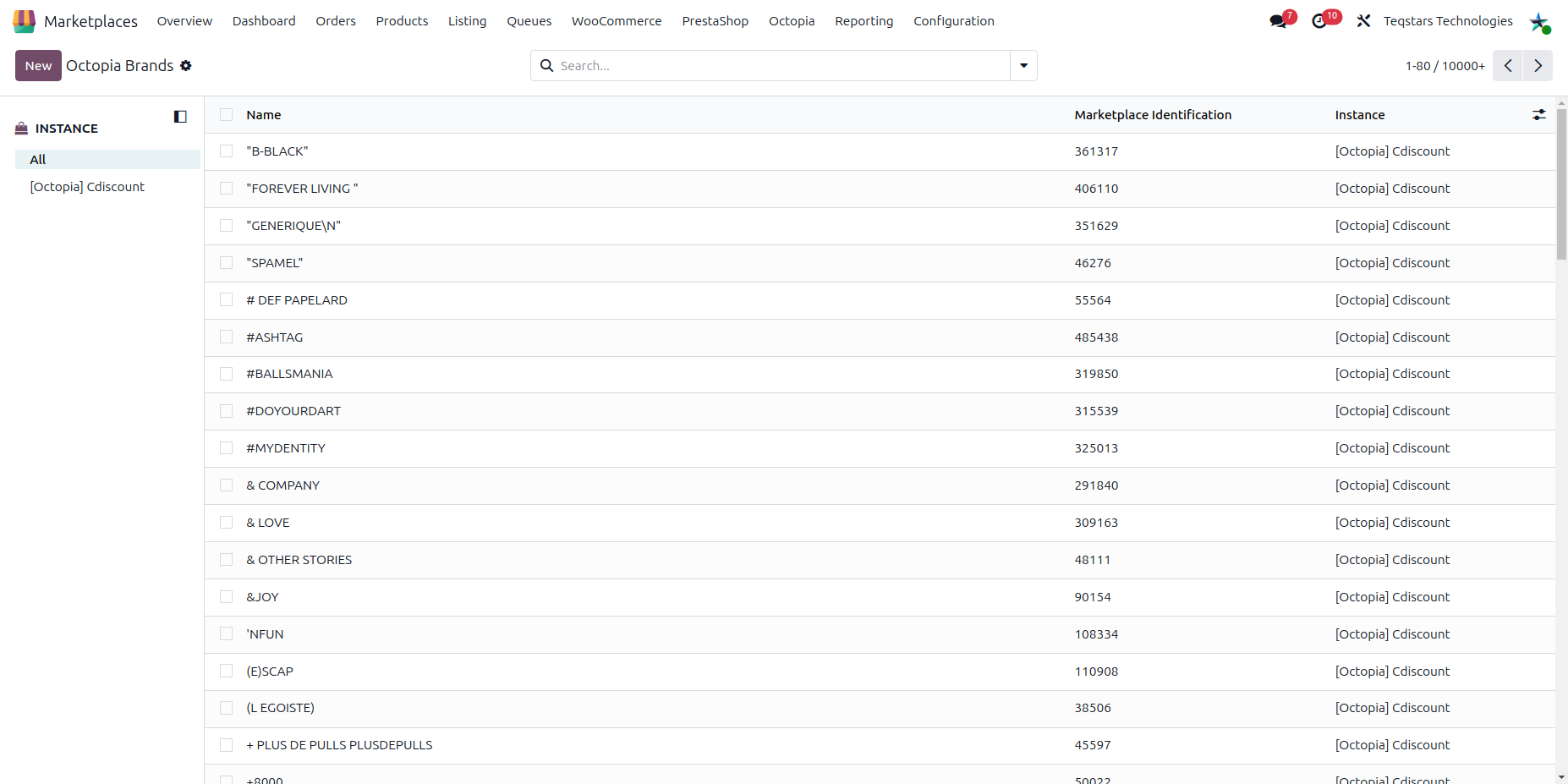
Imported brands live at , and can be assigned to a listing in its Brand field.
Note
A brand made only of digits is refused by Octopia when a product is created, so it cannot be saved on a brand by hand.
Note
A brand that Octopia renamed, or that you already hold under the same name without its code, is updated. The others are added.