
TikTok Shop Webhooks
TikTok Shop can notify Odoo when something changes in your shop. This page shows where you find the webhooks of your instance and how you check when the last notification arrived.
What Webhooks Do
A webhook is a link that TikTok Shop uses to send a notification to Odoo. You do not have to wait for the next scheduled import to learn about a change.
Each TikTok Shop instance has its own webhooks.
Scheduled actions and the operations popup still work as before. Webhooks add to them and do not replace them.
Register Webhooks
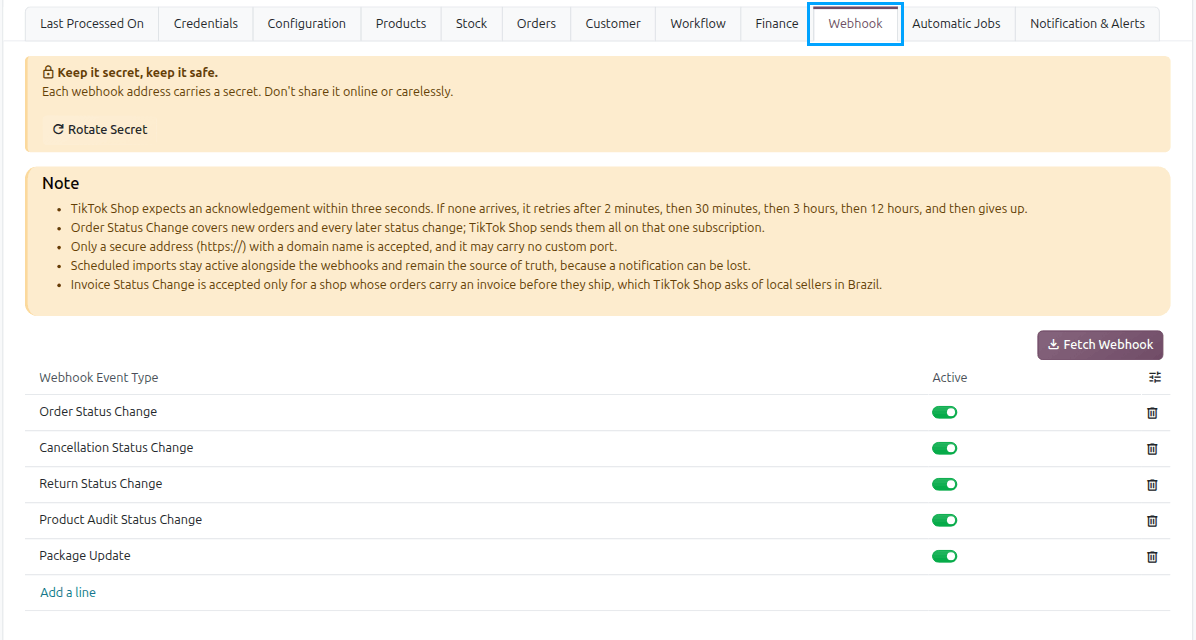
You manage the webhooks of a shop on its TikTok Shop instance.
Open the TikTok Shop instance of your shop.
On the instance form, find the TikTok Webhooks field. It lists the webhooks of this instance.
Check that the list has a webhook for each notification you want Odoo to receive.
Tip
Create one instance per shop. Each instance keeps its own webhooks, so notifications from one shop never reach another shop’s instance.
Check Received Notifications
The instance shows when Odoo last received a notification from TikTok Shop.
Open the TikTok Shop instance of your shop.
Look at TikTok Last Webhook Received. It shows the date and time of the last notification.
If TikTok Last Webhook Received stays empty, check the TikTok Webhooks list on the instance.
Log lines have a TikTok Notification field. Use it to find the log lines that belong to a notification.
See also