
Import Package Templates
A package template describes one of the parcel options you can choose for a carrier, for example FedEx Envelope, UPS Express Box, or Your Packaging. ShipStation gives you both the carrier’s own package types and any custom Your Packaging entries you have set up.
Each package template belongs to a specific Carrier and is pulled into Odoo together with that carrier.
How Packages Are Imported
There are two routes:
Automatically together with carriers: every time the Import Carriers operation runs (see Import Carriers and Services), the connector iterates every newly-imported carrier and fetches that carrier’s package templates straight after. As a result, the first account confirmation already imports the full package catalogue without any extra step.
Per carrier via the Get Packages button: refresh a single carrier’s package list when ShipStation adds new package types or you create new Your Packaging entries:
Go to .
Open the carrier whose packages you want to refresh.
Click Get Packages in the header.
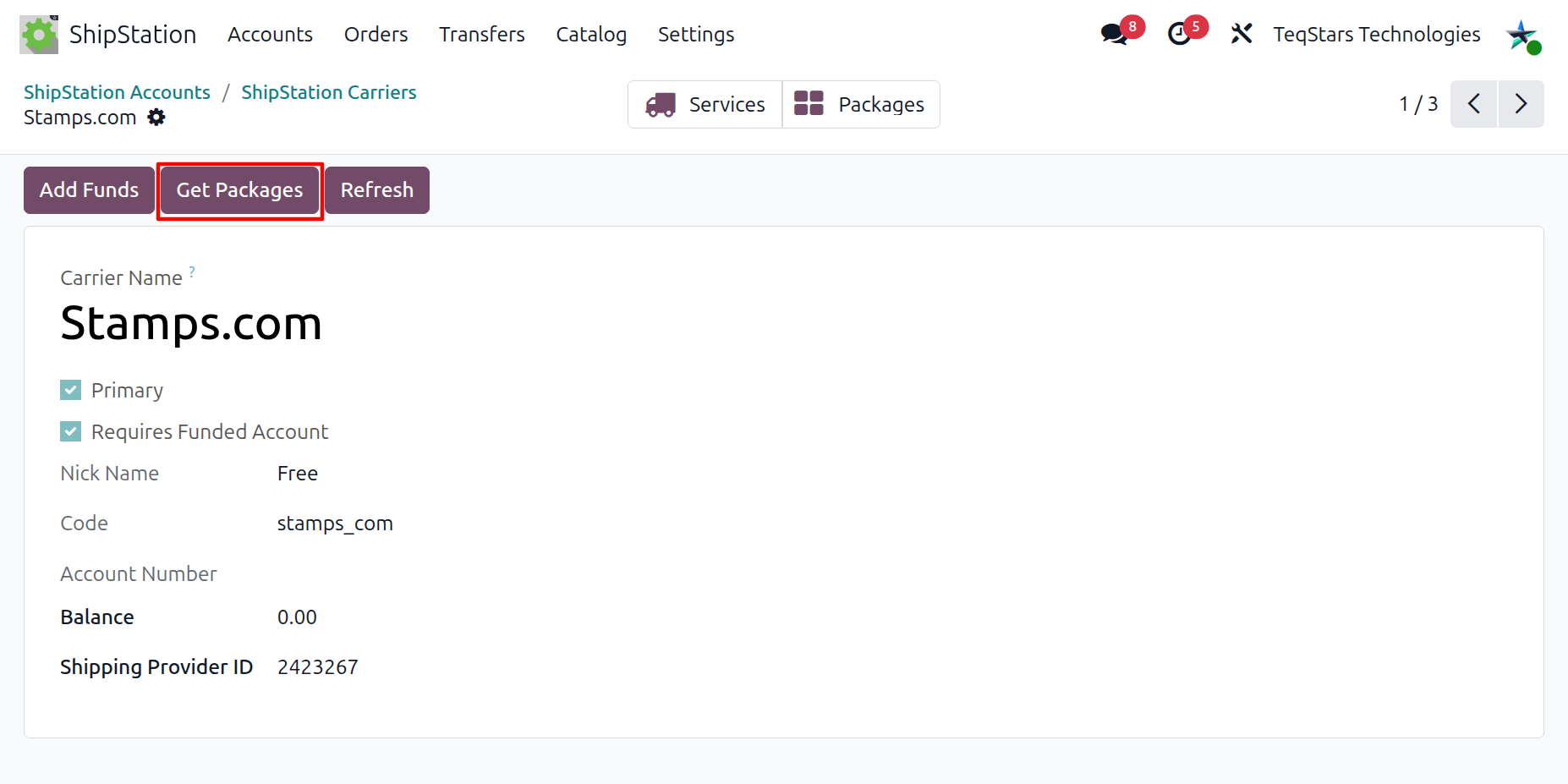
The connector fetches that carrier’s package templates from ShipStation and creates or updates one Odoo record per template with name, code, domestic/international flags, parent carrier, and the Your Packaging indicator.
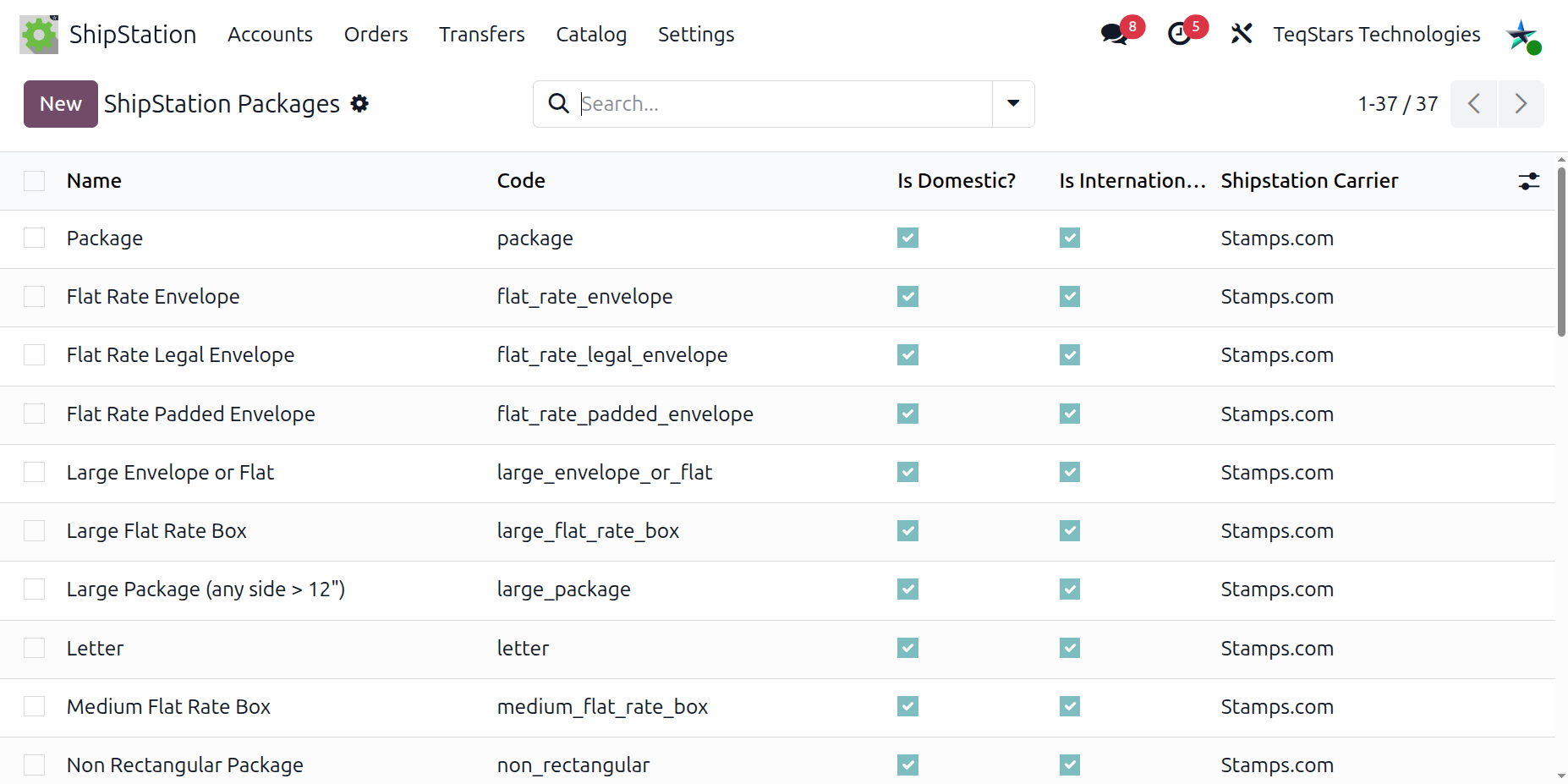
Where to Find Imported Packages
Go to to browse the full catalogue, or open a carrier and click the Packages stat button to see only that carrier’s packages.
How Dimensions Are Resolved
When Your Packaging is unchecked, ShipStation uses the dimensions baked into the carrier’s package type and Odoo does not send dimensions for that package.
When Your Packaging is checked, the connector reads height, width, and length from the linked Odoo Package and sends them inside the rate and label request in the delivery method’s Dimension Unit.
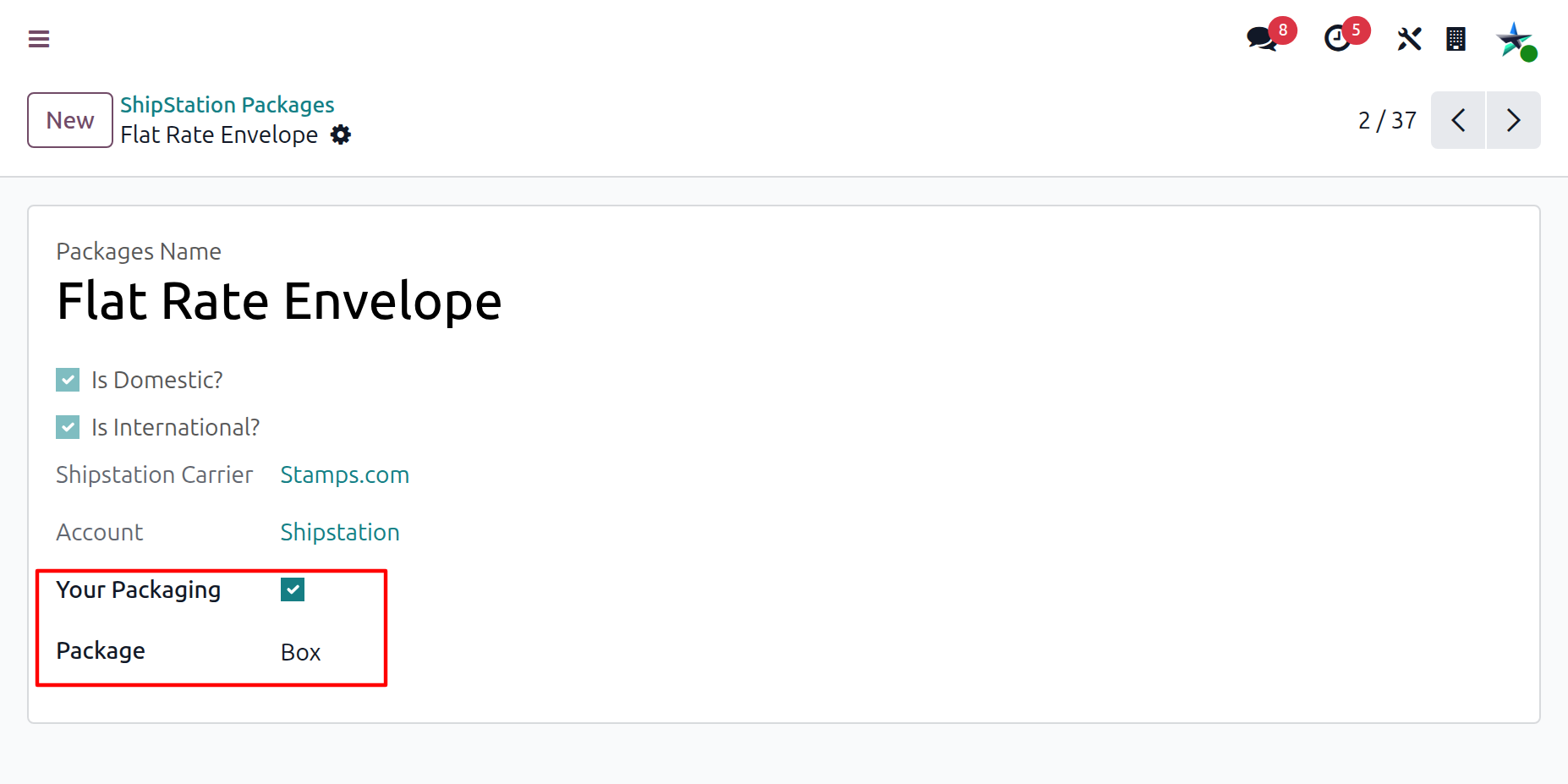
The package form exposes the following fields:
Packages Name: the package template name as it appears in ShipStation (FedEx Envelope, UPS Express Box, Your Packaging, etc.).
Is Domestic?: checked when this package can be used for domestic shipments.
Is International?: checked when this package can be used for international shipments.
Shipstation Carrier: the parent carrier this package belongs to.
Account: the parent ShipStation account this package belongs to.
Your Packaging: checked for custom packaging entries you defined in ShipStation; unchecked for carrier-provided package types.
Package: the linked Odoo package type used for dimensions. Visible (and required) only when Your Packaging is checked.
Important
Map each Your Packaging template to a real Odoo package type with accurate dimensions in your unit of measure. Carriers will refuse to print a label or surcharge automatically if your declared dimensions are wrong.