
Import Walmart WFS Orders In Odoo
Note
WFS orders are imported for the United States, Canada and Mexico marketplaces. Walmart does not provide a WFS orders feed for Chile, so WFS orders are not imported there. See Walmart Supported Marketplaces.
WFS (Walmart Fulfillment Services) orders are picked, packed and shipped by Walmart. They are imported into Odoo to keep your sales, stock and accounting records complete. You do not fulfill them; Walmart already has.
This operation appears when the Fulfillment Type of the instance is WFS or Both. See
Fulfillment Types.
Method - 1: Manual WFS Order Import
Go to the menu in Odoo.
Click on the
Operationsbutton from the instance record.Select Import Operation and then select Import WFS Orders option.
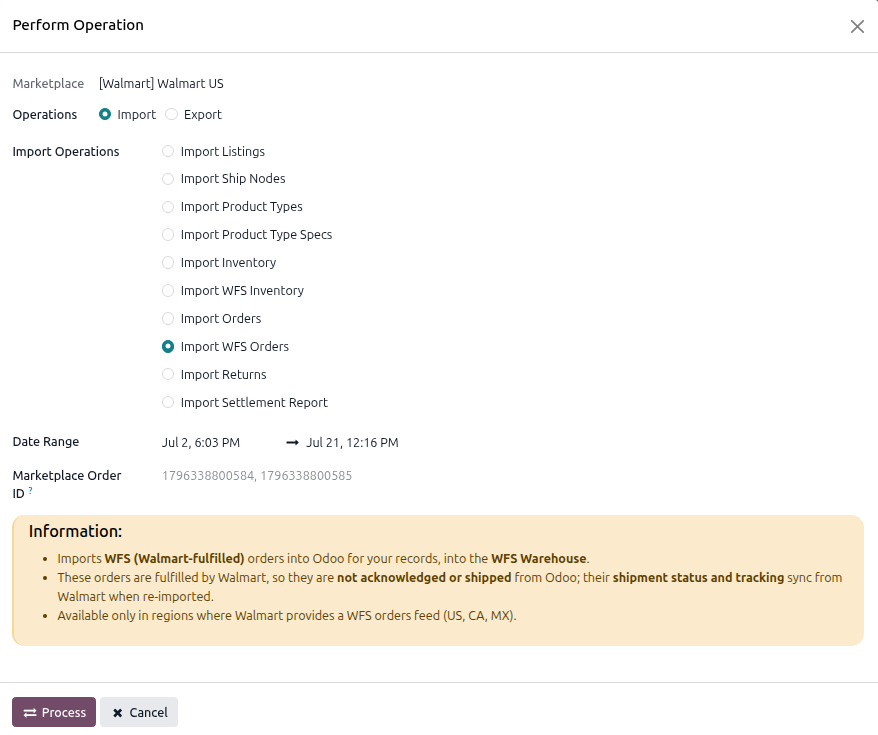
The WFS order import operation has the following options:
Date Range: Retrieves orders between the From Date and To Date. For the United States, the filter is on when the order last changed, not when it was placed. For Canada and Mexico, the filter is on when the order was placed, so a Date Range import only picks up orders created in that window, not status changes on older ones. The automatic schedule compensates for this with its own 30-day lookback; a manual Date Range import does not.
Marketplace Order ID: You can import specific Walmart Orders by entering their IDs in the Marketplace Order ID field, separated by a comma (‘,’).
Press
PROCESSbutton.
Orders are added to the Order Queue Job and created in Odoo using the WFS Order Workflow configured on the instance.
Method - 2: Automatic WFS Order Import
WFS orders are imported by the same Import Orders scheduled action used for seller-fulfilled orders. There is no separate scheduled action for WFS orders. Configure it on the Automatic Jobs tab of the instance.
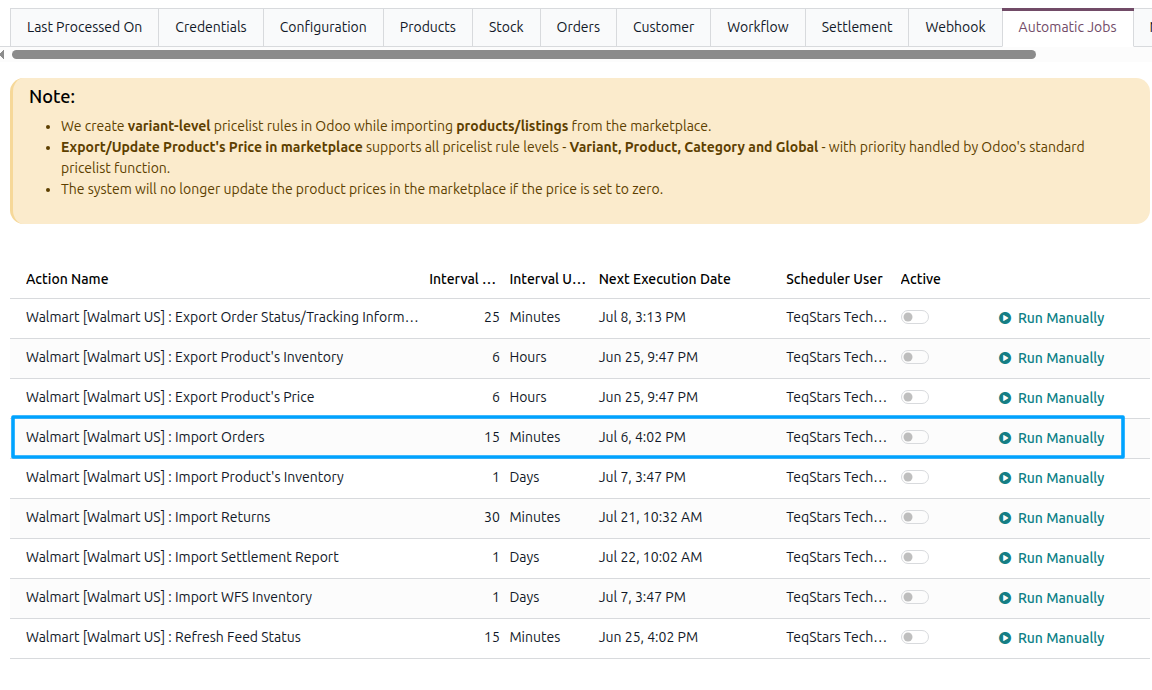
See Automatic Jobs.
How WFS Orders Differ
Seller-fulfilled orders |
WFS orders |
|---|---|
Identified by the Walmart Purchase Order number. |
Identified by the Walmart Customer Order number. WFS orders do not have a purchase order number. |
You acknowledge the orders. |
Not acknowledged by the connector. They are marked as acknowledged on import because Walmart handles the fulfillment. |
You export tracking information to Walmart. |
Tracking is not exported because Walmart creates the shipment and provides the tracking number. |
Shipped from your Warehouse. |
Shipped from a Walmart fulfillment center and recorded against the WFS Warehouse. |
Uses the Seller Order Workflow. |
Uses the WFS Order Workflow. |
The customer, order lines, shipping and fee lines, commissions, and taxes are handled in the same way as described in Import Walmart Orders In Odoo.
Important
Set the Order Status filter before you rely on this. Walmart ships WFS orders itself, so they move to Shipped and then Delivered on Walmart’s side without Odoo doing anything at all. The Order Status filter starts with Created only selected, so unless you add Shipped and Delivered, Odoo never pulls those updates back and your WFS orders will look stuck.
This is the most common reason a WFS seller reports that “nothing is updating”.
WFS Orders Are Not Available in Chile
A Chilean instance can import WFS inventory, so you can see the stock Walmart is holding for you. However, WFS orders cannot be imported because Walmart does not provide the required order feed for Chile. As a result, the operation is not available on Chilean instances.
If your Chilean instance is set to a pure WFS fulfillment type, it will not import any orders at all.
Follow those orders in Seller Center. See Walmart Supported Marketplaces.