
Audit Reports
When an auditor needs to know who had access to what, Audit Reports provide the required information in a clear and organized PDF.
Reports can be generated:
On demand whenever needed.
Automatically each month for regular compliance reviews.
To access Audit Reports, go to . They are available to users in the Security Officer group.
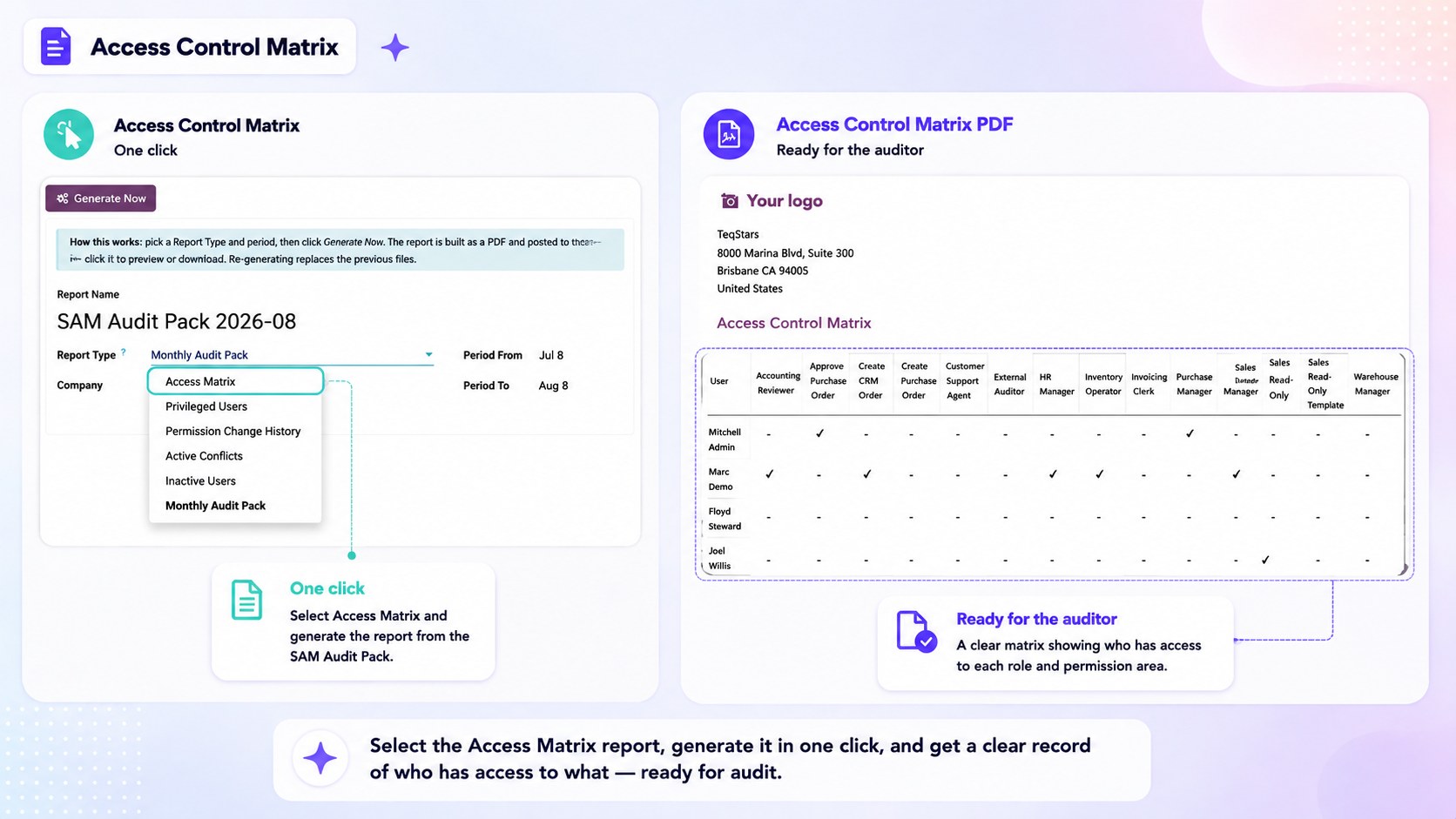
Create a Report
Click New and fill in:
Report Name — A name for the report, for example “Access review 2026-08”.
Report Type — What the report should contain (see below).
Period From / Period To — The period the report covers. Defaults to the last month.
Then click Generate Now. The files are produced and attached to the report, where they can be previewed and downloaded. Generating again replaces the previous files.
Report types
Report Type |
What it contains |
|---|---|
Access Matrix |
Provides a grid showing users and the roles assigned to them. |
Privileged Users |
Lists users who have at least one Smart Access role, along with their assigned roles and companies. |
Permission Change History |
Shows access changes recorded in the Activity Log during the selected period. |
Active Conflicts |
Shows current Segregation of Duties conflicts, including the users and roles involved. |
Inactive Users |
Lists internal users who have never logged in and archived internal users. |
Monthly Audit Pack |
Provides a complete audit package containing the Access Matrix along with information about conflicts, access requests, risk scores, and privileged users. |
All report types are generated as PDF files.
Automatic Monthly Pack
A scheduled monthly action automatically creates a Monthly Audit Pack for the previous month and generates the required files.
This creates a dated history of audit evidence without requiring someone to generate the report manually each month.
Note
Reports read the data as it stands when they are generated. Generate the pack close to the end of the period you want to document, and keep the generated files as the record for that period.
See also