
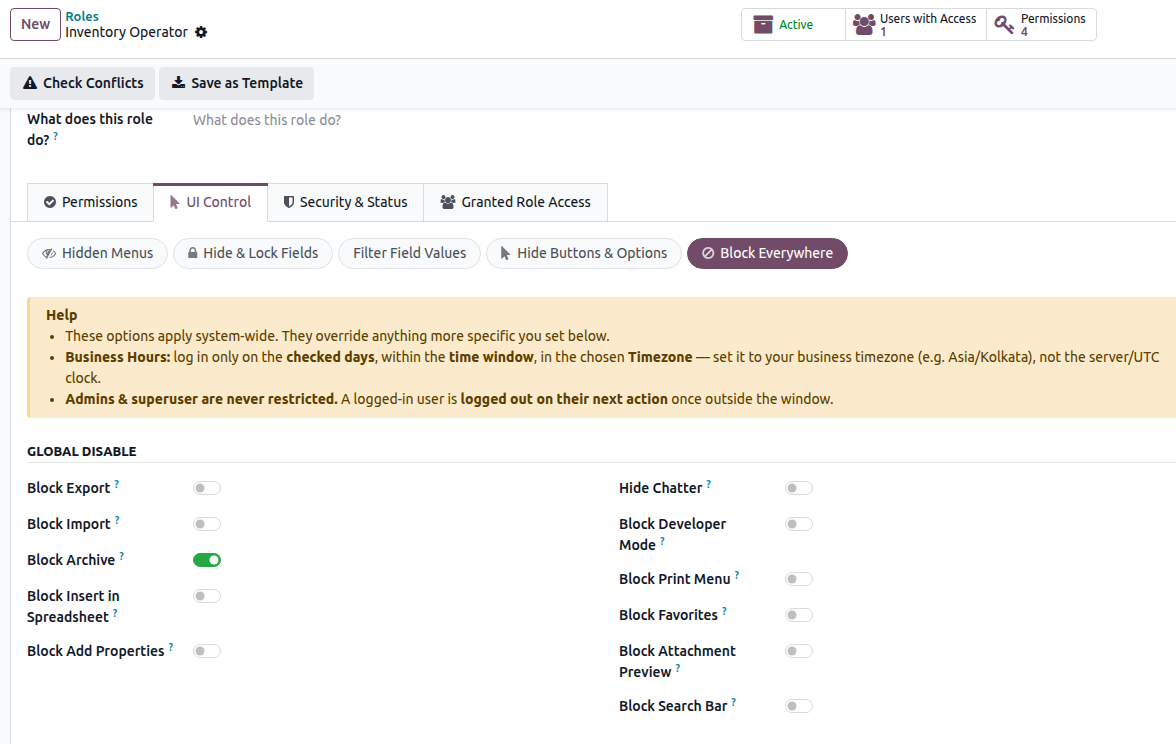
Block Everywhere
Most restrictions can be configured for a specific record type. Block Everywhere lets you apply a restriction across the entire database with a single setting.
Use it when a rule should apply to the role everywhere in Odoo, regardless of the record type or screen.
For example, if a role should never be allowed to export data, enable the export restriction under Block Everywhere. The restriction will apply throughout the database.
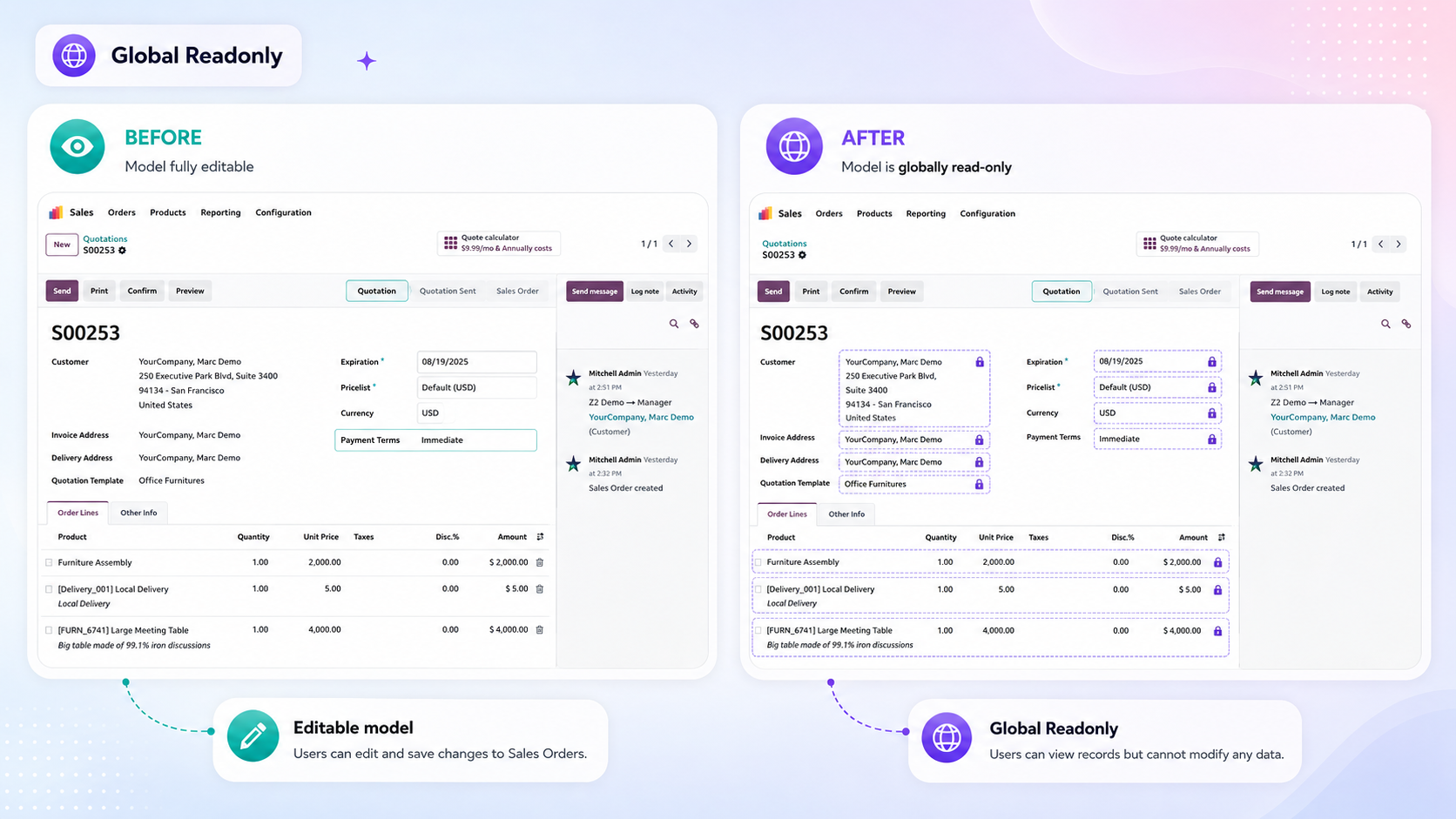
Global Read-Only
Allows the user to view all records and information they have permission to access, while preventing them from making changes.
With Read-Only Access enabled, the user cannot:
Create new records.
Edit existing records.
Delete records.
The restriction applies across Odoo, making it useful for roles that need to view information without modifying it.
Important
Global Read-Only cannot be applied to Administrators. Smart Access Manager prevents the role from being saved with this restriction.Essential system features required for the interface to work, such as the user’s own Preferences and Notifications, continue to function normally.
Data movement
These settings apply the selected restriction to every record type across Odoo.
- Block Export — Prevents users from exporting data anywhere in Odoo. The export action itself is blocked, not just
the export option in the menu.
Block Import — Prevents users from importing data anywhere in Odoo.
Block Archive — Prevents users from archiving or unarchiving records.
Block Insert in Spreadsheet — Prevents users from sending views or lists to a spreadsheet.
Block Add Properties — Prevents users from adding custom property fields to records.
Block Print Menu — Hides the Print menu across Odoo.
Interface
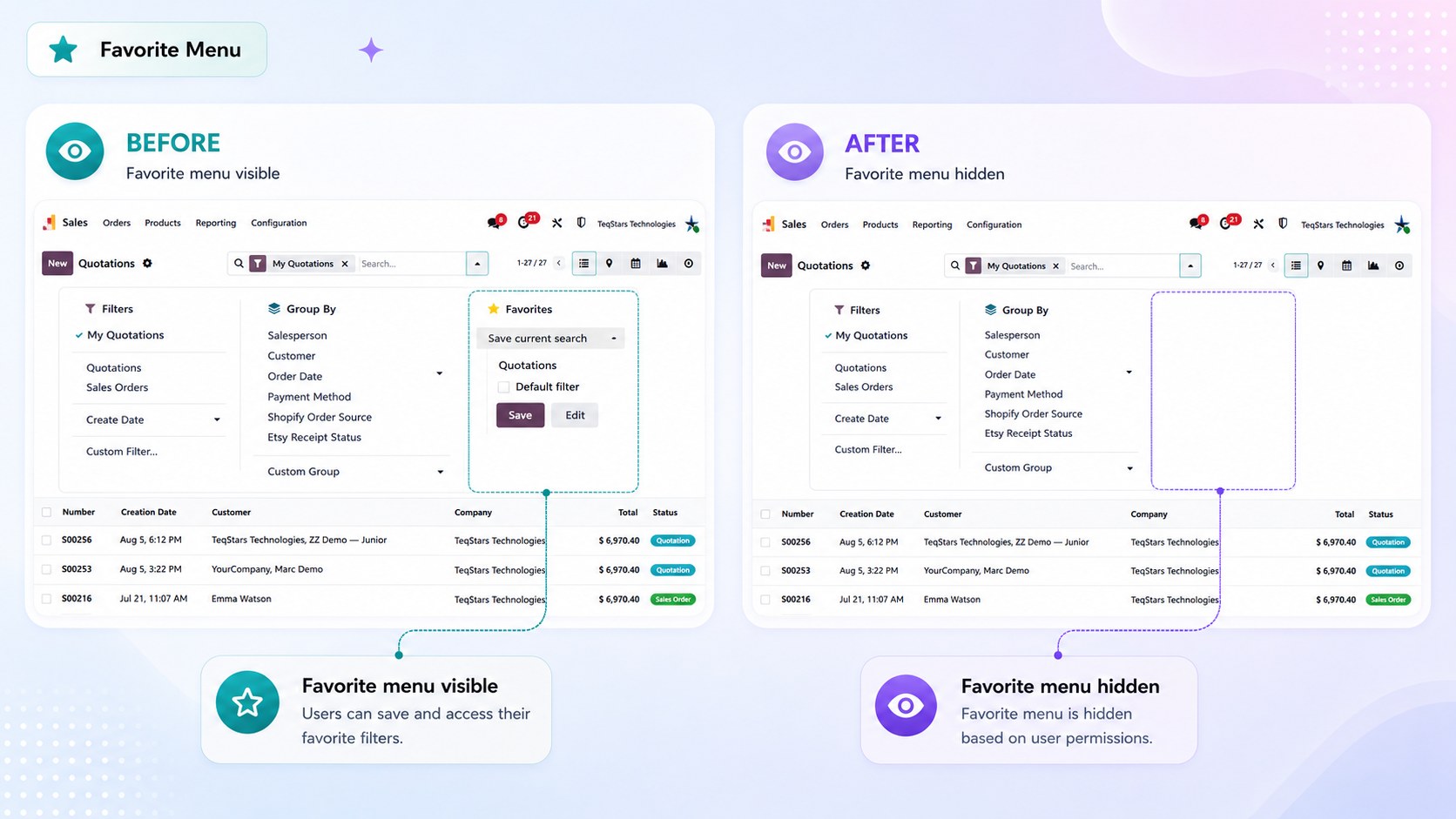
Block Favorites
Hides the Favorites menu in the search panel on every screen.
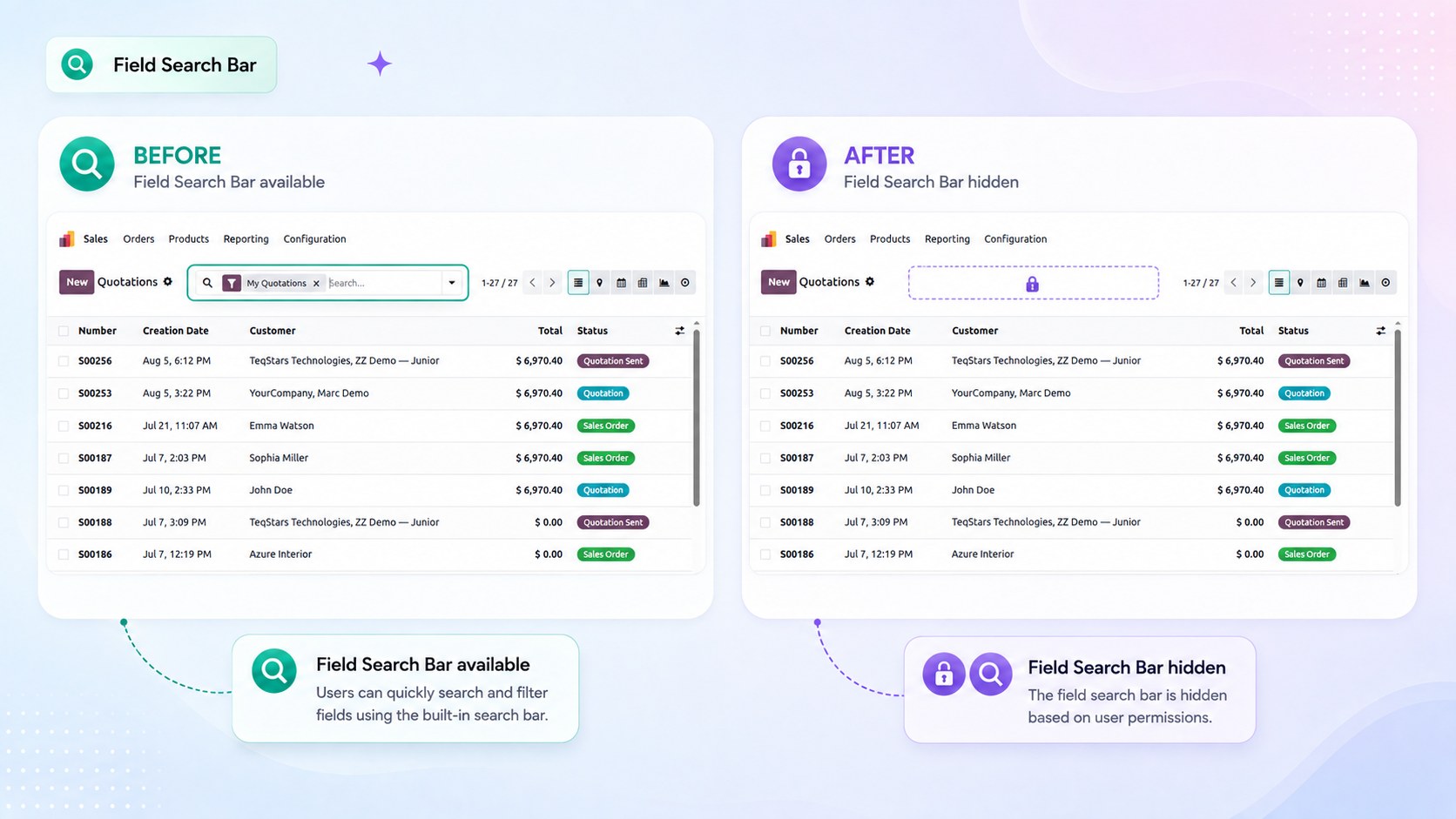
Block Search Bar
Hides the entire search bar on every list and kanban screen.
Block Attachment Preview
Hides the document preview panel and the chatter attachments on every form.
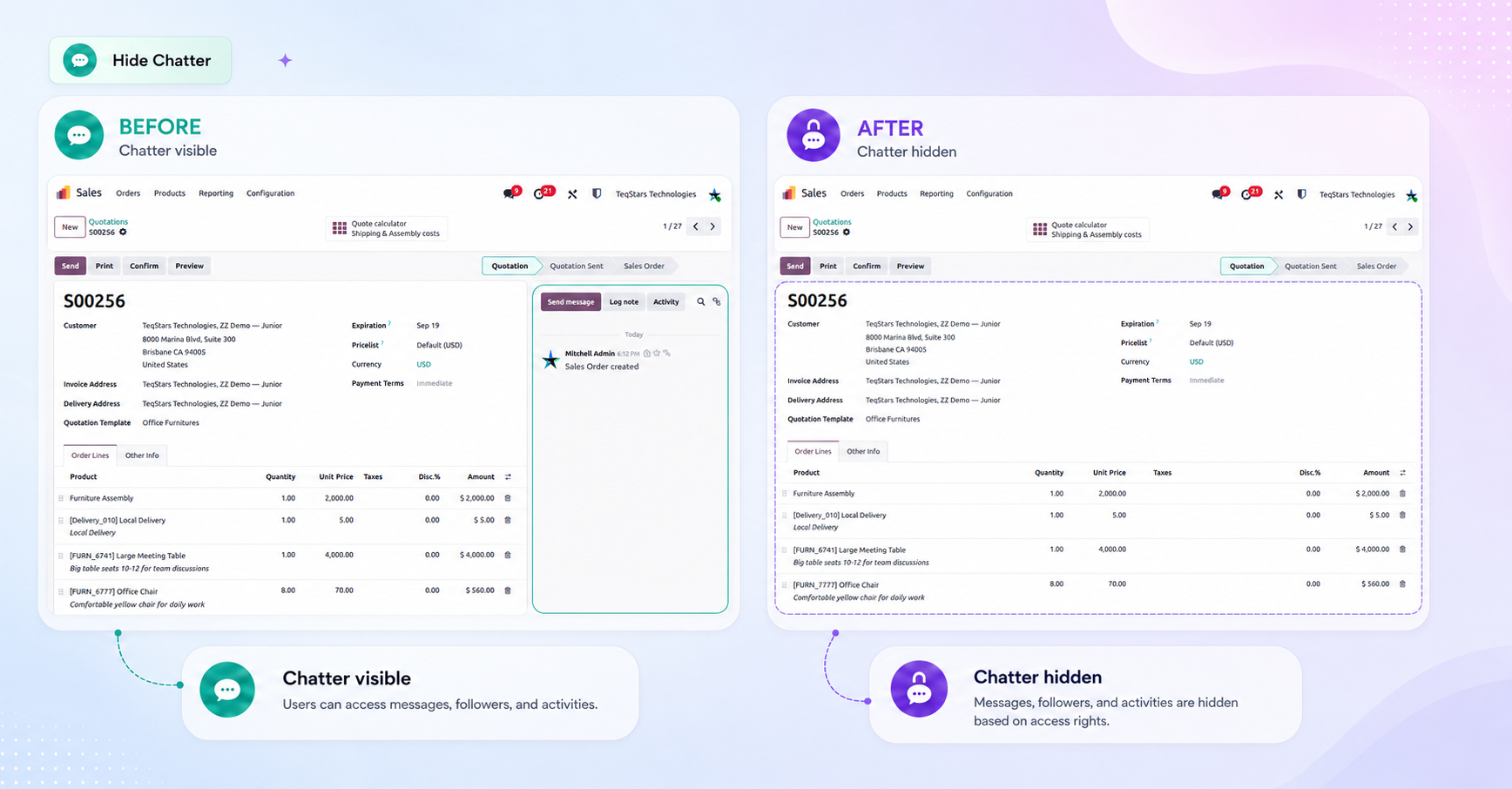
Hide Chatter
Hides the chatter on every record type.
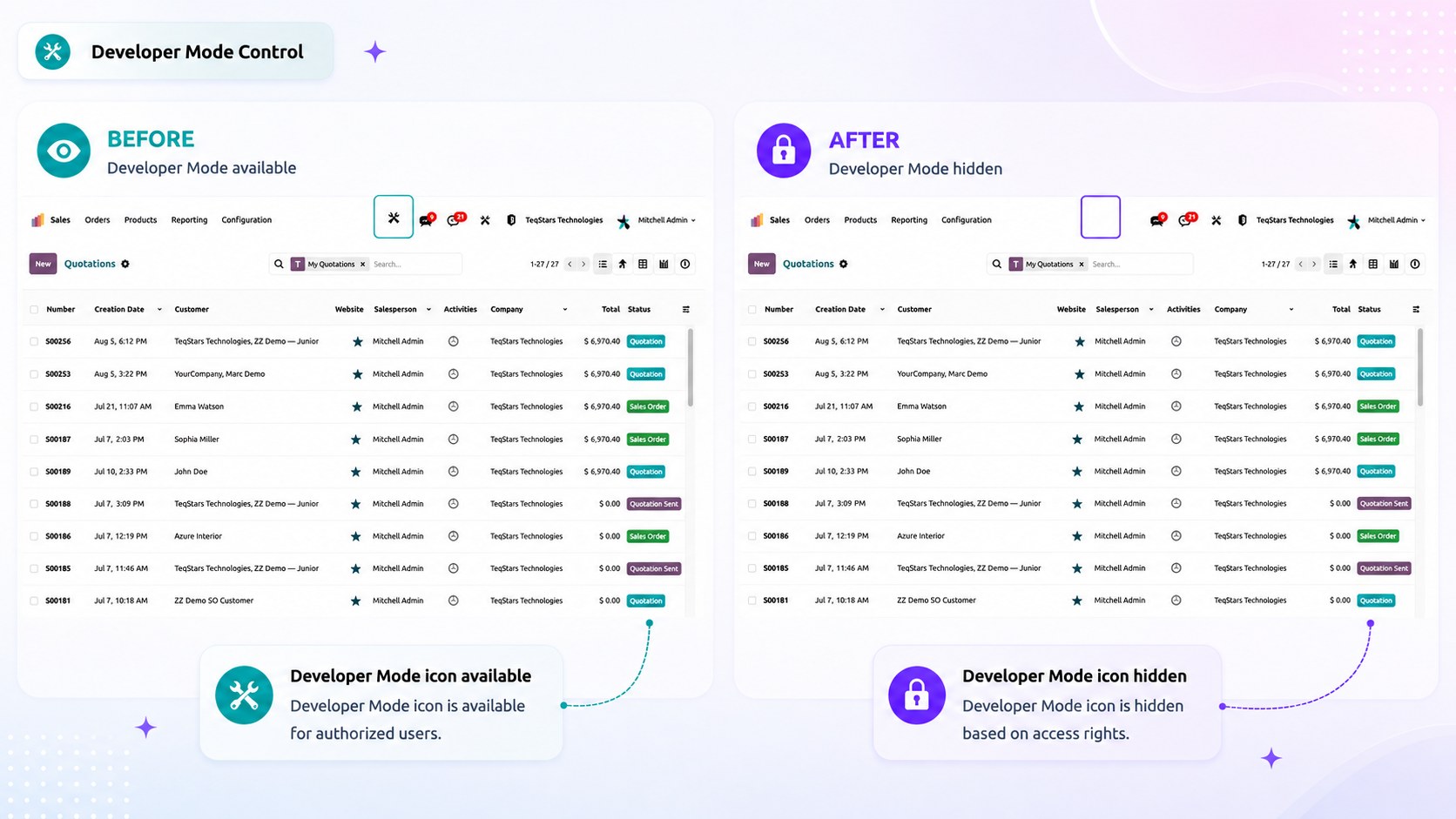
Block Developer Mode
Forces developer mode off for users with this role, so technical tools, view editing, and technical menus stay out of reach.
Note
Developer mode is a session-wide setting in Odoo, which is why this option is global rather than per record type.
Global vs. Per Record Type
Important
A global restriction always takes priority over a restriction configured for an individual record type. For example, if Block Export is enabled under Block Everywhere, users cannot export data from any record type — even if export is allowed for a specific record type.