
Generate Etsy API Credentials and Connect Account
This guide explains how to set up Etsy API credentials from the Etsy Developer Portal and connect your Etsy account to Odoo.
Step 1: Create An Etsy Developer Account
Go to the Etsy Developers Portal.
Sign in with your Etsy account.
Register as a developer to access the Manage your apps dashboard.
Step 2: Create An Application
From the Manage your apps dashboard, click on Create a New App.
Enter an App Name (e.g.,
Odoo Etsy Integration) and complete the requested details.Submit the form to create the application.
After creation, your application provides two keys:
Keystring (API Key / Client ID): Used to identify your application.
Shared Secret (Client Secret): Used for OAuth token exchange.
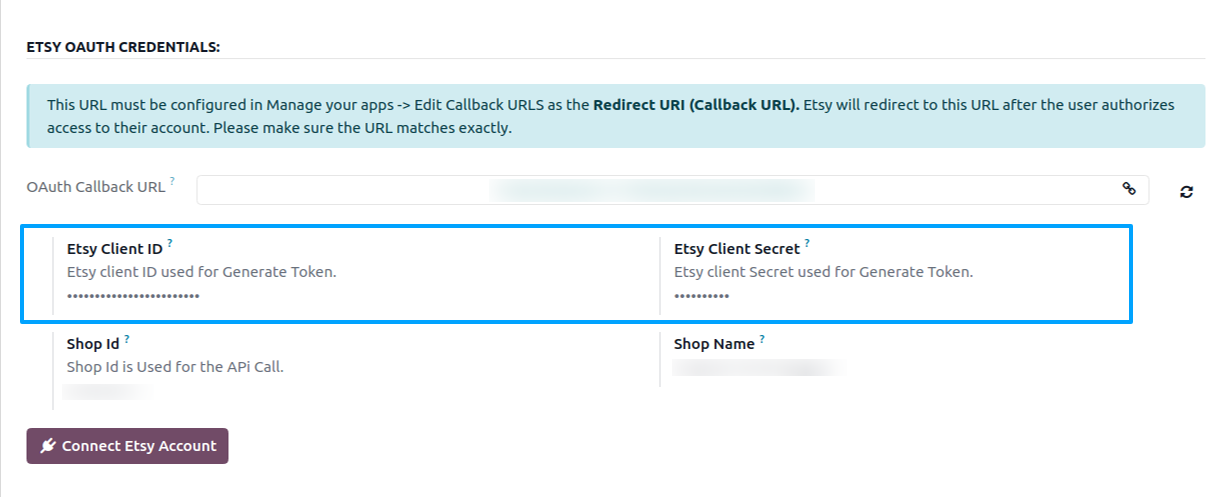
In your Odoo instance, open the Credentials tab of your Etsy instance and fill in:
Etsy Client ID: Paste the Keystring from the Etsy Developer Portal.
Etsy Client Secret: Paste the Shared Secret from the Etsy Developer Portal.
Step 3: Configure The OAuth Callback URL
Before you can connect your Etsy account, you need to register the OAuth callback URL on your Etsy app.
In your Odoo instance, on the Credentials tab, copy the OAuth Callback URL shown on the instance form. It is auto-generated from your Odoo base URL.
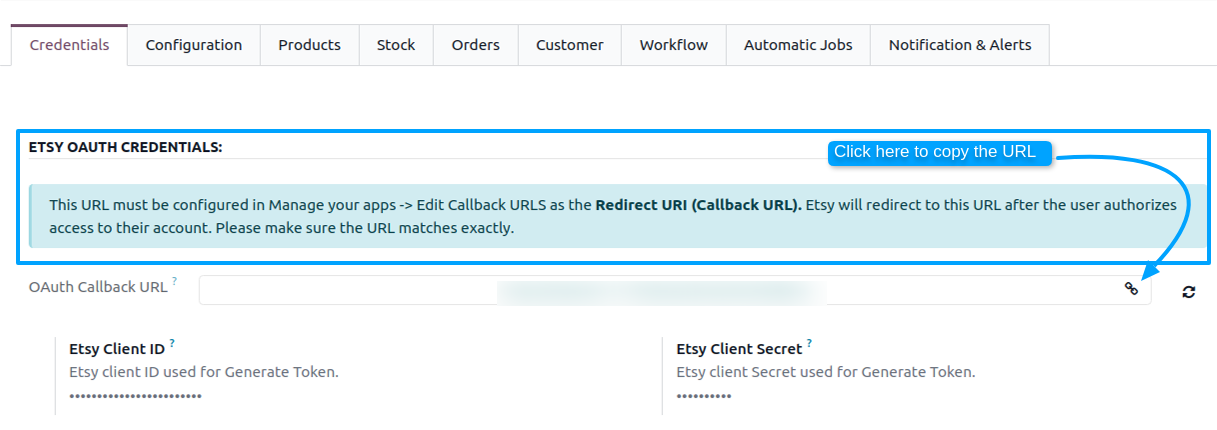
Go back to the Etsy Developer Portal and open your application via Manage your apps –> Edit.
Under Callback URLs, paste the OAuth Callback URL copied from Odoo as the Redirect URI.
Click Save.
Warning
The OAuth Callback URL must match exactly and be a publicly accessible URL. If your Odoo instance is behind a firewall or uses a local domain, Etsy will not be able to redirect back after authentication.
Important
Both credential fields (Etsy Client ID and Etsy Client Secret) are required. The Connect Etsy Account button will not work without them.
Step 4: Connect Etsy Account
On your Etsy instance in Odoo, click the Connect Etsy Account button.
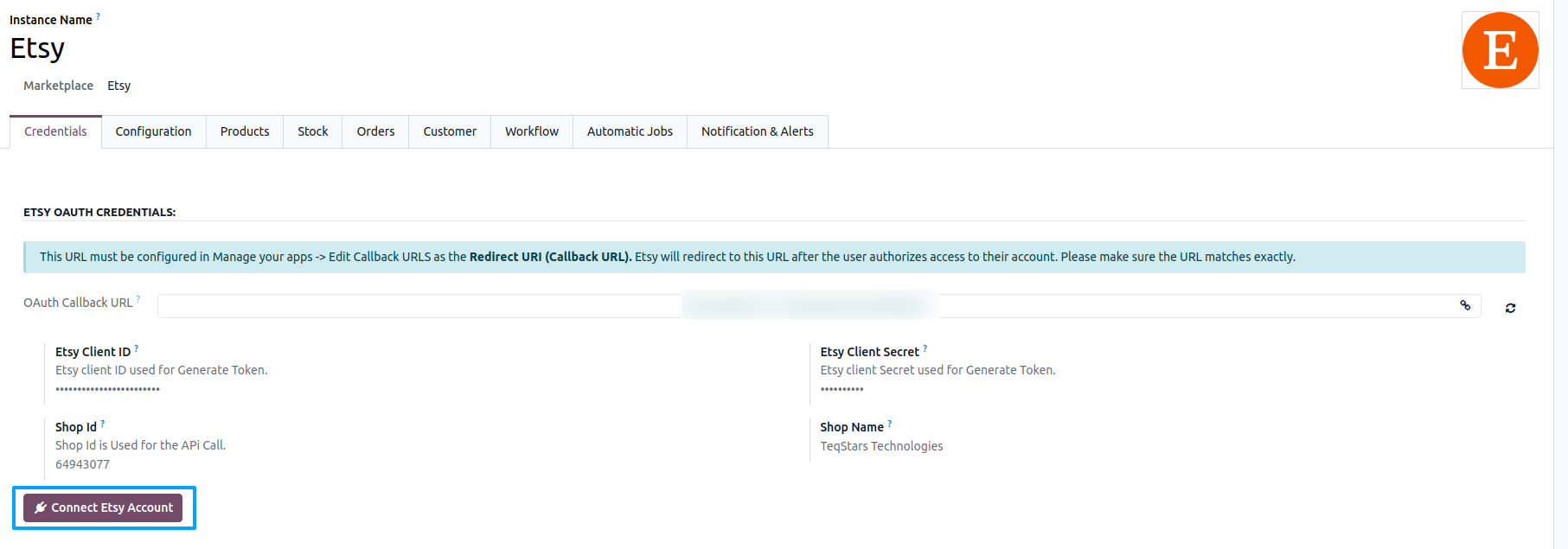
You will be redirected to the Etsy login and consent page (the connection uses the secure OAuth 2.0 with PKCE flow).
Log in with your Etsy seller account.
Review the requested permissions (read and write scopes for your listings, orders (transactions), shop, profile, and address, plus email read access) and grant access.
After granting access, you will be redirected back to your Odoo instance.
The access token and refresh token are generated and stored on your Odoo instance, and a Connection Successful message is shown.
Your Shop Id and Shop Name are not filled in yet. The connector fetches them from Etsy when you Confirm the instance (see Create an Etsy Instance).
Step 5: Test The Connection
Click Test Connection in your Odoo instance.
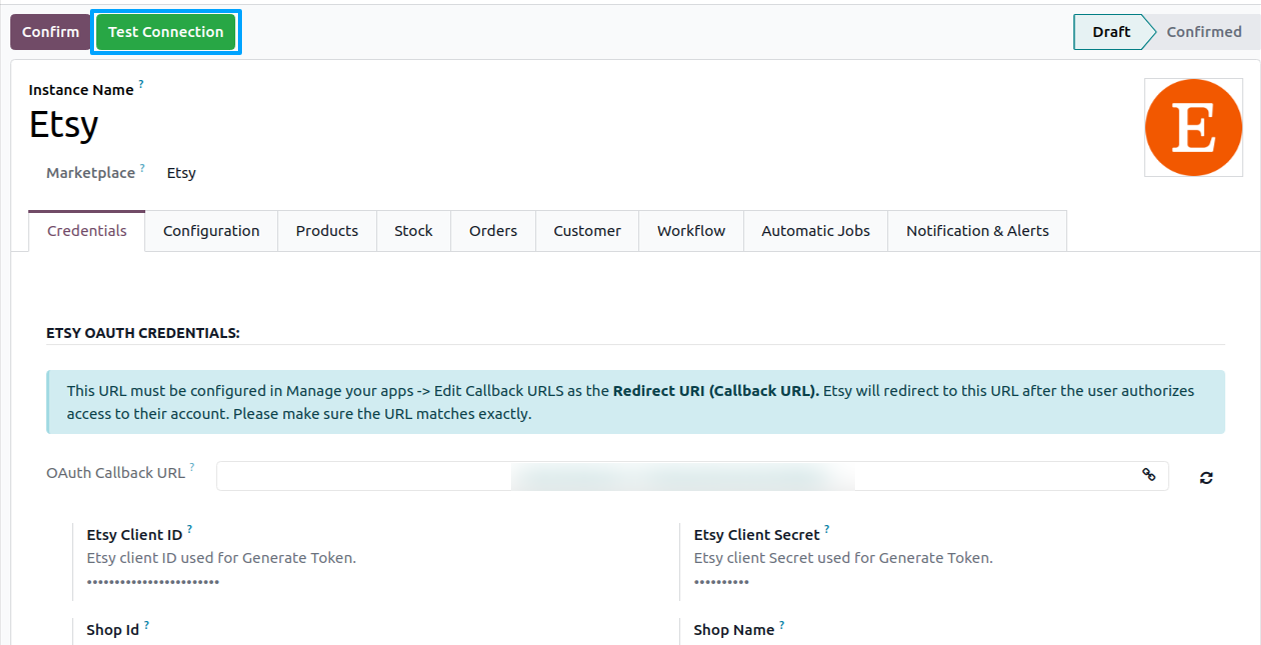
If the configuration is correct, the connector renews the access token using the stored refresh token and a success message confirms the connection. If the access token has already expired, it is renewed from the refresh token; the connect your account first error only appears when no refresh token is stored.
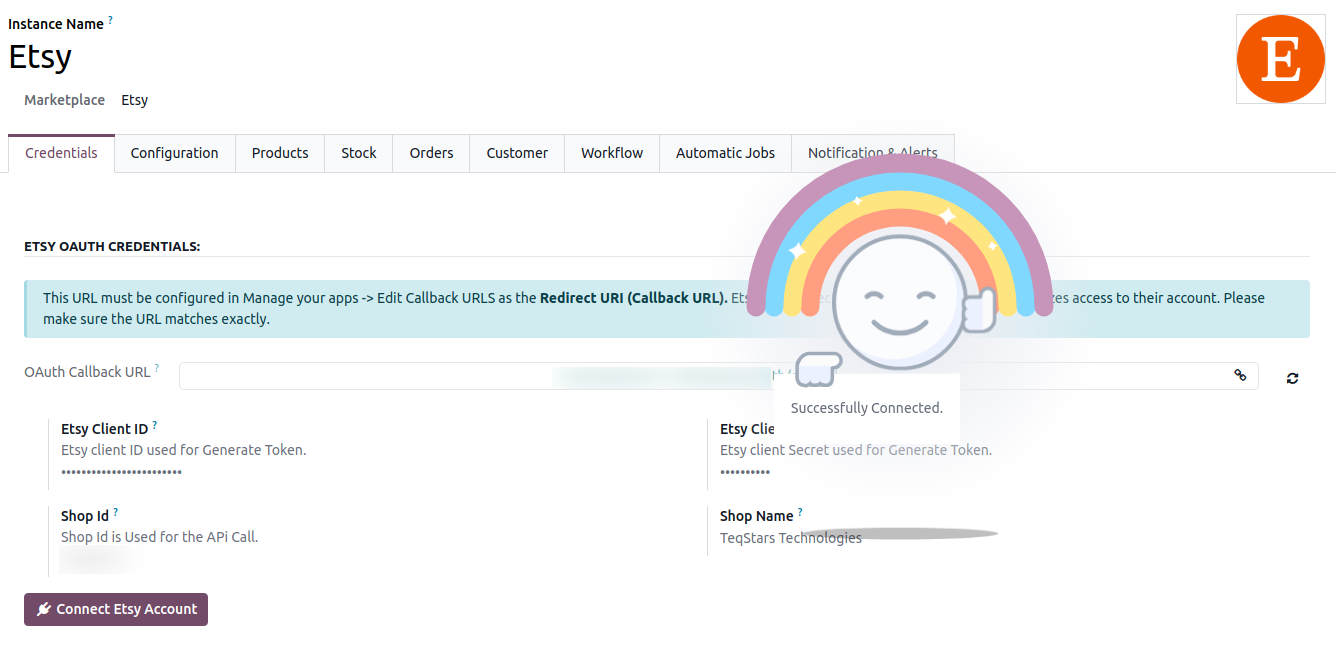
You can now proceed with the instance configuration and confirmation.
Note
Etsy access tokens last 1 hour and are renewed automatically before each API call. Every renewal stores the refresh token returned by Etsy and restarts the 90-day countdown, so an instance that keeps synchronizing does not need to be reconnected. If 90 days pass without a successful renewal, the instance is reset to draft and you must reconnect by clicking the Connect Etsy Account button again. During the last 30 days before expiry the connector creates a reminder activity on the instance.
Changing the Etsy Client ID or Etsy Client Secret clears the stored tokens, so you must reconnect the Etsy account.
After testing the connection, you can configure and confirm the instance.
See also