Shopify Categories, Product Types & Sales Channels
This page explains how you bring Shopify product categories into Odoo and link them to your Odoo product categories. It also shows where you manage product types and sales channels, and how you apply them to the listings and listing items you already have.
Overview
Shopify sorts products with categories, product types and sales channels. The connector keeps each of them in Odoo, so your listings carry the same details as your Shopify store.
Shopify Product Category: the Shopify category of a listing.
Product Type: the product type of a listing.
Shopify Sales Channels: the sales channels where a listing or a listing item is available.
You find these records under and .
Fetch Shopify Categories
Fetch the Shopify categories first. You need them in Odoo before you can map them to your own product categories.
Go to .
Run the Fetch Categories action.
The connector fetches the Shopify categories into Odoo.
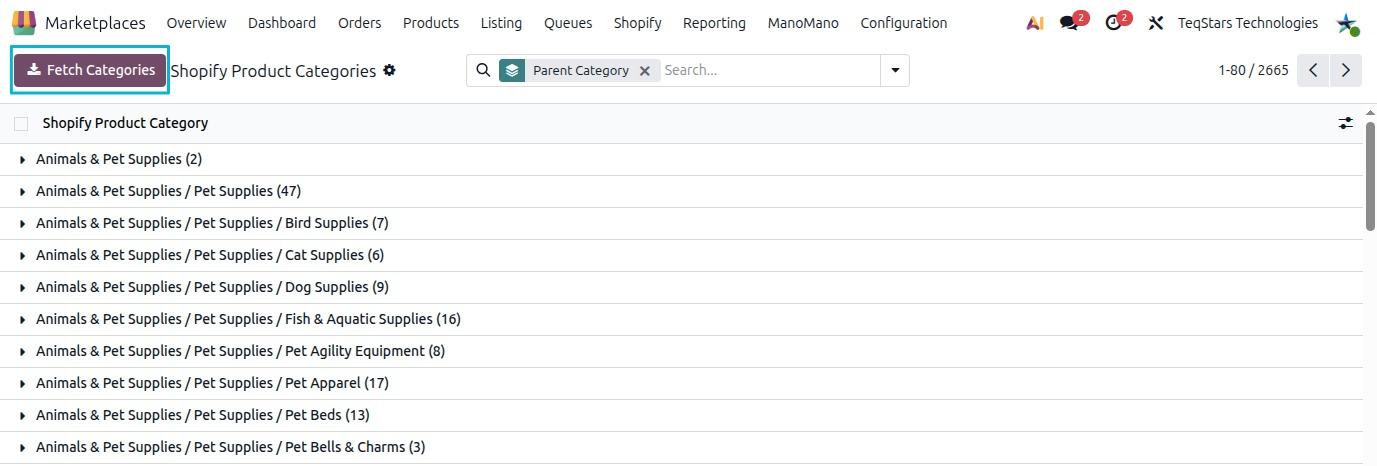
Open a category to see its details:
Parent Category: the category one level above it. This shows where the category sits in the Shopify category tree.
Shopify Category Id: the ID of the category in Shopify.
Map Odoo Product Categories
Link each Odoo product category to a Shopify category. This tells the connector which Shopify category belongs to the products in that Odoo category.
Open the Odoo product category you want to map.
In the Shopify Category field, select the matching Shopify category.
Save the product category.
Product Types
Go to to see and manage your Shopify product types.
On a listing, the Product Type field holds the product type of that product.
Sales Channels
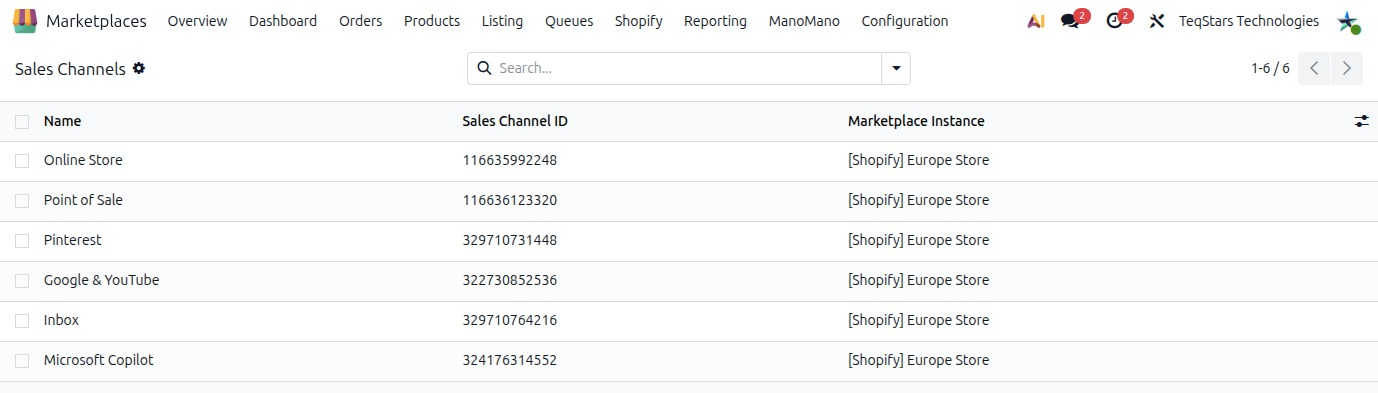
Go to to see the sales channels of your Shopify store.
Sales Channel ID: the ID of the sales channel in Shopify.
The sales channels decide where your products are available. You set them in two places:
On a listing, in the Shopify Sales Channels field.
On a listing item, in the Shopify Sales Channels field.
Apply to Existing Listings
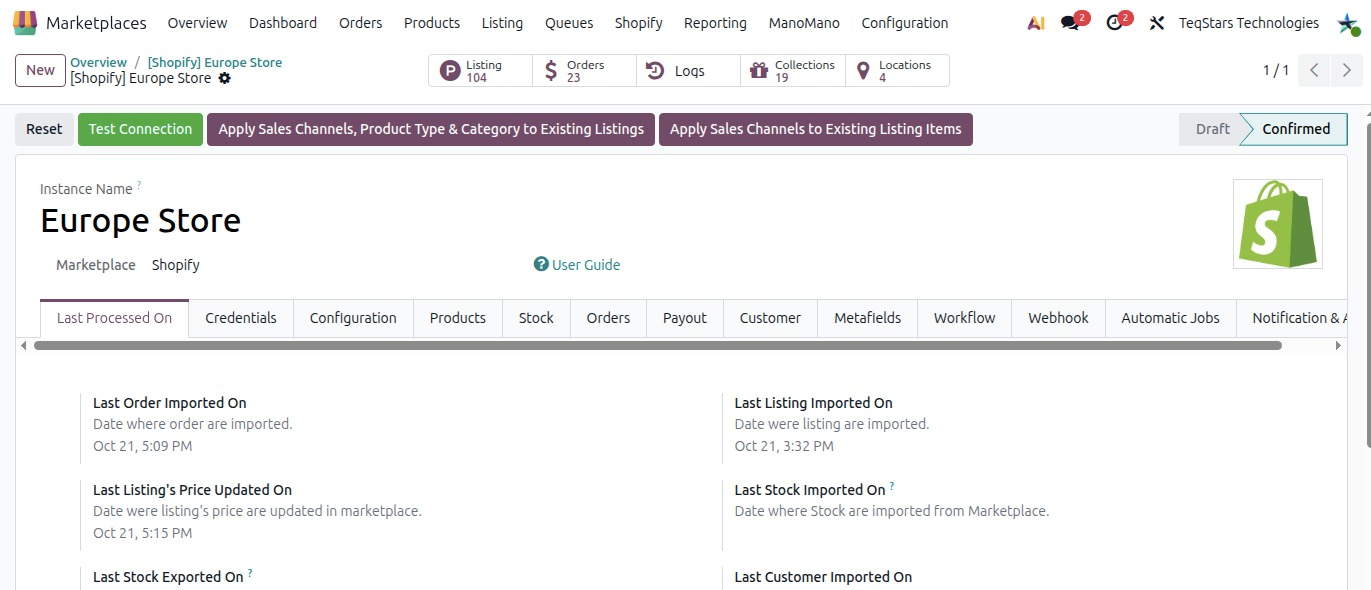
Listings and listing items you already have do not change by themselves. Use the actions on the Shopify instance to update them in one go.
Go to and open your Shopify instance.
Click the action you need:
Apply Sales Channels, Product Type & Category to Existing Listings: applies sales channels, product type and category to your existing listings.
Apply Sales Channels to Existing Listing Items: applies sales channels to your existing listing items.
Note
The following actions are available only when migrating to Odoo 19 or later versions.