
Ontology Concepts
The Ontology Layer is what lets the same AI prompt work
across different industries and customisations. Instead of
asking the AI to remember whether Customer lives on
res.partner here and on hr.employee for a healthcare
tenant, the AI works in business words (Party, Order,
Transaction, Asset…) and the MCP Server rewrites them to the
right Odoo model at runtime.
What is a Concept?
A Concept is a generic business word. The module ships with nine starter concepts:
Party — the abstract notion of a person or organisation (customer, vendor, employee, contact…).
Order — a transactional document representing intent to buy or sell (quotation, sales order, purchase order…).
Transaction — a financial document (invoice, bill, receipt…).
Asset — anything you own or sell as a unit (product, serial number, asset register…).
Case — a tracked work item (lead, ticket, project task…).
Resource — something that can be allocated or scheduled (employee, warehouse, equipment…).
Event — a point-in-time happening (calendar event, attendance, log entry…).
Document — an unstructured artefact (attachment, signed document, generated report…).
Metric — a measurable indicator (KPI, count, total…).
You can add more concepts to model your own vocabulary.
Where to find them
.
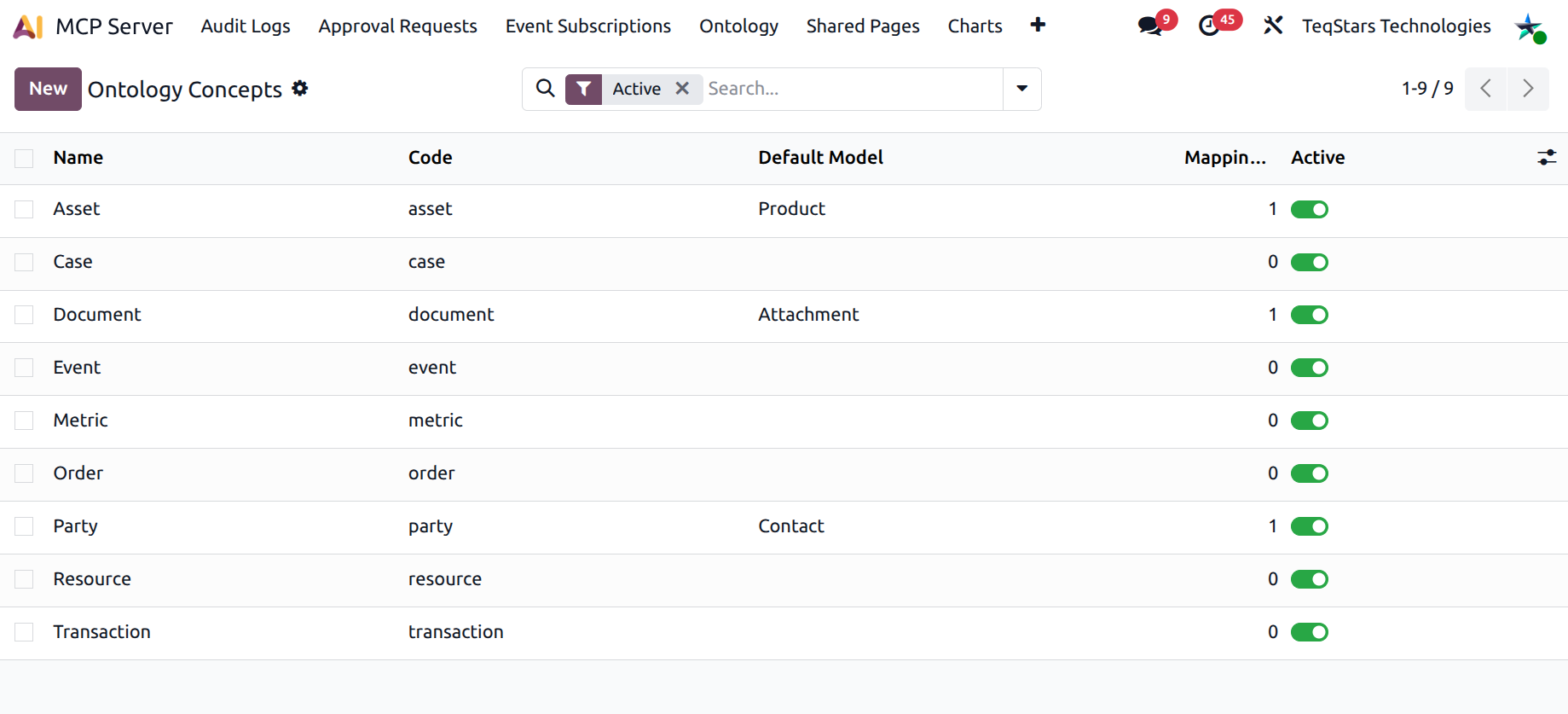
The Concept form
Open any concept to see:
Name — display label, e.g. Party.
Code — short technical identifier, lowercase, used by the AI when calling
ontology_search.Default Model — the Odoo model the concept resolves to by default if no mapping overrides it (e.g. Party →
res.partner).Aliases — comma-separated list of synonyms the AI may use (e.g. for Party:
partner, customer, vendor,
contact
). Aliases are case-insensitive.Description — plain-language definition surfaced to the AI via
ontology_describe.Mappings notebook tab — one row per (model, domain, priority, company) override (see Ontology Mappings).
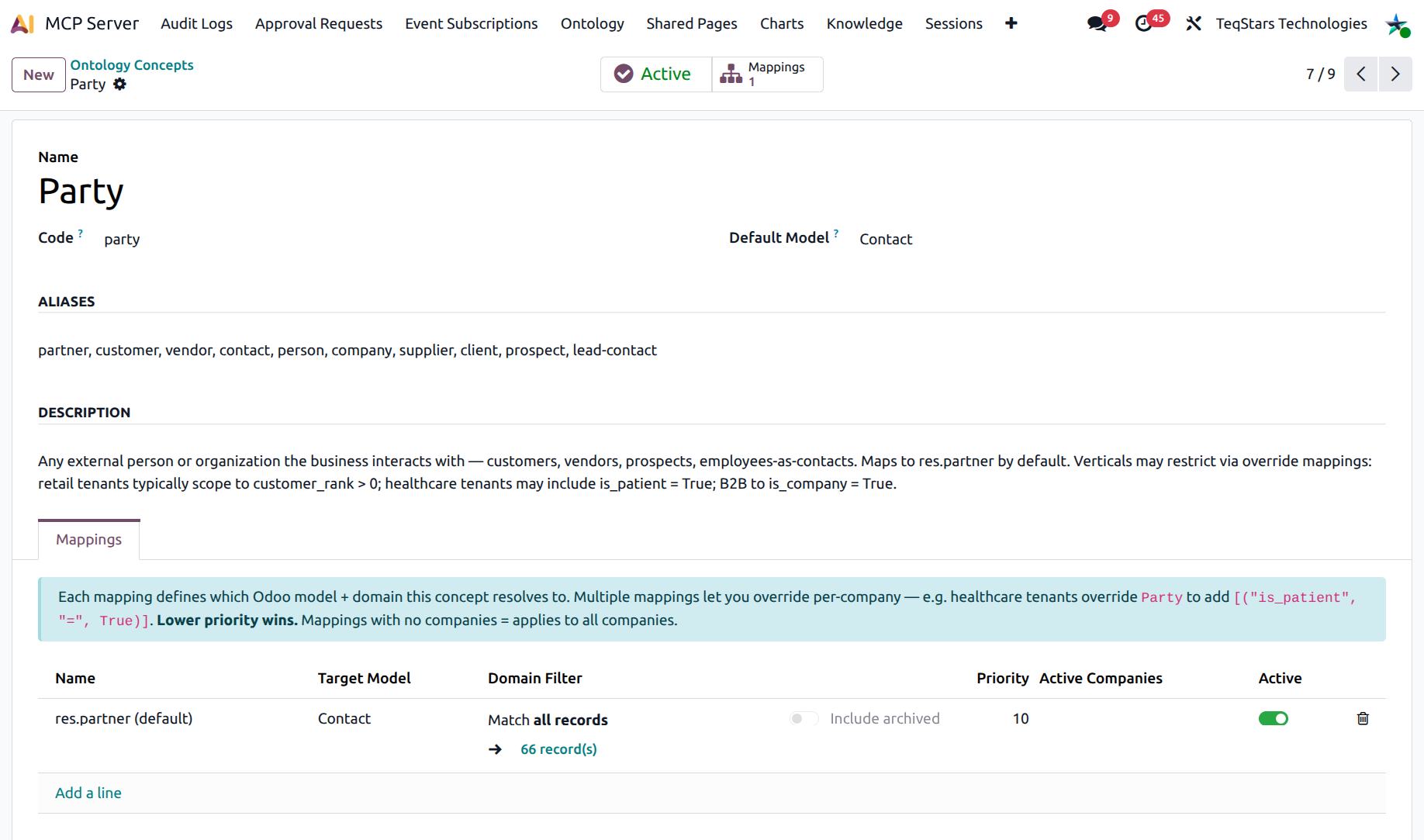
The smart button row at the top shows:
Active / Inactive toggle — deactivated concepts make
ontology_searchreturn “Unknown concept” errors.Mappings — count of mappings, click to drill into the full list.
How the AI uses concepts
Two tools surface concepts to AI clients:
ontology_describeLists every active concept on this tenant. The AI calls it to know what business words it can use.
ontology_searchSearches records by concept. The AI calls
ontology_search({"concept": "party",
"filter": [["country_id.code", "=", "US"]]})
and gets the rightres.partnerrows — no schema knowledge needed.
The two tools together let the AI ask:
“Find me parties with unpaid transactions in the last 30 days.”
…and translate it to a single ontology query that joins
res.partner and account.move correctly for this
tenant.
When to add a new Concept
Add a concept when your business has a recurring noun the AI should understand globally:
Subscriber for SaaS tenants where the AI is asked about paid subscribers across modules.
Patient for healthcare, mapped onto whatever model is used to store patients.
Vehicle for fleet management.
Add a concept, set its default model, and add aliases. The
new concept becomes available in ontology_describe on the
next call.
Tip
Pick the Code carefully. It is what the AI passes back in tool calls — keep it short, lowercase, no spaces. Aliases handle every other spelling.