
Event Subscriptions
An Event Subscription tells the MCP Server to fire an
event when a record on a chosen model is created, written
to, or unlinked. The AI can subscribe at any time via the
subscribe_events tool, and admins can review and edit the
subscriptions afterwards.
Where to find them
(admin-only).
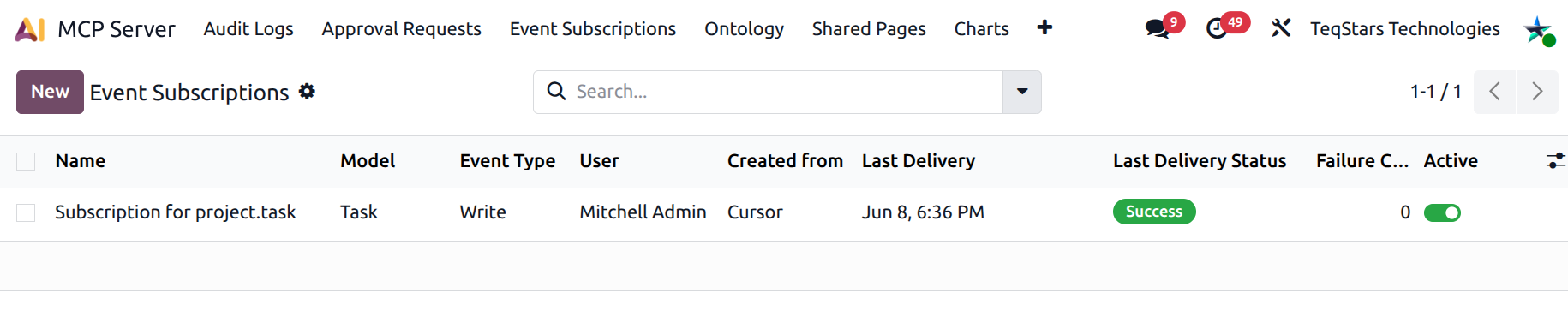
What an event subscription captures
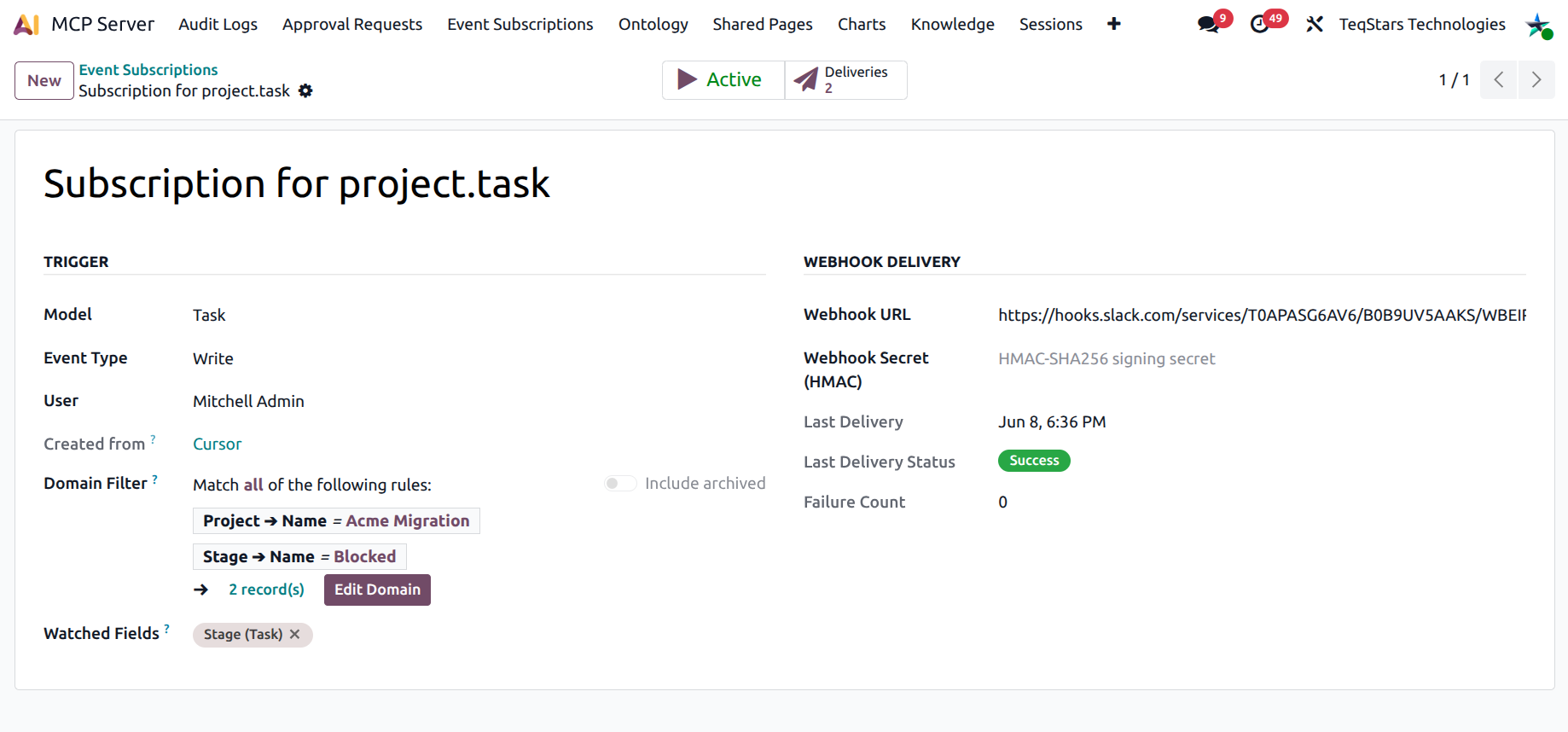
Open any subscription:
Trigger group
Model — the Odoo model to watch (
sale.order,project.task…).Event Type — create, write, unlink, or all.
User — the user the AI session belonged to.
Connection — the originating connection. Empty when an admin created the subscription by hand.
Domain Filter — optional Odoo domain restricting which records trigger. Example: only “Blocked” tasks on the “Acme Migration” project.
Watched Fields — for write events only. Fire only when one of these fields changes. Empty = any field.
Webhook Delivery group
Webhook URL — the HTTPS endpoint Odoo will POST to. Leave empty for in-session-only delivery (works only while the AI client is connected).
Webhook Secret — HMAC-SHA256 secret. When set, Odoo signs each delivery so your endpoint can verify the payload’s authenticity.
Last delivery / Last delivery status / Failure count — observability fields populated automatically.
How the AI creates subscriptions
The AI is trained heavily on subscribe_events. Trigger
phrases map here include “notify me when X”, “alert me on
Y”, “watch for…”, “ping our Slack when…”, and so on.
Parameters the AI can set:
model(required).event_type(defaultall).domain— for “only when X is in stage Y”.fields— for write events only.webhook_url— when set, persists forever even after the AI session ends.webhook_payload_template— optional JSON template for destinations that expect a specific shape (Slack, Teams, Discord, etc.).enrich_fields— extra fields to enrich the payload with (e.g.user_ids.name,partner_id.email,message_ids.body).
If the user says “ping Slack” without giving the webhook URL, the AI is trained to ask first rather than create an in-session-only subscription that breaks when the chat closes.
In-session vs. persistent
There are two delivery channels:
In-session (no
webhook_url) — events flow back to the AI client via MCP resource updates. Useful for short interactive workflows. Stops working the moment the AI client disconnects.Persistent (
webhook_urlset) — Odoo POSTs a JSON body to the URL forever, until the subscription is deactivated or deleted.
Both can be combined on the same subscription.
The Search bar offers a quick filter Created from AI / Created Manually to separate the two.
Watching specific fields
For write events, the Watched Fields picker is
auto-scoped to the selected model — you cannot accidentally
pick a field from another model. Leave empty to fire on any
change. Set stage_id only to fire on stage changes (the
“only stage changes, not every edit” use case).
Unsubscribing
Two ways:
The AI calls
unsubscribe_eventswith thesubscription_id. The row is deactivated.An admin opens the row and flips the Active smart button to Inactive.
Deactivated rows are kept for audit; webhooks are simply no-ops.
See also