
Import Walmart Settlement Reports
Note
Settlement reports are available for the United States marketplace only. On instances configured for Canada, Mexico, or Chile this operation does not appear and the Settlement tab is not shown. See Walmart Supported Marketplaces.
Walmart does not pay you the value of each order as it happens. It settles periodically, paying a single net amount after deducting commission, fees and refunds. A settlement report is the breakdown of that payment.
Importing settlement reports lets you see what Walmart paid you for, and reconcile it against your invoices and bank.
Before You Start
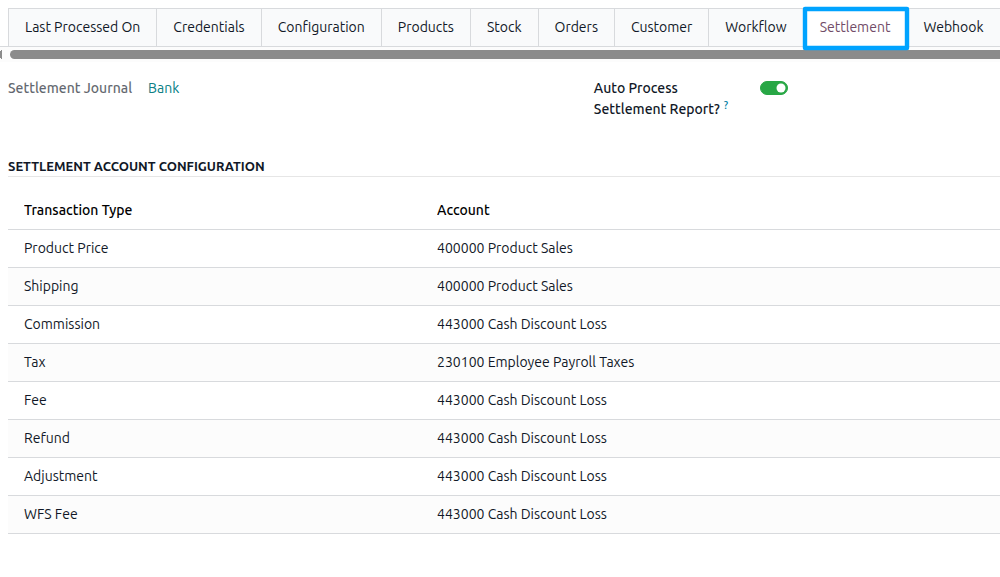
Set the Settlement Journal on the Settlement tab of the instance. This is the bank or cash journal the settlement payment is recorded in.
Note
Importing without a journal stops with “Please set the Settlement Journal on the Walmart instance ‘…’ before importing settlement reports.”
On the same tab, configure the Settlement Account Configuration. Add one line for each Walmart transaction type and select the Odoo account where it should be posted. The standard Walmart transaction types are preloaded: Product Price, Shipping, Commission, Tax, Fee, Refund, Adjustment, WFS Fulfillment Fee, WFS Storage Fee, WFS Fee, and WFS Adjustment.
Important
Map the transaction types before reconciling. A charge with no account mapping cannot be posted automatically and must be reconciled manually.
Method - 1: Manual Settlement Import
Go to the menu in Odoo.
Click on the
Operationsbutton from the instance record.Select Import Operation and then select Import Settlement Report option.
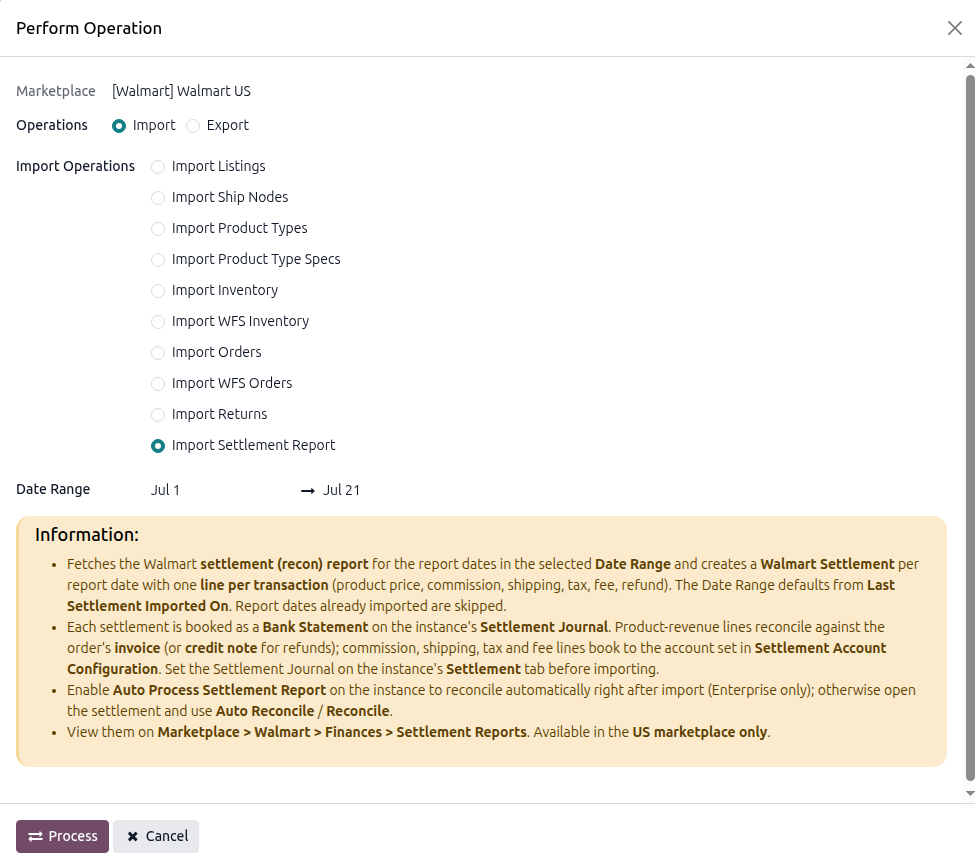
Adjust the Date Range for the period you want. The field is prefilled with a recent window, which you can widen or narrow.
Press
PROCESSbutton.
Method - 2: Automatic Settlement Import
Go to your Walmart instance setting by navigating to .
On the Automatic Jobs tab, configure the Import Settlement Report job by setting Interval Number, Interval Unit, and then Active.
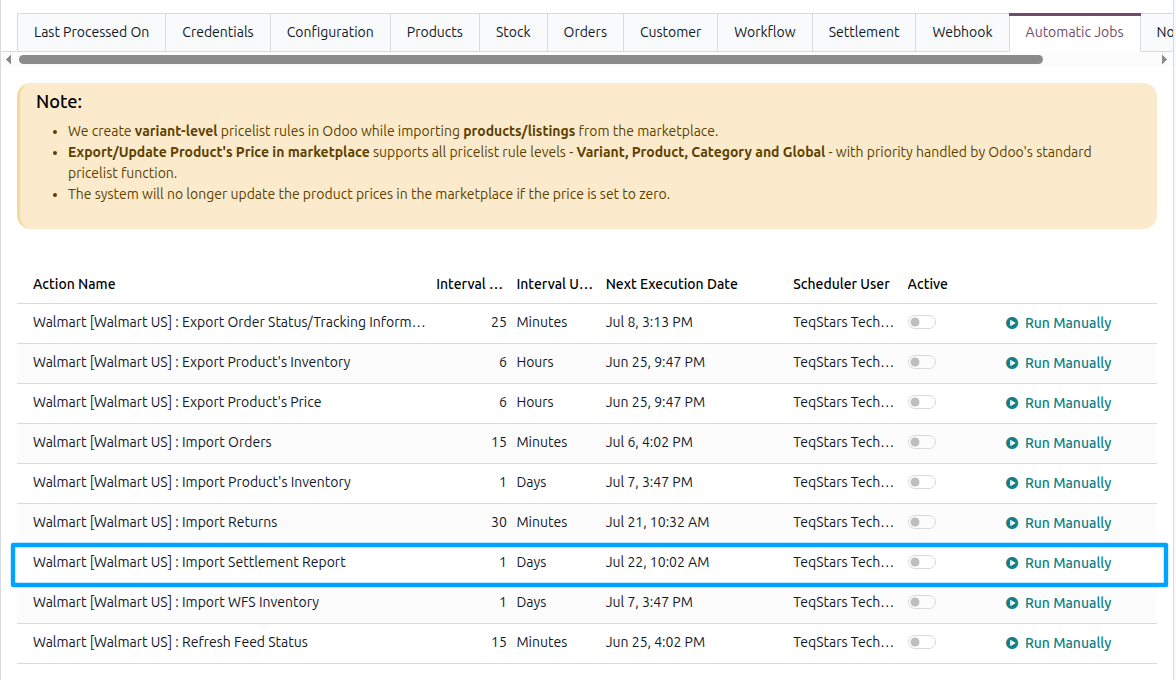
See Automatic Jobs.
Note
Last Settlement Imported On on the instance is advanced by the scheduled run. A manual import with a date range does not move it, so the automatic import keeps its own place regardless of what you pull in by hand.
What Gets Imported
Find the reports under .
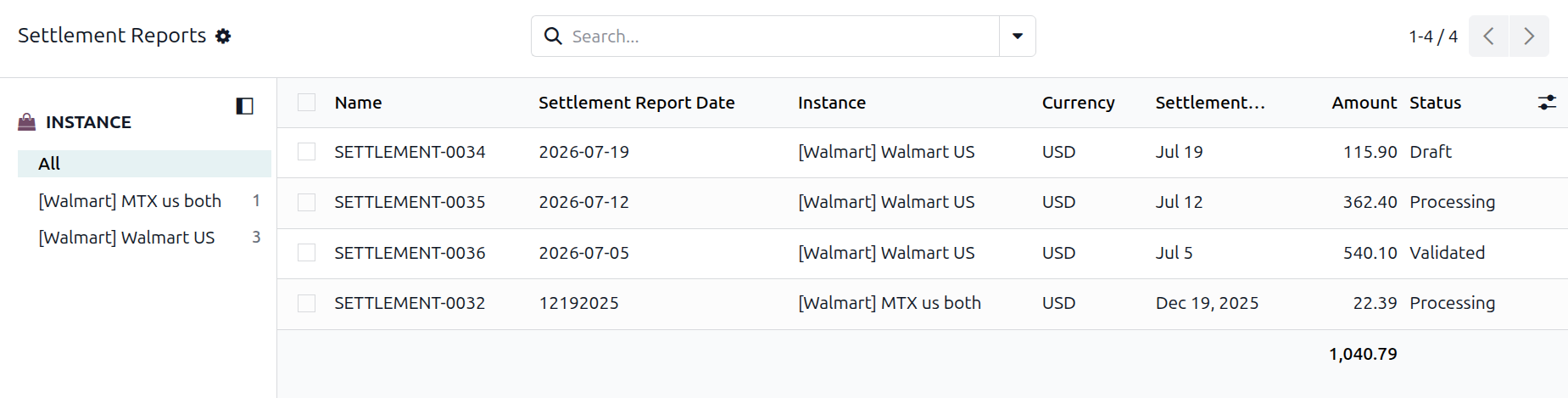
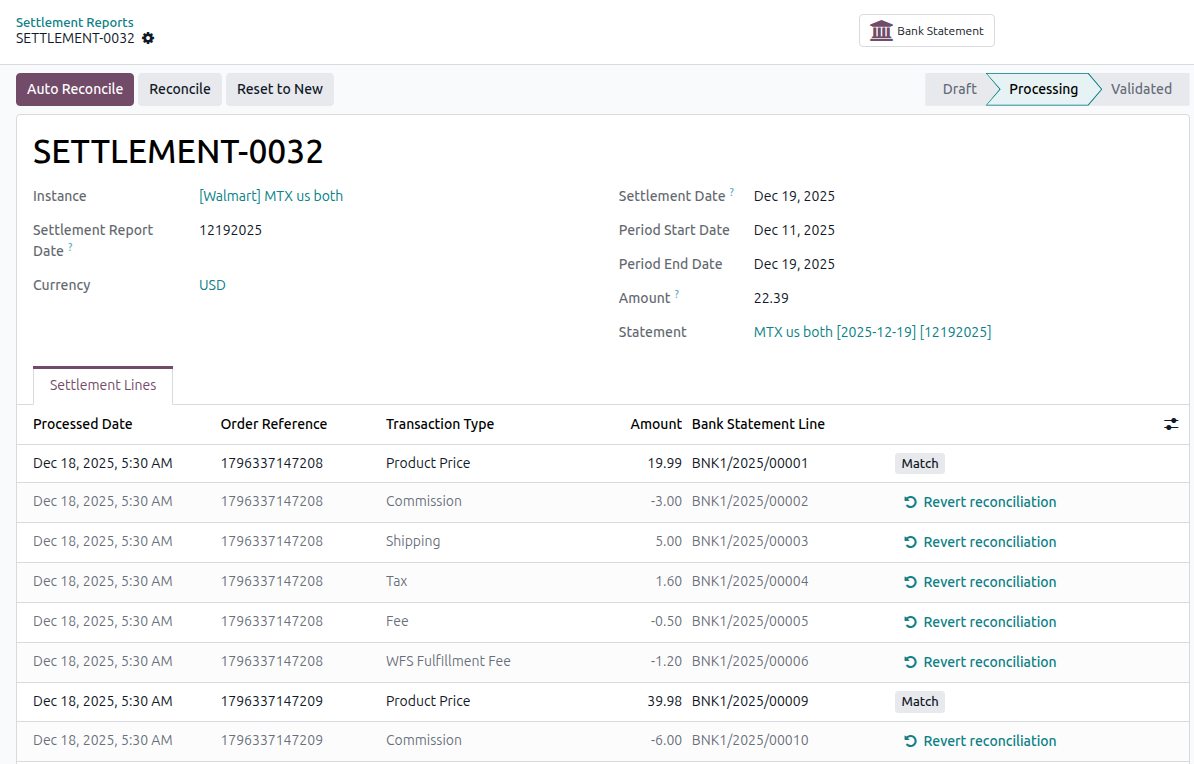
The header shows:
Name: The reference Odoo gives the settlement report.
Settlement Report Date: The date of the Walmart report from which the data was imported.
Settlement Date, Period Start Date, and Period End Date: The period covered by the settlement.
Amount: The total payable amount for the period.
Currency and Instance.
Status: See below.
Each settlement line represents a transaction from the report:
Transaction ID: Walmart’s reference for the transaction.
Transaction Type: The type of transaction, such as Product Price, Commission, Shipping, Fee, or Refund.
Transaction Category: Whether the transaction is related to a sale, refund, or payment summary.
Amount and Currency.
Customer Order ID and Purchase Order ID: The Walmart order the transaction belongs to.
Order Reference: The matching Odoo sale order, if one was found.
Product Name, SKU, and Shipped Quantity.
Processed Date: The date Walmart posted the transaction.
Bank Statement Line: The statement line to which the transaction was written after the report was posted.
Note
The payment-summary row from the report is not shown as a settlement line. It is used to fill the report header with the period dates, currency, and total payable amount.
Settlement Statuses
Status |
Meaning |
|---|---|
Draft |
Imported, but not yet turned into a bank statement. |
Processing |
A bank statement exists, and some lines are still unreconciled. |
Validated |
Every line on the statement has been reconciled. |
You do not set the status yourself; it changes as reconciliation progresses.
Commission On The Report
Commission on a settlement report is the same referral fee recorded as Walmart Commission on the sale order at import. Seeing it in both places is expected: on the order it tells you what that sale cost you, and on the settlement it is one of the deductions making up Walmart’s payment.