
ACH Direct Debit Bank Payments
ACH Checkout Workflow
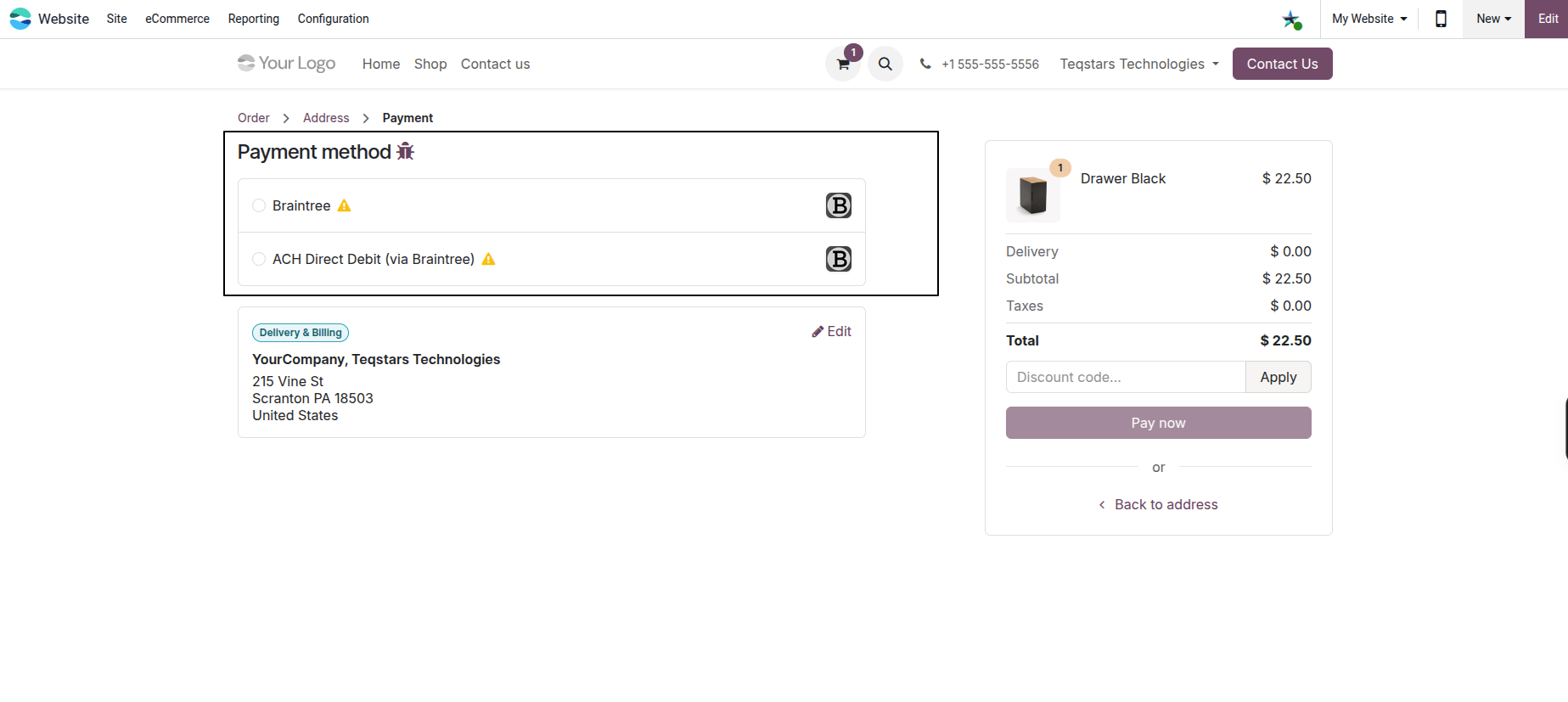
On the payment page, the customer selects ACH Direct Debit (via Braintree).
The customer enters: - Account Holder Name - Routing Number (9 digits) - Account Number (4-17 digits) - Account Type (Checking or Savings)
The customer ticks the mandatory Authorization Mandate checkbox.
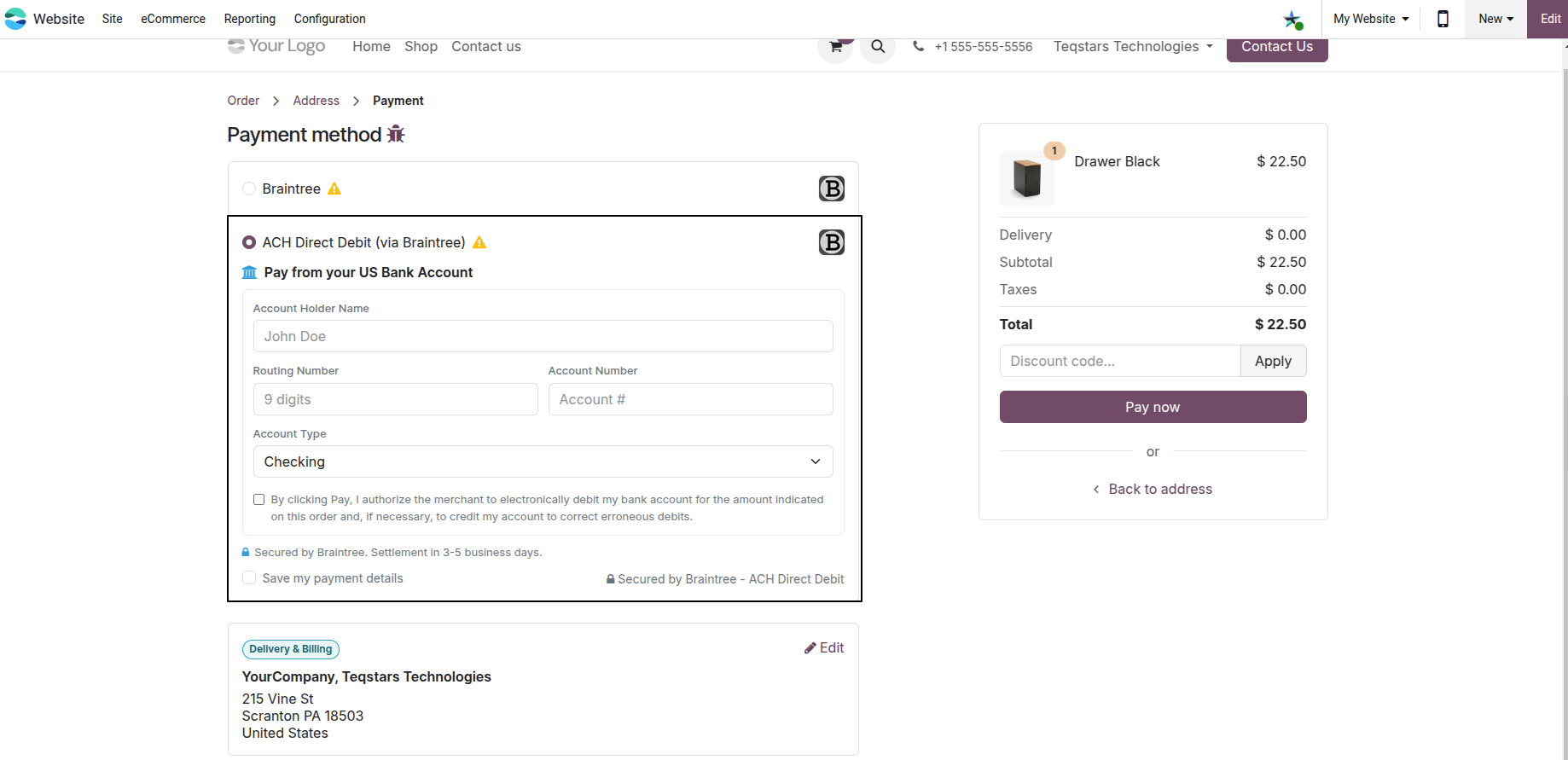
The connector performs a live Network Check tokenize request with Braintree to verify the bank credentials before submitting.
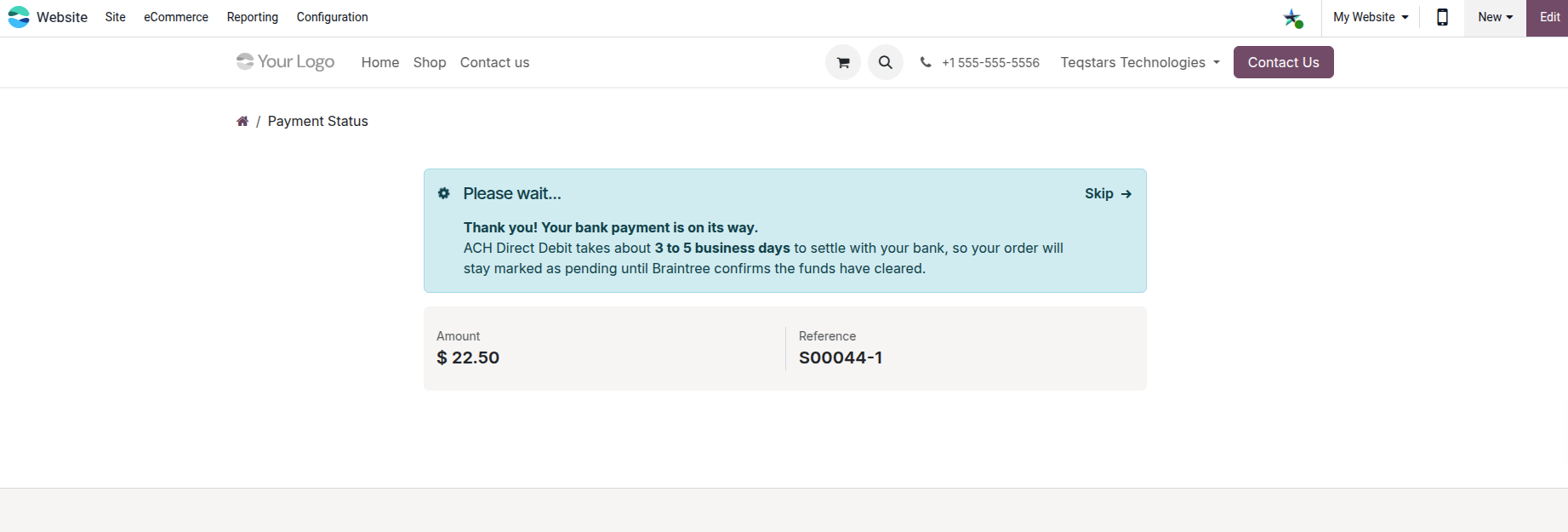
After submission, the user is redirected to the status page showing the custom pending message.
Settlement & Admin Actions
ACH transactions take 3 to 5 business days to settle:
Automated Webhook Settlement: When Braintree settles the funds, a webhook notification updates the Odoo transaction state from Pending to Done.
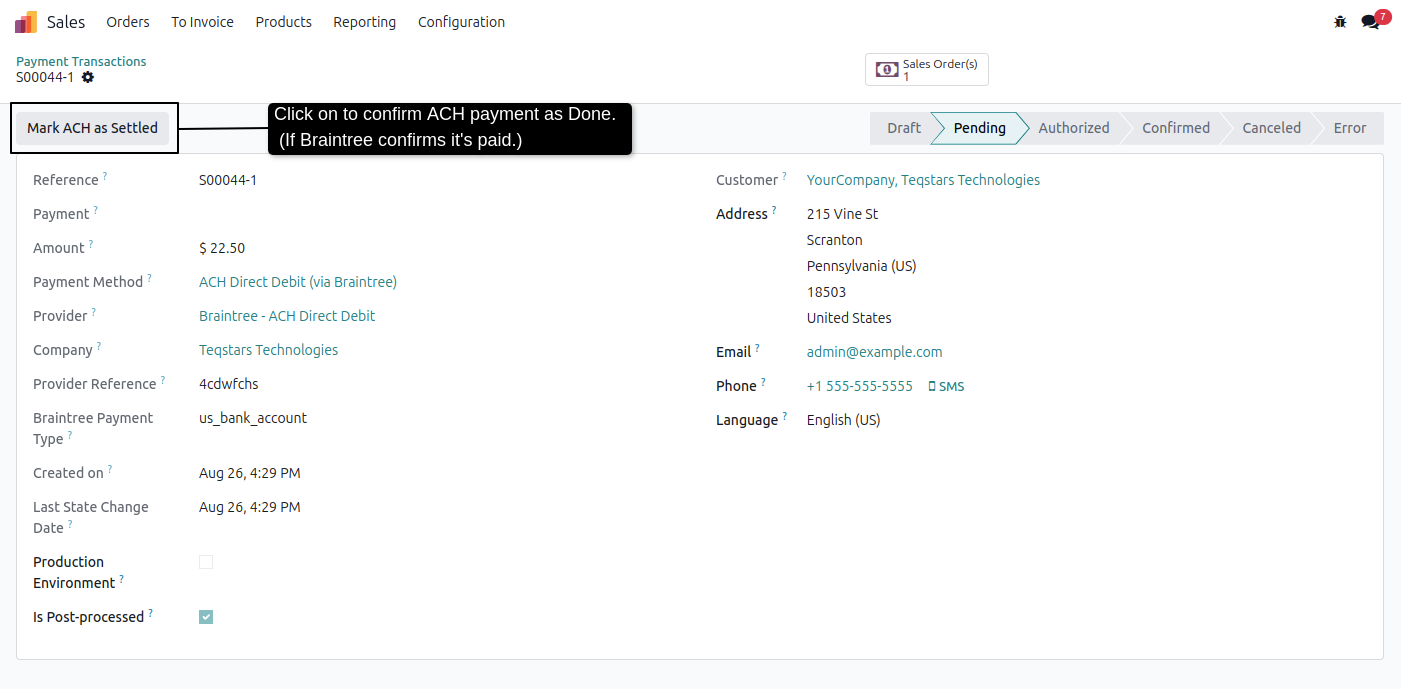
Manual Settlement Verification: System Administrators can click Mark ACH as Settled on a pending transaction. Odoo performs a live status re-check against Braintree’s API before updating the transaction to Done.
Warning
If Braintree reports a settlement decline or dispute via webhook, Odoo flags the transaction with a red Gateway Reversal Detected alert ribbon.