
Sessions
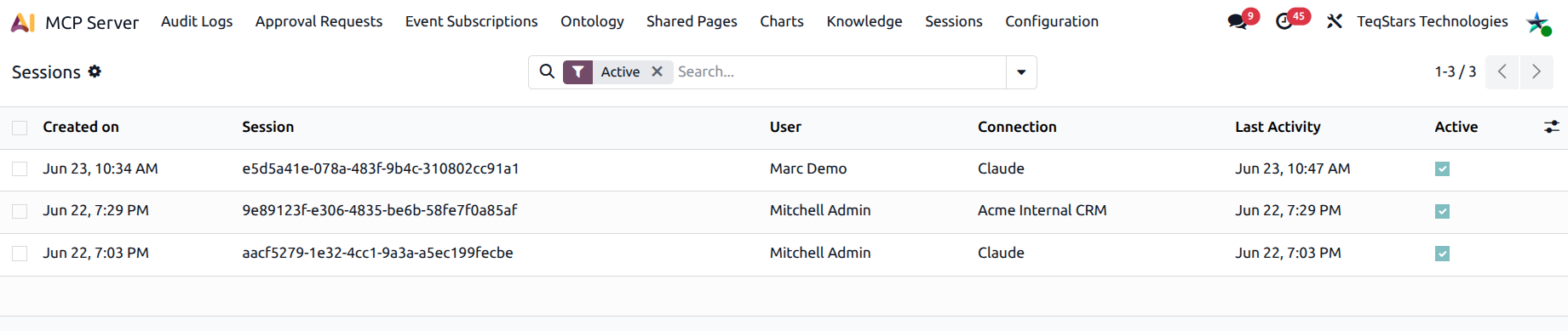
A Session represents one AI conversation talking to your Odoo MCP endpoint. It is created the first time a connection calls the server and kept alive across the back-and-forth of the conversation so the AI can store context (recent models, bookmarks, active record).
Where to find it
. Admins see all sessions; MCP Users see only their own.
What a session record contains
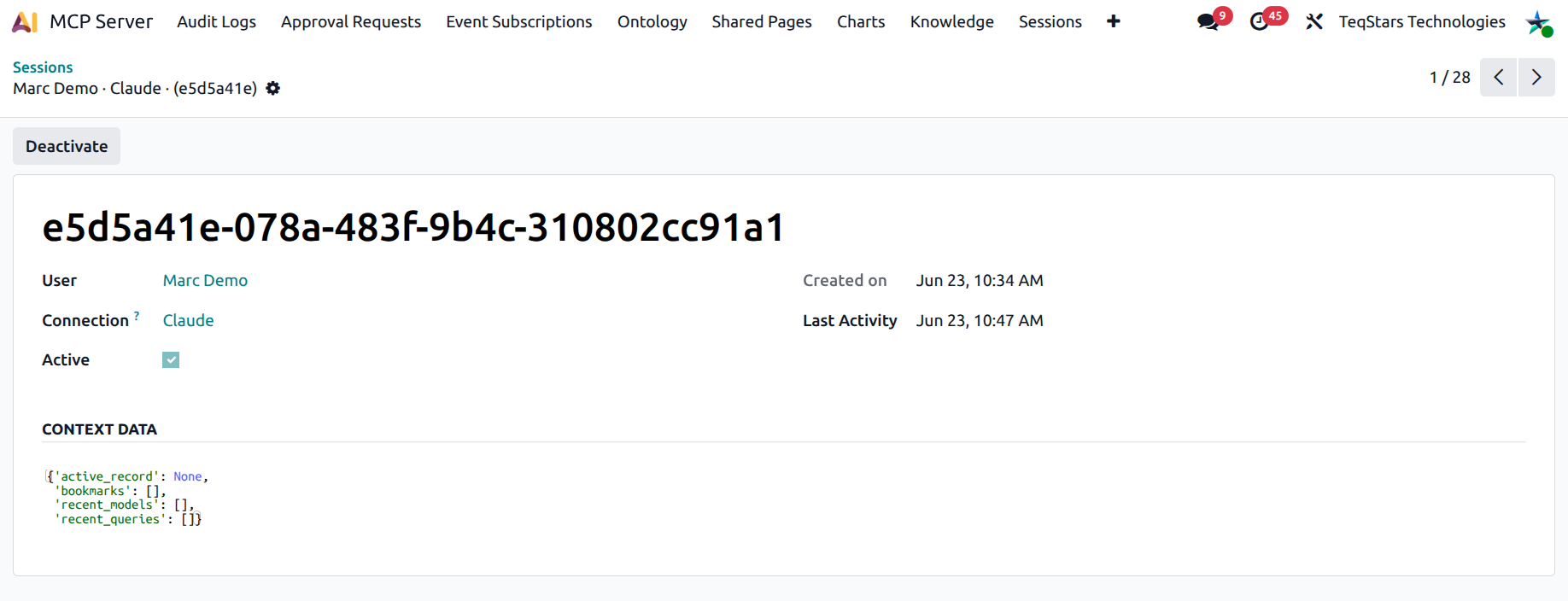
Session ID — a long random identifier the AI client uses to address the session.
User — the Odoo user the connection acts as.
Connection — the originating connection.
Create date / Last activity — for staleness review.
Active — boolean flag; set to
Falseby the cleanup cron or by manual deactivation.Context Data — JSON blob the AI uses for short-term memory (recent models, last queries, user-specific bookmarks).
Open any session to inspect the context data, useful when an AI conversation behaves strangely and you want to see what state it thinks it is in.
Manual control
The Session form has two header buttons:
Deactivate — kills the session immediately. The AI client will start a fresh session on its next call. The row stays for audit.
Reactivate — flips an inactive session back to active. Rarely useful; usually it’s better to let the AI start a clean session.
How sessions interact with connections
Revoking a Connection automatically deactivates every one of its sessions.
Deactivating a single session does not revoke the connection itself — only the conversation state is dropped.
A connection can have multiple sessions over its lifetime (one per AI conversation).
Tools that use the session
The MCP tool catalog exposes two helpers the AI can call:
get_session— read the current session context.update_session_context— write to the context blob (new bookmarks, change active record).
These are how an AI assistant remembers the “active customer” across turns without re-asking.
Cleanup cron
The MCP: Cleanup Expired Sessions cron runs daily. It deactivates sessions that have been idle longer than the configured TTL. Cleanup is non-destructive (rows are kept, just marked inactive) so audit history is preserved.
Search filters
Active / Inactive
Active today / Active last 24h / 7 days
Stale (no activity for 7+ days) — handy to spot forgotten sessions.
Useful group-bys: User, Connection, Last activity day.
See also