
Configure DPD Ireland Connector
This document provides a complete step-by-step guide to configure and use the DPD Ireland connector in Odoo. Once the connector is set up, you can create consignments, generate shipping labels, track shipments on the DPD Ireland portal, and generate return labels directly from Odoo.
Let’s begin with the configurations.
Configure Shipping Partner
To configure a Shipping Partner in Odoo, navigate to and click on New.
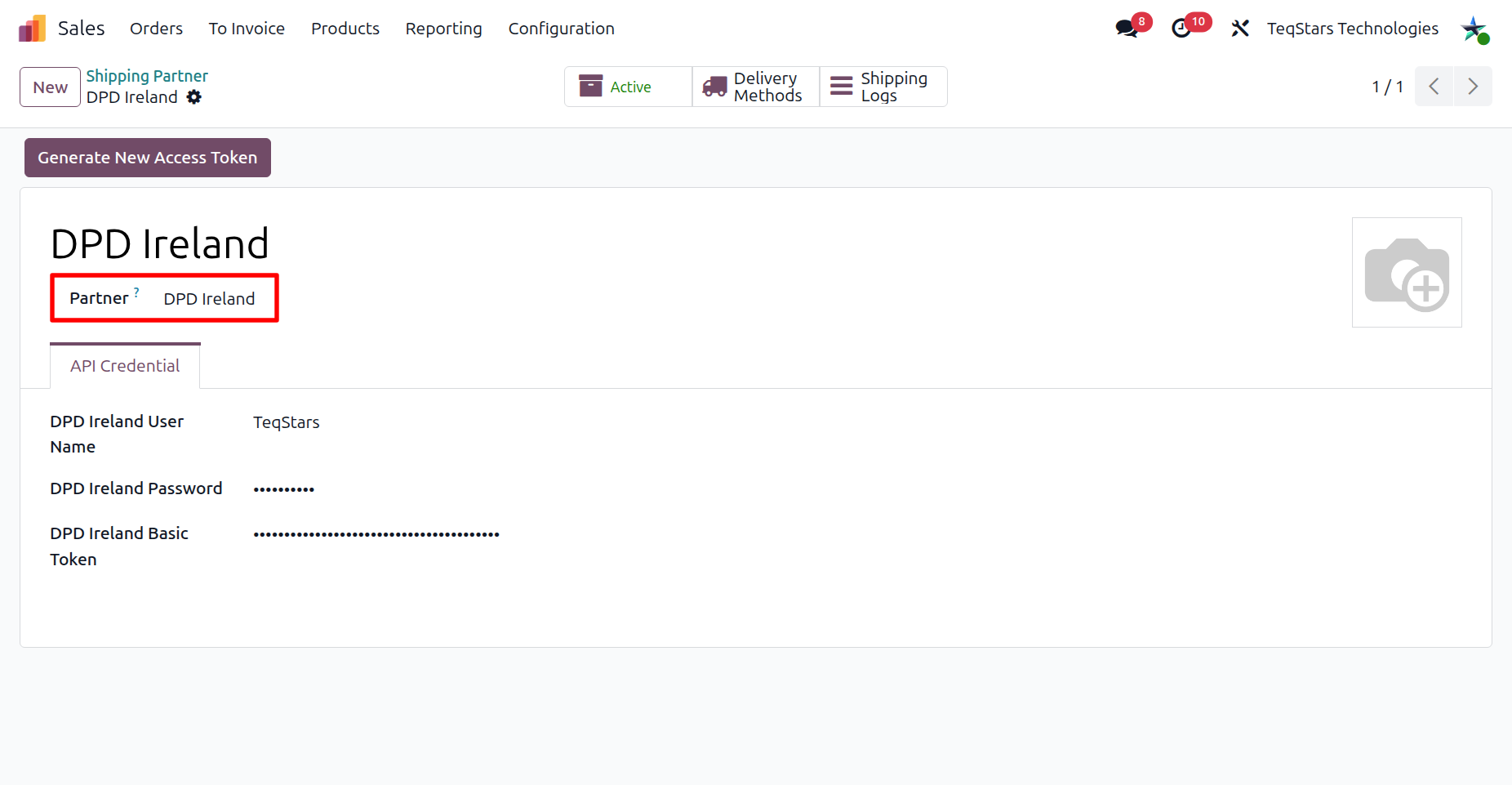
Shipping Partner Configuration
Name: Choose a meaningful name for your account (e.g.
DPD Ireland).Partner: Select DPD Ireland.
In the API Credential section, enter the identifiers provided by DPD Ireland:
DPD Ireland User Name: The user name issued by DPD Ireland.
DPD Ireland Password: The password issued by DPD Ireland.
DPD Ireland Basic Token: The Basic authorization token issued by DPD Ireland.
When you save the shipping partner with valid credentials, Odoo automatically authenticates with DPD Ireland and stores the access token. You can also refresh it manually at any time using the Generate New Access Token button. The token is short-lived, and if it expires it is refreshed automatically while any API request is being processed, so no manual action is normally required.
Tip
Contact your DPD Ireland account manager to obtain your User Name, Password, and Basic Token.
Configure Delivery Method
Click on Delivery Methods and then New, or navigate to and click on New.
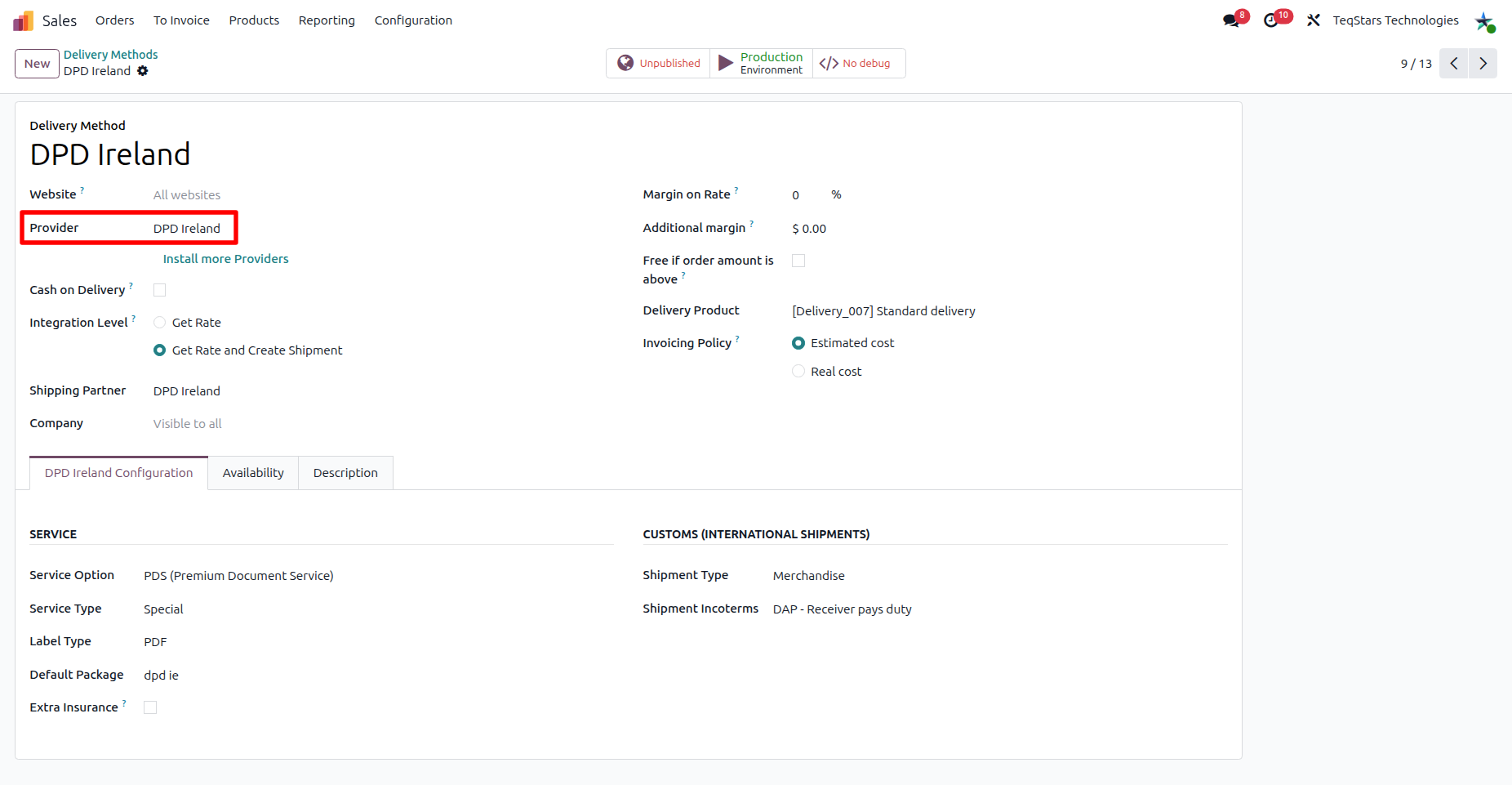
Fill in the main fields of the delivery method:
Delivery Method: Choose a meaningful name for the delivery method (e.g. DPD Ireland with Fixed Price or DPD Ireland with Based on Rules).
Shipping Partner: Must select a shipping partner which you configured for DPD Ireland.
Delivery Product: Select or create the product that represents the shipping charge on the sales order line.
In the DPD Ireland Configuration tab, fill out these fields:
Service Type: The DPD Ireland service for the shipment: Overnight, Saturday Delivery, Timed, Special, Cancelled On Arrival, or Two Day Service.
Service Option: COD (Cheque on Delivery), PDS (Premium Document Service), RR (Return Receipt), SW (SwapIt), or N (Normal).
Label Type: PDF for a ready-to-view file, or ZPL (Zebra) to print directly on a Zebra thermal printer.
Default Package: The package type used when generating the consignment’s parcel count and weight.
Extra Insurance: Enable to request extra insurance on every shipment sent with this delivery method.
Under Customs (International Shipments):
Shipment Type: Merchandise or Documents.
Shipment Incoterms: DAP - Receiver pays duty or EDAP - Sender pays duty.
Important
DPD Ireland has no sandbox. Every delivery method is created in the Production environment, and Odoo blocks any attempt to switch it out of Production. Every consignment you create through it is a real, live shipment.
Tip
DPD Ireland does not support real-time rate calculation. You must configure pricing manually by choosing one of the supported providers:
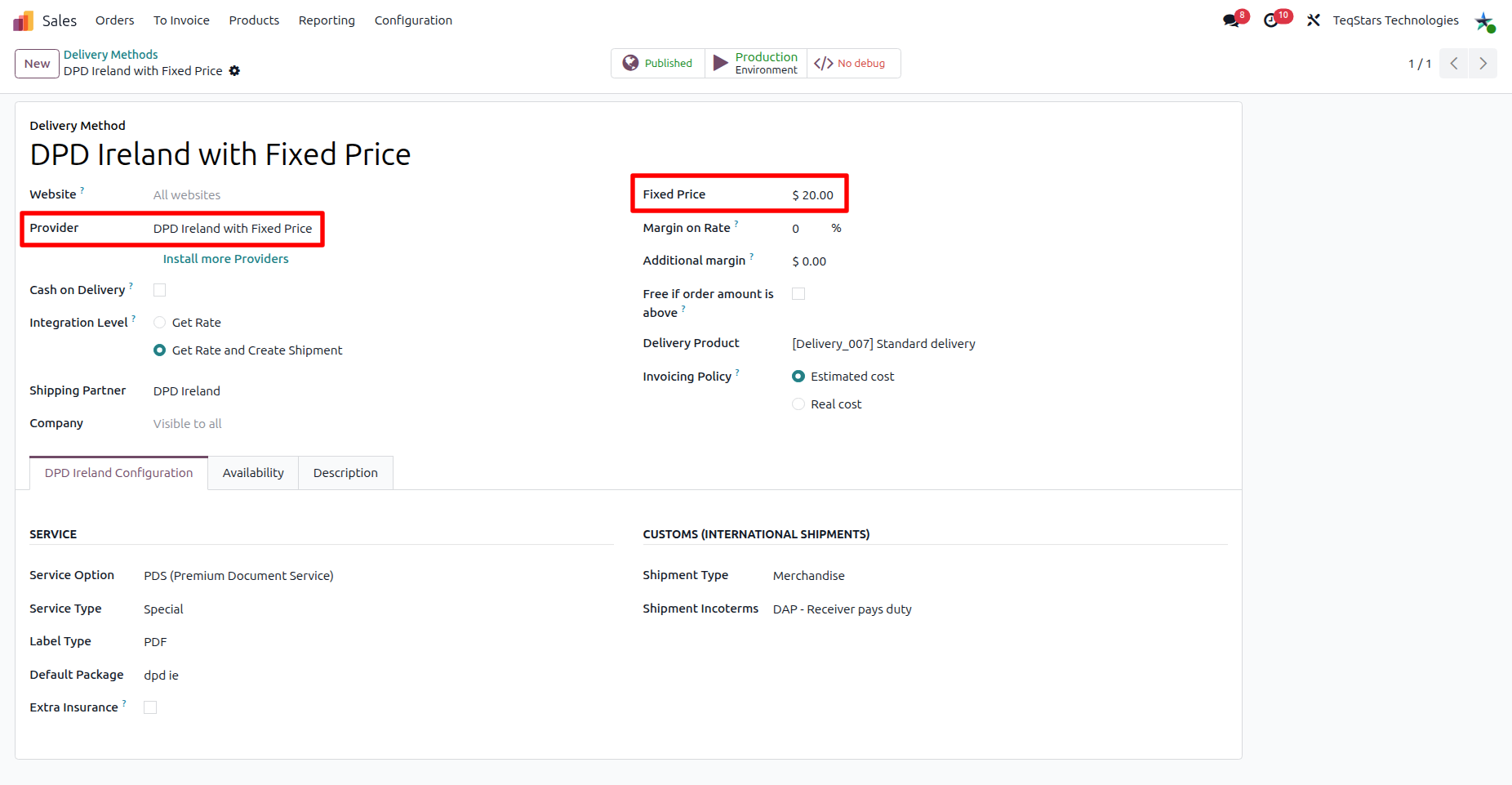
DPD Ireland with Fixed Price: Charges a predefined cost.
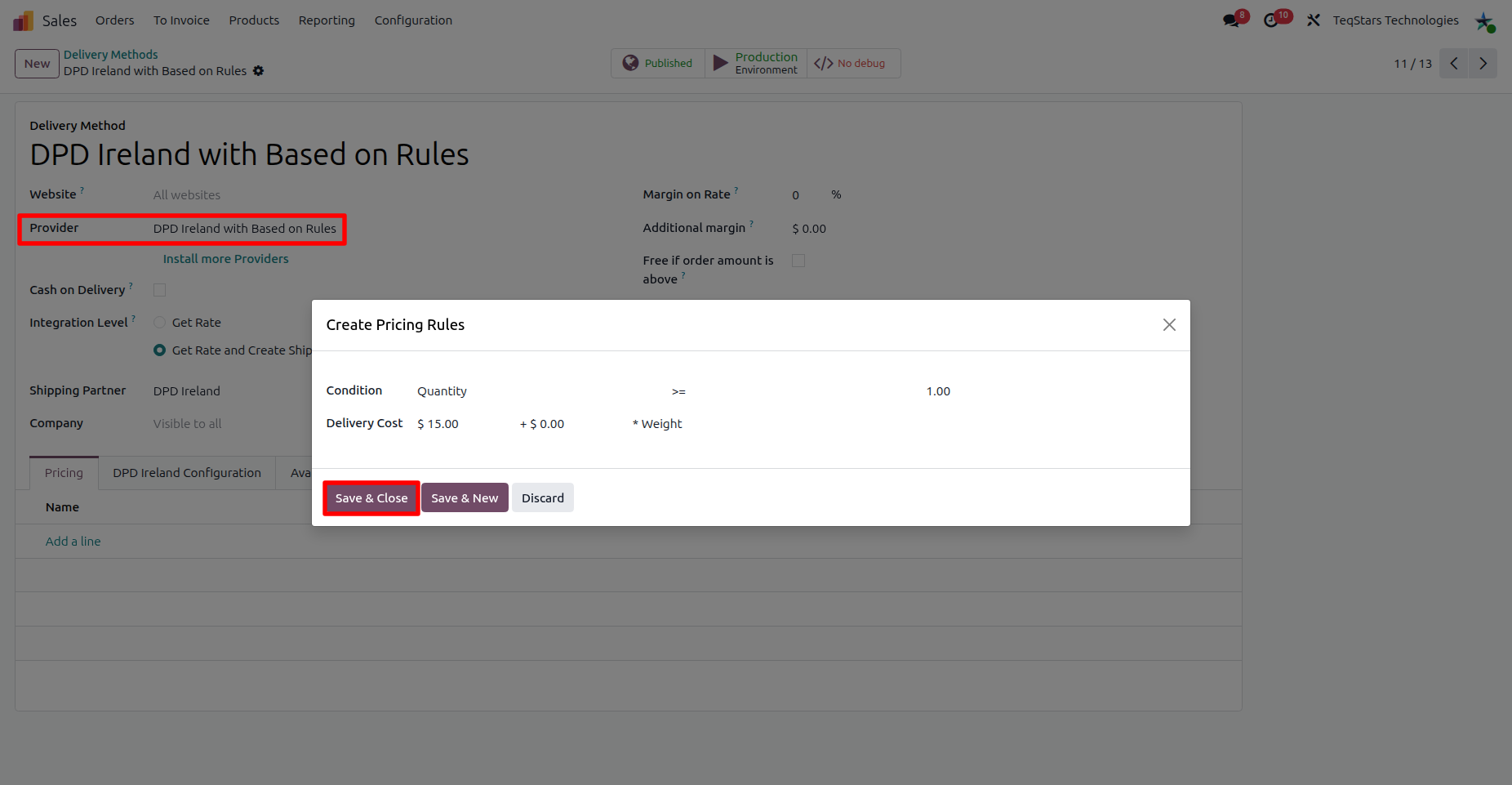
DPD Ireland with Based on Rules: Calculates the charge from your Odoo shipping rules.
DPD Ireland with Fixed Price
With the fixed-price method, the price of the assigned delivery product is charged as the shipping cost.
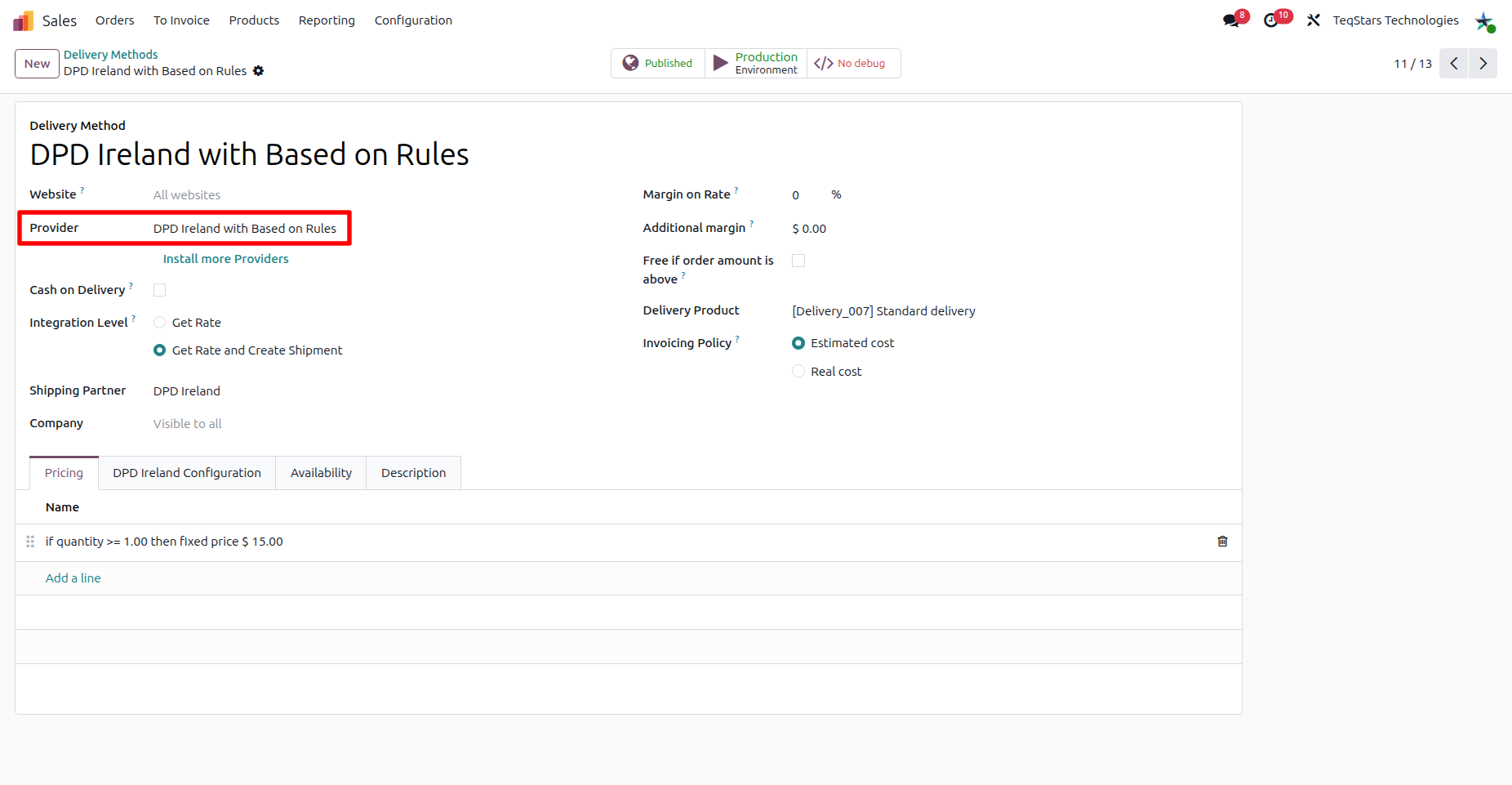
DPD Ireland with Based on Rules
With the rule-based method, define pricing rules that calculate the shipping charge from order criteria such as quantity, weight or amount.
Tip
Delivery Methods can also be accessed by going to .
Note
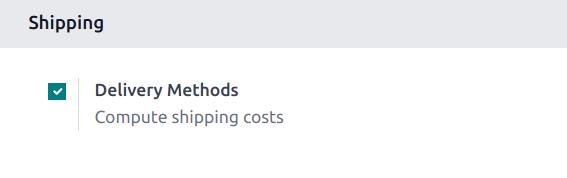
If the Delivery Methods option is not available from the Configuration drop-down menu, verify whether the feature is enabled by following these steps:
Go to .
Scroll to the Shipping section and enable the Delivery Methods feature by checking the corresponding checkbox.
Use Delivery Method In Sale Order
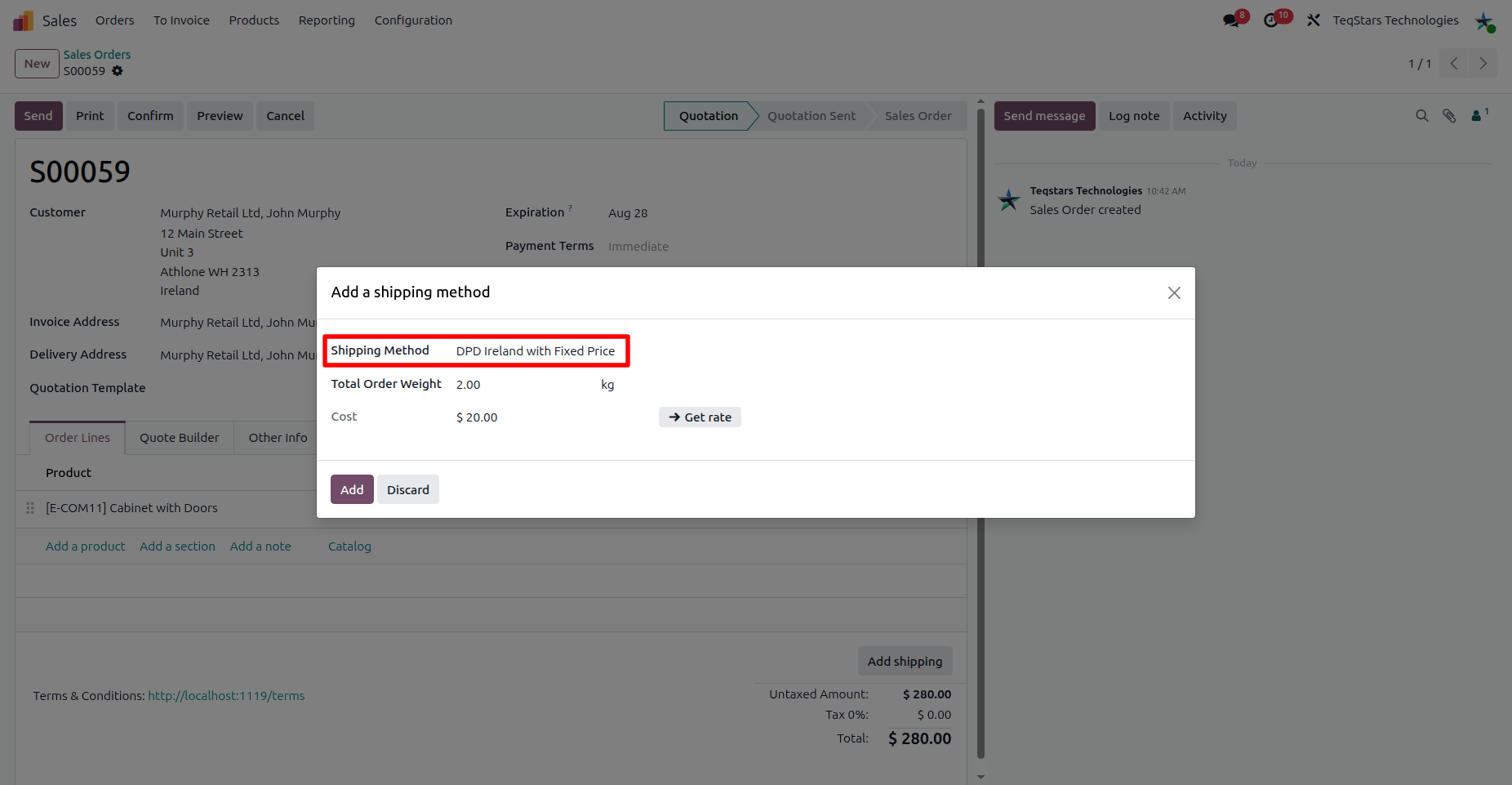
To add a shipping cost to a Sales Order, click the Add Shipping button on the quotation and select the desired DPD Ireland delivery method.
Shipping Method: Select the DPD Ireland delivery method you configured (e.g. DPD Ireland with Fixed Price or DPD Ireland with Based on Rules).
Total order weight: Odoo calculates the order weight from the selected products, or you can enter it manually.
Get Rate: Click this button to fetch the shipping rate. Since DPD Ireland does not support real-time rate calculation, the rate is taken from the delivery method you configured (fixed price or based on rules).
DPD Ireland with Fixed Price
The predefined fixed price is applied.
DPD Ireland with Based on Rules
The price is calculated from your configured shipping rules.
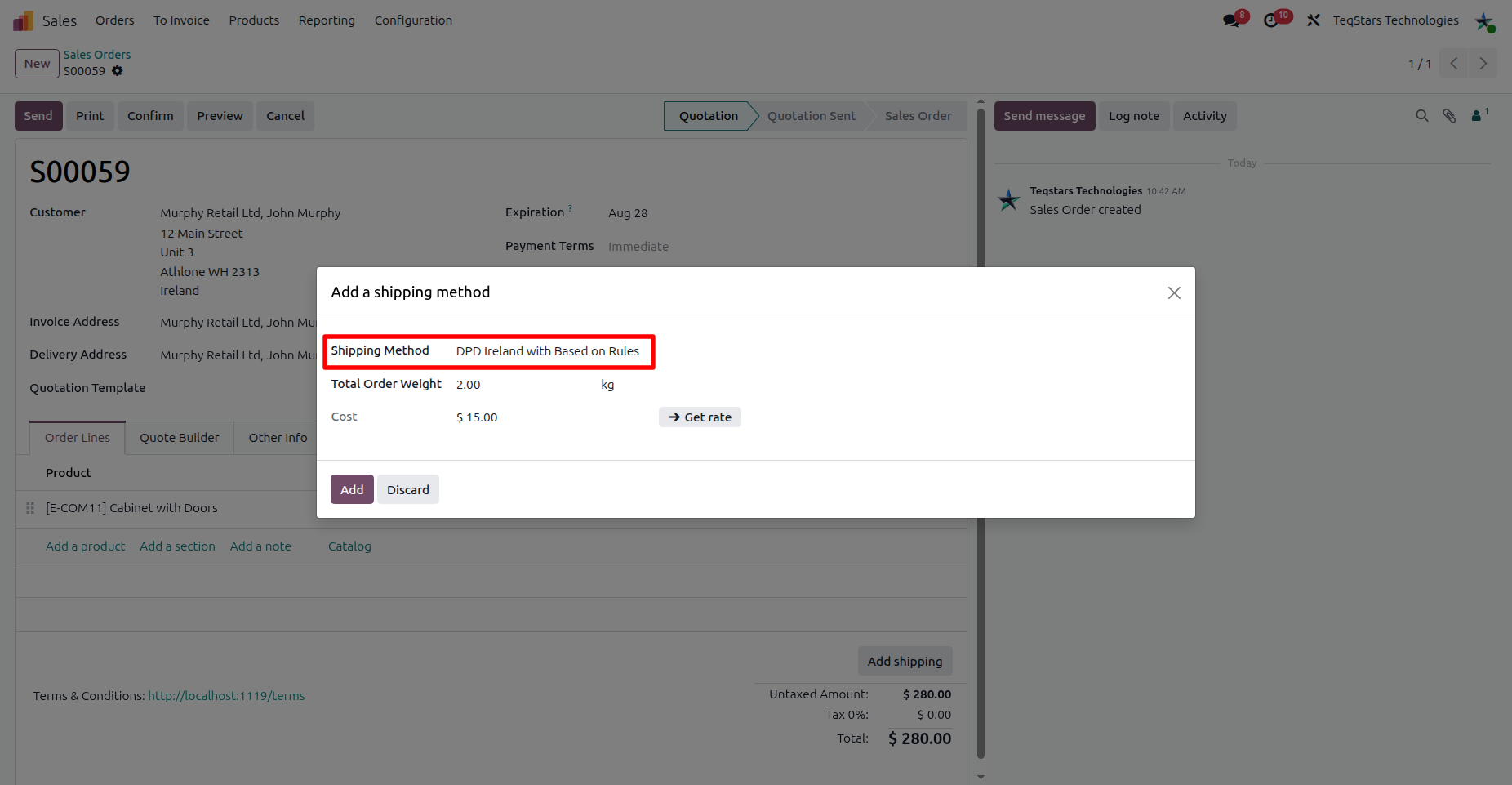
Click the Add button to add the shipping charge to the sale order.
Use Delivery Method In Website Order
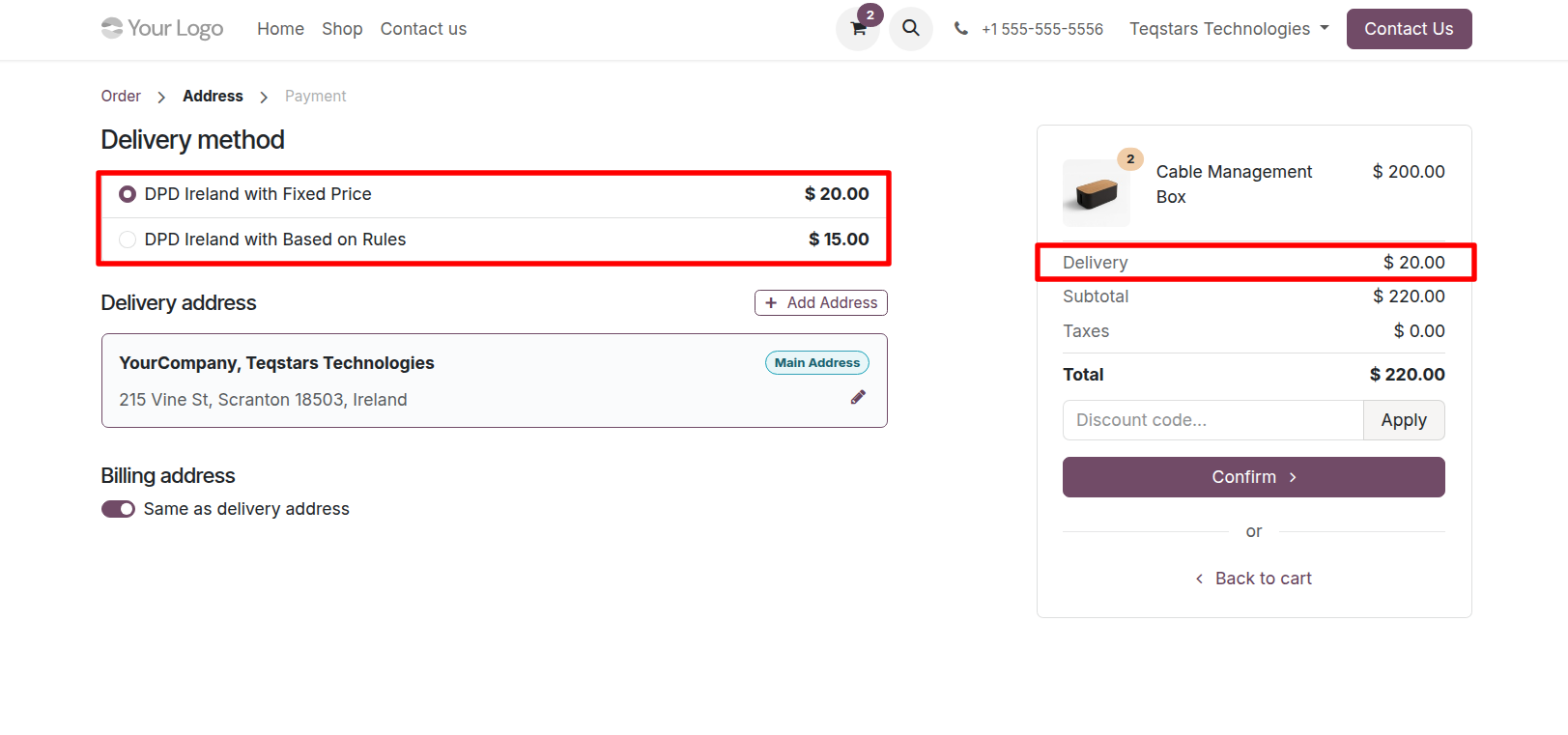
If you use Odoo eCommerce, customers can select the configured DPD Ireland delivery method directly during checkout, the same way as any other delivery method.
See also
Configure Delivery Order
After confirming the sale order, process the delivery order in the Inventory app.
Multiple Parcel Handling
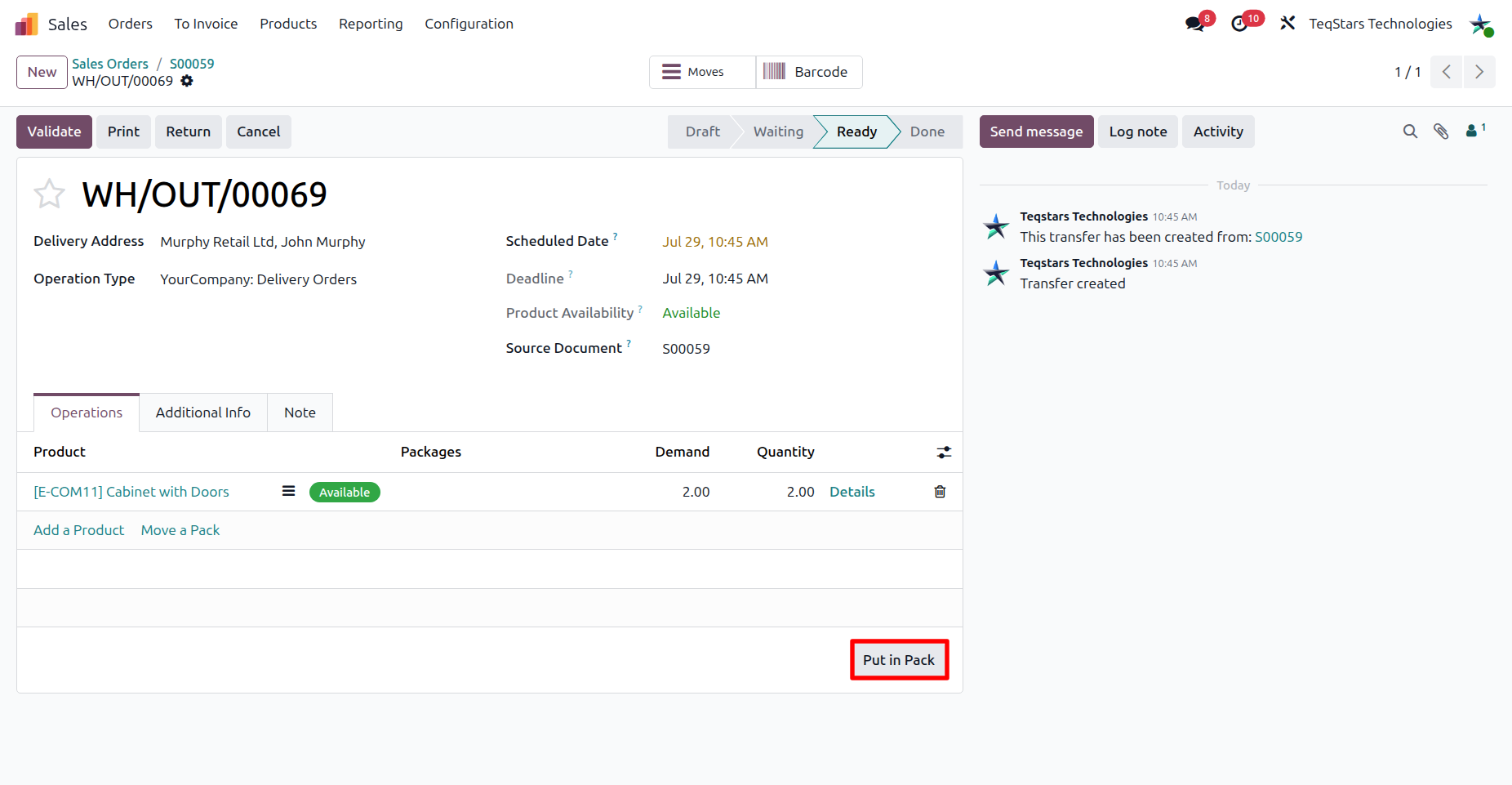
When an order ships in several boxes, use the Put in Pack operation to organize the products.
Tip
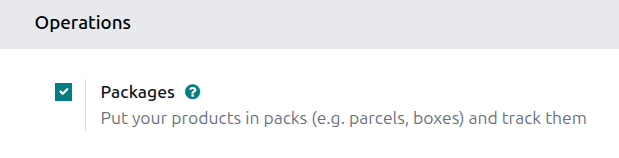
To split shipments into multiple packages with the Put in Pack operation, enable the Packages feature in .
Select Carrier on Delivery Order
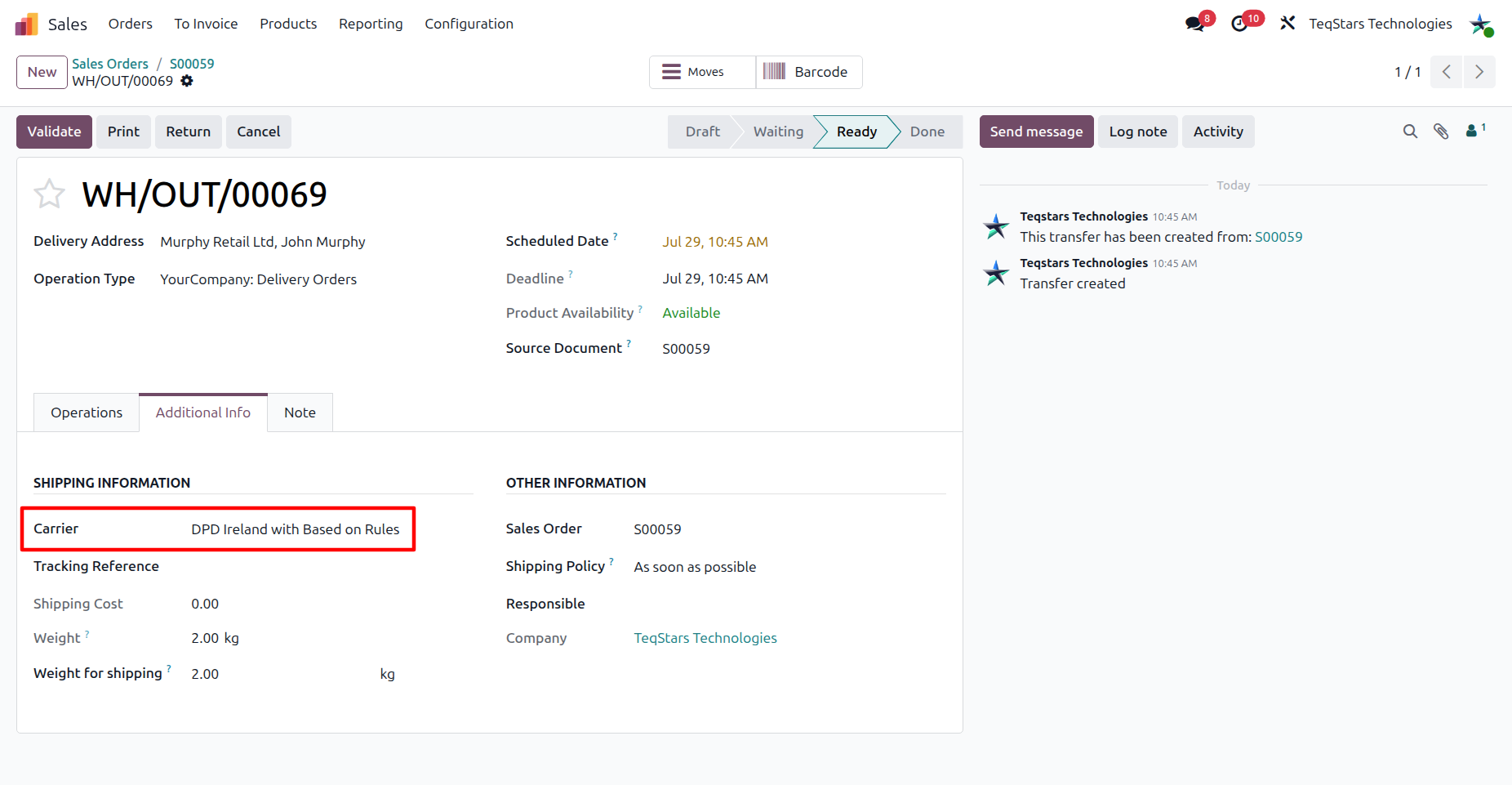
Carrier: Choose the DPD Ireland delivery method you configured.
DPD Return Description: Only shown when the delivery method’s Service Option is set to SwapIt. Describes the item being returned.
Validate Delivery Order
Click Validate to create the consignment with DPD Ireland and generate the label.
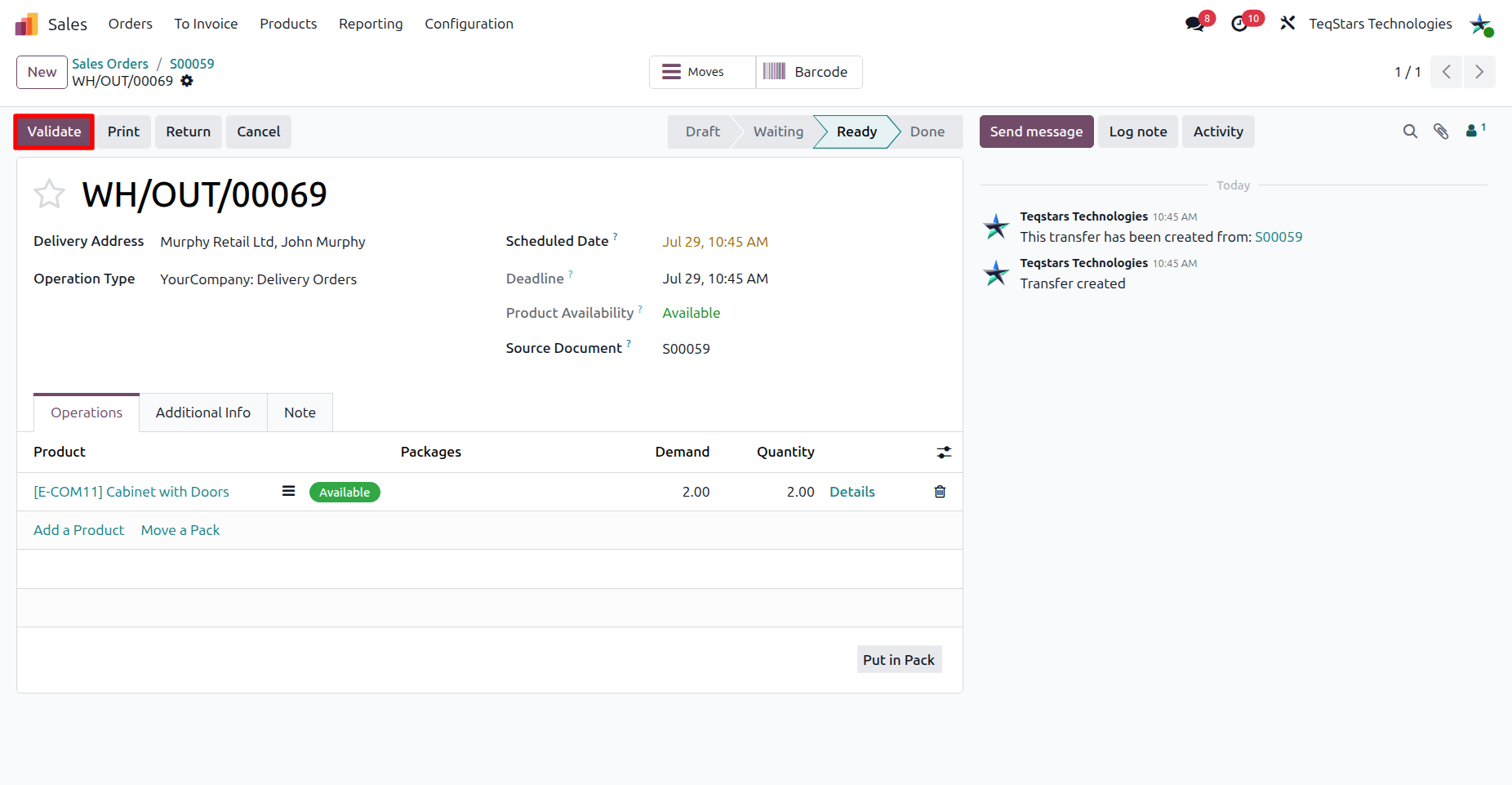
Tracking and shipping information in delivery order
Once the delivery order is validated, the consignment is registered with DPD Ireland and the tracking and label information is recorded on the Delivery order.
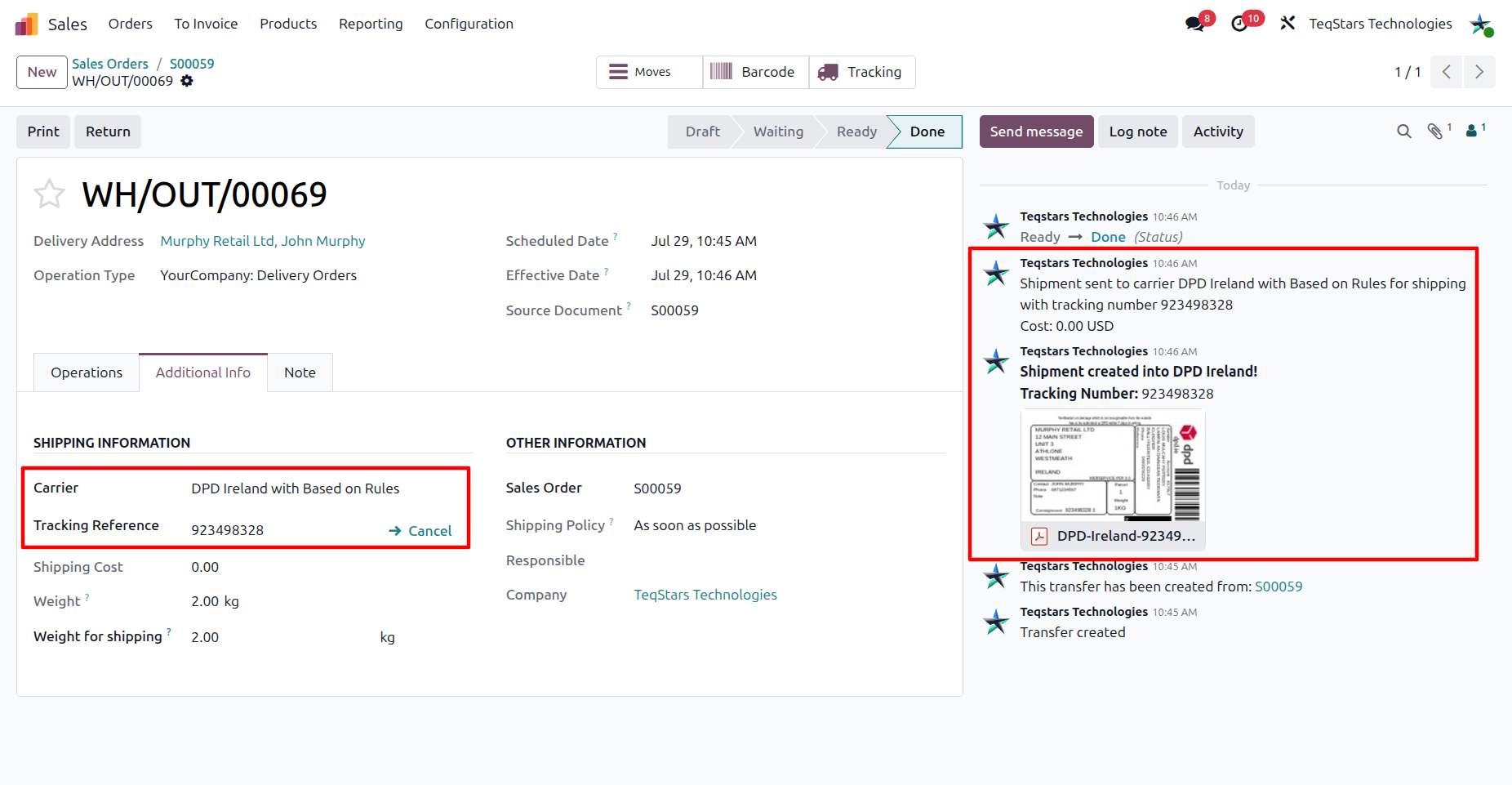
- After validation:
The Tracking Reference is generated, and a message listing it is posted in the chatter.
The Shipping Label is attached to the delivery order chatter.
Realtime Tracking
Click on Tracking to open the shipment directly on DPD Ireland’s official tracking page, pre-filled with the consignment number.
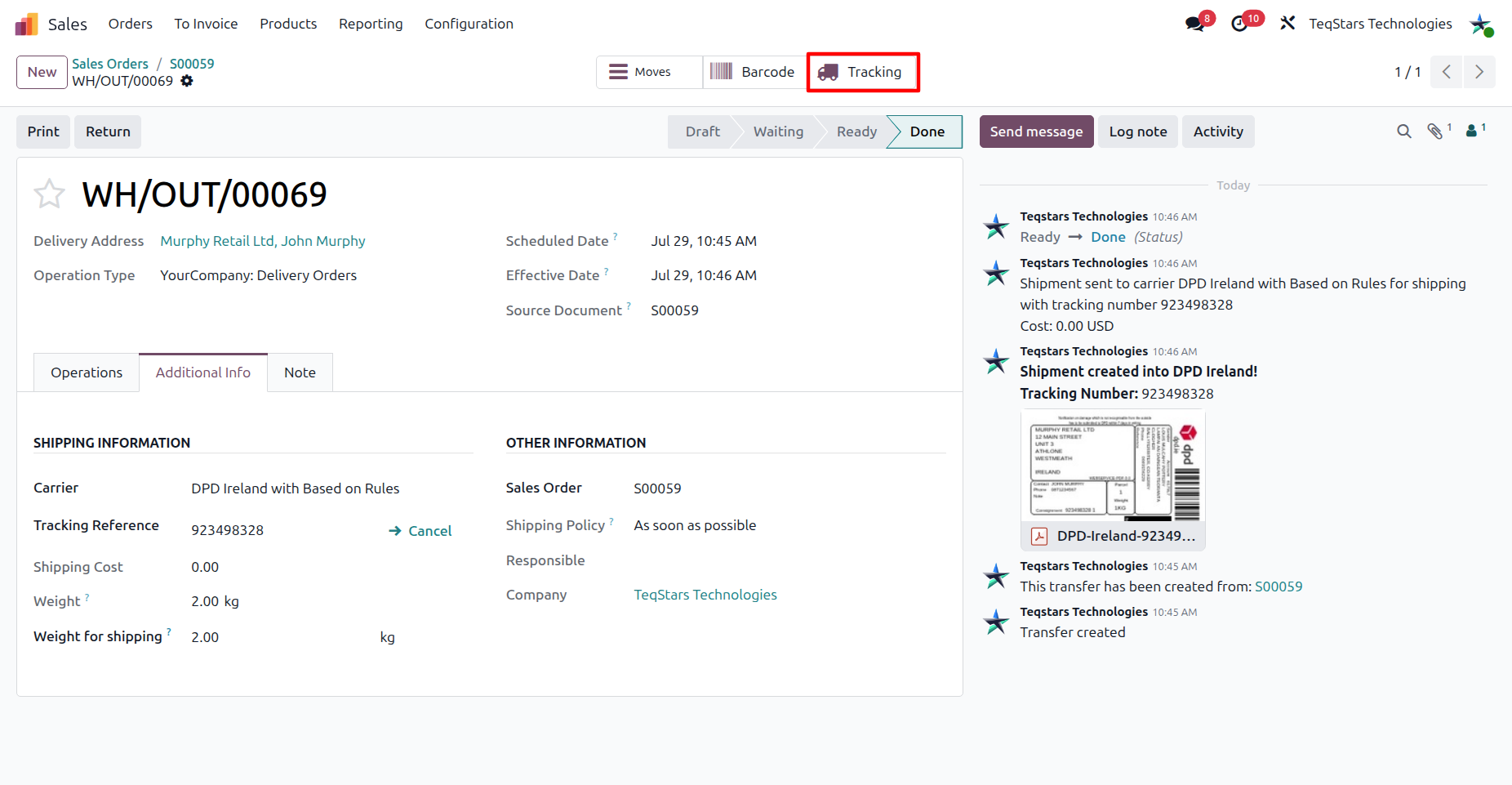
Note
Tracking opens DPD Ireland’s own tracking page in a new tab; the delivery status is not synced back into Odoo.
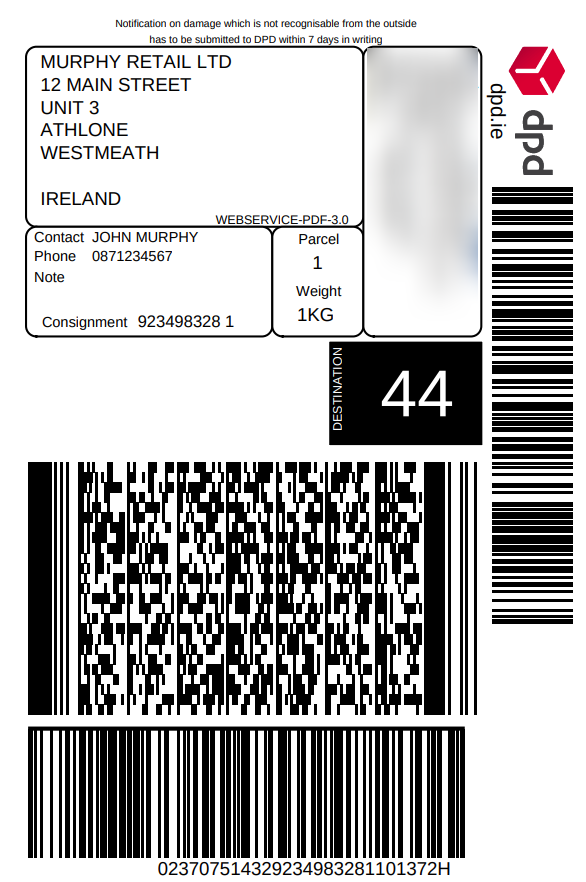
View Generated Label
The shipping label is automatically generated in the chosen format (PDF or ZPL) and attached to the delivery order.
Return Label Generation
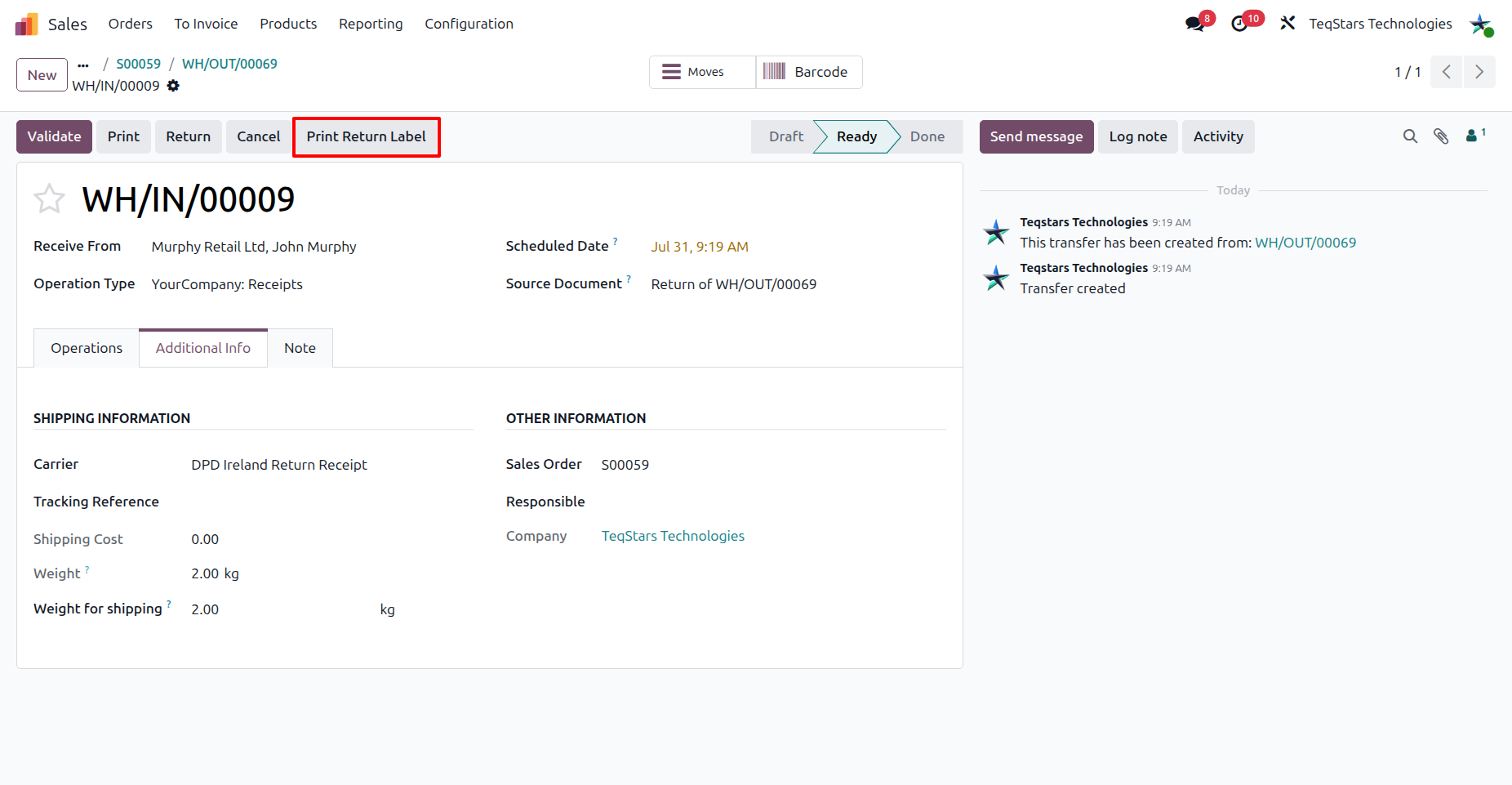
When the delivery method’s Service Option is set to Return Receipt or SwapIt, a Print Return Label button becomes available on the delivery order. Click it to generate a return consignment the same way as an outgoing shipment.
Shipment Cancellation
Warning
DPD Ireland does not support shipment cancellation through the API. To cancel a parcel, log in to the DPD Ireland portal and cancel it manually there.