
Import Warehouses
ShipStation warehouses define the ship-from and return addresses used when generating labels. The connector mirrors every ShipStation warehouse to an Odoo record and links it to an Odoo warehouse.
Warehouses are imported automatically on first account confirmation. Use the manual flow below to refresh the list whenever you add, edit, or remove a warehouse in ShipStation.
Warehouse import is a prerequisite for both order export and label generation. The selected warehouse on the delivery order decides the ship-from address sent to ShipStation.
How to Import Warehouses Manually
Go to .
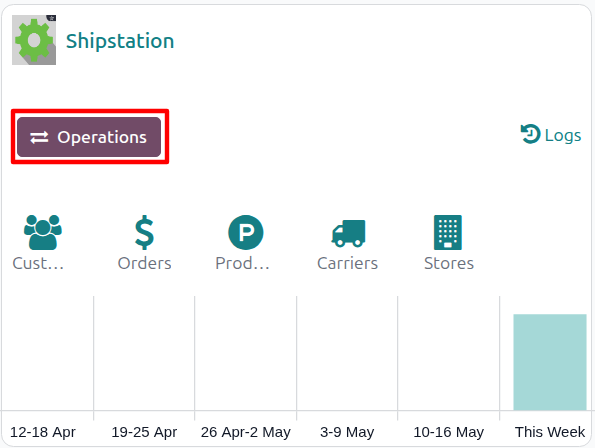
Click the Operations button on the target account’s kanban card.
Choose Import as the operation type, then from Shipstation Import Operation select Import Warehouse.
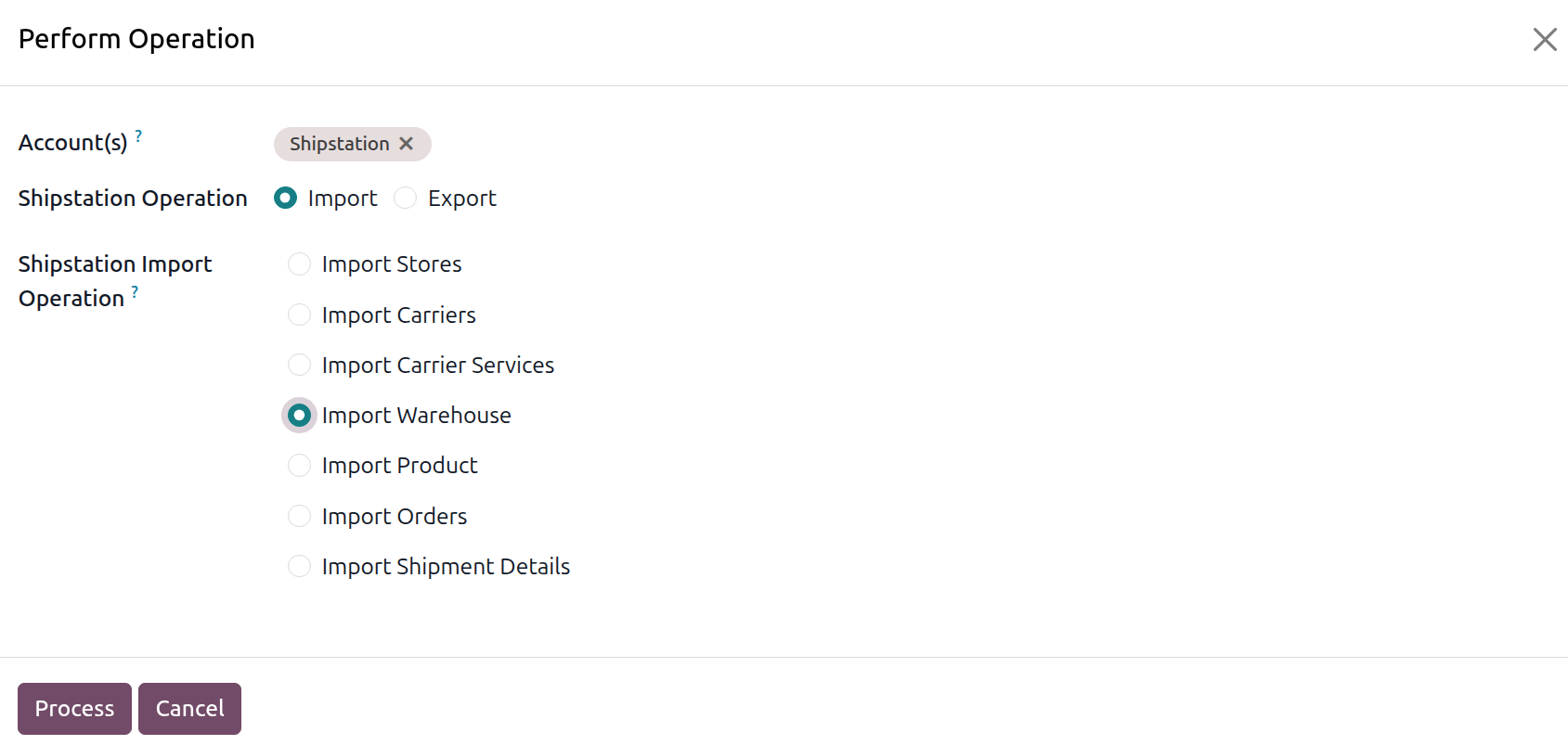
The wizard exposes the following options:
Account: the ShipStation account to run the operation on. Pre-filled from the kanban card you launched the wizard from.
Shipstation Operation: radio, Import or Export. Select Import for this flow.
Shipstation Import Operation: pick Import Warehouse.
Click Process.
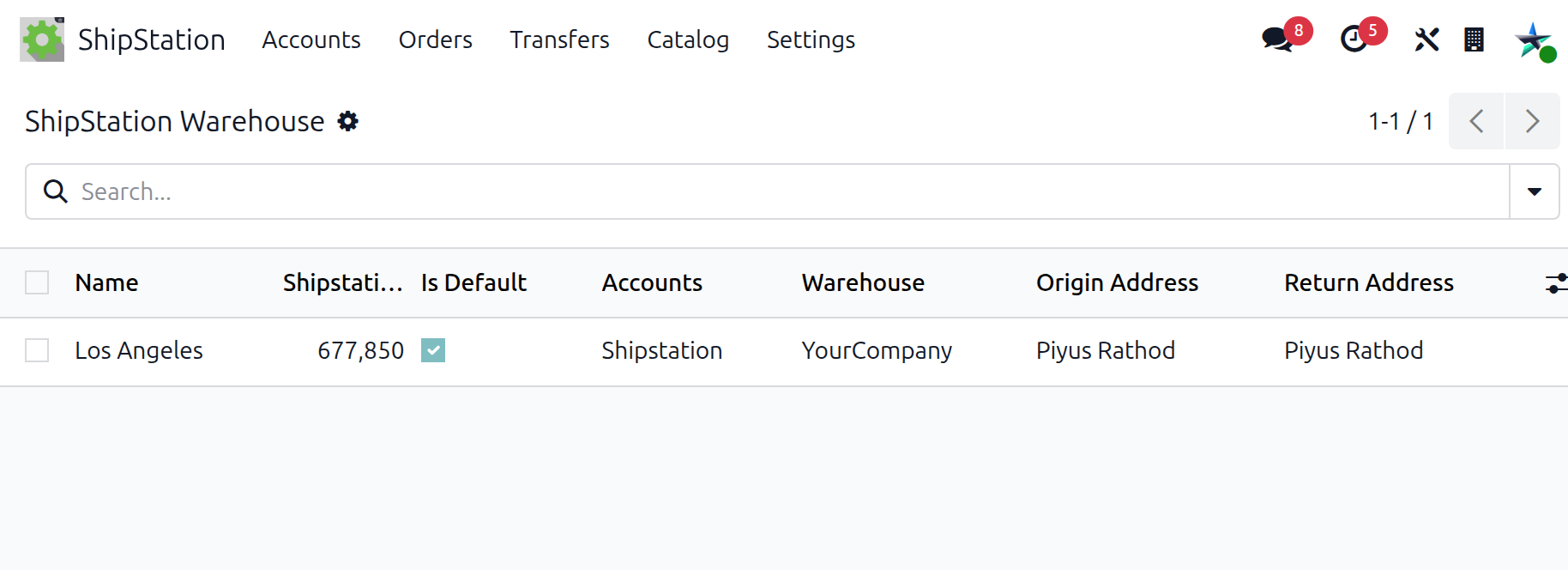
The connector fetches every ShipStation warehouse and creates or updates one Odoo record per warehouse with name, identifier, parent account, default flag, and links to the Origin Address and Return Address contacts.
Address Handling
For both Origin and Return addresses the connector either:
Matches an existing contact using a strict comparison on name, street1 / street2, city, state, country, ZIP, e-mail, and phone, or
Creates a new contact (of type Invoice or Delivery) with the company of the parent account.
This prevents duplicate contacts when several warehouses share the same physical address.
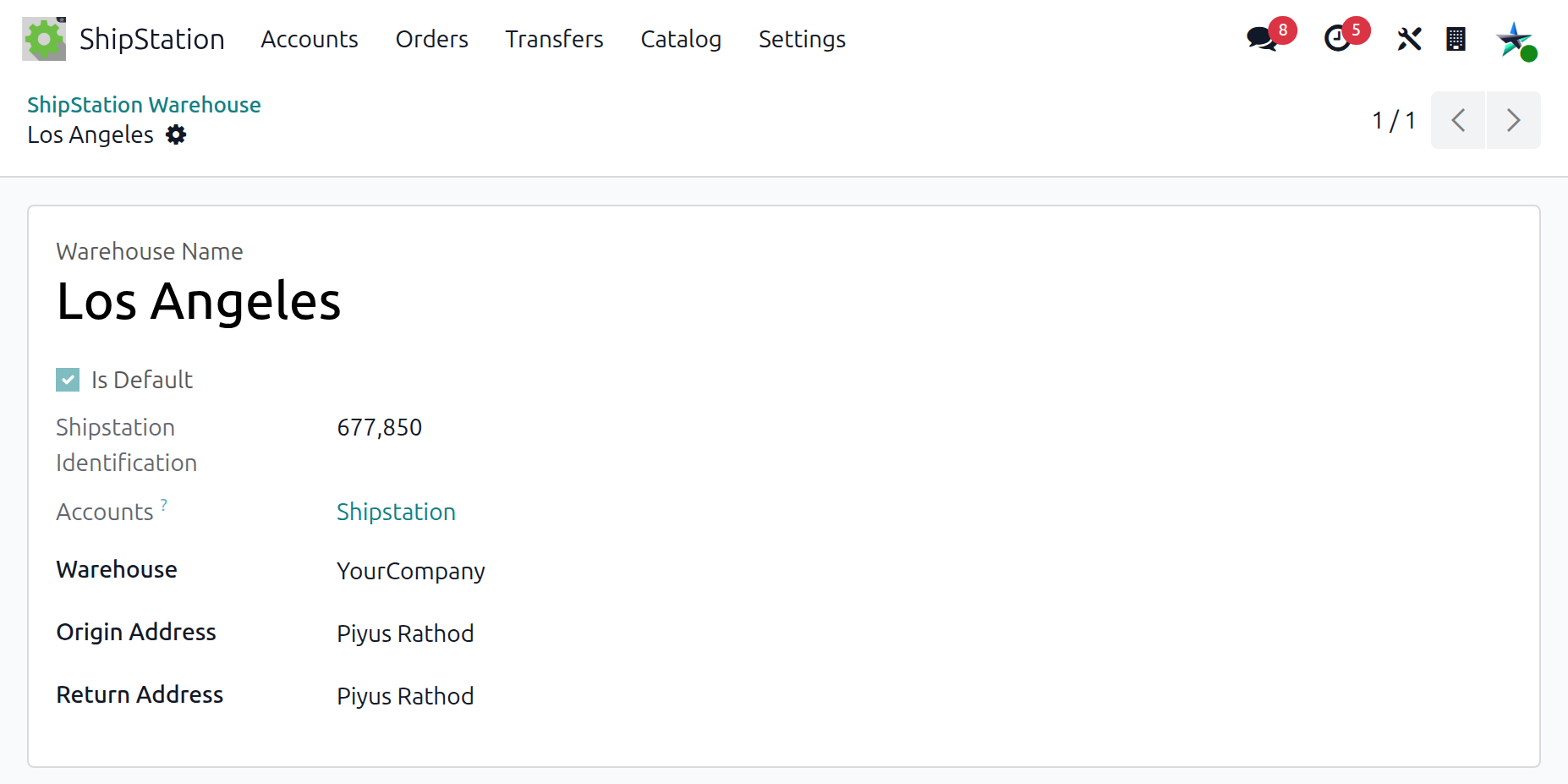
The warehouse form exposes the following fields:
Warehouse Name: the warehouse name as it appears in ShipStation.
Shipstation Identification: the identifier ShipStation uses for this warehouse. Kept in sync on each import.
Accounts: the parent ShipStation account this warehouse belongs to.
Warehouse: the linked Odoo warehouse used for stock movements. Set this for every warehouse you plan to use as a ship-from location.
Is Default: mirrors the warehouse marked as default in ShipStation. The default warehouse is used when an export does not specify a warehouse explicitly.
Origin Address: the contact representing the ship-from address sent to carriers when generating labels.
Return Address: the contact representing the return address sent to carriers for undeliverable parcels.
Important
The linked Odoo warehouse (Warehouse field) is what Odoo’s stock module uses for inventory movements. Link each ShipStation warehouse to the right Odoo warehouse before exporting deliveries.