
TikTok Shop Delivery Options
TikTok Shop offers one or more delivery options for each of your TikTok warehouses. A delivery option tells you how a parcel ships from that warehouse, which shipping providers can carry it and how heavy or large a package can be. The connector imports these delivery options into Odoo so you can check them without opening TikTok Shop.
Open Delivery Options
Go to .
The list shows the delivery options imported for your TikTok warehouses.
Click a delivery option to open its details.

Tip
The warehouses themselves are under .
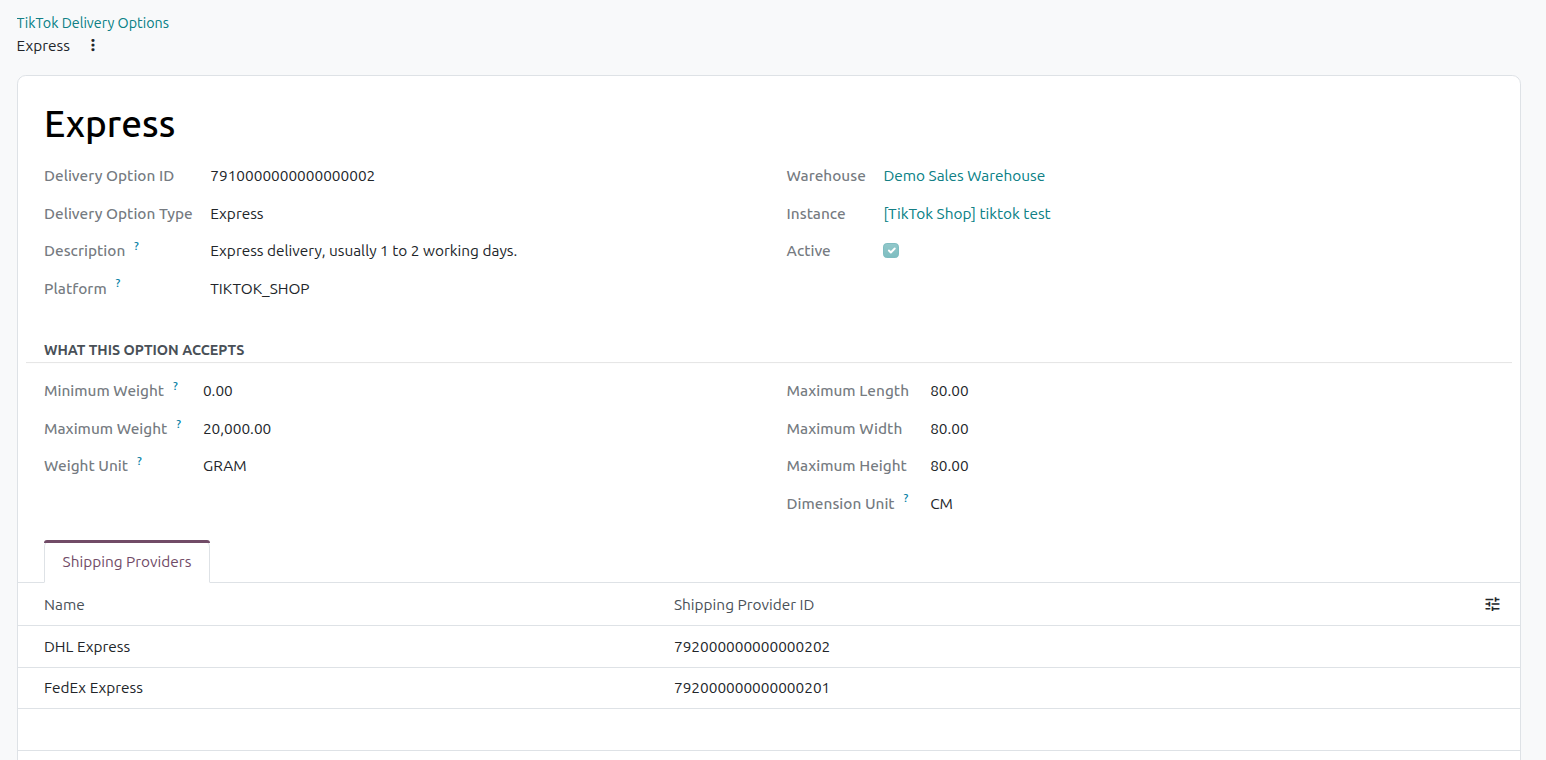
Delivery Option Details
Each delivery option shows the following details:
Name: The name of the delivery option, as TikTok Shop shows it.
Delivery Option ID: The reference TikTok Shop gives this delivery option. It links the option in Odoo to the same option on TikTok Shop.
Description: The description TikTok Shop gives the delivery option.
Delivery Option Type: The type of delivery option, as TikTok Shop reports it.
Platform: The platform the delivery option belongs to, as TikTok Shop reports it.
Warehouse: The TikTok warehouse this delivery option is offered for.
Instance: The TikTok Shop instance the delivery option belongs to.
Active: Shows whether the delivery option is in use.
The delivery option chosen for an order appears on the sales order in TikTok Delivery Option, next to the TikTok Warehouse. Each TikTok package on the order also shows its Delivery Option, Delivery Option Name and Delivery Option ID.
Shipping Providers
The Shipping Providers of a delivery option are the carriers TikTok Shop can use to ship parcels with that option.
When a parcel ships, its TikTok package shows the Shipping Provider ID. This is the reference TikTok Shop gives the shipping provider that carries the package. It helps you see which carrier handles each parcel.
If you ship a parcel with your own carrier, the tracking number is reported under the carrier’s TikTok Shipping Provider Code.
Weight And Dimension Limits
A delivery option sets the weight and size a package can have when it ships with that option. Check these limits before you ship, so each package fits the option it uses.
Minimum Weight: The lightest a package can be.
Maximum Weight: The heaviest a package can be.
Weight Unit: The unit used for the minimum and maximum weight.
Maximum Length: The longest a package can be.
Maximum Width: The widest a package can be.
Maximum Height: The tallest a package can be.
Dimension Unit: The unit used for the maximum length, width and height.
Tip
A listing has its own Package Weight, Package Length, Package Width and Package Height. Compare them with the limits of the delivery options your products ship with.