
Category Management
eBay categories are used to classify your listings on the marketplace. Each eBay site has its own category tree, and the connector allows you to import and manage these categories in Odoo.
Importing eBay Categories
You can import categories by following these steps:
Go to the menu in Odoo.
Click on the
Operationsbutton from the instance record.Select Import Operation and then select Import Marketplace Categories option.
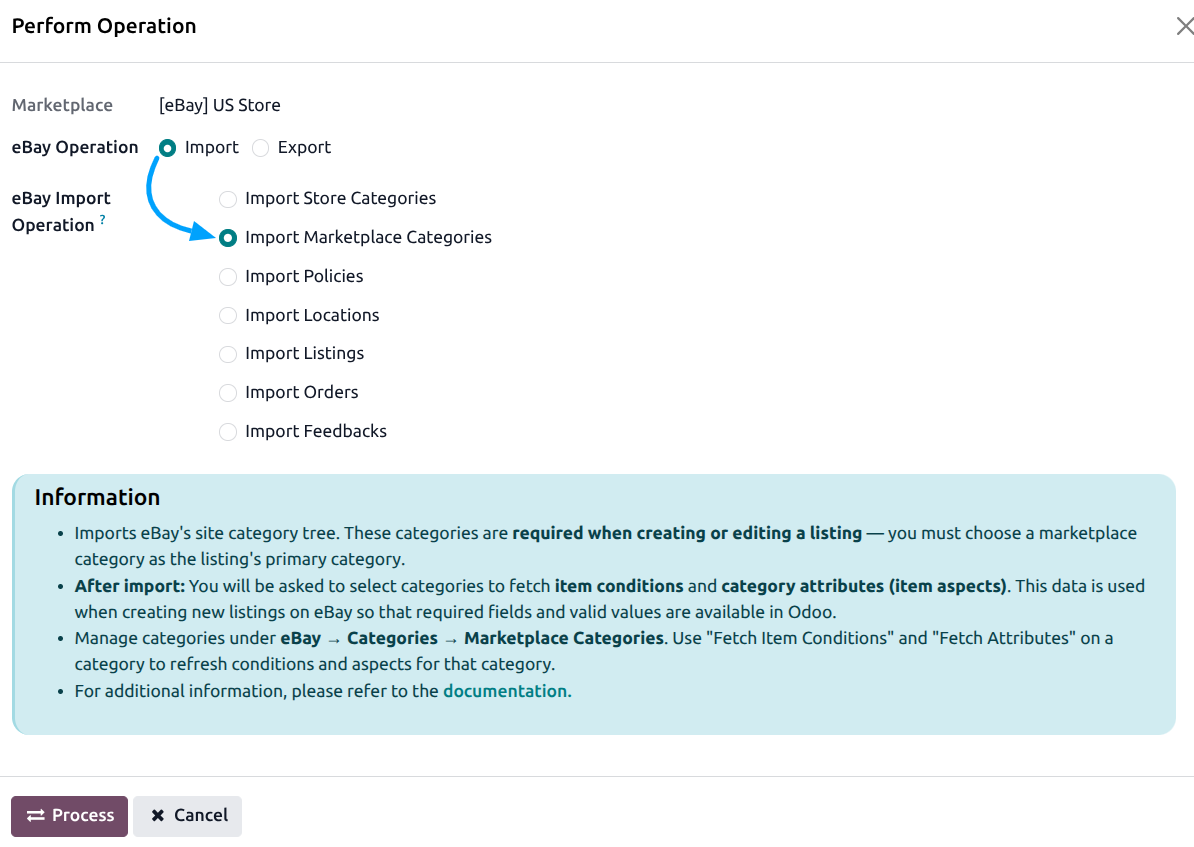
Press
PROCESSbutton.
This will import the full eBay category tree for the configured eBay site.
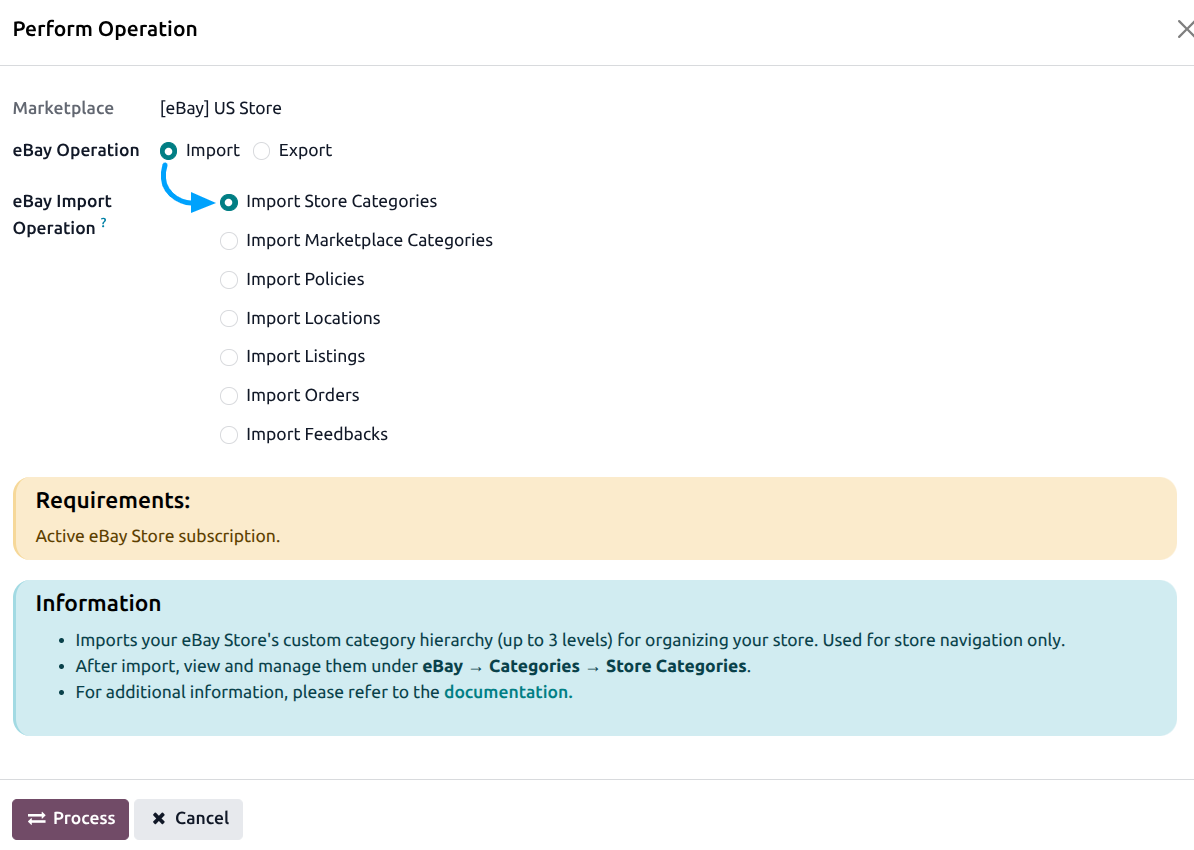
You can also import Store Categories by selecting the Import Store Categories option. Store categories are your custom eBay Store categories (if you have an eBay Store subscription).
Managing Categories
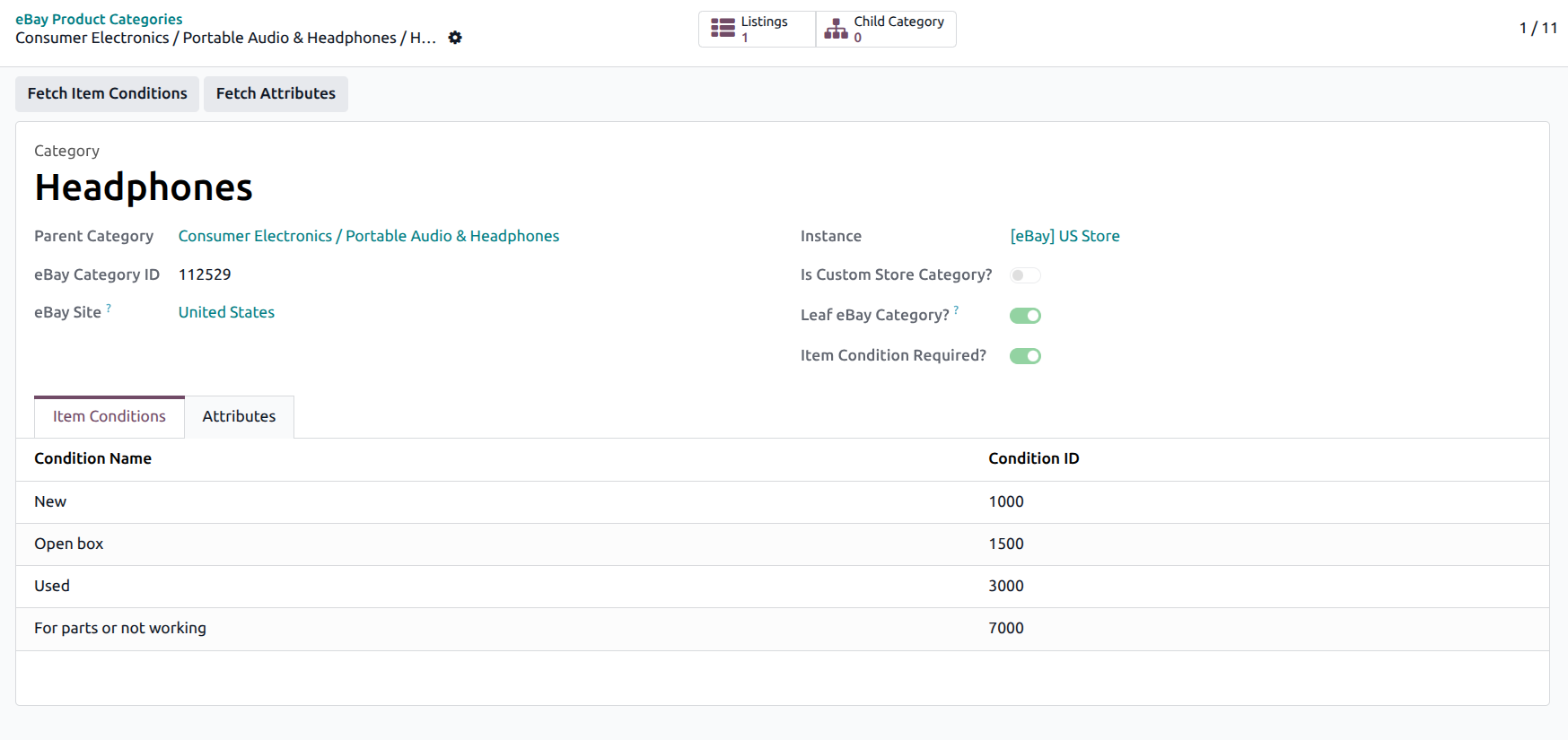
Navigate to to manage your imported eBay categories.
Fetching Category Metadata
For each leaf category, you can fetch additional metadata:
Open a category from the list view.
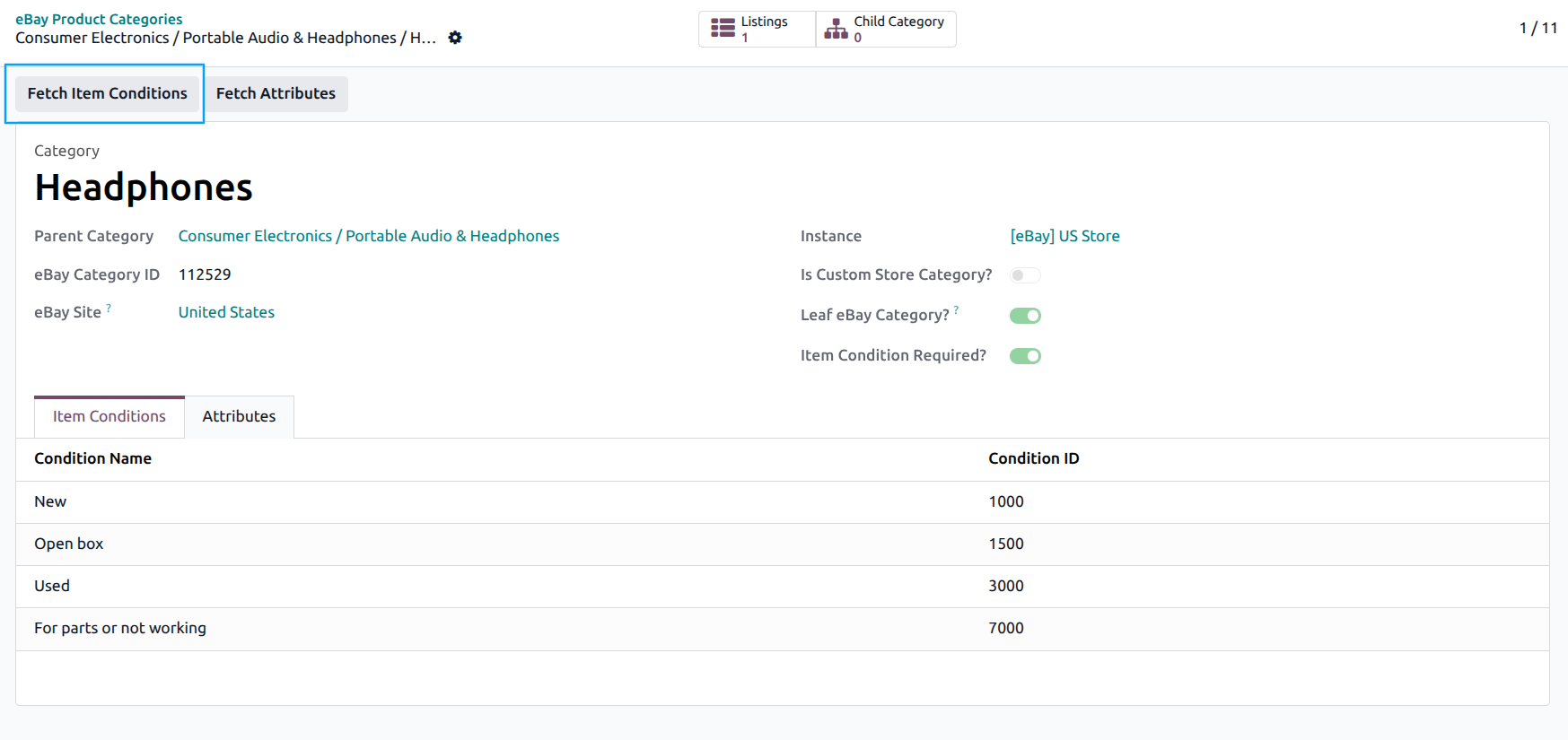
Click the Fetch Item Conditions button to import the allowed item conditions (e.g., New, Used, Refurbished) for that category.
Click the Fetch Attributes button to import the category-specific attributes (item specifics like Brand, MPN, Color, Size) that eBay requires or recommends for that category.
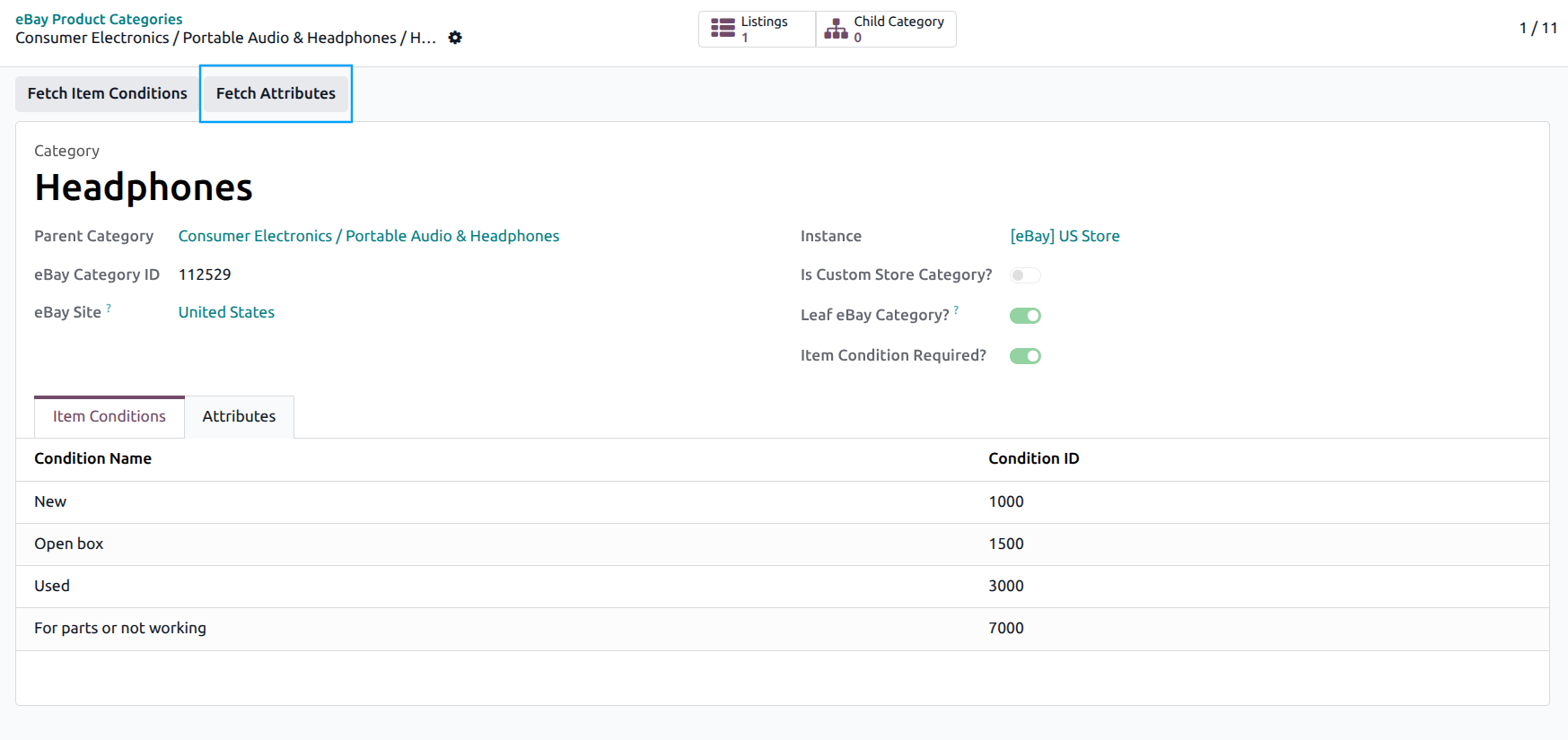
The fetched conditions and attributes are displayed in the category form under the Item Conditions and Attributes tabs.
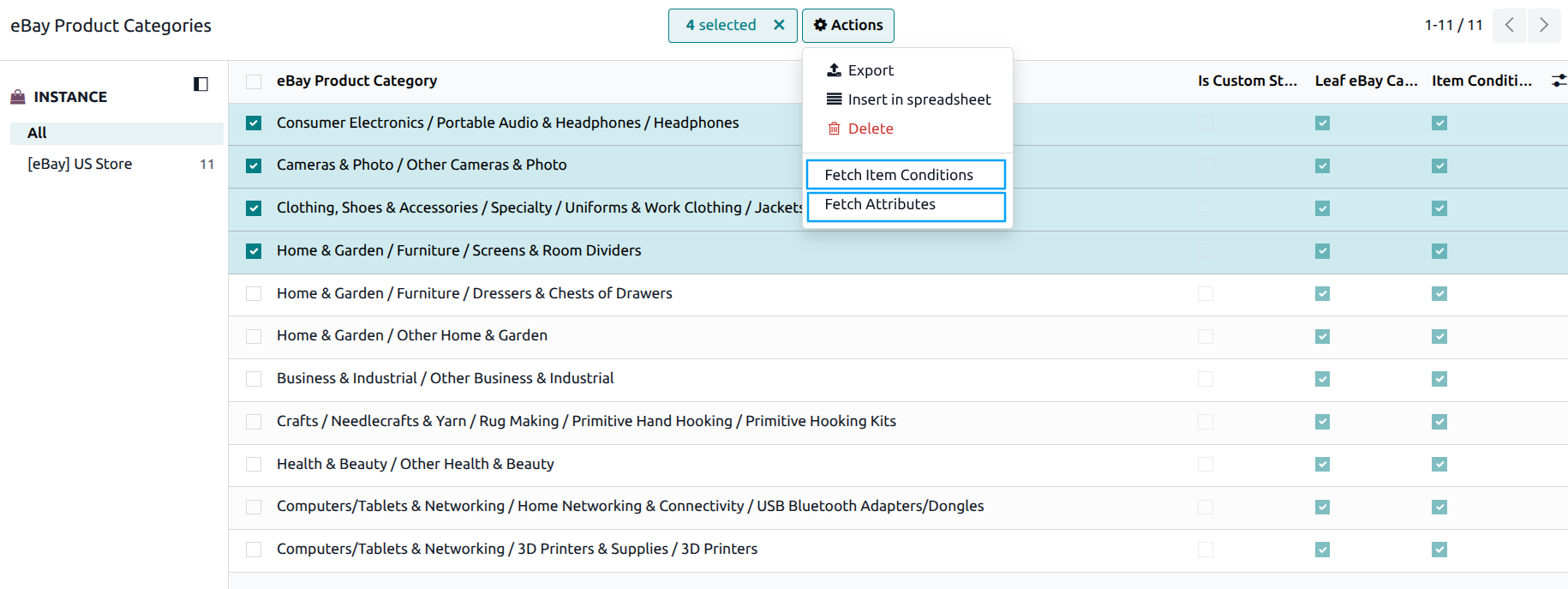
You can also bulk-fetch metadata using the server actions available in the category list view:
Select multiple categories in the list view.
Use the Fetch Item Conditions or Fetch Attributes action from the action dropdown.
Category Attributes (Item Specifics)
eBay category attributes (also known as “Item Specifics”) are key-value pairs that describe your listing. These attributes vary by category and are important for listing visibility on eBay.
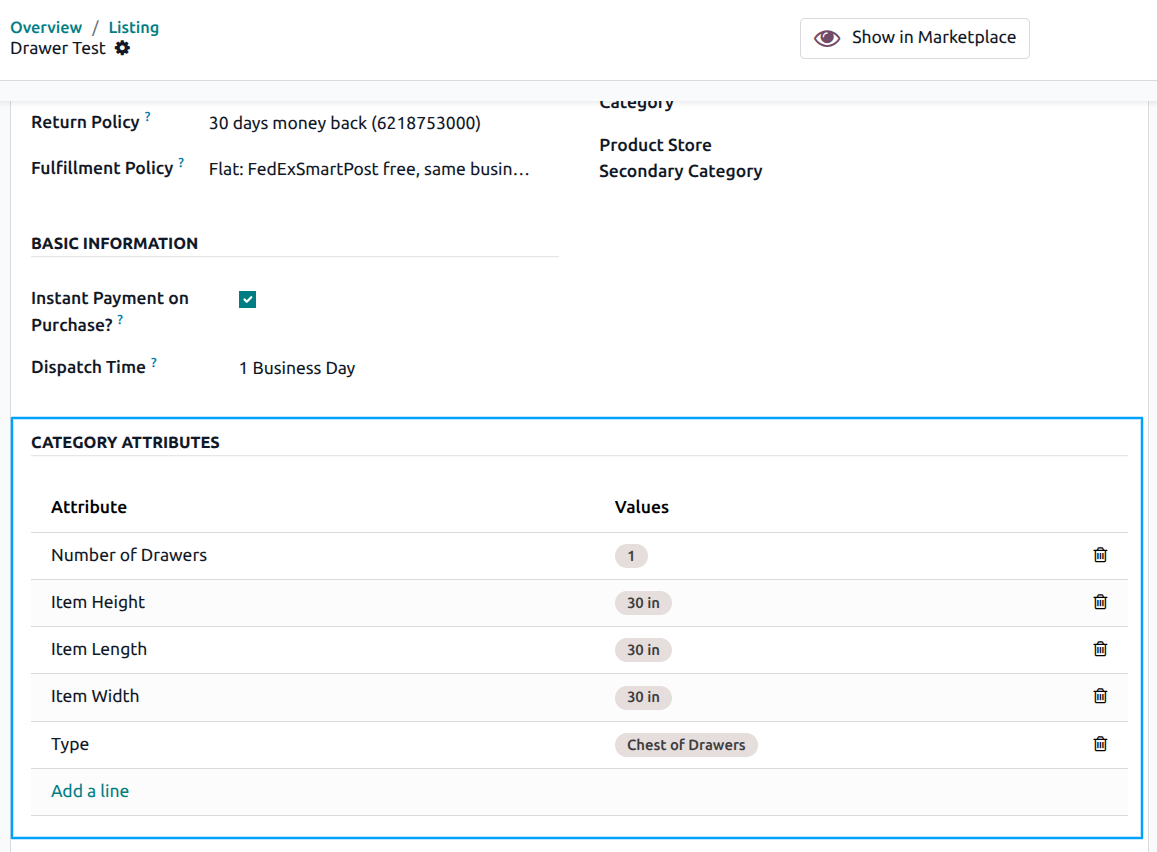
When creating or updating a listing, you can fill in the category attribute values on the listing form under the Category Attributes section.
If you add a new custom attribute or value in the Category Attributes section of a listing, the connector creates the category attribute mapping for you. You do not need to create it by hand.
Tip
Fetch attributes for all categories you plan to list products in before exporting. This ensures you can fill in the required item specifics.
Some eBay categories require specific attributes (like Brand and MPN) to be filled. Missing required attributes can cause listing export failures.
See also