
Import Shipped Orders From Bol.com To Odoo
The standard order import only fetches open orders that need fulfillment. Use Import Shipped Order when you need historical orders that were already shipped on Bol.com (for example, before connecting Odoo) inside your Odoo database.
Note
Bol.com’s API exposes shipped orders for the past 90 days only. Orders older than that cannot be imported through this operation.
Method 1: Manual Shipped Order Import
Go to .
Click the Operations button on the instance card.
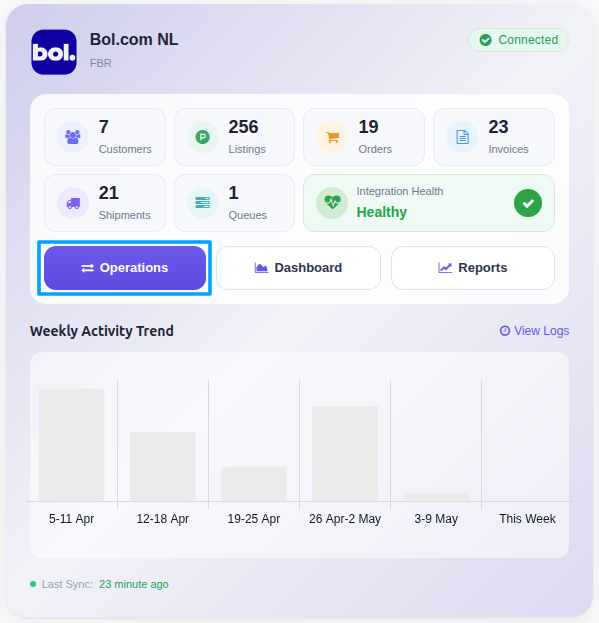
In the wizard, set:
Operation For:
FBR & FBB.Operation:
Import Shipped Order.
Note
To prevent server overload, the connector queues the orders rather than creating them immediately. A scheduled background job processes the queue line-by-line and creates the matching Sale Orders in Odoo.
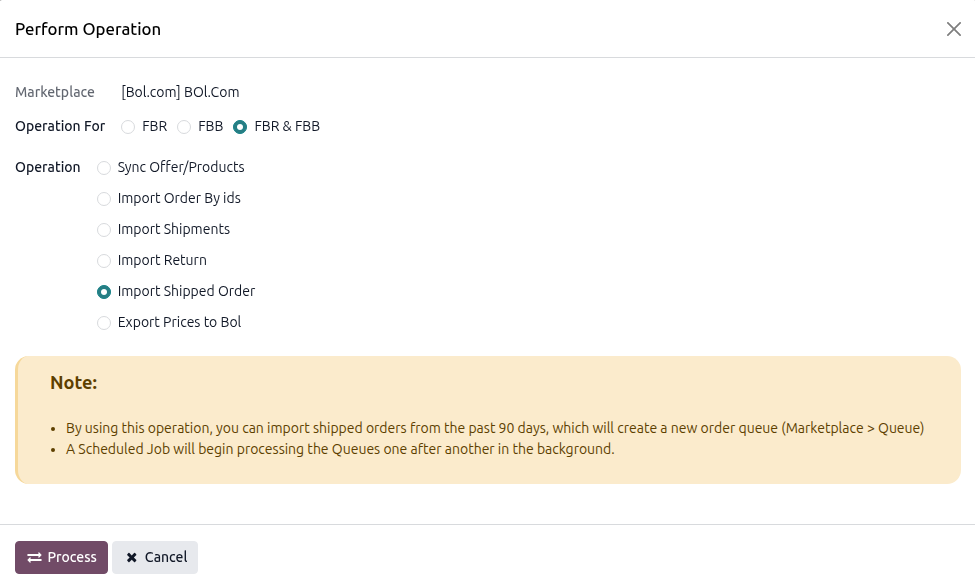
Click PROCESS.
You can monitor progress under and review any import errors under .
How It Works
The connector reads the shipments from Bol.com for each fulfilment type selected in Use Operation For on the instance (FBR, FBB or both), collects the unique order numbers and queues one line per order. The order details are downloaded when the queue line is processed.
The Order Status filter of the instance is not used by this operation.
Orders that already exist in Odoo are skipped (logged as already imported). Orders placed before the Import Order After date of the instance are skipped as well.
An order whose items are all shipped is created with the stock move already done, so no open delivery is left (see Import Bol.com Orders In Odoo). The same requirements apply as for the standard import: taxes Included in Price (or Managing Excluded Taxes on Odoo Product?), unknown offers are fetched from Bol.com, and the FBB Warehouse and FBB Workflow are used for FBB orders.
If Bol.com can no longer find an order (for example because it is too old), the queue line is cancelled and an error is logged.