
Generate WooCommerce Credentials
To connect Odoo to your WooCommerce store you need three values: your store Shop URL, a Consumer Key and a Consumer Secret, generated from the WooCommerce REST API settings in WordPress.
Create REST API Keys in WooCommerce
in your WordPress admin.
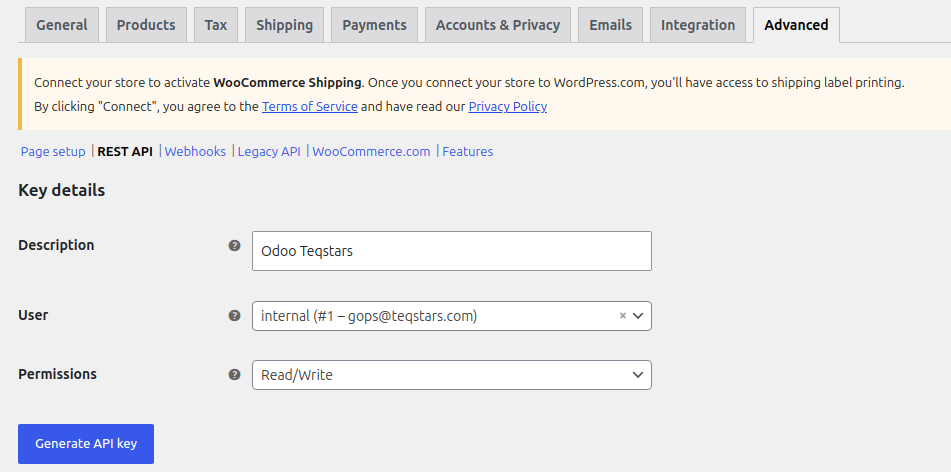
Click Add key, enter a description, choose the user, and set Permissions to Read/Write.
Click Generate API key and copy the Consumer Key and Consumer Secret.
Warning
The Consumer Secret is shown only once. Copy it immediately, if lost, revoke the key and create a new one.
Note
A Read only key cannot export products, update stock, push order status, or process refunds. Use Read/Write.
Paste the Credentials in Odoo
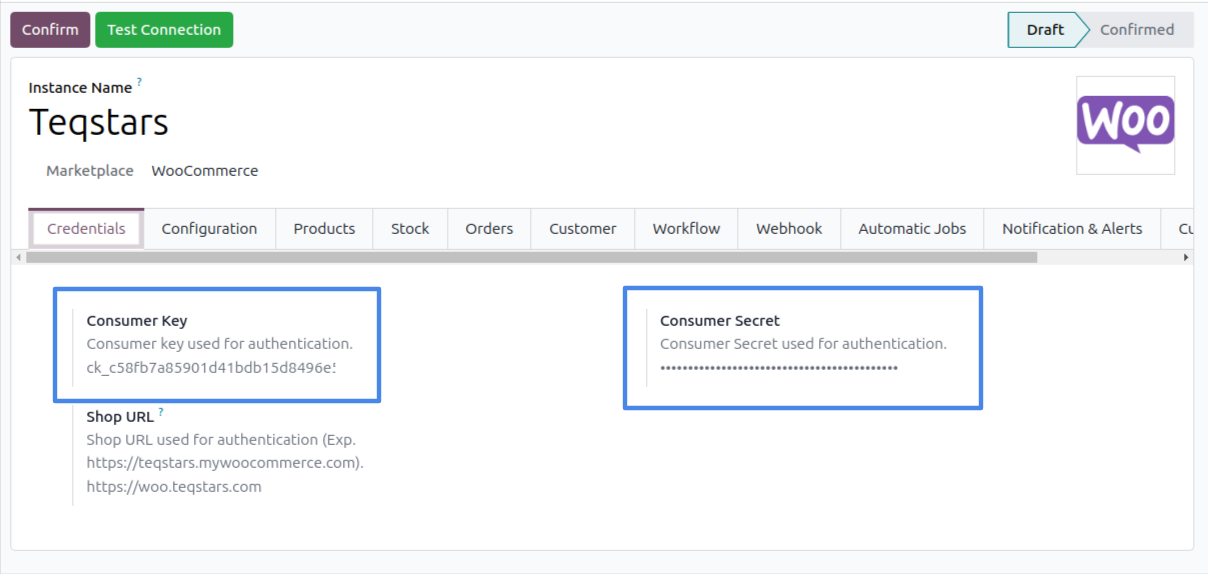
Open your WooCommerce instance and, on the Credentials tab, fill in the Shop
URL (with https://), Consumer Key and Consumer Secret.
Test the Connection
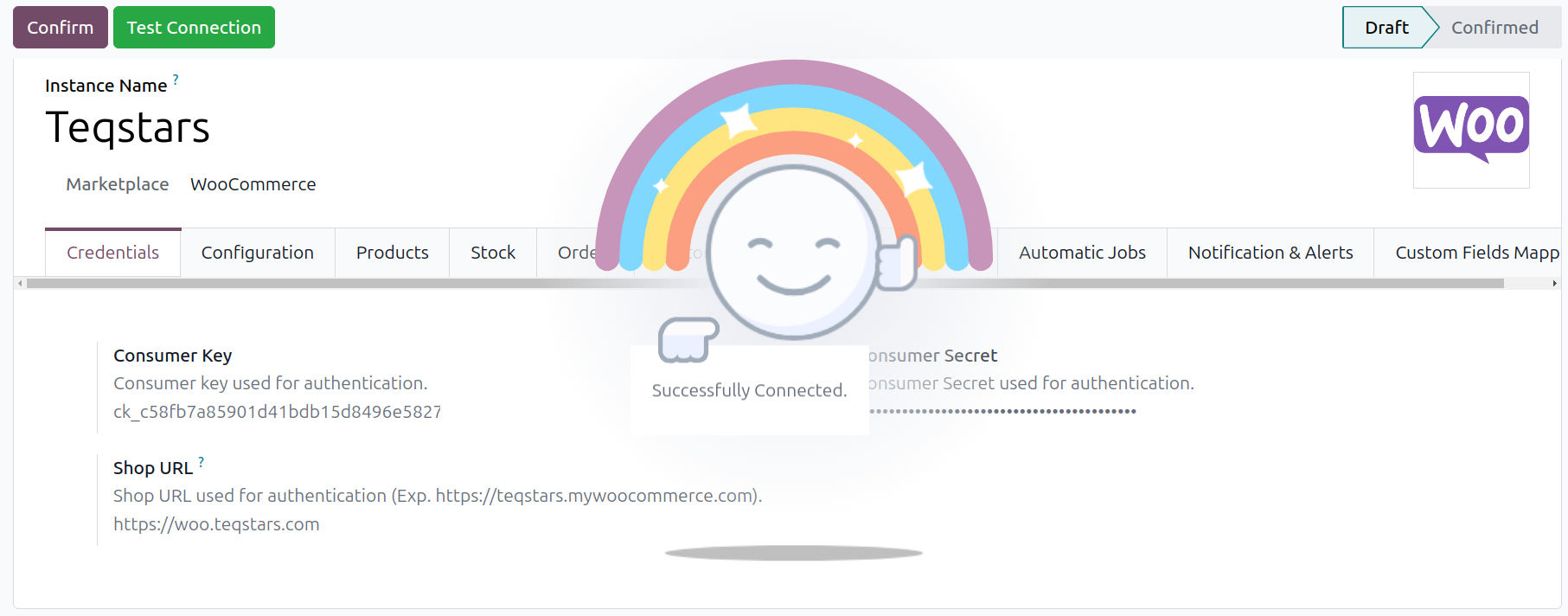
Click Test Connection. On success a confirmation appears and you can finish configuring the instance.
Note
Your Shop URL must include http or https. Webhooks additionally require an HTTPS URL.