
Export Prices From Odoo
The price export pushes the price of every live offer from the Odoo instance pricelist to Octopia, keeping the store price aligned with your Odoo pricing rules. All prices are sent in one Update package per instance.
Note
The connector reads each price from the instance pricelist, see Product Configurations.
Only listings whose offer exists are considered, a price can only be updated on an offer.
A product whose pricelist price is zero is skipped and logged.
Fulfilment managed offers are included, price is the one thing Odoo may send for them.
The VAT of the offer is sent with the price, from the listing’s Octopia Tax.
There are two ways to export prices.
Method - 1: Manual Export Price
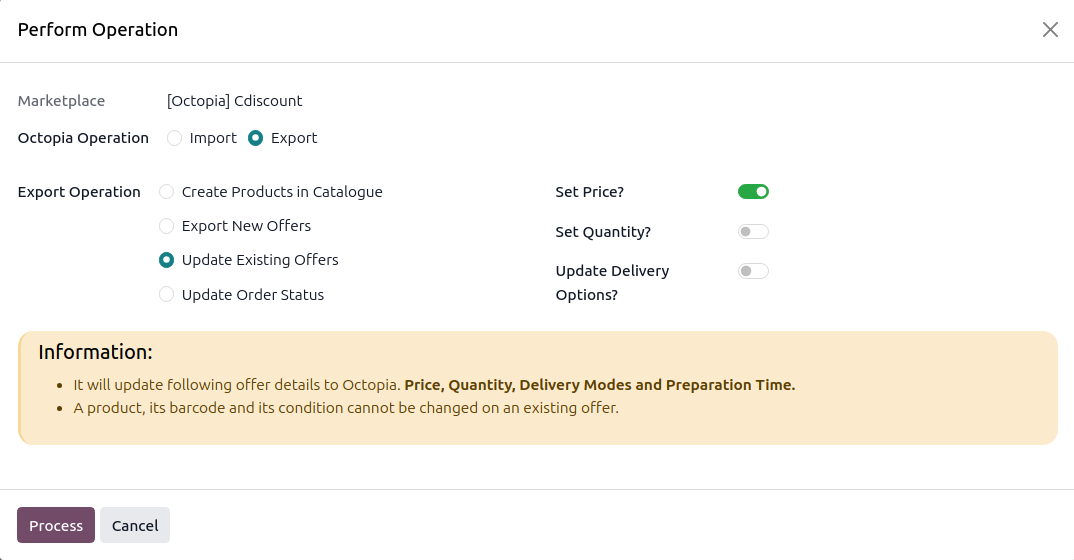
Click the Operations button on the instance card in .
Choose Export, select Update Existing Offers, switch Set Price on, and click Process.
To send the price of only a few offers, select them in the listing view and use Export/Update Listing in Marketplace. See Update Existing Offers In Octopia.
Method - 2: Automatic Export Price
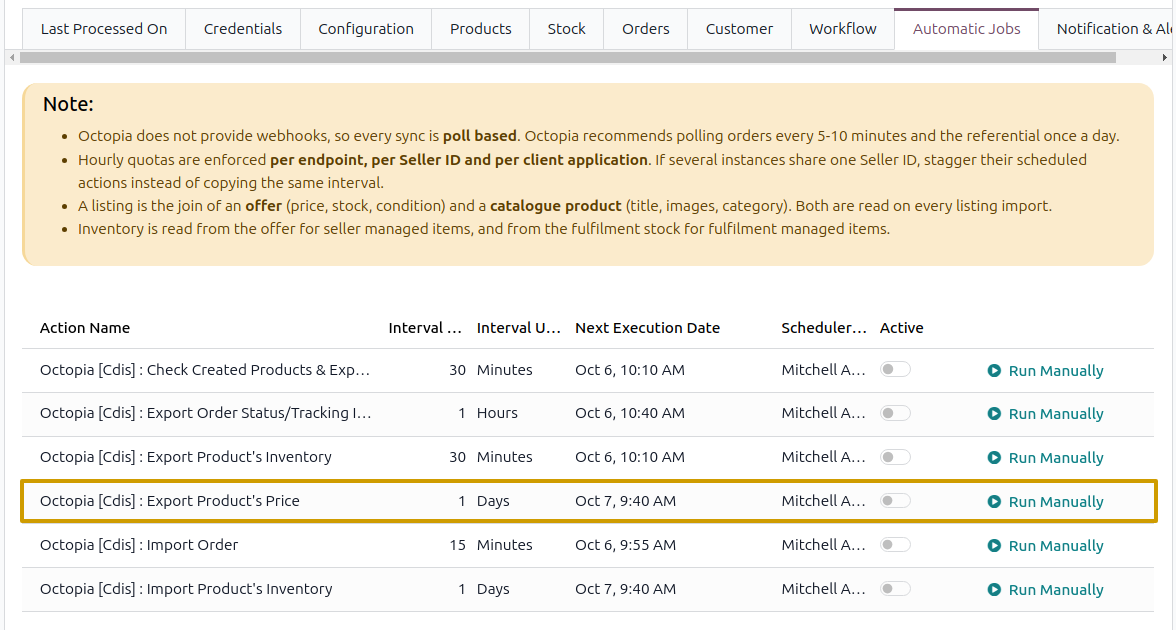
Go to your Octopia instance by navigating to .
Open the Automatic Jobs tab and configure the Export Product’s Price automatic action by setting Interval Number, Interval Unit, and enable Active (daily by default).
Once enabled, Odoo automatically updates prices on Octopia at the selected time intervals. After each run the Last Listing’s Price Updated On date of the instance is refreshed.