
Import eBay Feedback In Odoo
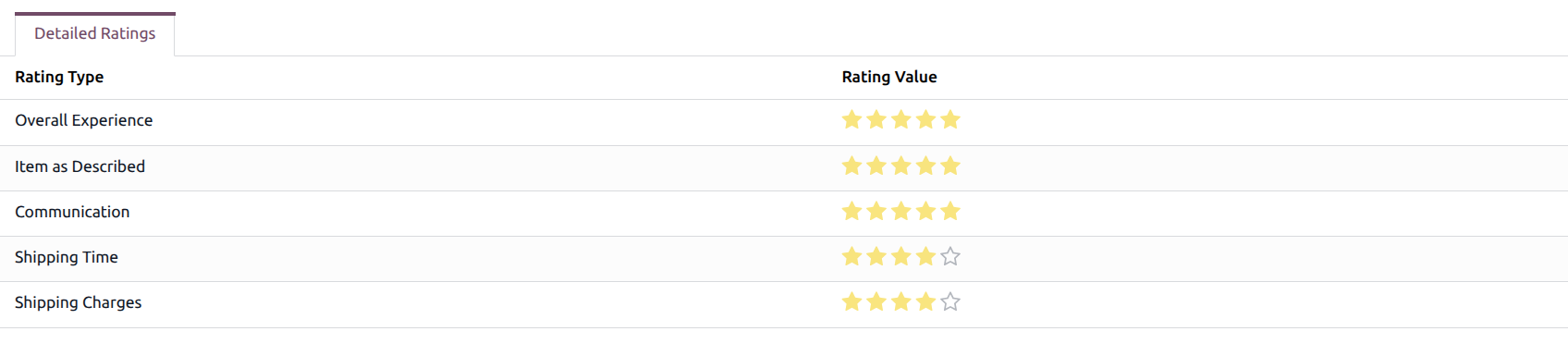
eBay allows buyers to leave feedback for sellers, including an overall rating (Positive, Neutral, Negative), a comment, and detailed seller ratings (DSR) for specific aspects such as Communication, Item as Described, Shipping, etc.
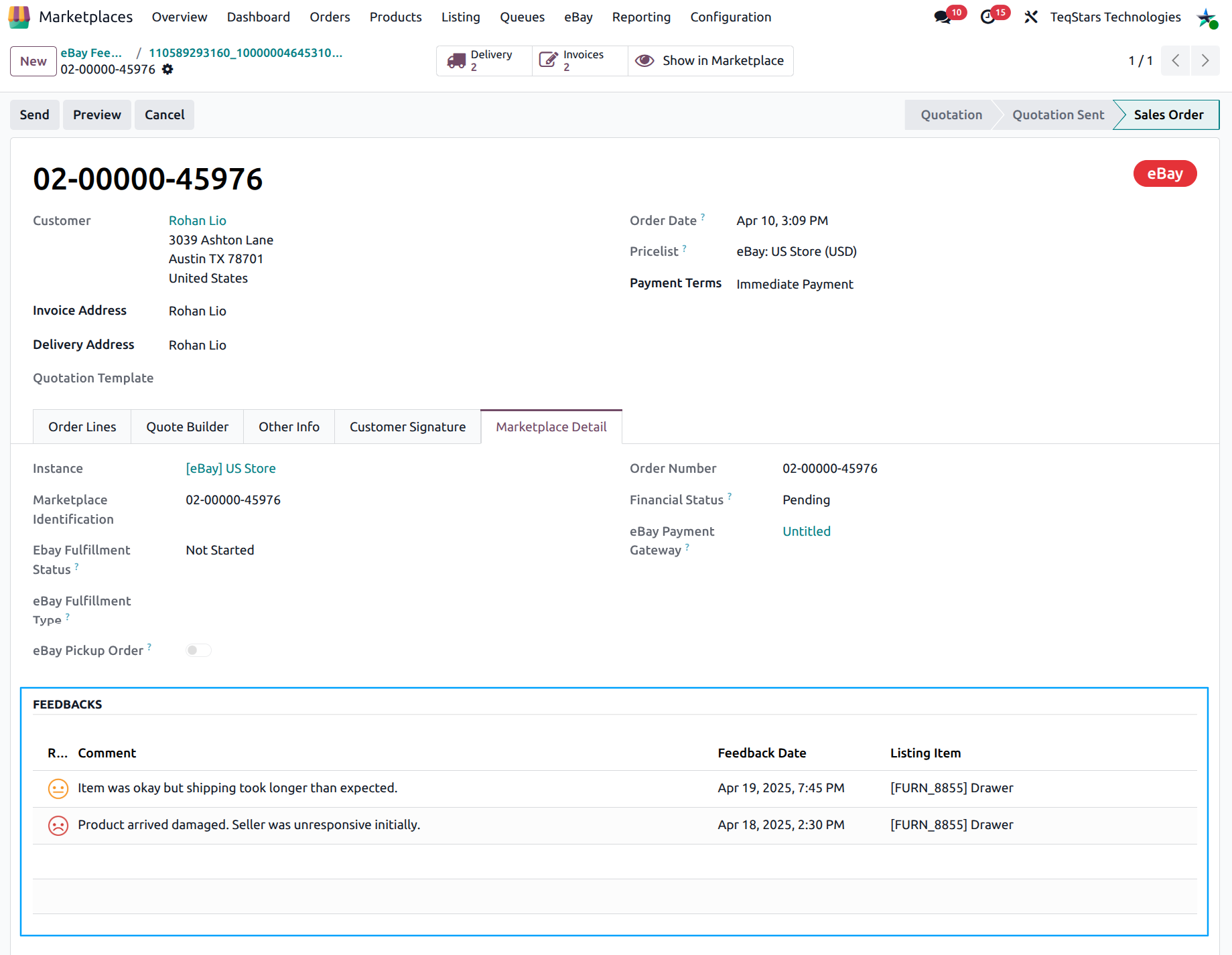
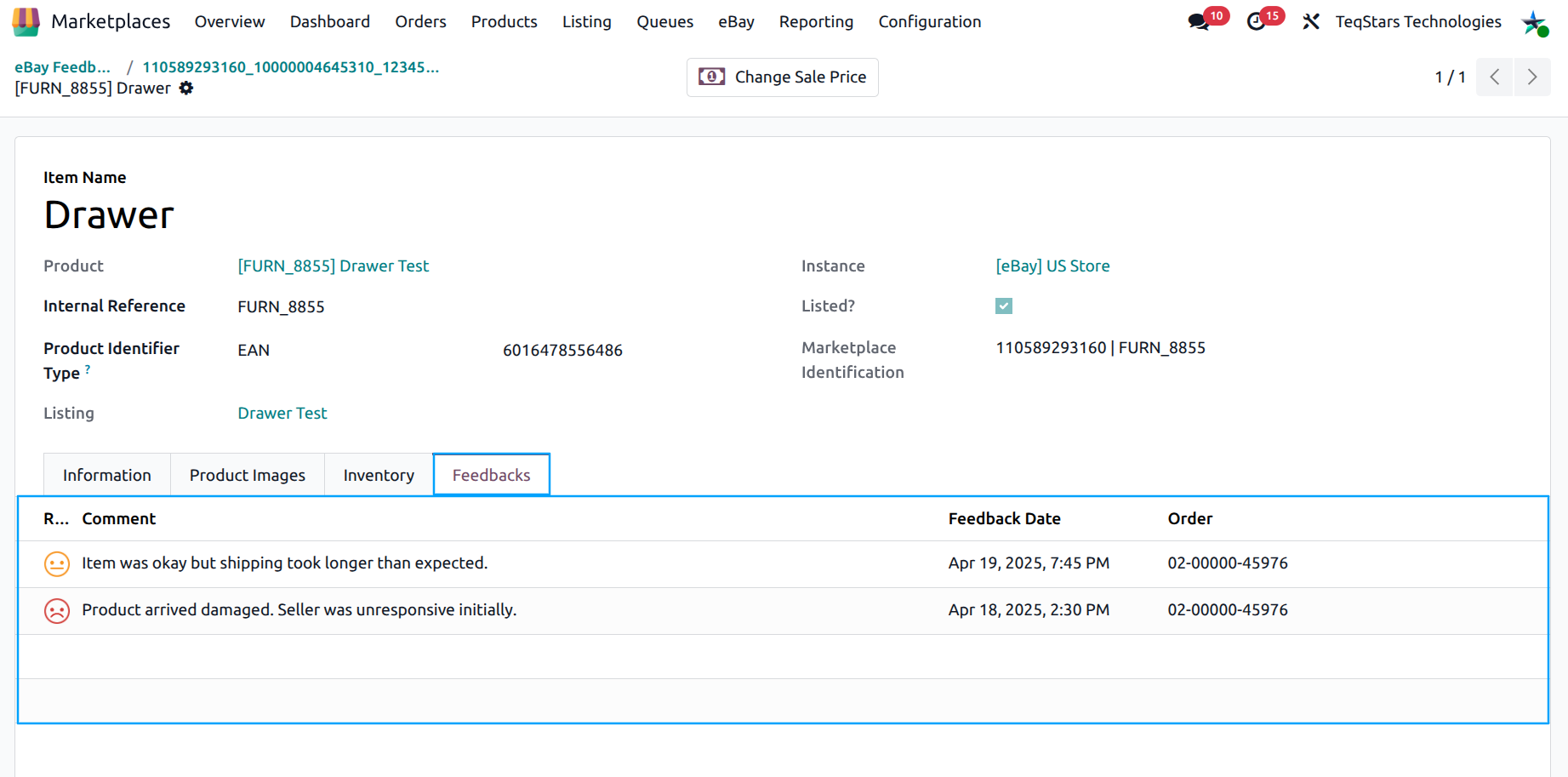
The eBay Odoo Connector allows you to import and view this feedback directly in Odoo, linked to the corresponding sale orders and listing items.
Importing Feedback
Go to the menu in Odoo.
Click on the
Operationsbutton from the instance record.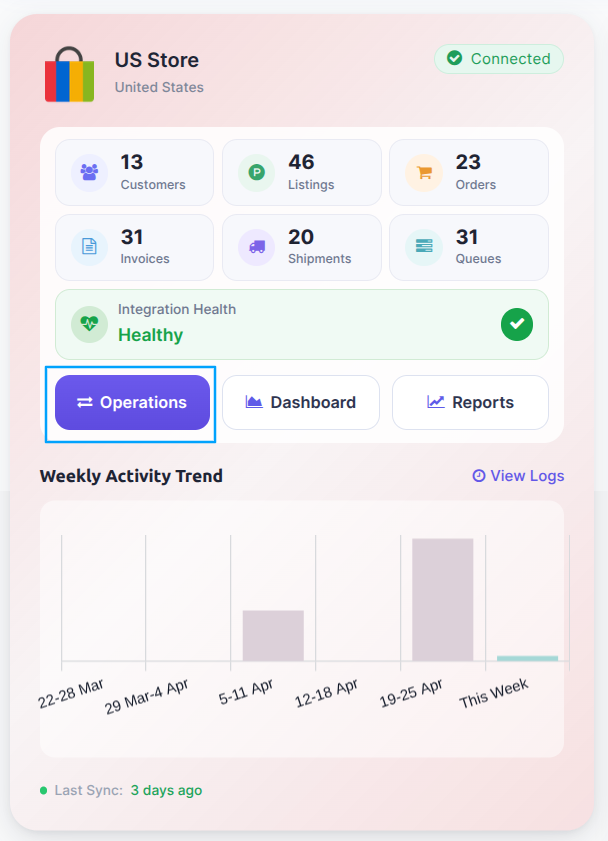
Select Import Operation and then select Import Feedbacks option.
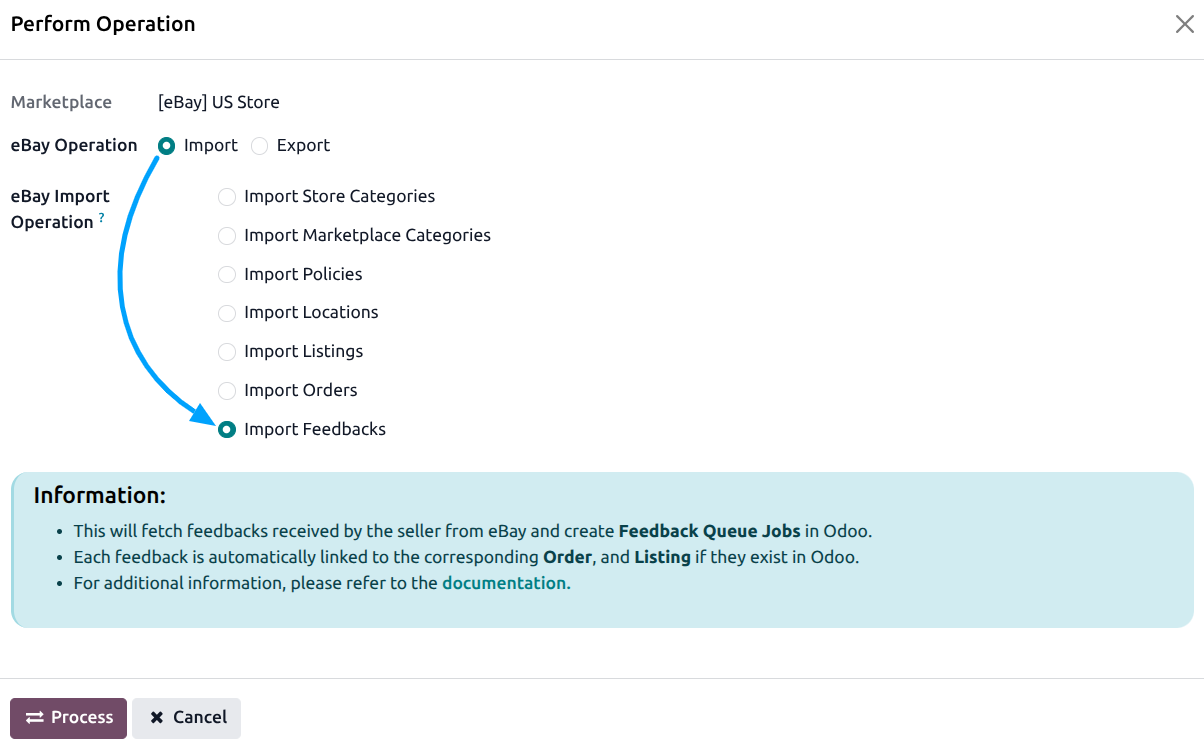
Press
PROCESSbutton.
Viewing Feedback
You can view imported feedback in multiple ways:
From the Feedback Menu
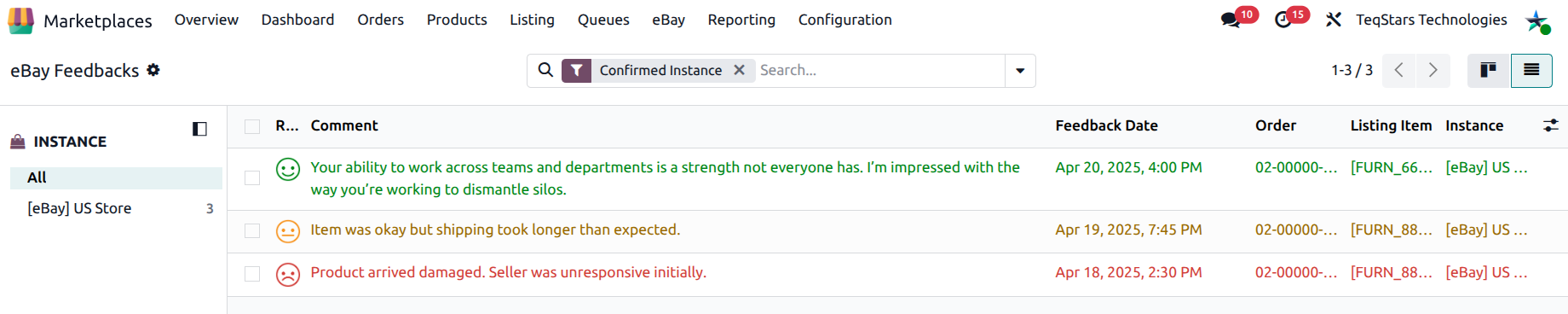
Navigate to to see all imported feedback.

From the Feedback List View
Switch to the list view to see feedback in a tabular format:
From the Feedback Form
Click on any feedback entry to open the detailed form view:
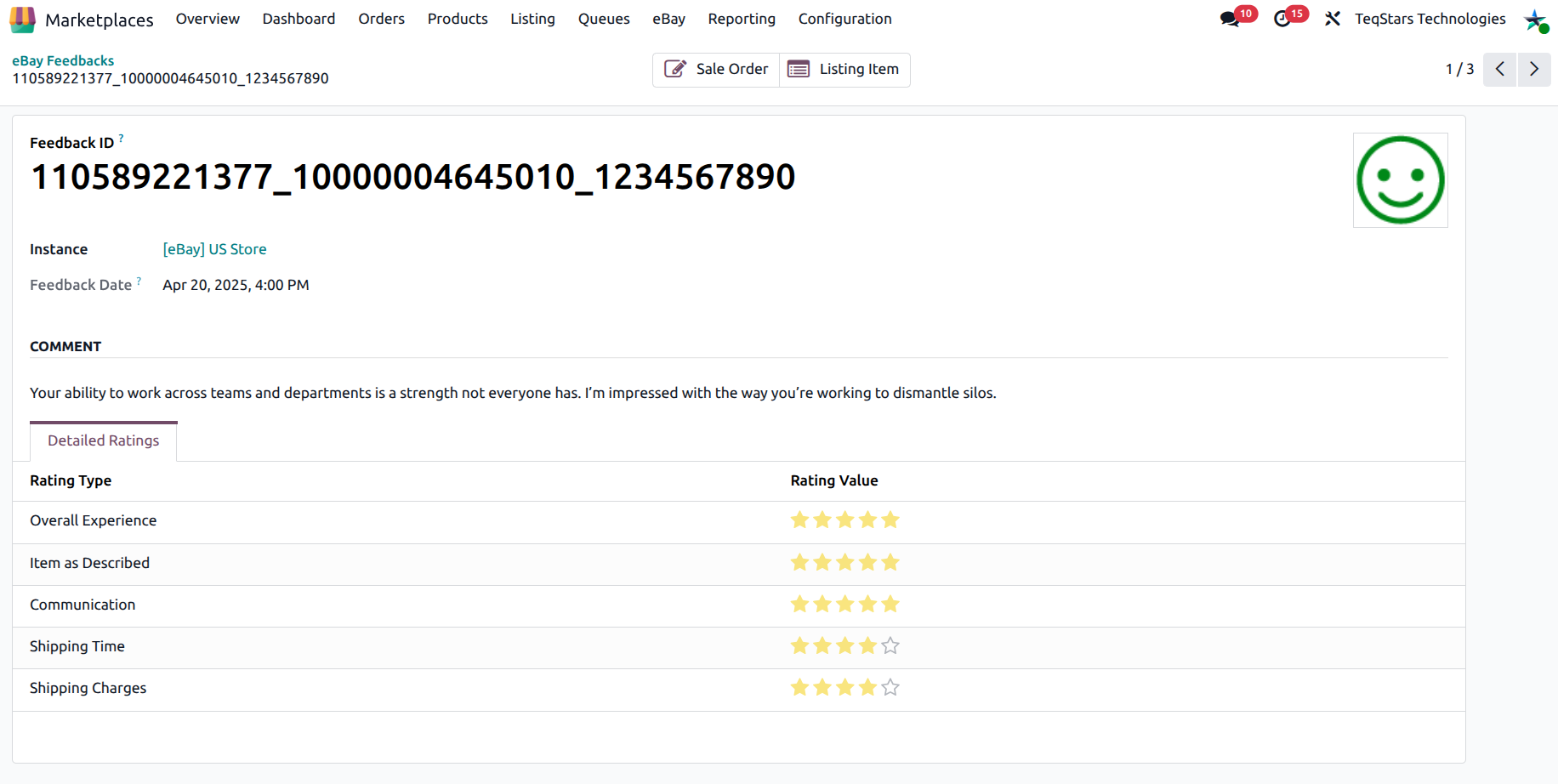
Detailed Seller Ratings (DSR)
The Detailed Ratings tab on the feedback form shows the breakdown of the buyer’s detailed seller ratings:
From the Sale Order
eBay feedback is also visible on the sale order:
From the Listing Item
Individual listing items also show their associated feedback entries under the Feedbacks tab.
See also