
Import PrestaShop Orders In Odoo
The PrestaShop Odoo Connector lets you import PrestaShop orders into Odoo as Sale Orders — with their line items, shipping, wrapping (gift) and discounts — keeping inventory, accounting and fulfillment centralized in Odoo.
Before importing, configure the relevant Orders Configuration and Order Workflow Configuration on the instance.
You can import orders manually from the operations wizard or on schedule through the Import Order automatic job.
Method - 1: Manual Order Import
Go to the menu in Odoo.
Click on the Operations button from the instance record.
Choose Import as the operation type, then from Import Operation, select Import Orders.
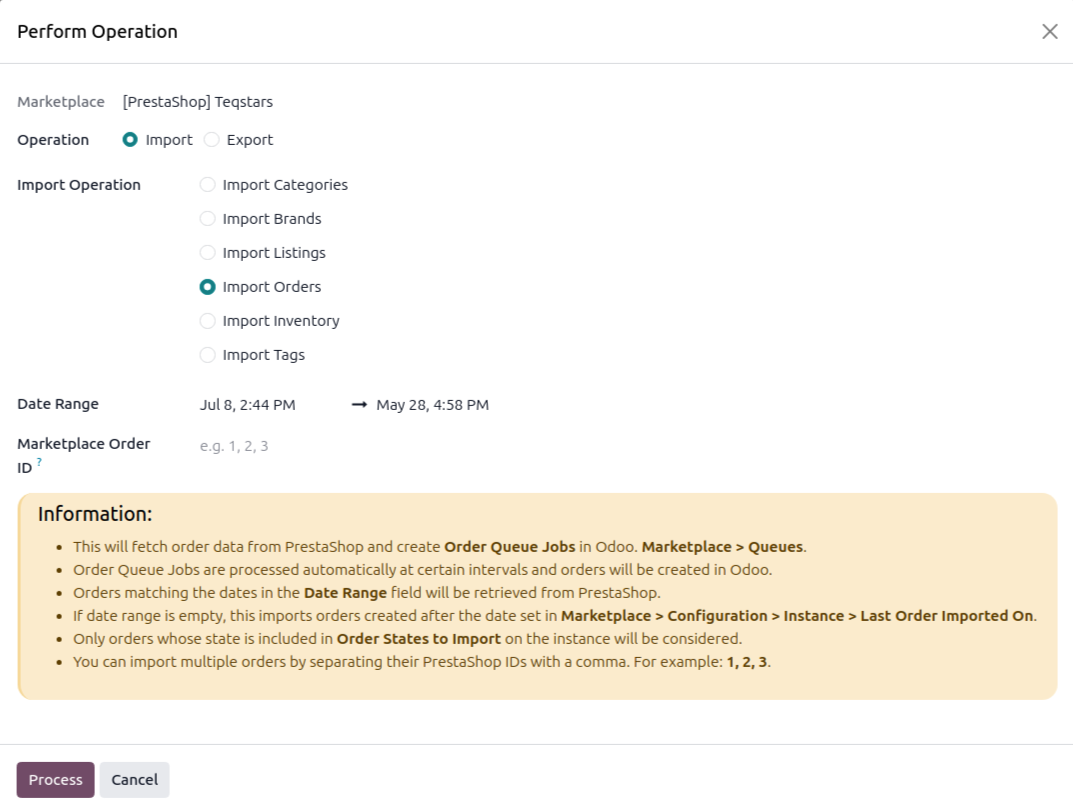
The wizard exposes the following options:
Date Range — Orders updated within the selected date range are retrieved from PrestaShop.
Marketplace Order ID — Import specific PrestaShop orders by entering their numeric IDs, separated by commas, for example
1, 2, 3.
Click Process.
The connector fetches orders from PrestaShop and adds them to a queue job visible at . The queue job is processed automatically, each order is created in Odoo following the Marketplace Workflow matched to the order’s PrestaShop order state and Payment Gateway.
If some orders fail because no matching order workflow is configured, the queue line writes a log entry. Click Configure Workflow on the log, or open the instance, and add the workflow for that order state and payment gateway. Then retry the failed queue line.
Method - 2: Automatic Order Import
Order import from PrestaShop to Odoo can be automated using the Automatic Schedule action, which runs the import at a predefined interval so the latest orders are consistently created or updated in Odoo without manual intervention. Here’s how the process works:
Go to your PrestaShop instance setting by navigating to .
Open the Automatic Jobs tab. In that tab you can configure the Import Order automatic action by setting Interval Number, Interval Unit, and then enable Active (every 15 minutes by default).
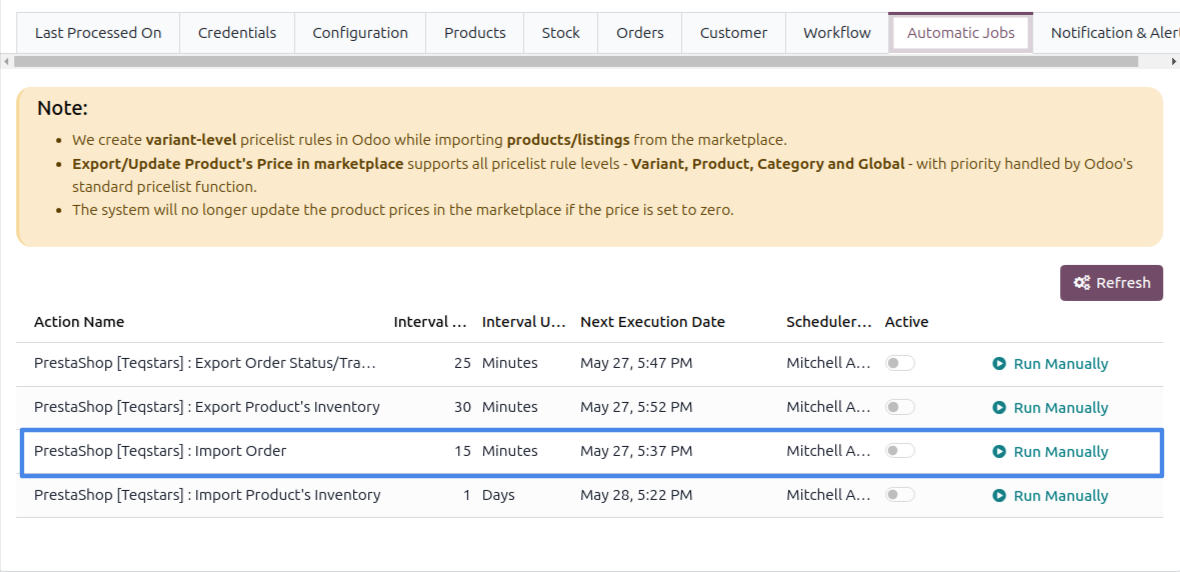
Once the schedule action is active, Odoo automatically imports the latest orders at the specified intervals and processes them according to the configured order workflow.
Important
Orders are imported only when their PrestaShop state is included in the instance’s Order States to Import filter. Configure it at , on the Orders tab.
Orders whose state is marked as the instance Fulfillment State (or a paid + delivered state) have their delivery validated automatically in Odoo.
Orders in a Canceled or Refunded state are skipped if they were never imported, existing orders are cancelled in Odoo in place.
An order with no state set on PrestaShop is skipped and logged.