
Shopify Bulk Queries
Overview
Shopify handles large imports and exports as bulk operations. The connector records each one as a bulk query in Odoo. The Bulk Queries screen lets you follow these operations in one place, so you can see what runs, what finished and what needs attention.
To open it, go to .
Use this screen to:
Check the status of each bulk operation.
See which Shopify store each operation belongs to.
Find the files linked to an operation.
See how many times an operation was retried and why.
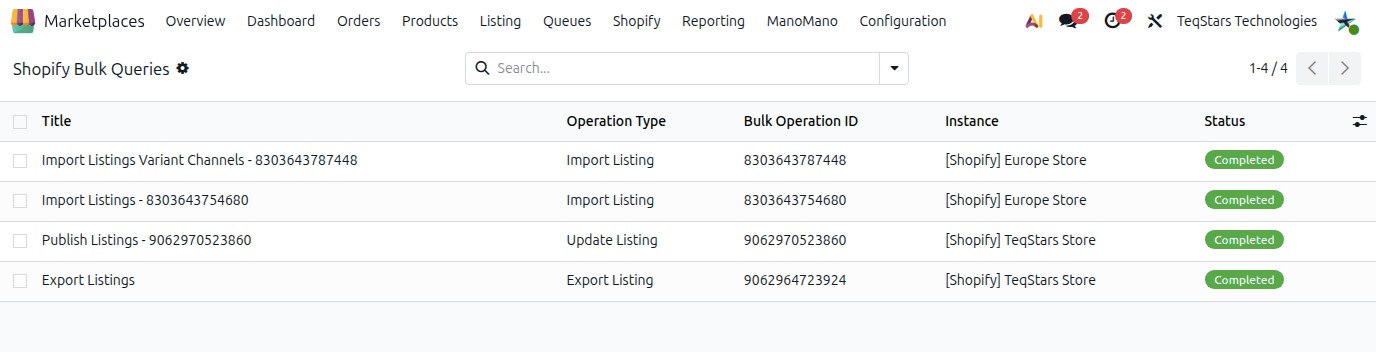
Bulk Query Records
Each record is one bulk operation. Open a record to see its details.
Title: The name of the bulk query.
Operation Type: The kind of operation the query runs.
Bulk Operation ID: The ID Shopify gives to the bulk operation. Use it to match the record with the operation in Shopify.
Instance: The Shopify store the operation belongs to.
Status: The current state of the operation.
Message: A message about the operation, for example when something goes wrong.
Log: The log linked to the operation, where you can check its details.
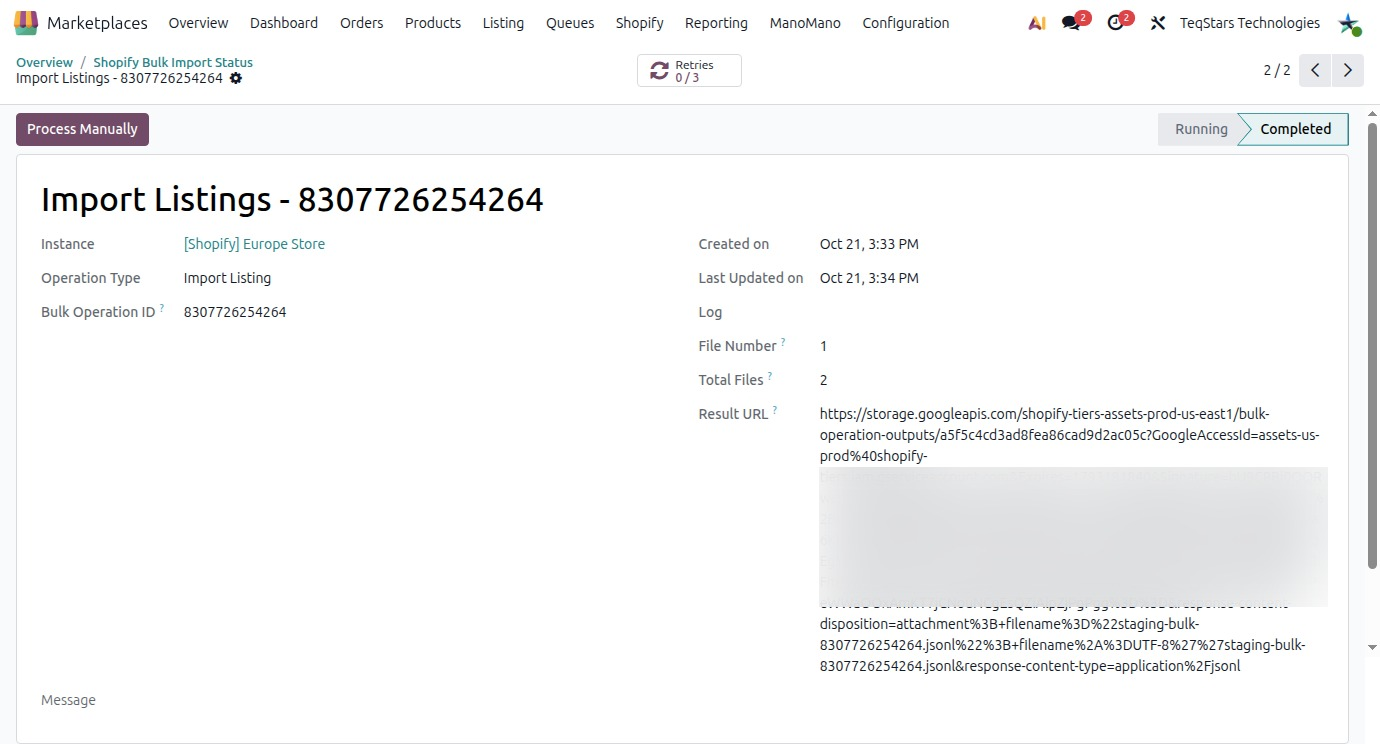
Result Files and Batches
A bulk operation can work with more than one file. The record shows which file it is and where its data comes from.
Payload File: The file the connector sends to Shopify for the operation.
Result URL: The link where Shopify makes the result of the operation available.
Result File: The result file of the operation.
Group Reference: The reference shared by records that belong together.
File Number: The number of this file within its group.
Total Files: The total number of files in the group.
Export Pending Data: The data of an export that is still pending.
File Number and Total Files help you see whether every file of a group is there.
Retries and Manual Processing
The Retry Count field shows how many times the operation was retried. A high count means the operation keeps failing. Check Message and Log to find the cause.
The bulk query form also has a Process Manually button.