
Browse Cloud Documents and Directories
The File Manager lets you browse the directories and documents that sync with your cloud, without leaving Odoo. You can create directories on the cloud, open files in the provider and keep your favorite documents close at hand. Portal users see their documents and directories in the portal.
Open the File Manager
Go to .
Click a directory to open it.
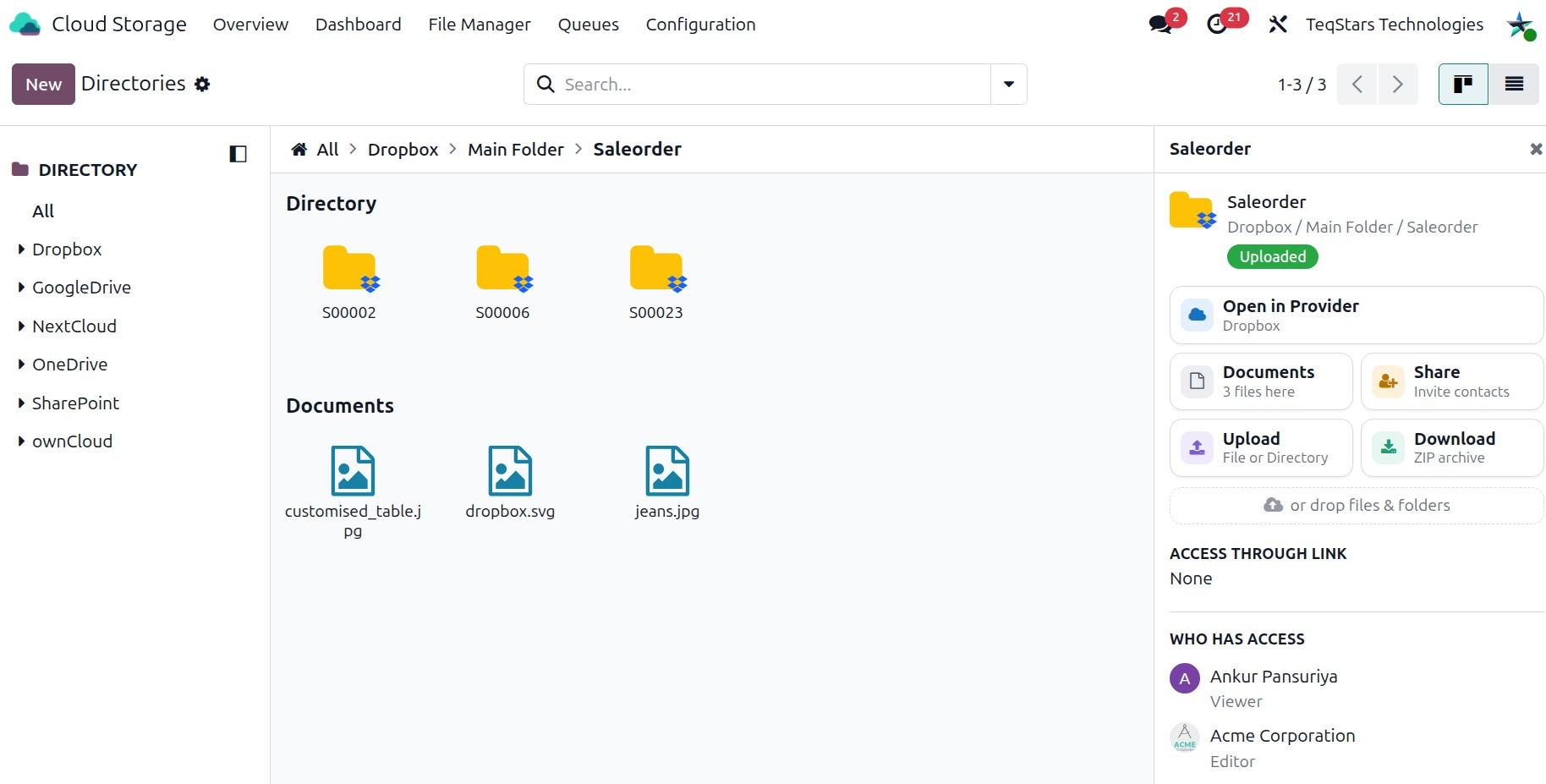
The list shows the directories you can access. You see what you own or what someone has shared with you.
Directories and subdirectories
Each directory belongs to a provider. A directory can sit inside another directory:
Parent Directory: the directory that holds this one.
Subdirectories: the directories inside this one.
Documents: the documents stored in this directory.
Full Path: the full path of the directory on the cloud.
Cloud Link: the link to the directory in the provider.
Documents
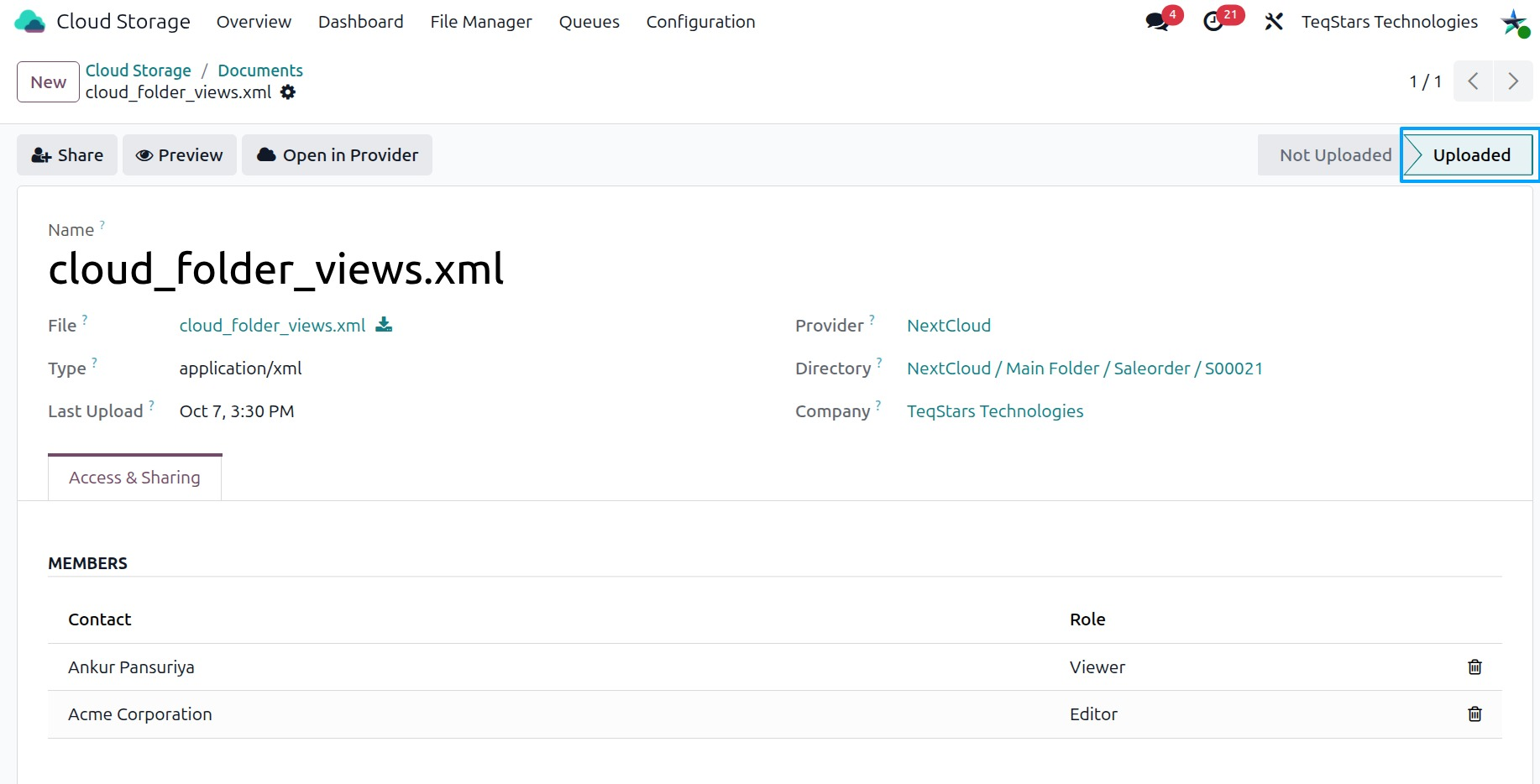
Open a directory to see its documents. Click a document to open it. The document shows:
File Icon: an icon for the file type.
Directory: the directory that holds the document.
Size: the size of the file.
Type: the file type.
Cloud Status: the sync status of the document.
Last Upload: when the file last went to the cloud.
Cloud Link: the link to the file in the provider.
Documents and directories in the portal
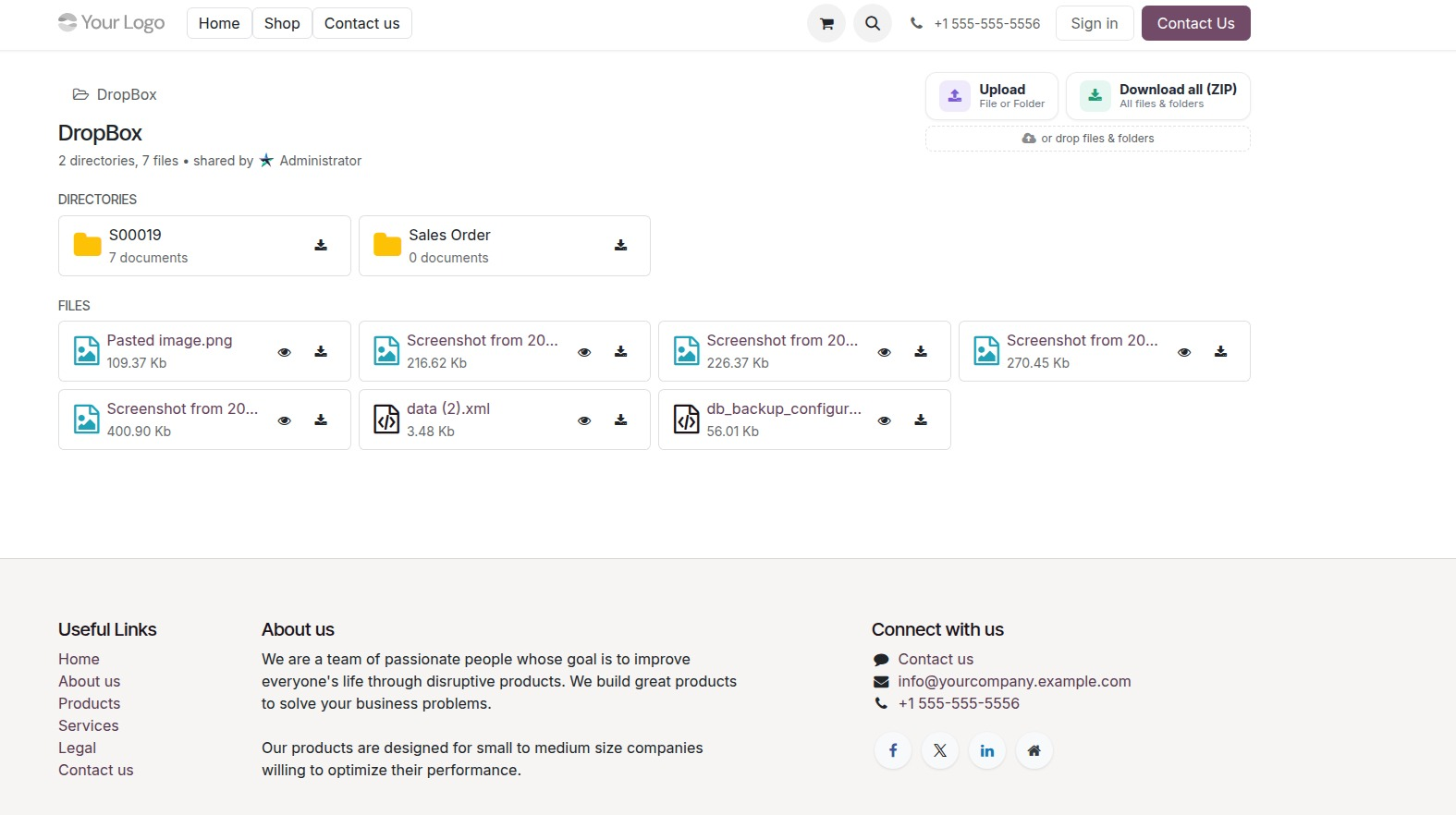
Portal users find a Cloud Documents card on the portal home. They see only what they own or what someone has shared with them. From there they can preview, download and upload files.
For each directory, the portal shows:
Full Path: the path of the directory.
Last Updated: when the directory last changed.
Subdirectory: the directories inside it.
Subdirectory Count: how many subdirectories it holds.
Document Count: how many documents it holds.
For each document, the portal shows:
File Name: the name of the file.
Source: where the document comes from.
Cloud Status: the sync status of the document.
My Access: your access to the document.
To learn how to give others access, see Share Documents and Directories.